


Participant
Jan 2, 2025 8:55 AM UTC
Answered

Every entries got rejected. Can anyone tell the reason and how to improve

🙂Every entry got rejected. Can anyone tell me the reason and how to improve

Abambo
AbamboCorrect answer
Community Expert
Jan 2, 2025 1:47 PM UTC

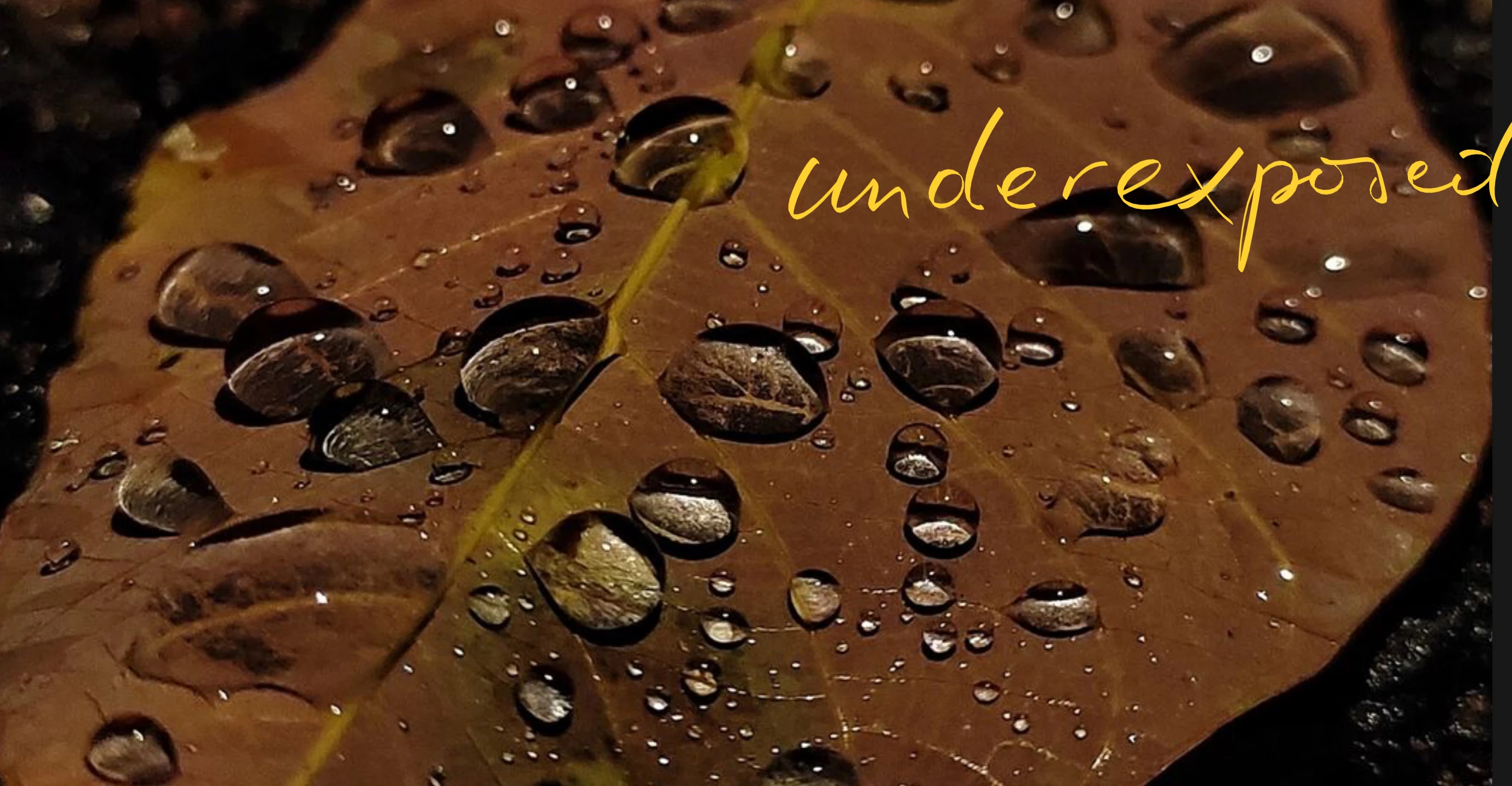
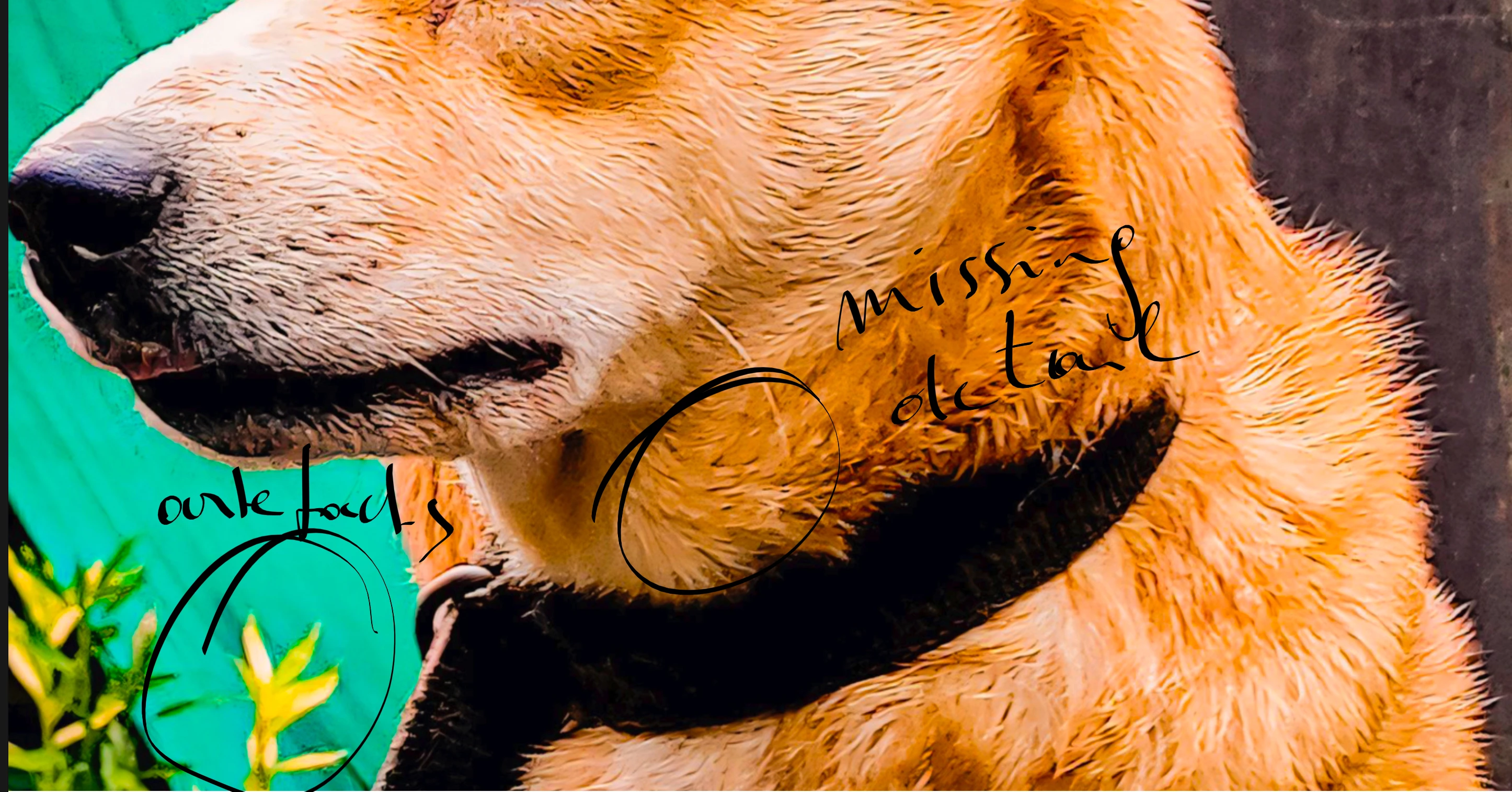
Check your assets at 100%. Your pictures expose a high level of artefacts, have missing details and are underexposed. There may be other issues, too.
ABAMBO | Hard- and Software Engineer | Photographer

5 replies

Nancy OShea
Community Expert
Community Expert
Jan 2, 2025 9:55 PM UTC

You're competing with millions & millions of perfect pet images.  There's too much competition in the pet category.

https://stock.adobe.com/search?k=white+kitten


If you're serious about Stock photography, start saving for good entry-level camera equipment (new or used).

Take some photography courses to learn the basics. 

Join a photography club to gain some technical experience.


Hope that helps. Best of luck.


Translate
Nancy O'Shea— Product User & Community Expert
Jill_C
Community Expert
Community Expert
Jan 2, 2025 4:50 PM UTC

1714318900029.jpg - too tightly cropped and a messy composition

1714320097321.jpg - too tightly cropped - you've cut off their toes 

1714319681689.jpg - too tightly cropped abd overexposed, possibly blownout areas


Translate
Jill C., Forum Volunteer
Abambo
Community Expert
Community Expert
Jan 2, 2025 1:47 PM UTC

If you are new to stock, you should consider these resources: https://helpx.adobe.com/stock/contributor/tutorials.html
Please read the contributor user manual for more information on Adobe stock contributions: https://helpx.adobe.com/stock/contributor/user-guide.html
See here for rejection reasons: https://helpx.adobe.com/stock/contributor/help/reasons-for-content-rejection.html
and especially quality and technical issues: https://helpx.adobe.com/stock/contributor/help/quality-and-technical-issues.html

Translate
ABAMBO | Hard- and Software Engineer | Photographer
Abambo
Community Expert
AbamboCommunity ExpertCorrect answer
Community Expert
Jan 2, 2025 1:47 PM UTC

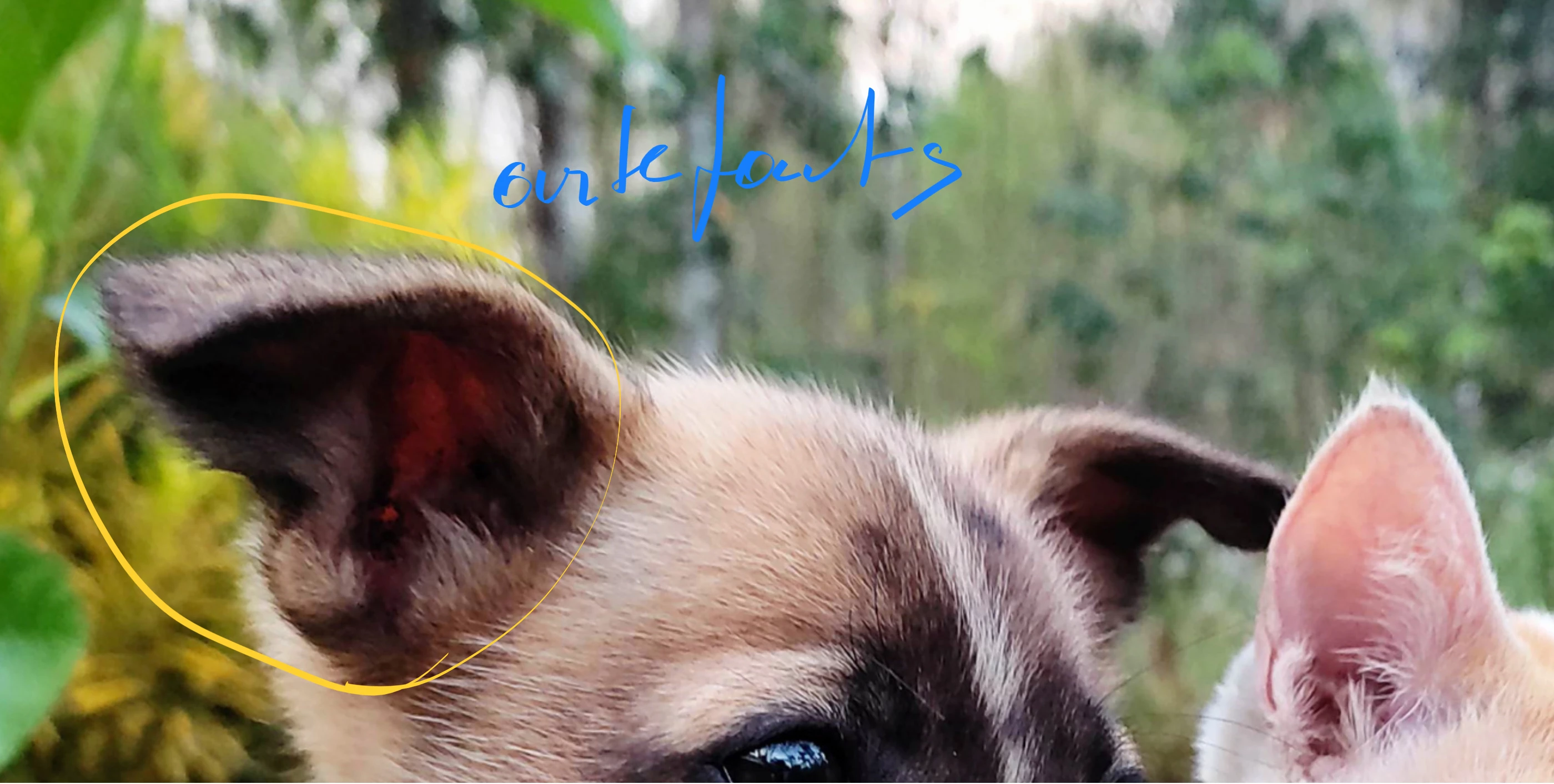
Check your assets at 100%. Your pictures expose a high level of artefacts, have missing details and are underexposed. There may be other issues, too.
Translate
ABAMBO | Hard- and Software Engineer | Photographer
RALPH_L
Community Expert
Community Expert
Jan 2, 2025 10:45 AM UTC

The quality of the first photo reviewed at 100% looks bad. There is a lot of noise. I assume due to over sharpening or jpeg compression. Also, the highlights are overexposed so that the details in the fur are lost.

Translate