shrikant24636917ls84
Participating Frequently
June 4, 2022
Answered

getting rejection for technical issue

  • June 4, 2022
  • 3 replies
  • 709 views

I am getting rejection on below images and i am not able to find what it is.

1) makar-sankrantri-focus.jpg

2) makar-sankrantri-haldi-kunku-festival-maharashtra.jpg

3) makar-sankrantri-festival-maharashtra.jpg


Can you please list out what are the list of changes required for each image.


Accordinly i can make those changes in it.

This topic has been closed for replies.
Correct answer jacquelingphoto2017

Hi @shrikant24636917ls84,

Zoom your images to between 100 and 200%. A section of the first file looks like this 
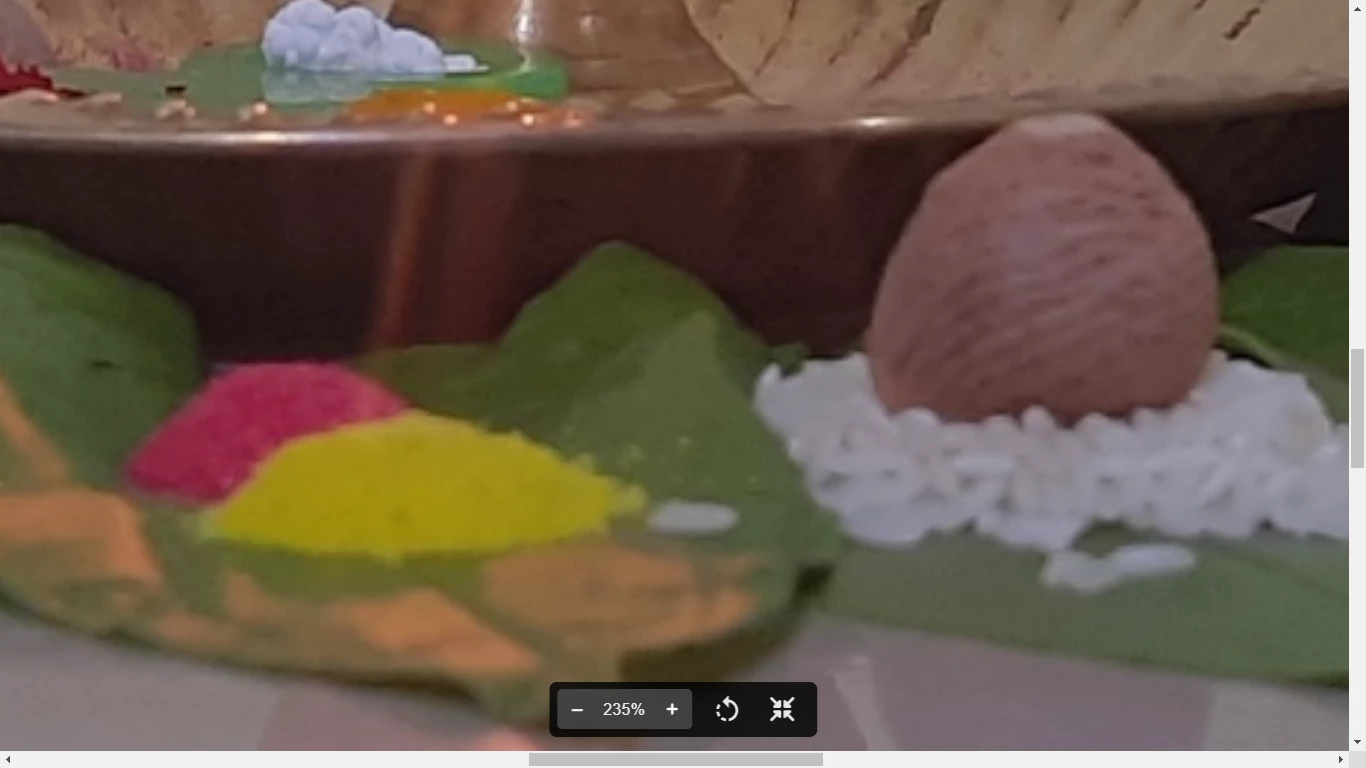
It's looking dull, possibly a little underexposed or cool. Section of the subject is blurry - out of focus. There are grains on the subject - noisy.
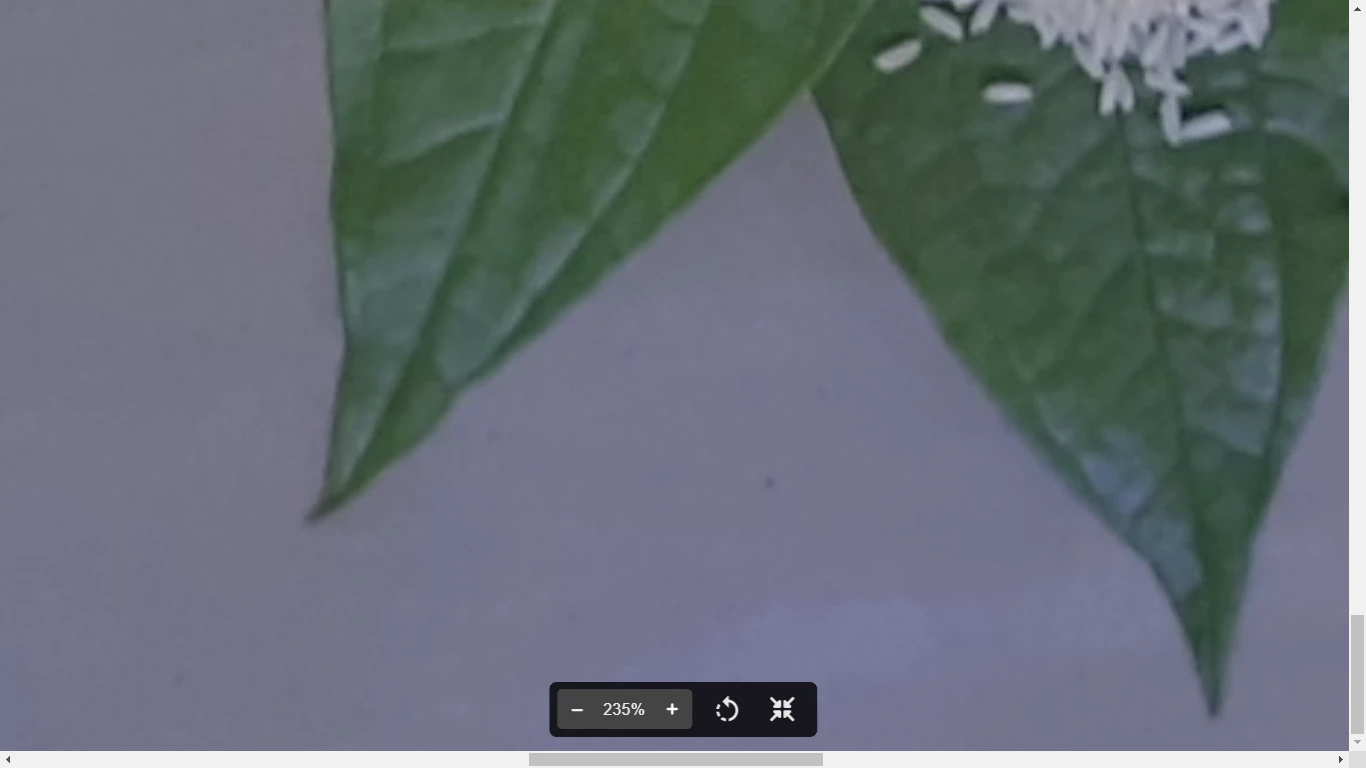
This is also clearly underexposed (looking dull) and not sharp. The composition is a little out. You should include the tip of the leaf at the top. 
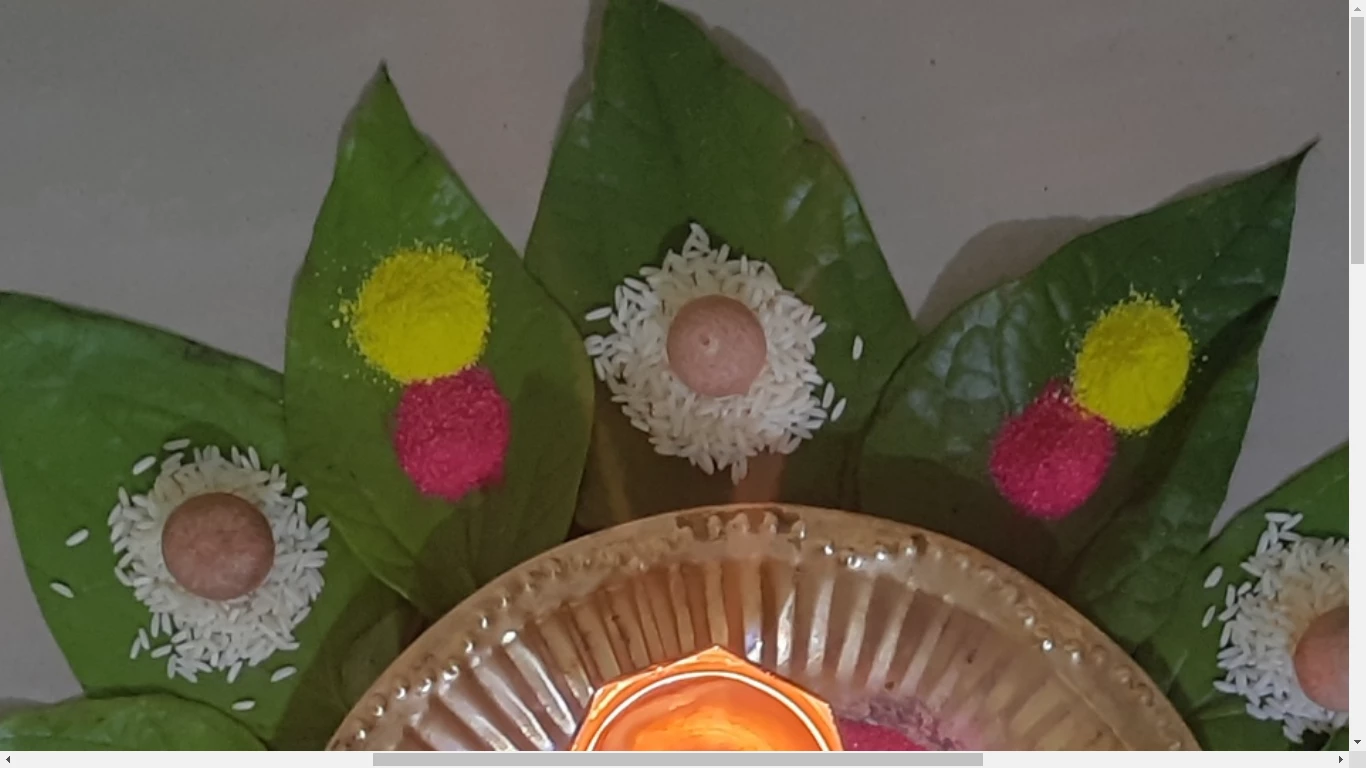
The line at the side of the the subject draws the eyes to its crookedness. While either of these elements for this subject are no reasons for rejection, it is good to pay attention to these details. What I do when I have crooked lines in my framing, is to remove the line in post processing, or while taking the photo to to make sure it's vertical or horizontal or use to create a regular shape. In this case it's better removed.

The second and the third images are similar. That will generate a similar rejection.

It would appear you're either too close to your subjects or do not have enough depth of field to produce complete sharp images.

Please read the Adobe Contributor Guide for more info. Also Pay attention to these tips to get your files accepted. Look at the do and don'ts when preparing files for uploads, and some additional tips that will help you identify errors. Be sure to read all sub-links of all the links I insert here.

Best wishes

Jacquelin

 

3 replies

jacquelingphoto2017
Community Expert
jacquelingphoto2017Community ExpertCorrect answer
Community Expert
June 4, 2022

Hi @shrikant24636917ls84,

Zoom your images to between 100 and 200%. A section of the first file looks like this 

It's looking dull, possibly a little underexposed or cool. Section of the subject is blurry - out of focus. There are grains on the subject - noisy.

This is also clearly underexposed (looking dull) and not sharp. The composition is a little out. You should include the tip of the leaf at the top. 

The line at the side of the the subject draws the eyes to its crookedness. While either of these elements for this subject are no reasons for rejection, it is good to pay attention to these details. What I do when I have crooked lines in my framing, is to remove the line in post processing, or while taking the photo to to make sure it's vertical or horizontal or use to create a regular shape. In this case it's better removed.

The second and the third images are similar. That will generate a similar rejection.

It would appear you're either too close to your subjects or do not have enough depth of field to produce complete sharp images.

Please read the Adobe Contributor Guide for more info. Also Pay attention to these tips to get your files accepted. Look at the do and don'ts when preparing files for uploads, and some additional tips that will help you identify errors. Be sure to read all sub-links of all the links I insert here.

Best wishes

Jacquelin
 

shrikant24636917ls84
Participating Frequently
June 5, 2022

Thanks @jacquelingphoto2017  for this indetive information it ell help me to get the good imges for my Stock Photography.

Abambo
Community Expert
Community Expert
June 5, 2022

If you are new to stock, you should consider these resources: https://helpx.adobe.com/stock/contributor/tutorials.html
Please read the contributor user manual for more information on Adobe stock contributions: https://helpx.adobe.com/stock/contributor/user-guide.html
See here for rejection reasons: https://helpx.adobe.com/stock/contributor/help/reasons-for-content-rejection.html
and especially quality and technical issues: https://helpx.adobe.com/stock/contributor/help/quality-and-technical-issues.html

ABAMBO | Hard- and Software Engineer | Photographer
reedesign1912
Inspiring
June 4, 2022

To support what @RALPH_L mentioned, here is a quick 1 minute modification of your image.  (It still wouldn't be accepted because of the focus issues), but you can get a better sense of the edits that would help - contrast, line removal and rotating the image so the leaves were more visually appealing (pointing directly up and down and across the horizon.)  I would also add that you should have the whole scene in the image without some of the leaves being cut off.


The shadows from the directional lighting also are causing some distractions in the image.


Smartphone photography has lots of challenges, you may find some of these resources helpful:


Best of luck with your future submissions.

Rob R, Photographer
RALPH_L
Community Expert
Community Expert
June 4, 2022

Photo 

1) Out of focus, not level, lacks contrast, reflection on the wall should be removed, highlights lack detail 

2 & 3) Out of focus, lacks contrast, shadows are disturbing, the line on the right is disturbing