RifiFish
Participant
June 25, 2026
質問

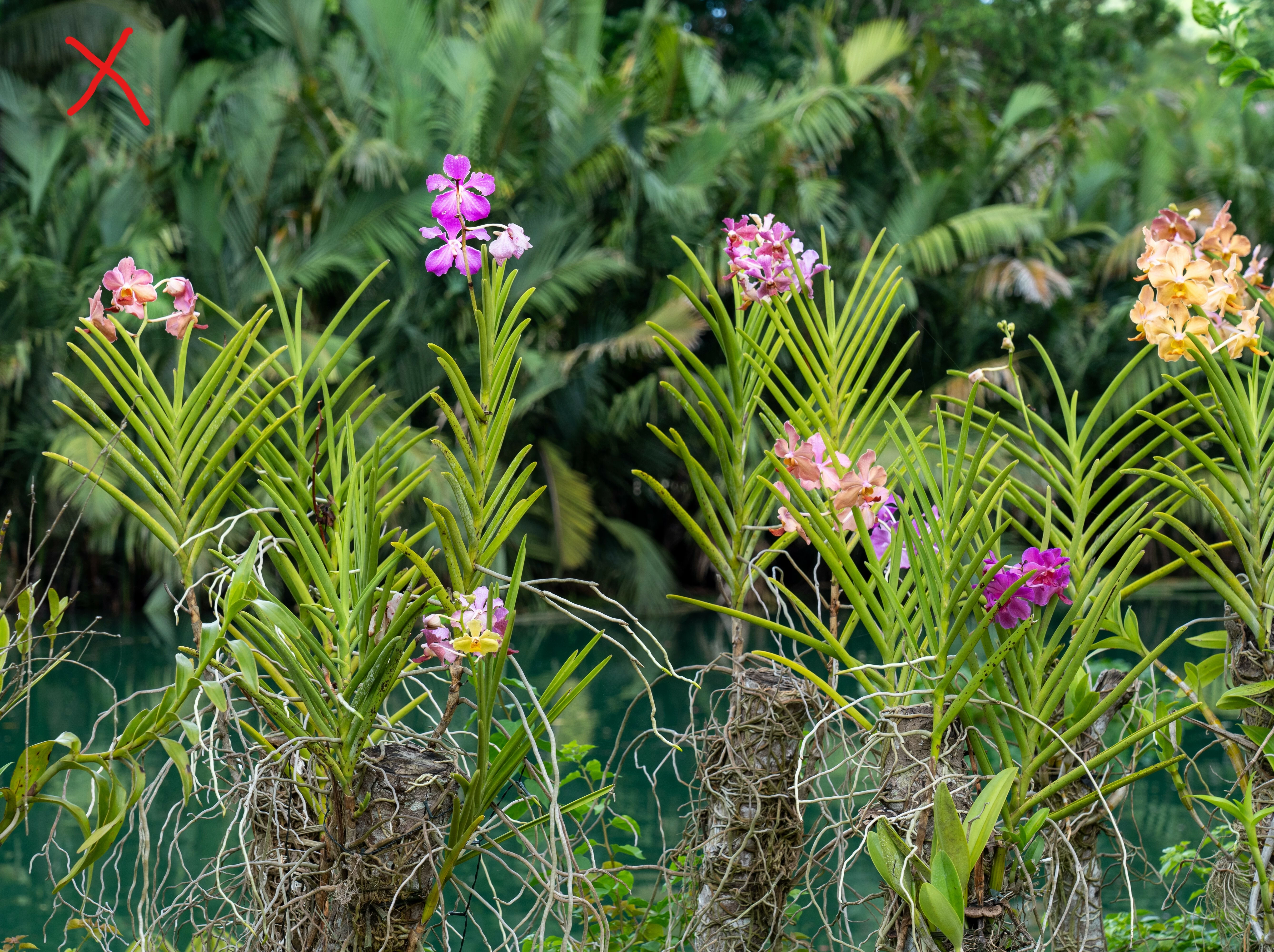
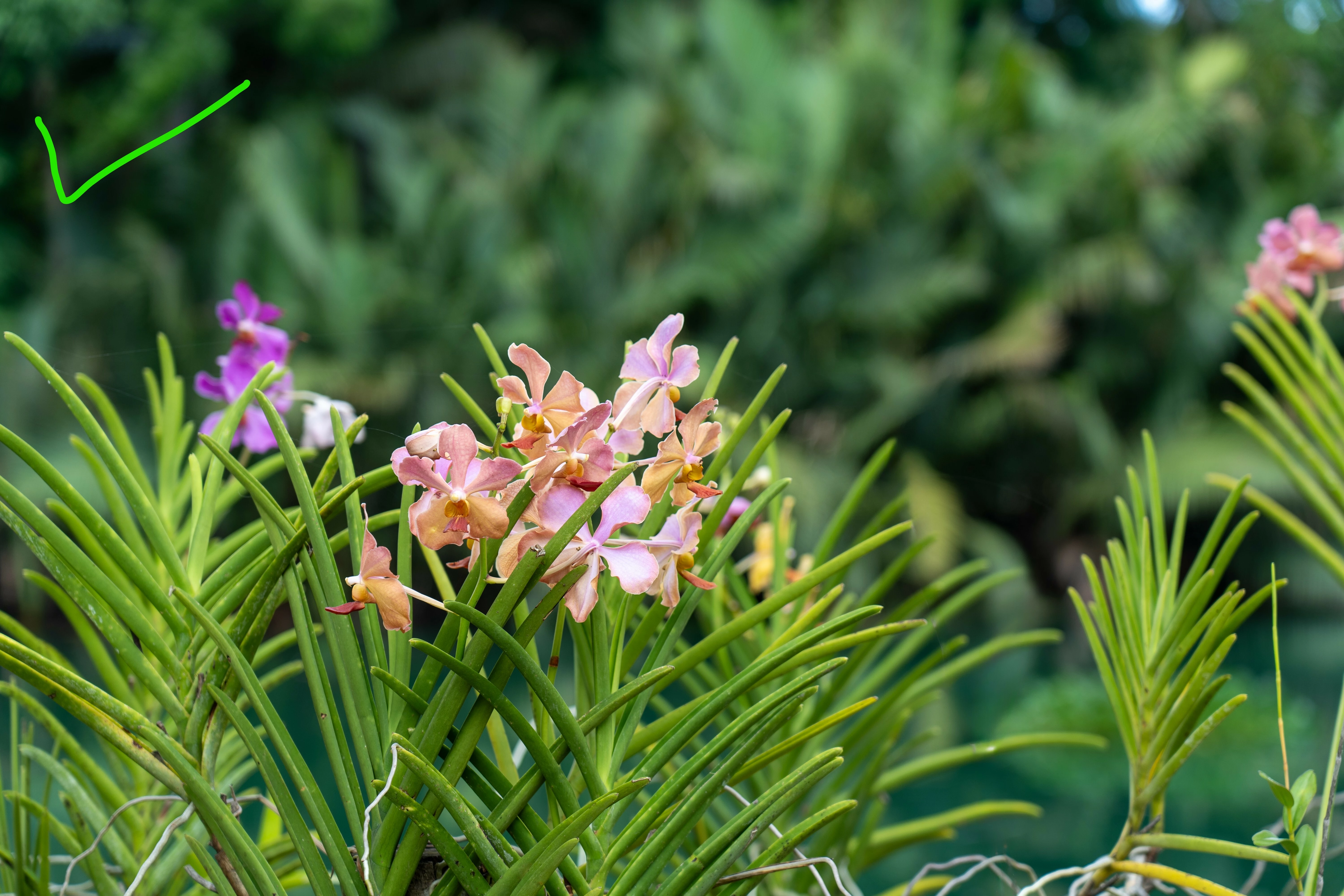
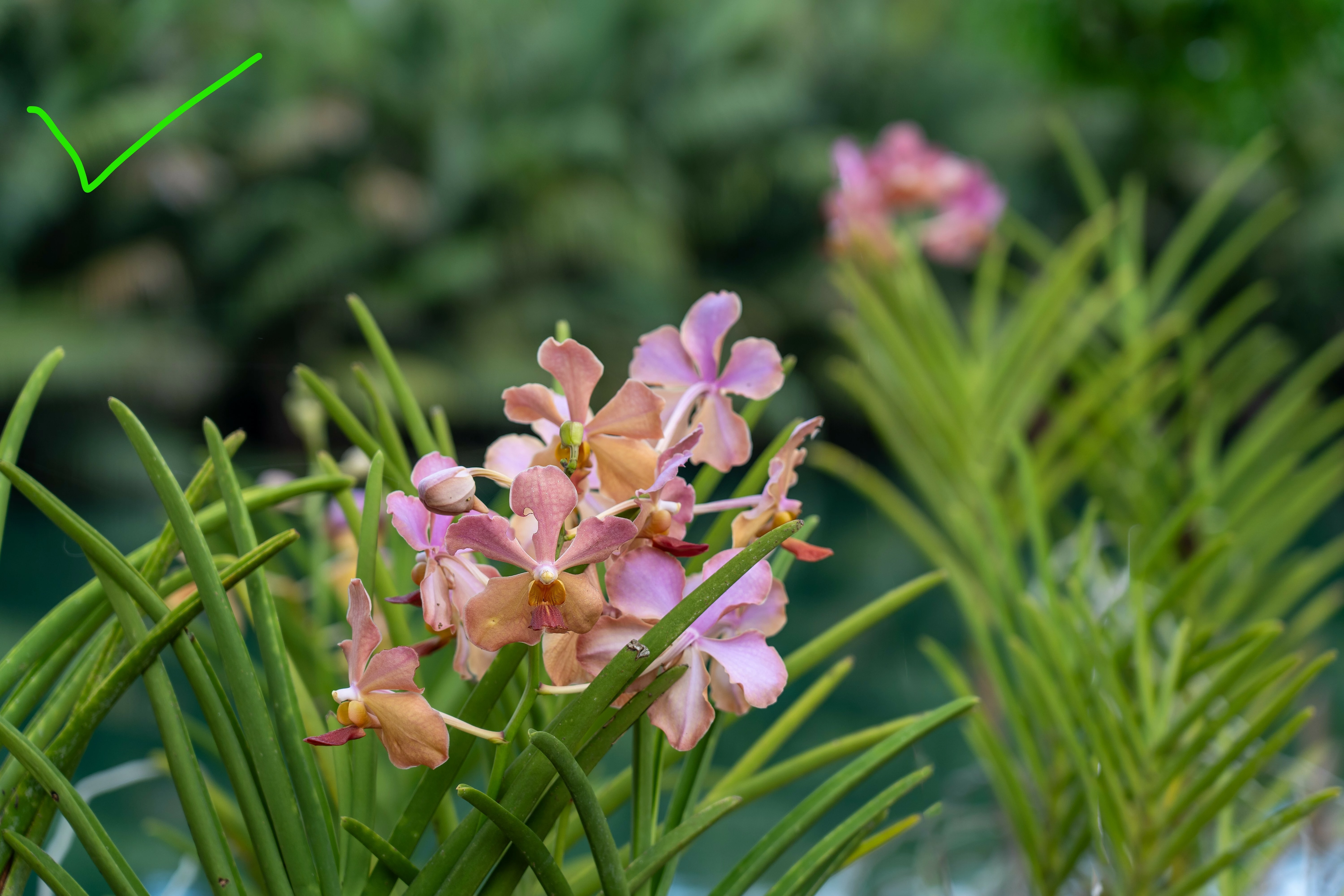
Hello! Can anyone shed some light on why these photos were rejected? Some from the same batch were accepted. They were rejected for quality issues not similar content. I have marked which were successful and which were not with ticks and crosses!

 

    返信数 6

    Nancy OShea
    Community Expert
    Community Expert
    June 26, 2026

    One or two refused images would have been sufficient.


    1. I’m seeing many images with focus issues. Stock customers want well-focused subjects with good details.
    2. What’s your money shot?  Crop out & remove irrelevant elements from the frame. Less is more. 
    3. Compare your best work with similar inventory.
    4. To get accepted, your quality should meet or exceed what Stock is selling and offer customers something unique.

    Hope that helps.


    Nancy O'Shea— Product User & Community Expert
    Ricky336
    Community Expert
    Community Expert
    June 26, 2026

    Composition would be one of the reasons for rejection–it’s not good!

    Read about composition from Adobe help guides:

    The basics of photography composition | Adobe


    RifiFish
    RifiFish作成者
    Participant
    June 26, 2026

    Thank you for your feedback everybody. Much appreciated

    RALPH_L
    Community Expert
    Community Expert
    June 25, 2026

    Your biggest problem that I see across all of the photos is “composition”. Each photo has distracting objects. Mostly in the foreground and you need to properly place your subject. Follow the Rule-of-Thirds. Some photos also have loss of detail through overexposed highlights or under exposed shadows. Here is an example of both exposure and composition errors:


    Here is an example of better cropping and composition with exposure correction:


    RifiFish
    RifiFish作成者
    Participant
    June 26, 2026

    Thank you for your advice!  This orchid looks great.  It's obviously had more more work than just exposure correction though - can you tell me how you did that?  Or are we not supposed to ask questions like that :)

    RALPH_L
    Community Expert
    Community Expert
    June 26, 2026

    In photoshop I blurred the background with Gaussian Blur and added some fog at the bottom to cover masking errors.

    yamato713108855
    Community Expert
    Community Expert
    June 25, 2026

    The area in focus is narrow, and the flowers other than the one in the center are out of focus.
    Adobe Stock prefers images where a wider area is in focus.


    The image is tilted, and there are unwanted power lines in the shot.


    I think the other photos are similar for the same reason.

    daniellei4510
    Community Expert
    Community Expert
    June 25, 2026

    I think this one’s counterpart is more visually stimulating, while this one is marred with distractions. Same for the two below it.


    Adobe Community Expert | If you aren't submitting your assets in sRGB, you probably didn't read the rules.