This topic has been closed for replies.
Correct answer Abambo

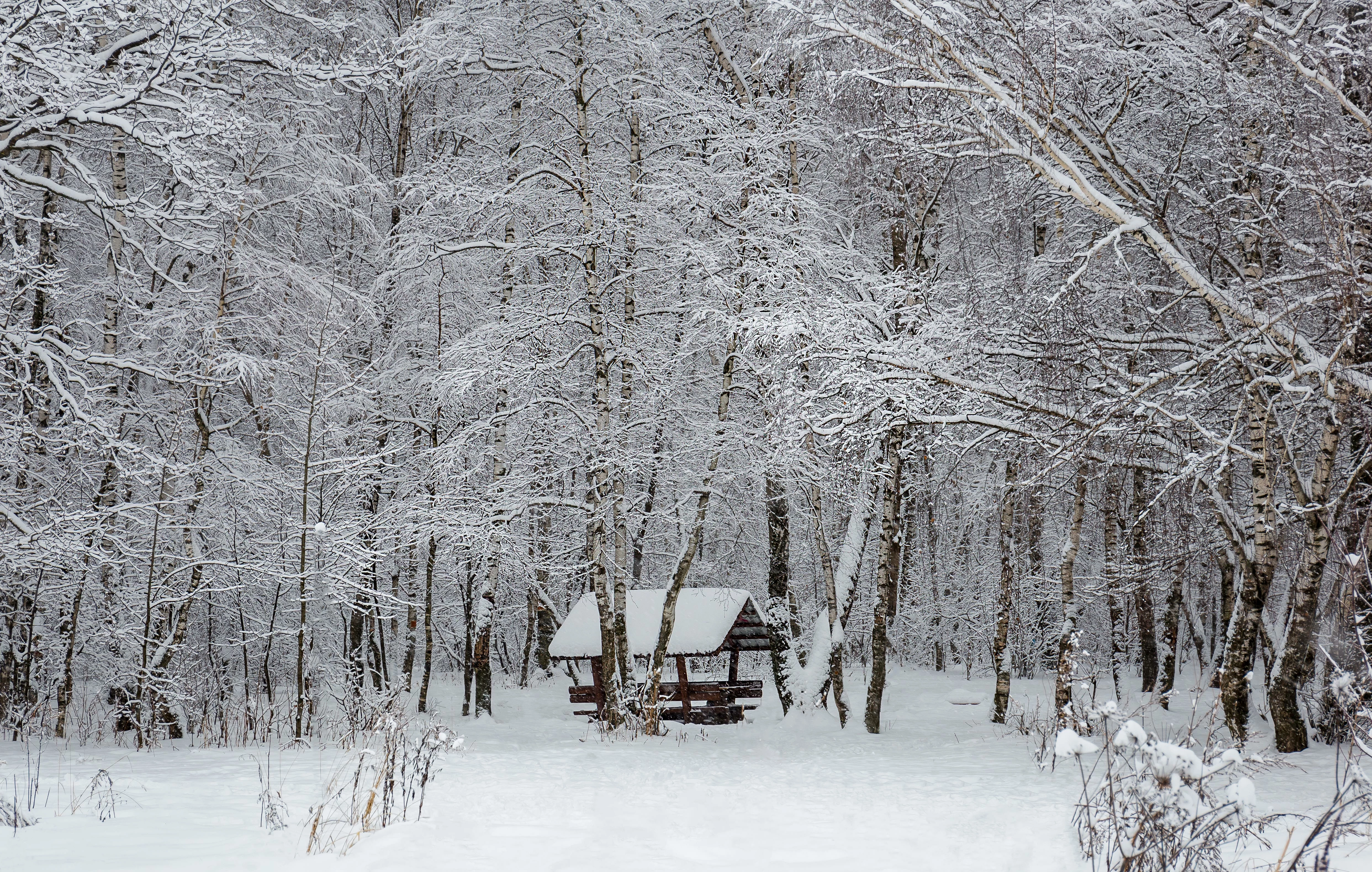
It's a great picture, but I see nasty little colour noise.
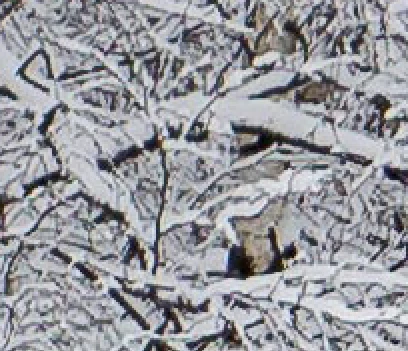
That, however, can easily be corrected with Camera Raw or similar (Lightroom, ...):
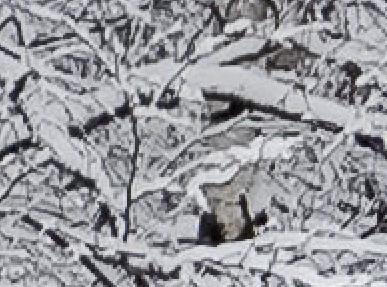
Even the JPEG gets nearly correctly corrected... :-).

5 replies

MatHayward
Community Manager
Community Manager
January 24, 2019

I checked your upload history and could not find this image. What is the file number?

-Mat

victorl90955159
Participating Frequently
January 25, 2019

Hi Mat!

This picture was not taken due :  ARTIFACTS PROBLEM    " Thanks for giving us the chance to consider your image. Unfortunately, during our review we found that it features excessive post-processing and/or noise, so we can't accept it into our collection".It probably is, at the moment when I was shooting it was snowing, in any case it is my mistake.

Ricky336
Community Expert
Community Expert
January 21, 2019

Was it rejected due to Artifacts??

That would be my guess based on what I see, and from Abambo's comments.

jacquelingphoto2017
Community Expert
Community Expert
January 21, 2019

Ricky, we all are guessing since January 18th, and have not the courtesy of a response.

victorl90955159
Participating Frequently
January 25, 2019

This picture was not taken due :  ARTIFACTS PROBLEM    " Thanks for giving us the chance to consider your image. Unfortunately, during our review we found that it features excessive post-processing and/or noise, so we can't accept it into our collection".It probably is, at the moment when I was shooting it was snowing, in any case it is my mistake.

Abambo
Community Expert
AbamboCommunity ExpertCorrect answer
Community Expert
January 19, 2019

It's a great picture, but I see nasty little colour noise.

That, however, can easily be corrected with Camera Raw or similar (Lightroom, ...):

Even the JPEG gets nearly correctly corrected... :-).

ABAMBO | Hard- and Software Engineer | Photographer
victorl90955159
Participating Frequently
January 25, 2019

This photo was not taken because of: artifacts problem " Thank you for giving us the opportunity to review your image. Unfortunately, during our review, we found that it has excessive post-processing and/or noise, so we can't take it to our collection."Probably, at the moment when I was shooting, it was snowing, in any case, this is my mistake. Thanks a lot.

Abambo
Community Expert
Community Expert
January 25, 2019

It’s enough to respond once... we all can read that answer and get notified about it. :-)

ABAMBO | Hard- and Software Engineer | Photographer
joanH
Inspiring
January 19, 2019

Hello victor1990955159, Photographing snow is difficult. Your photograph is beautiful and nearly perfect. I see that the white in the foreground is a bit too white so needs an evening of the hot white in the picture. I hope you know how to do this and are using Photoshop. Maybe use the hue and saturation adjustment first. Then take this photo to Camera Raw for adjustment of exposure. We are waiting for you to tell us why this was a rejected photo. Then we can be of more help to you. Best regards, JH

Reasons content is rejected at Adobe Stock  See highlighted reasons works are rejected- at this link.

victorl90955159
Participating Frequently
January 25, 2019

Hi Joanh!

This photo was not taken because of: artifacts problem " Thank you for giving us the opportunity to review your image. Unfortunately, during our review, we found that it has excessive post-processing and/or noise, so we can't take it to our collection."Probably, at the moment when I was shooting, it was snowing, in any case, this is my mistake. Thanks a lot.

jacquelingphoto2017
Community Expert
Community Expert
January 19, 2019

Hi victor

I assume this image was rejected for a reason. You'll be better helped if you state what the reason is. The issues I see are black and white image with chromatic noise in PNG format, which means you'll need to go through the following links:

tagproducts_SG_STOCK-CONTRIBUTOR_i18nKeyHelppagetitle 

Do's and don'ts for selecting and editing photos for Adobe Stock

Create better photos for Adobe Stock with 7 tips for success |

The points to derive from these links are that black and white uploads are restricted. You need to magnify your images to look for and correct all noise, including chromatic noise, and your images should be uploaded in JPG format.

Regards

JG