This topic has been closed for replies.
Correct answer Ricky336

Hello,

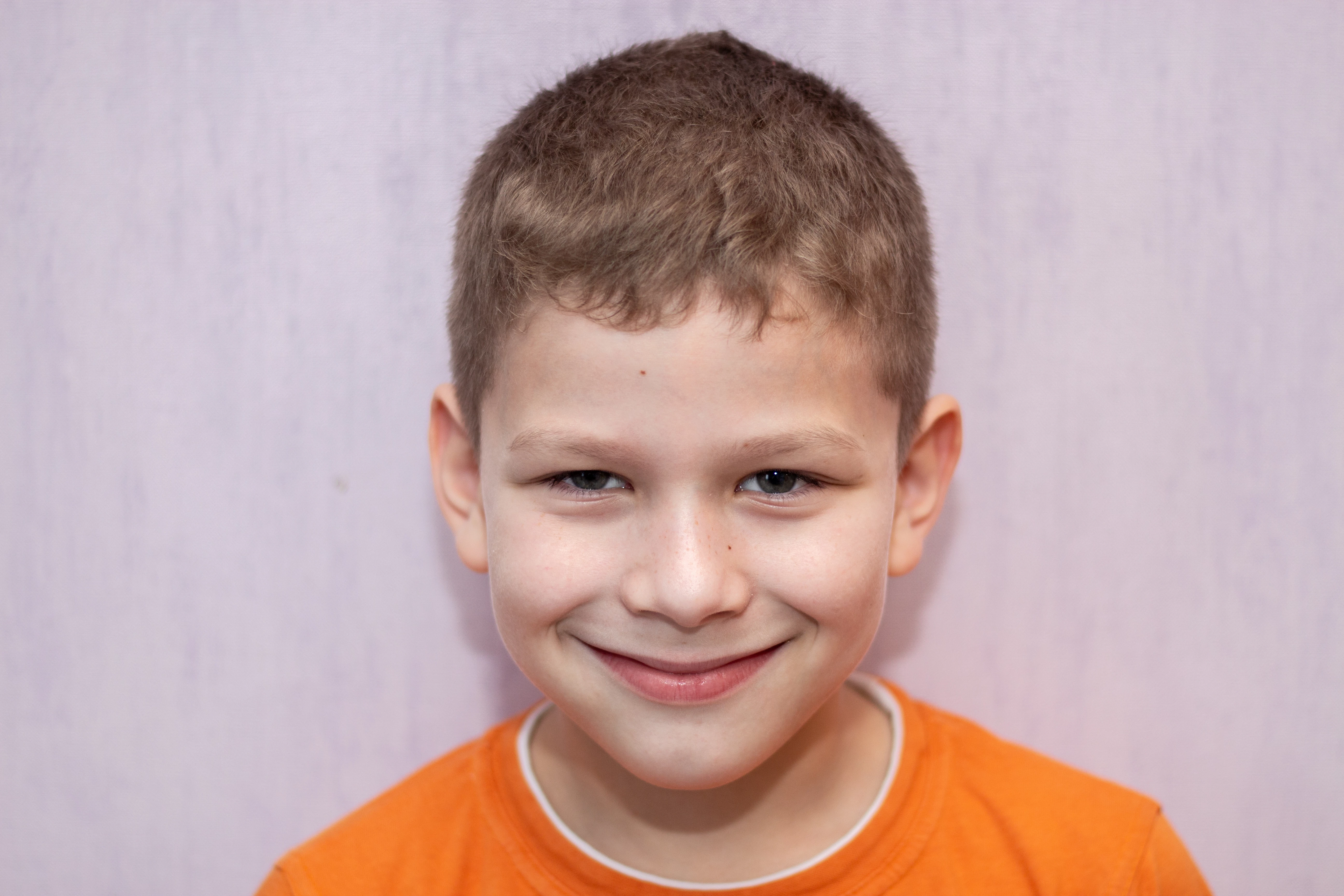
You should also choose a better background. I guess for the head and shoulders shot you used the wall; the pinkish colour isn't a good choice. Not to mention you have shadows from the flash - it's almost like a passport photo.

4 replies

Ricky336
Community Expert
Ricky336Community ExpertCorrect answer
Community Expert
February 8, 2022

Hello,

You should also choose a better background. I guess for the head and shoulders shot you used the wall; the pinkish colour isn't a good choice. Not to mention you have shadows from the flash - it's almost like a passport photo.

Abambo
Community Expert
Community Expert
February 8, 2022
quote

Not to mention you have shadows from the flash - it's almost like a passport photo.


By @Ricky336

Just as a side note:


I've done pictures for VISA applications for more than 10 years now and also some for passport applications and I can assure you that pictures with shadows get a refusal:

This is from the US site, but the requirements are quite identical for any country in the world… 🙂

ABAMBO | Hard- and Software Engineer | Photographer
Ricky336
Community Expert
Community Expert
February 8, 2022

I used to actually take passport photos in the days of film and Polaroid. (There was a specific polaroid camera that would take 4 shots on one print. ) And of course, shadows are unacceptable - among other specific requirements. My point was that it almost looked liked one - meaning not very flattering. (Passport photos are not supposed to be flattering. It should show warts and all.)

jacquelingphoto2017
Community Expert
Community Expert
February 8, 2022

Hi @Sergei23042041i8bv ,


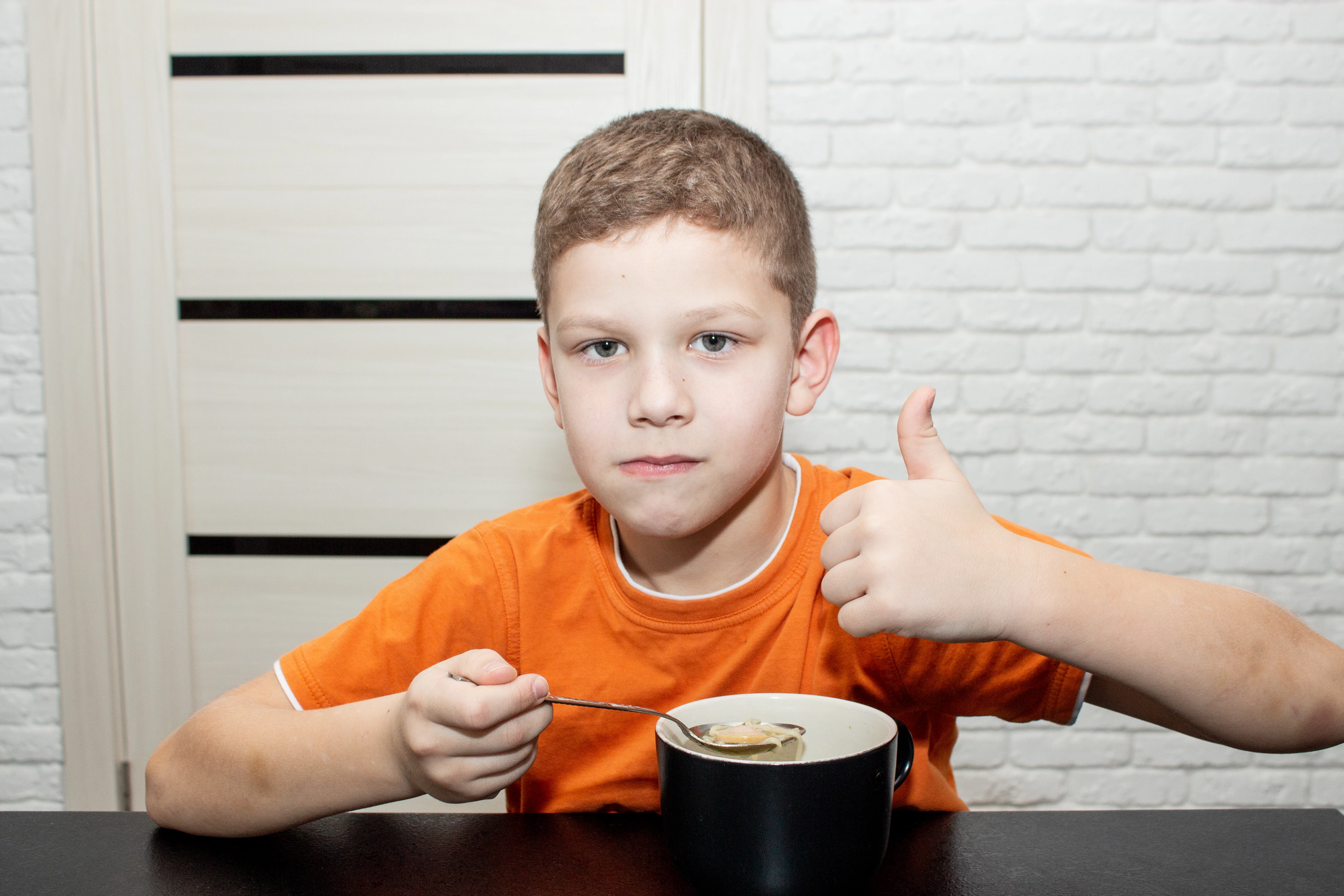
Both photos are very noisy. You need to do noise reduction in post processing. Also if you look around the hair of the top photo you will notice aqua color fringing. The shadow area of the cup is too dark and details are lost there. The highlighted area of the cup also displays color noise. It is important that you zoom in on your files at between 100 and 200% to inspect them and make corrections in post processing using a software such as Photoshop.


Best wishes

JG

Participant
February 8, 2022

thanks

jacquelingphoto2017
Community Expert
Community Expert
February 9, 2022

You are welcome @Sergei23042041i8bv 

Nancy OShea
Community Expert
Community Expert
February 7, 2022

The lighting is poor.  There's too little contrast.  Picture quality isn't as sharp and vibrant as it could be.  Compare your work with other Stock Inventory in this keyword category. 


Adobe Stock Smiling Boy


Nancy O'Shea— Product User & Community Expert
reedesign1912
Inspiring
February 7, 2022

What was the reason Adobe gave for the rejection?  I am guessing technical issues.


Looking at the first photo, it is very noisy.  It is very noticeable if you inspect your images at 100% - 200% magnification, especially in the shadows on the boy's neck.


Hope this helps,


-Rob


Rob R, Photographer
Participant
February 8, 2022
thanks, now I understand)