antoniom50918225
Participant
March 1, 2025
Answered

Hello! Newbie here and need help understanding the quality-related rejection of these AI images?

  • March 1, 2025
  • 5 replies
  • 338 views

Hi there! I’m still new to this and have a lot to learn. I was able to post some AI-generated images successfully, but many were rejected, and I’m trying to improve. I made sure the check all the right boxes to indicate that these are AI generated and involve fictional characters. Could anyone help me understand what issues I need to fix based on the rejected images below? I love learning so any guidance would be greatly appreciated! These are the AI-generated images that were rejected:



Correct answer yamato713108855

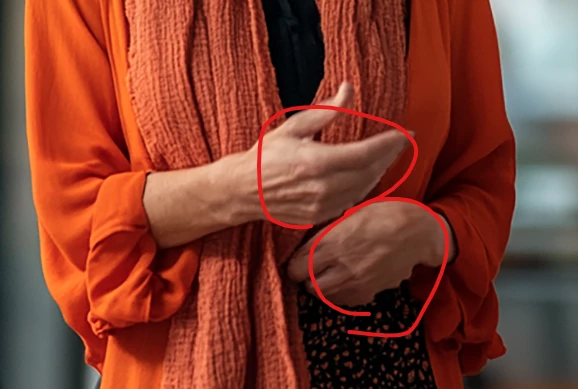
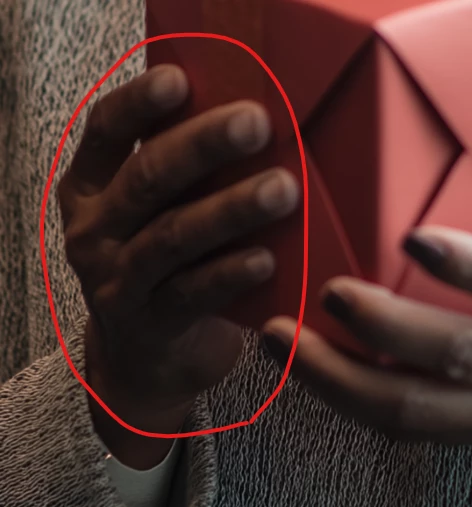
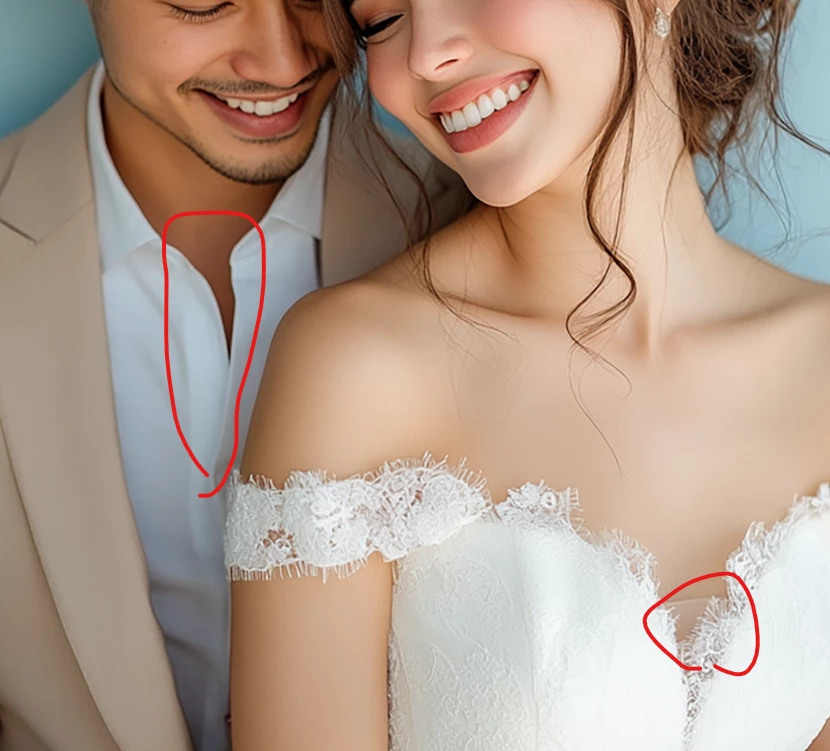
The shape of the hands looks unnatural.


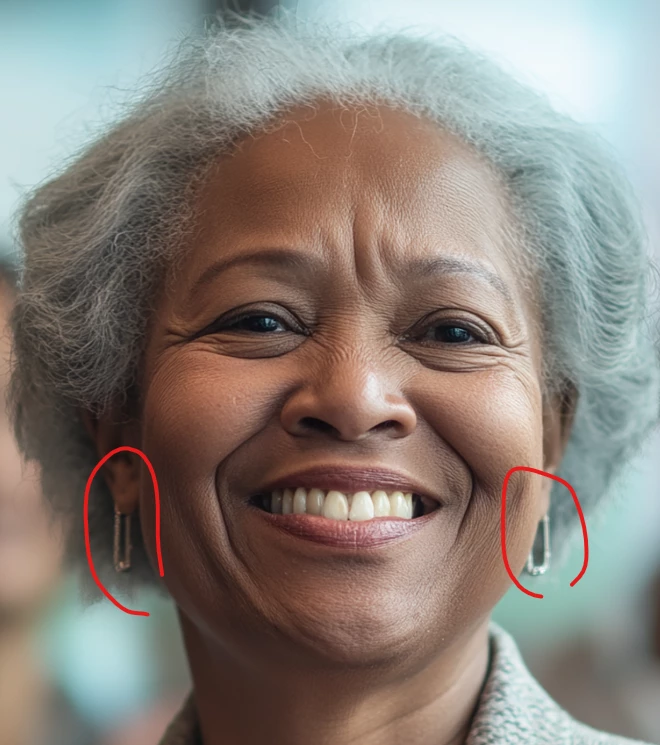
How are you wearing your earrings?


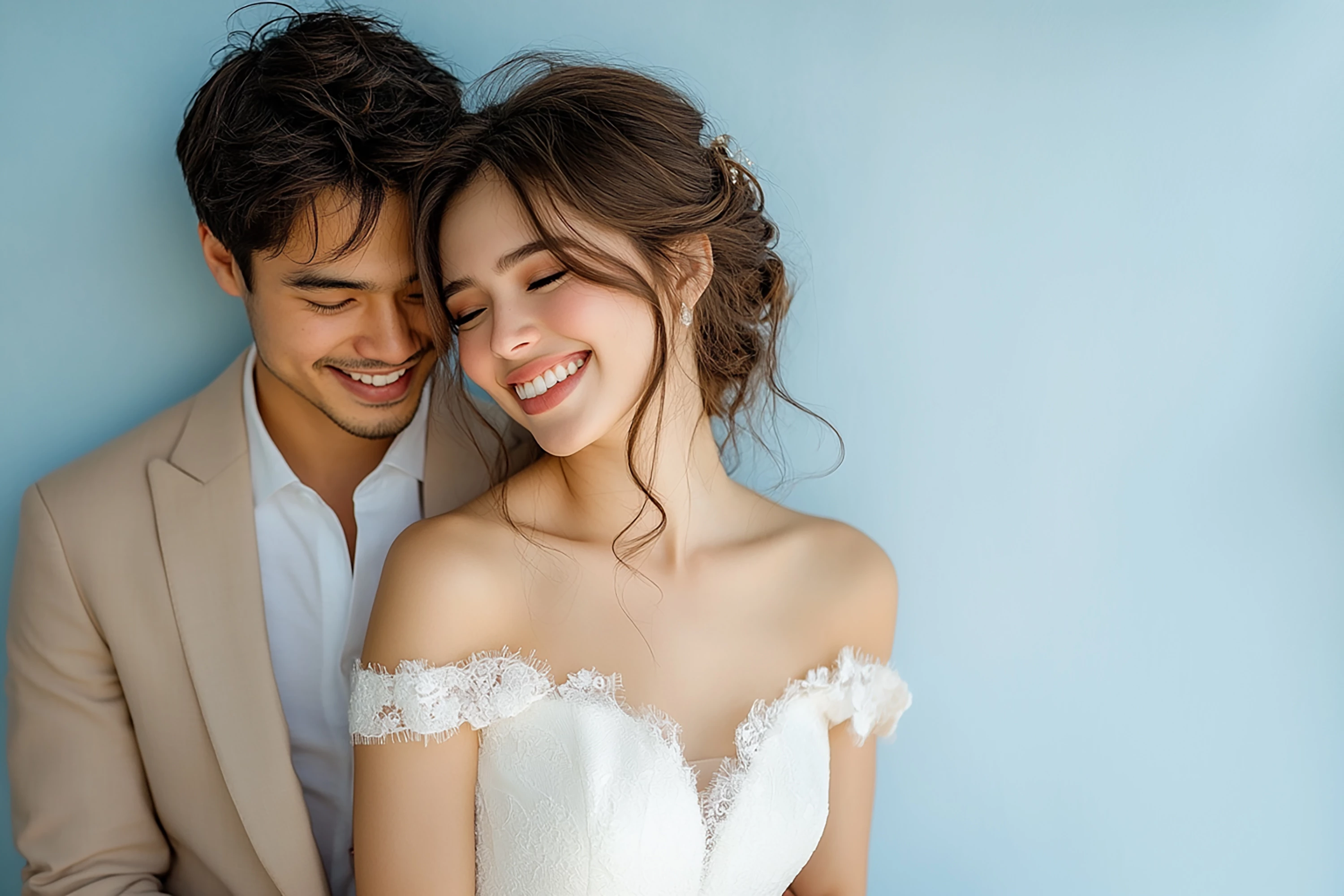
The groom's button is missing.

If it's the bride's underwear, it shouldn't be visible.

If it's part of the dress, it will look unnatural.


5 replies

Abambo
Community Expert
Community Expert
March 1, 2025

Your pictures expose countless fake smiles. That looks awful, as a picture. But well, that is not a refusal reason, but more a style guide to further creations.


Whit is, however, an issue, is when the medical woman's gown looks like plastic and the writing is simply fantasy characters.

And then there are these unrelated texture changes like here:


quote

I made sure the check all the right boxes to indicate that these are AI generated and involve fictional characters. Could anyone help me understand what issues I need to fix based on the rejected images below?


By @antoniom50918225

The rejection reason was "Quality Issues". Quality is not related to checking the right boxes. That are different refusal reasons.

ABAMBO | Hard- and Software Engineer | Photographer
yamato713108855
Community Expert
yamato713108855Community ExpertCorrect answer
Community Expert
March 1, 2025

The shape of the hands looks unnatural.


How are you wearing your earrings?


The groom's button is missing.

If it's the bride's underwear, it shouldn't be visible.

If it's part of the dress, it will look unnatural.


daniellei4510
Community Expert
Community Expert
March 1, 2025

Did you ever play that game as a kid where you have a drawing and you're told to find all the hidden errors? Do that with your images. From corner to corner, at 100% to 200% magnification. If it's AI, there are errors, be it one or three dozen or more. Fix them if you can. Consign the image to the trash if you can not. 

Adobe Community Expert | If you can't fix it, hide it; if you can't hide it, delete it.
RALPH_L
Community Expert
Community Expert
March 1, 2025

Pay attention to the details. Especially here under her hands.


daniellei4510
Community Expert
Community Expert
March 1, 2025

Adobe Community Expert | If you can't fix it, hide it; if you can't hide it, delete it.