Participant
May 2, 2024
Answered

Hello, rejection of photos and creations for reasons of quality or blur when they are the originals.

  • May 2, 2024
  • 5 replies
  • 758 views
Seriously, it seems complicated to me to offer pictures here... Everything is rejected for false reasons, for example it's an AI... No... Poor blurry quality.. It's an original that's not fuzzy at all... Or when it's AI it's about quality ? How is it possible ?
This topic has been closed for replies.
Correct answer Abambo

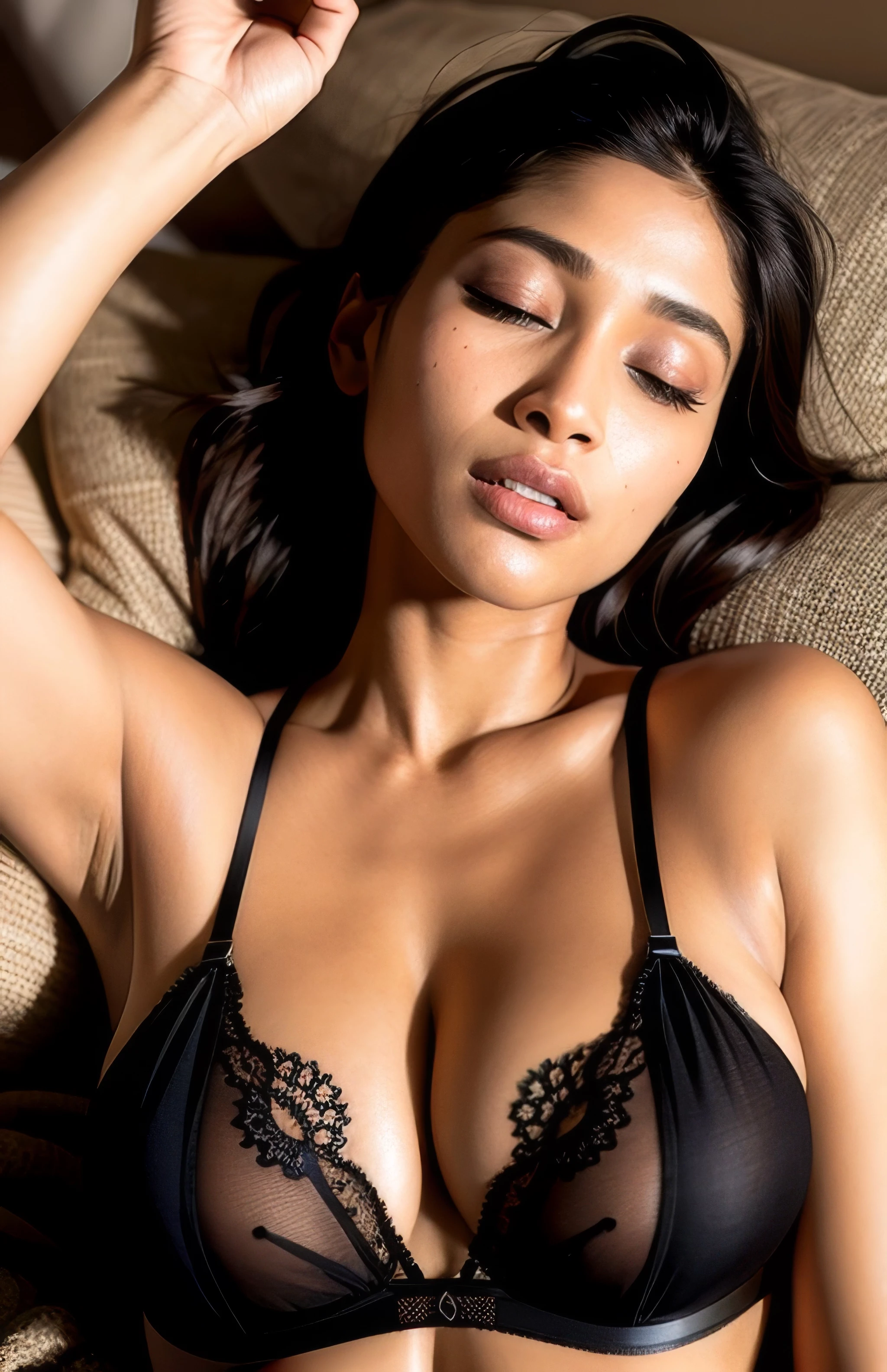
Check your asset at 100%, and you will see countless errors and issues (all screenshots have been taken at 100%):
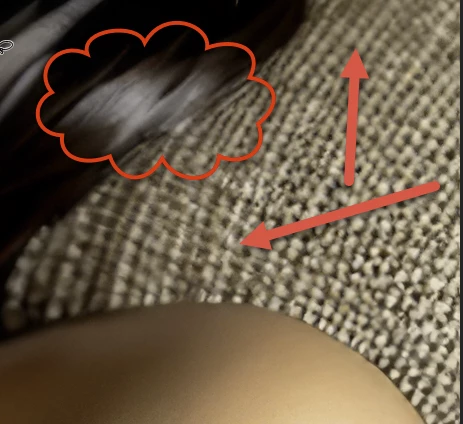
In the example above, you have blurry parts and in not blurry parts in the texture, without any logic.
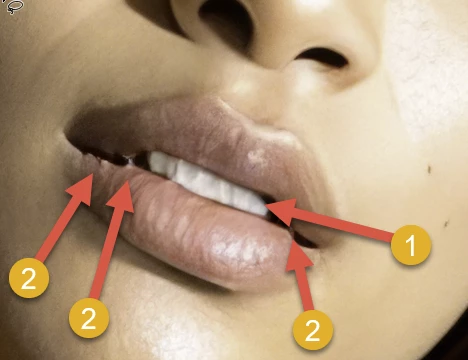
1) Details are missing, teeth are backed together

2) rendering errors, these are issues that needed to be addressed in post-production.

In addition, you have noise and the image is missing sharpness. This looks like an upscaled image from an older camera.
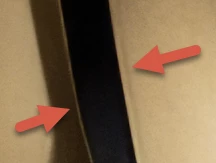
The strings of the bra contain artefacts: a white line and a ghost shadow line on the other side.
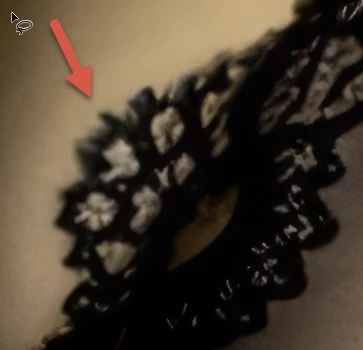
This blur has no logical explanation, except if you took this picture with a tilt-shift lens or something similar.
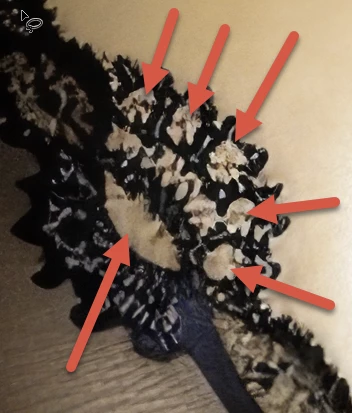
Artefacts, I suppose, that should be lace with skin shining through the lace's holes.
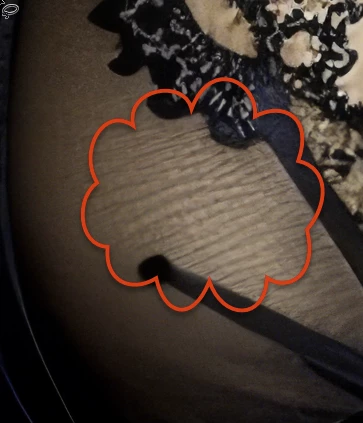
Looks like you have washed the bra at a higher temperature than allowed. Those are rendering artefacts too. The AI cannot determine what this should look like.
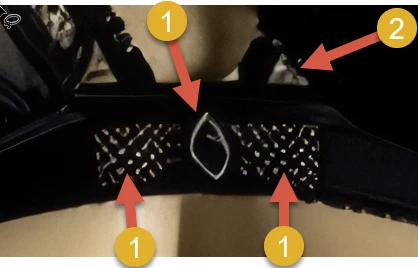
1) rendering errors worsened by upscaling

2) whatever this is, it does not look right.


There are many other issues, mostly of the same kind as shown here, in your asset. And effectively, @oleschwander is correct, the composition is not great. If the buyer needs to crop lightly different as you did, the asset gets unusable.


The refusal of this asset for quality is really more than OK. The first buyer, needing this for a high-quality print, would have returned the asset.


5 replies

Abambo
Community Expert
AbamboCommunity ExpertCorrect answer
Community Expert
May 2, 2024

Check your asset at 100%, and you will see countless errors and issues (all screenshots have been taken at 100%):

In the example above, you have blurry parts and in not blurry parts in the texture, without any logic.

1) Details are missing, teeth are backed together

2) rendering errors, these are issues that needed to be addressed in post-production.

In addition, you have noise and the image is missing sharpness. This looks like an upscaled image from an older camera.

The strings of the bra contain artefacts: a white line and a ghost shadow line on the other side.

This blur has no logical explanation, except if you took this picture with a tilt-shift lens or something similar.

Artefacts, I suppose, that should be lace with skin shining through the lace's holes.

Looks like you have washed the bra at a higher temperature than allowed. Those are rendering artefacts too. The AI cannot determine what this should look like.

1) rendering errors worsened by upscaling

2) whatever this is, it does not look right.


There are many other issues, mostly of the same kind as shown here, in your asset. And effectively, @oleschwander is correct, the composition is not great. If the buyer needs to crop lightly different as you did, the asset gets unusable.


The refusal of this asset for quality is really more than OK. The first buyer, needing this for a high-quality print, would have returned the asset.

ABAMBO | Hard- and Software Engineer | Photographer
Abambo
Community Expert
Community Expert
May 2, 2024

Can you explain to me, why can originals not have quality issues or be blurry?

ABAMBO | Hard- and Software Engineer | Photographer
Legend
May 2, 2024

Also the composition is not good – in my view. It should be more like this, so the buyer can crop it if necessary.

daniellei4510
Community Expert
Community Expert
May 2, 2024

Agreed, although that does mangle the hand. Generative Expand and Fill are still tricky when it comes to hands. I've gotten lucky on occasion but it may take a few tries.

Adobe Community Expert | If you can't fix it, hide it; if you can't hide it, delete it.
Legend
May 4, 2024

Of course - I just expanded the image without fixing it.

RALPH_L
Community Expert
Community Expert
May 2, 2024

There is a lot of blur. Rendering issues. Look at the white hair, there are no details. Look at her teeth, she should brush them. All I see is a white blob. Seriously, the way the teeth look is bad and tells me you did not seriously look at the image before submission. But, that is not for me to judge.  But, your statement "it's an AI... No... Poor blurry quality.." has been proven time after time by other contributors images taht this is not always true. Photos and images must be proofed for quality.

daniellei4510
Community Expert
Community Expert
May 2, 2024

It's not complicated at all. Here are just a few of the problems. 


Adobe Community Expert | If you can't fix it, hide it; if you can't hide it, delete it.
Participant
May 4, 2024

It's an Ai not a photography ! And it's the Adobe work... So I think Adobe should not give us the option AI ...

Jill_C
Community Expert
Community Expert
May 4, 2024

Are you referring to Adobe Firefly? Firefly, as well as the Gen AI tools from other companies, often generate images with errors. It's up to you to inspect them carefully and either correct or discard them if there are drawing issues or technical issues. Just because an AI image is generated by Adobe Firefly doesn't mean that it is automatically accepted by Adobe Stock.

Jill C., Forum Volunteer