Participating Frequently
March 9, 2026
Question

Hi, I’m new to Adobe Stock and have received some rejection due to 'Quality Issues.' Since the feedback is just general I’m struggling to pinpoint the exact flaws. So can someone experienced give med som feedback on my rejected pics?

  • March 9, 2026
  • 6 replies
  • 179 views

Hi, I’m new to Adobe Stock and have received some rejections due to 'Quality Issues.' Since the feedback is very general I’m struggling to pinpoint the exact flaws so that I can improve my work for next time. Can someone experienced give me som feedback on my rejected pics? Thank in advance! 
 

    6 replies

    Nancy OShea
    Community Expert
    Community Expert
    March 10, 2026

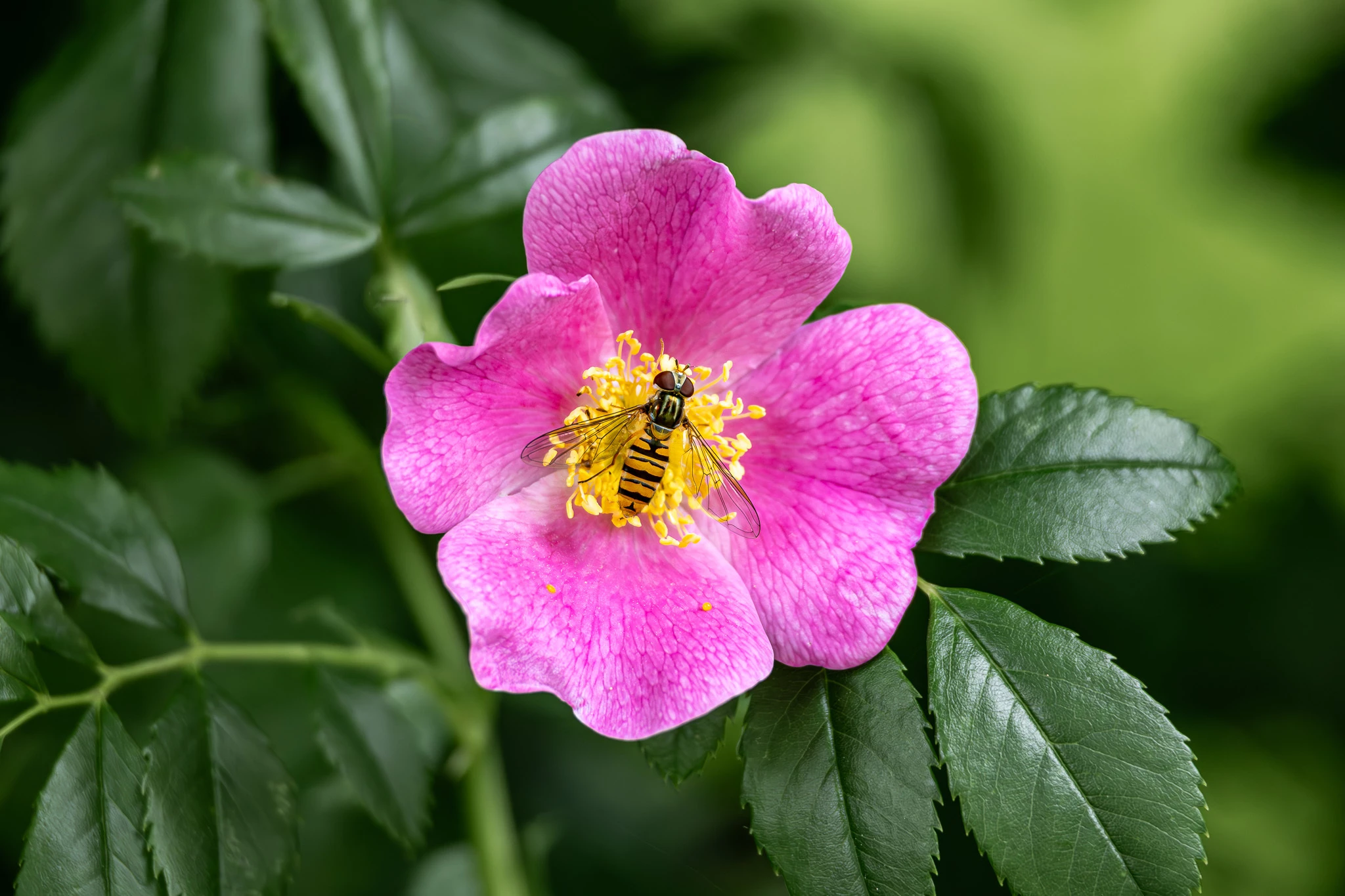
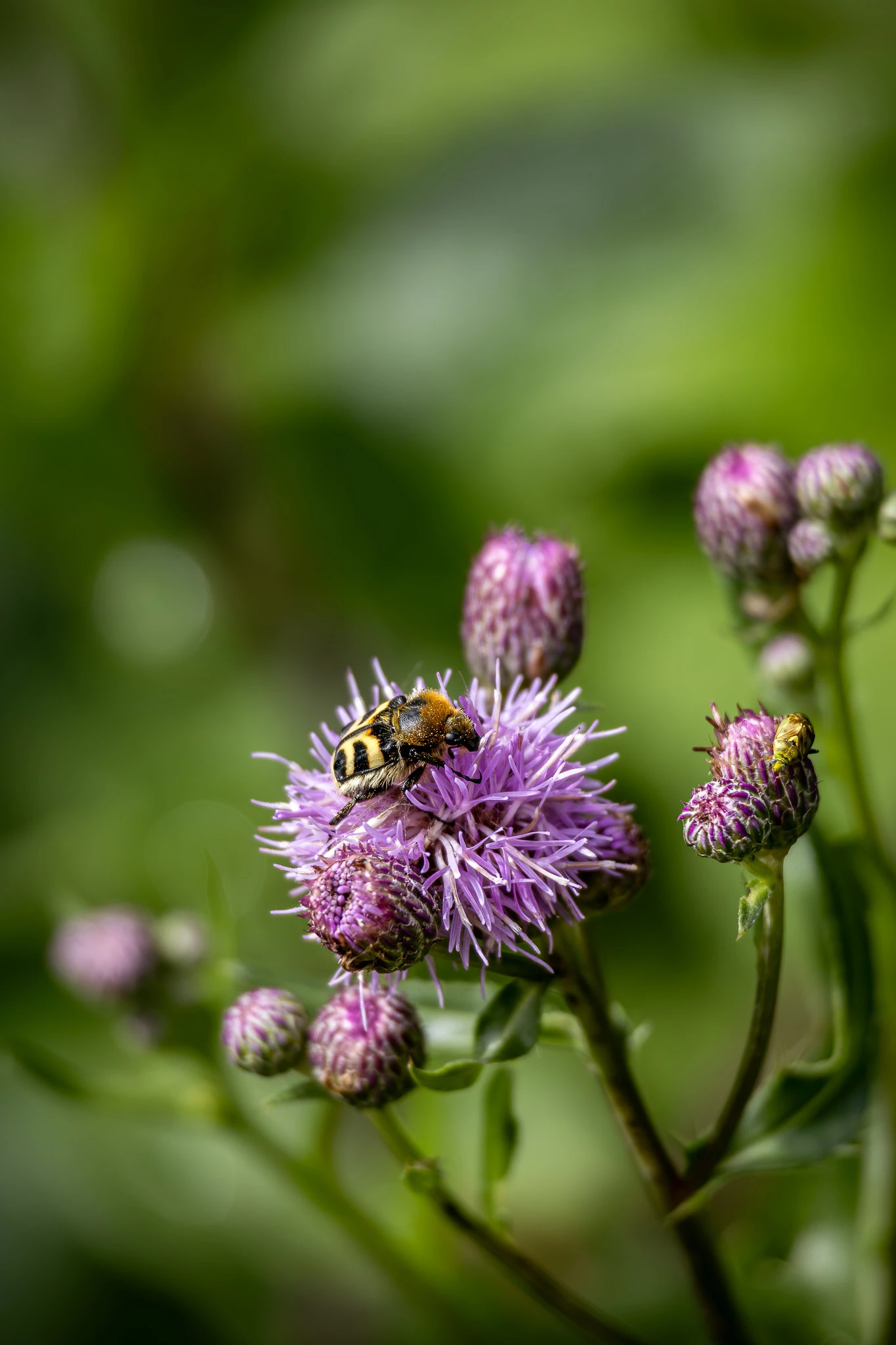
    Stock inventory contains over 76 million flowers and 2.4 million bees. I mention this because ‘similar content’ is a top reason for refusal.

    https://helpx.adobe.com/stock/contributor/help/how-to-submit-distinct-content.html 


    Before submitting new content, compare your best work with current inventory.

    1. Does Stock need more of this?
    2. Is yours unique & better than what Stock is selling?
    3. As a customer, would you buy this? And if so, what would you use it for commercially? 

    https://stock.adobe.com/search?k=flower+bee

    https://stock.adobe.com/search?k=waffles


    Hope that helps.


    Nancy O'Shea— Product User & Community Expert
    Participating Frequently
    March 11, 2026

    Thank you for your feedback! It helps! And I know there is a lot of bee´s, but these to are acually not bee´s… It´s a kind of fly and a beatle, so I tought they might be more rare.

    jacquelingphoto2017
    Community Expert
    Community Expert
    March 10, 2026

    Hi ​@CarolinaAnnikki 

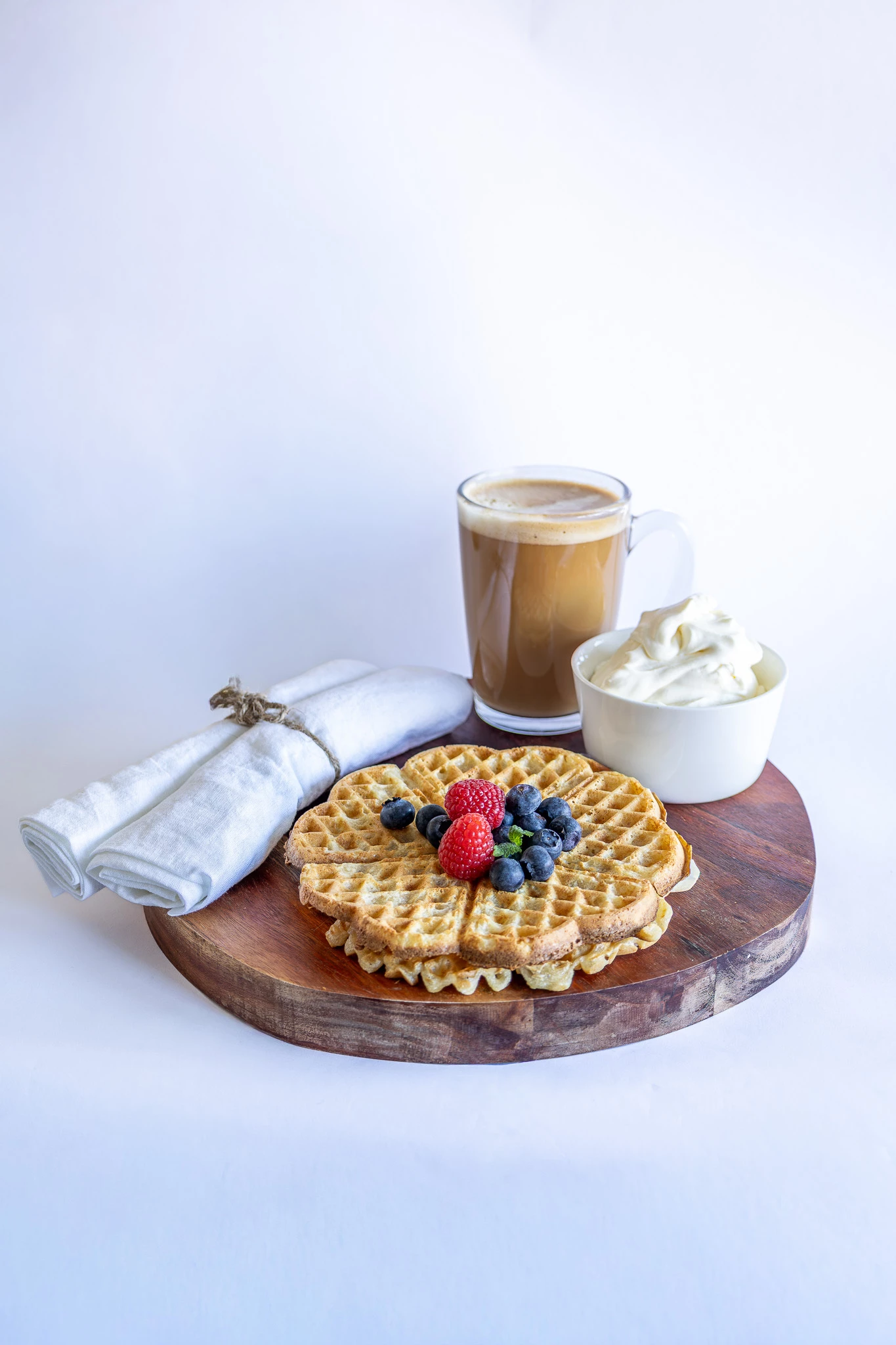
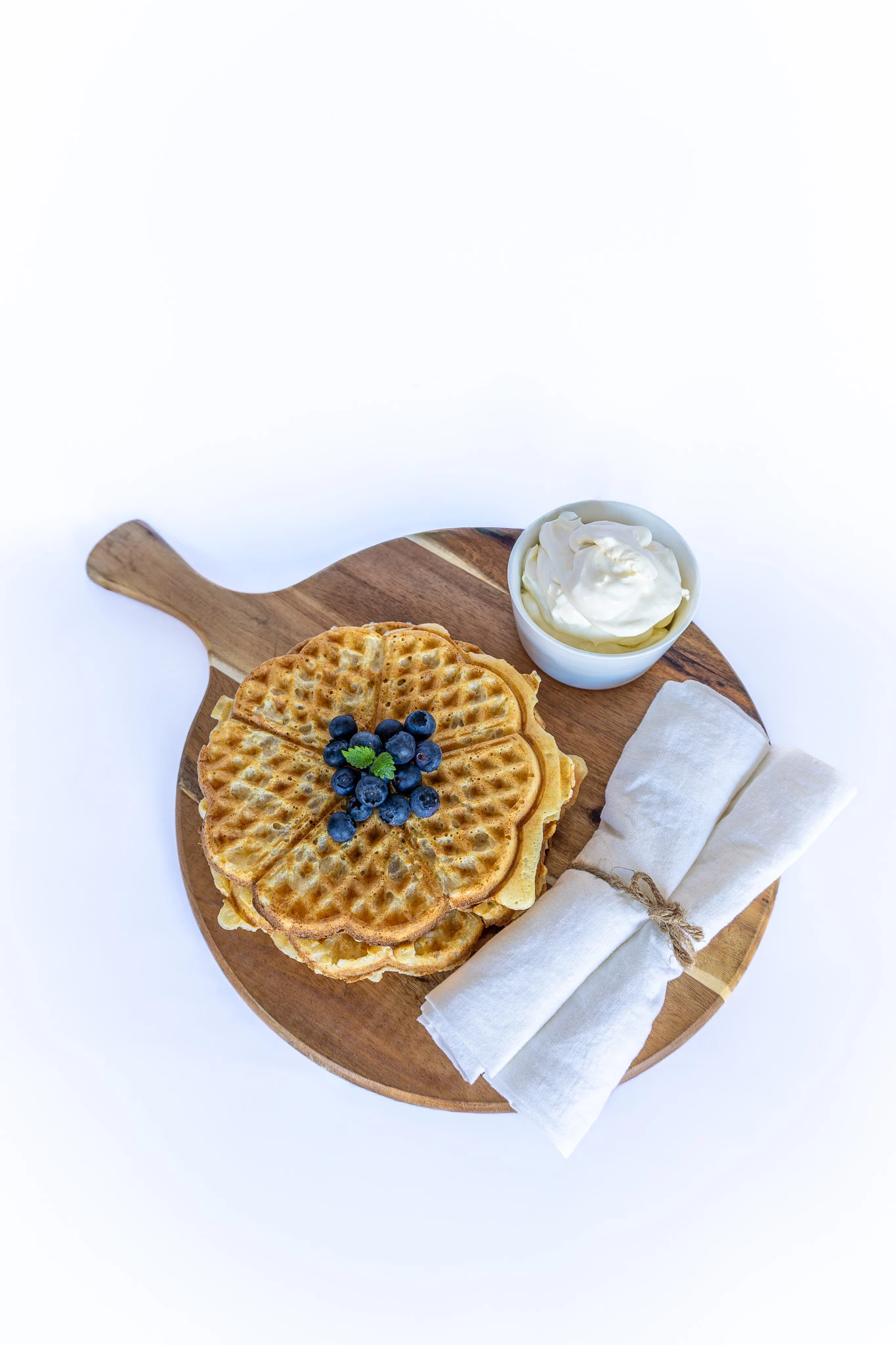
    The first, second and third pictures have too much of a shallow depth of field.

    The second photo has a white balance issue. The whites are not white but has a blue tint. A little contrast might also improve its appearance.

    The third picture has camera shake. The composition could could improve with including the entire leaves on the bottom right corner.


    The fourth picture has too much of a shallow depth of field. It has a white balance issue. The whites are not white, but has a blue tint. The image is lacking contrast.

    Zoom in at between 100 and 200% to inspect your files before submitting. 

    Best wishes

    Jacquelin

    Participating Frequently
    March 11, 2026

    Thank you so much for your feedback! It´s really makes sense when you point it out!

    jacquelingphoto2017
    Community Expert
    Community Expert
    March 12, 2026

    You are welcome ​@CarolinaAnnikki 

    Best wishes

    Jacquelin

    March 10, 2026

    Hey ​@CarolinaAnnikki 
    You have lovely photos there. 

    The wasp
    consider moving it to the left or the right. This gives the user space to add copy/ content.
    Moving the wasp to the left would help with the distractions on the left.

    The bokeh effect is lovely… however, in this case I find it a bit distracting.
    remove the top leaf on the right. This opens up the space for copy naturally.

    Cheers
    Nate

    Participating Frequently
    March 10, 2026

    Thank you! and thank you for your feedback!

    Jill_C
    Community Expert
    Community Expert
    March 9, 2026

    The blueish background in the food photos is distracting. I would have trimmed the edges of the waffles for a better presentation.

    Jill C., Forum Volunteer
    Participating Frequently
    March 10, 2026

    Thank you so much for your feedback!

    RALPH_L
    Community Expert
    Community Expert
    March 9, 2026

    The first photo is a little dark and has some artifacts around the bee and flower. I saw these at 400% so I do not know if that was an issue.

    yamato713108855
    Community Expert
    Community Expert
    March 9, 2026

    Please correct the image so that there is no overexposure.


    Is it the same size as the photo you posted?
    If you reduce it, you won't be able to check the image quality.

    Participating Frequently
    March 9, 2026

    Thank you!

    No, it´s not the same size, needed to make it smaller to post here.

    yamato713108855
    Community Expert
    Community Expert
    March 10, 2026

    AdobeStock's review is done at 100% magnification, so if you zoom out you won't be able to see the details.