



Participant
April 24, 2024
Answered

How do I change the images that will be accepted?

  • April 24, 2024
  • 3 replies
  • 352 views

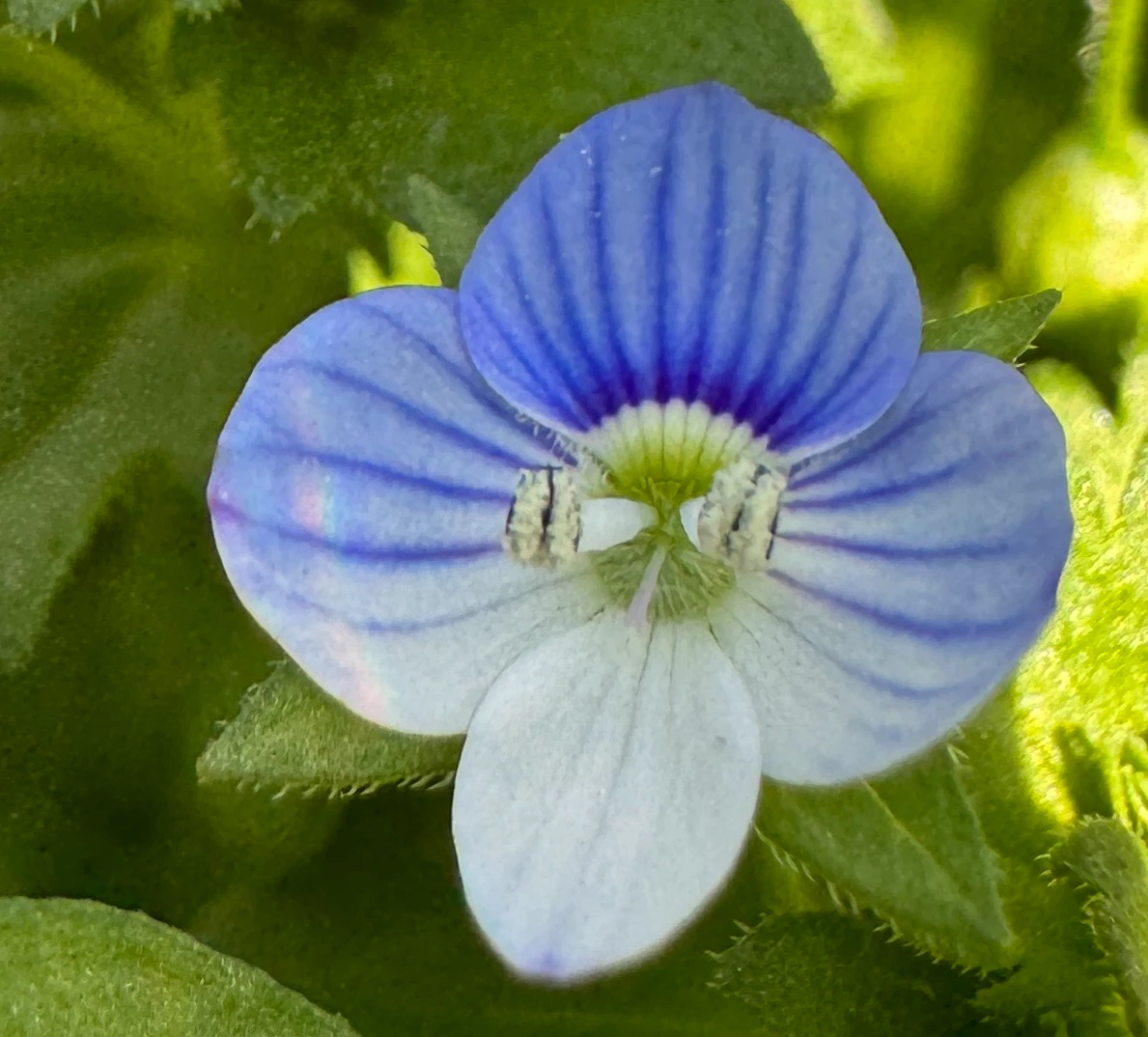
Hey, everybody. Please explain to me what is wrong with these images that I have photographed and why they may not meet the criteria and how I can change them so that they do and are accepted.

thank you!

This topic has been closed for replies.
Correct answer Ricky336

Hello,

There are a lot of flower photos in the Adobe Stock database, so the shots have to stand out from the crowd to be notice. So, in this case, one reason is composition. It could be a lot better.

Secondly, when enlarged to a 100%  artefacts become more noticeable, focus is not so sharp and so on.
 

Read these from Adobe help guides:

User guide:
https://helpx.adobe.com/stock/contributor/user-guide.html
Exposure:
https://www.adobe.com/creativecloud/photography/discover/exposure-in-photography.html
Composition:
https://www.adobe.com/creativecloud/photography/discover/photo-composition.html

3 replies

Abambo
Community Expert
Community Expert
April 24, 2024

Your assets are showing the typical artefacts of small sensor cameras like your iPhone 15. They look great on your screen, but viewed at 100% (one pixel on the screen is one pixel in your file), you see all the artefacts as a result of the small sensor, but also the artefacts because of those fancy software filters, like the portrait mode on iPhones. You can be sure that they will err somewhere in your picture, and that is visible in the file. Post your assets on social media, people will be pleased. But they are not to be used on quality stock media sites.


ABAMBO | Hard- and Software Engineer | Photographer
Jill_C
Community Expert
Community Expert
April 24, 2024

Neither is sharply focused, and as @Ricky336  indicated there are other artifacts as well. You cannot edit these to be in compliance with Adobe's guidelines. I wouldn't bother with submitting images of flowers unless you have found a rare and exotic species that is underrepresented in the database. There are already many millions of floral images in the database, and yours would never be found by a buyer or licensed.

Jill C., Forum Volunteer
Participant
April 24, 2024

Thank you!

Ricky336
Community Expert
Ricky336Community ExpertCorrect answer
Community Expert
April 24, 2024

Hello,

There are a lot of flower photos in the Adobe Stock database, so the shots have to stand out from the crowd to be notice. So, in this case, one reason is composition. It could be a lot better.

Secondly, when enlarged to a 100%  artefacts become more noticeable, focus is not so sharp and so on.


Read these from Adobe help guides:

User guide:
https://helpx.adobe.com/stock/contributor/user-guide.html
Exposure:
https://www.adobe.com/creativecloud/photography/discover/exposure-in-photography.html
Composition:
https://www.adobe.com/creativecloud/photography/discover/photo-composition.html

Participant
April 24, 2024

Thank you so much!