Participating Frequently
December 28, 2024
Answered

How do we choose an image that won't be rejected?

  • December 28, 2024
  • 5 replies
  • 1009 views

How do we choose an image that won't be rejected

This topic has been closed for replies.
Correct answer daniellei4510

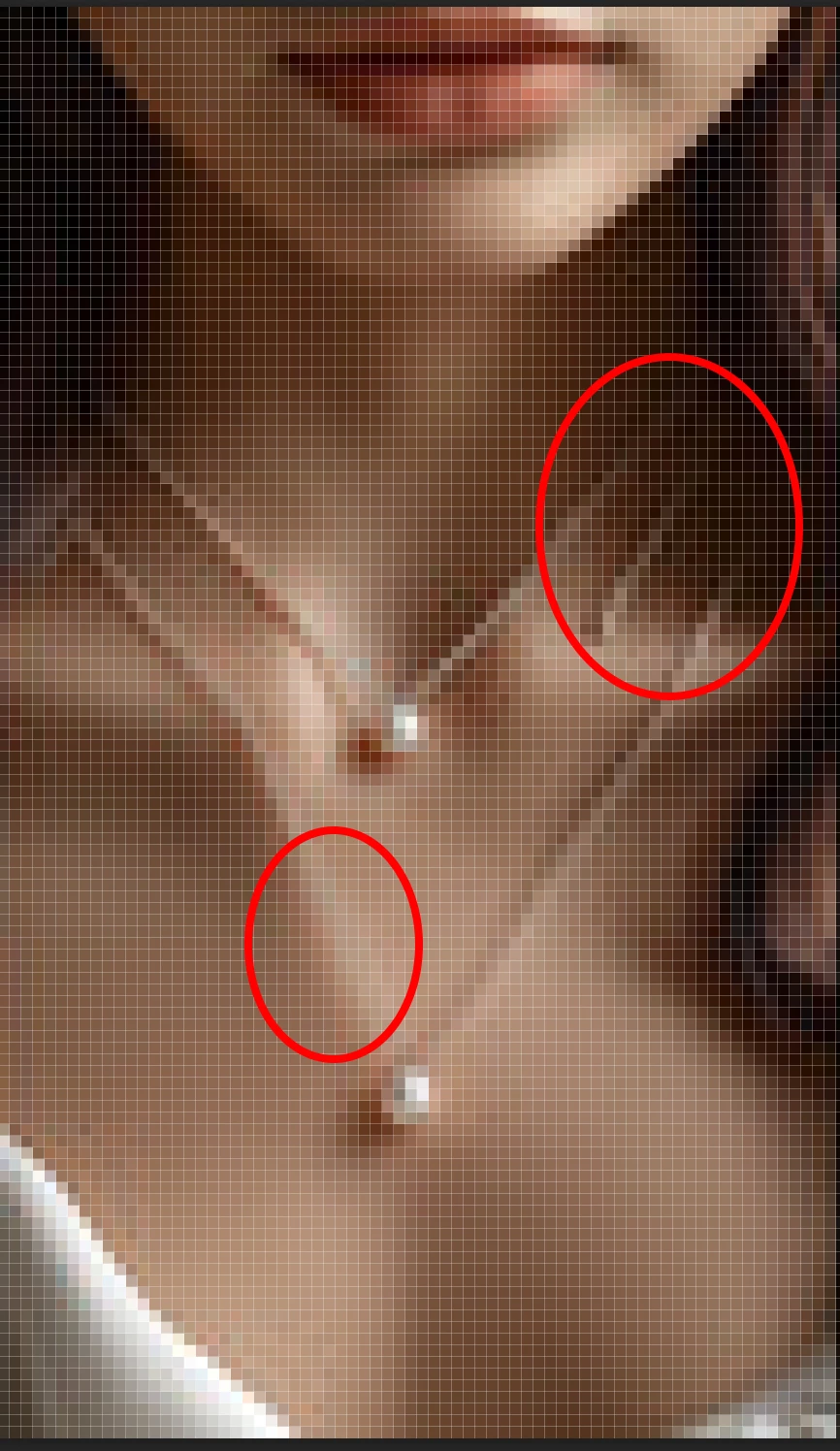
You have to keep in mind that it is not the subject that determines if an asset is accepted or rejected. It is if the subject is rendered accurately and without drawing errors. Jewelry is often problematic with AI and more often than not, I decide to eliminate it.

This thumbnail here, for example. It begins to disappear, and there's another strand that leads to nothing.

5 replies

Participating Frequently
December 29, 2024

These are such pictures

daniellei4510
Community Expert
Community Expert
December 29, 2024

We can't tell much from these thumbnails. You need to upload a couple of images full sized as you intend to submit them, if you already haven't. Or just start uploading. You can learn a lot from rejections.

Adobe Community Expert | If you can't fix it, hide it; if you can't hide it, delete it.
Participating Frequently
December 29, 2024

These are such pictures

Jill_C
Community Expert
Community Expert
December 29, 2024

The images cannot be properly assessed from such tiny thumbnails. Upload them at full size.

Jill C., Forum Volunteer
Jill_C
Community Expert
Community Expert
December 28, 2024

Upload a couple of your rejected images here, and the community members will help you to identify the flaws for which it was rejected.

Jill C., Forum Volunteer
Participating Frequently
December 29, 2024

These are such pictures

daniellei4510
Community Expert
Community Expert
December 28, 2024

Review the asset at 100% or even 200% to look for noise, exposure issues, excessive grain, etc.; or if AI, look for drawing errors. Hard to say without seeing an example. Look at images on stock.adobe.com and get a feel for what type and quality of assets are being accepted.

Adobe Community Expert | If you can't fix it, hide it; if you can't hide it, delete it.
Participating Frequently
December 29, 2024

oh thank you so much 

RALPH_L
Community Expert
Community Expert
December 28, 2024

It has to do with the quality. Read the quality guidelines in the Adobe help.
https://helpx.adobe.com/stock/contributor/user-guide.html


Participating Frequently
December 29, 2024

thank you