

Participating Frequently
October 31, 2023
Answered

How to add multiple file formats for 1 image on Adobe Stock?

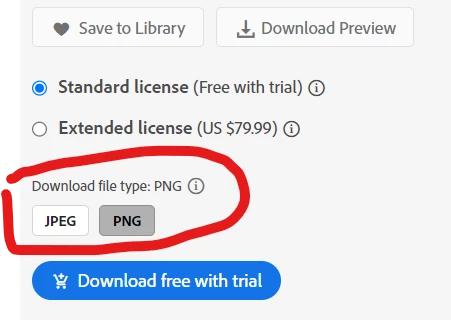
how can I add multiple file formats for a single image on Adobe Stock as shown in imagee below:

 

Jill_C
Jill_CCorrect answer
Community Expert
November 4, 2023

Should I submit PNG files as photos or illustrations? Adobe Stock doesn't explicitly state whether PNG files with transparency should be categorized as photos or illustrations.


They can be either file type, depending on how you created the asset.

Jill C., Forum Volunteer

7 replies

Abambo
Community Expert
Community Expert
October 31, 2023
quote

how can I add multiple file formats for a single image on Adobe Stock as shown in imagee below:


By @Ismail32162360b1rz


You can't. Submit PNG files with transparency, and they get offered as PNG and JPEG. Submit vector files (with a transparent background) and they get offered as vector (Ai, EPS or SVG) and PNG and JPEG. It's the users choice. You get paid the royalty. 

Translate
ABAMBO | Hard- and Software Engineer | Photographer
Participating Frequently
October 31, 2023

Thank you for your answer. It's exactly what I was looking for. I was only uploading JPEG files, and while searching on Adobe Stock I noticed that option on one of the images. That's why I posted the question. However, somehow after posting the question, I figured it out.

Translate
Abambo
Community Expert
Community Expert
October 31, 2023

You're welcome. The question may help others, so it's not lost.

Translate
ABAMBO | Hard- and Software Engineer | Photographer
Nancy OShea
Community Expert
Community Expert
October 31, 2023

PNG is only for images containing transparency.


What are you submitting -- math-based vectors or pixel-based rasters?


Translate
Nancy O'Shea— Product User & Community Expert
