Correct answer Jill_C

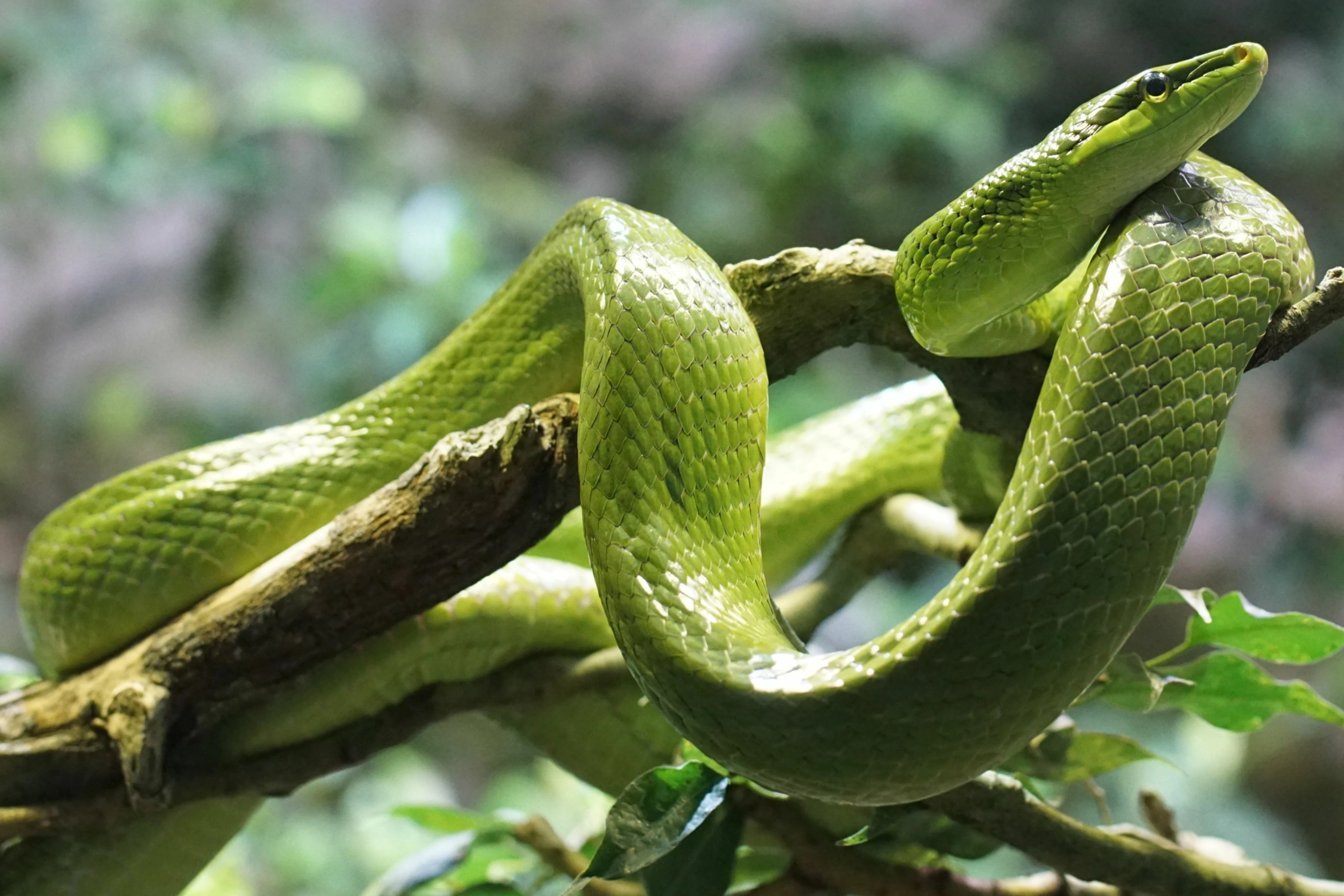
The background is somewhat noisy.

4 replies

RALPH_L
Community Expert
Community Expert
July 5, 2025

In addition to what has been said, it is cropped too tight. You need to fill in some empty space arround the snake. 


ZALEZPHOTO
Inspiring
July 5, 2025

This is a great shot Doy, the main issue is with the focus. 

AI tools shoukld help you enough to have it accepted.

Take a look at how it improves.

Good luck  

ZALEZPHOTO
Nancy OShea
Community Expert
Community Expert
July 5, 2025

Not sure I could recommend using AI enhancement on a natural photograph. It will then be flagged as Generative AI. 

Just something to consider. 


Nancy O'Shea— Product User & Community Expert
ZALEZPHOTO
Inspiring
July 5, 2025

Adobe Stock accepts photos that have been sharpened using AI tools, such as Adobe Lightroom’s AI image sharpener powered by Adobe Sensei, as long as they meet the platform’s quality, technical, and legal standards. Sharpening with AI to enhance clarity, texture, or edge details is permitted, but the images must be high-quality, free of excessive noise or artifacts, and not oversharpened. If the sharpening significantly alters the image or introduces new primary subjects. https://helpx.adobe.com/stock/contributor/help/generative-aicontent.html


https://helpx.adobe.com/stock/contributor/help/generative-ai-faq.html

https://helpx.adobe.com/stock/contributor/help/photography-illustrations.html

ZALEZPHOTO
Ricky336
Community Expert
Community Expert
July 4, 2025

hello,

I think your focus is a bit soft. Could be sharper, and you have an overall green cast. You should try to reduce the green a bit.

Jill_C
Community Expert
Jill_CCommunity ExpertCorrect answer
Community Expert
July 4, 2025

The background is somewhat noisy.

Jill C., Forum Volunteer