Participant
February 2, 2025
Answered

I'd like to know the reason for the rejection.

  • February 2, 2025
  • 3 replies
  • 392 views

It's hard to find problems on your own. Please help

Correct answer Jill_C

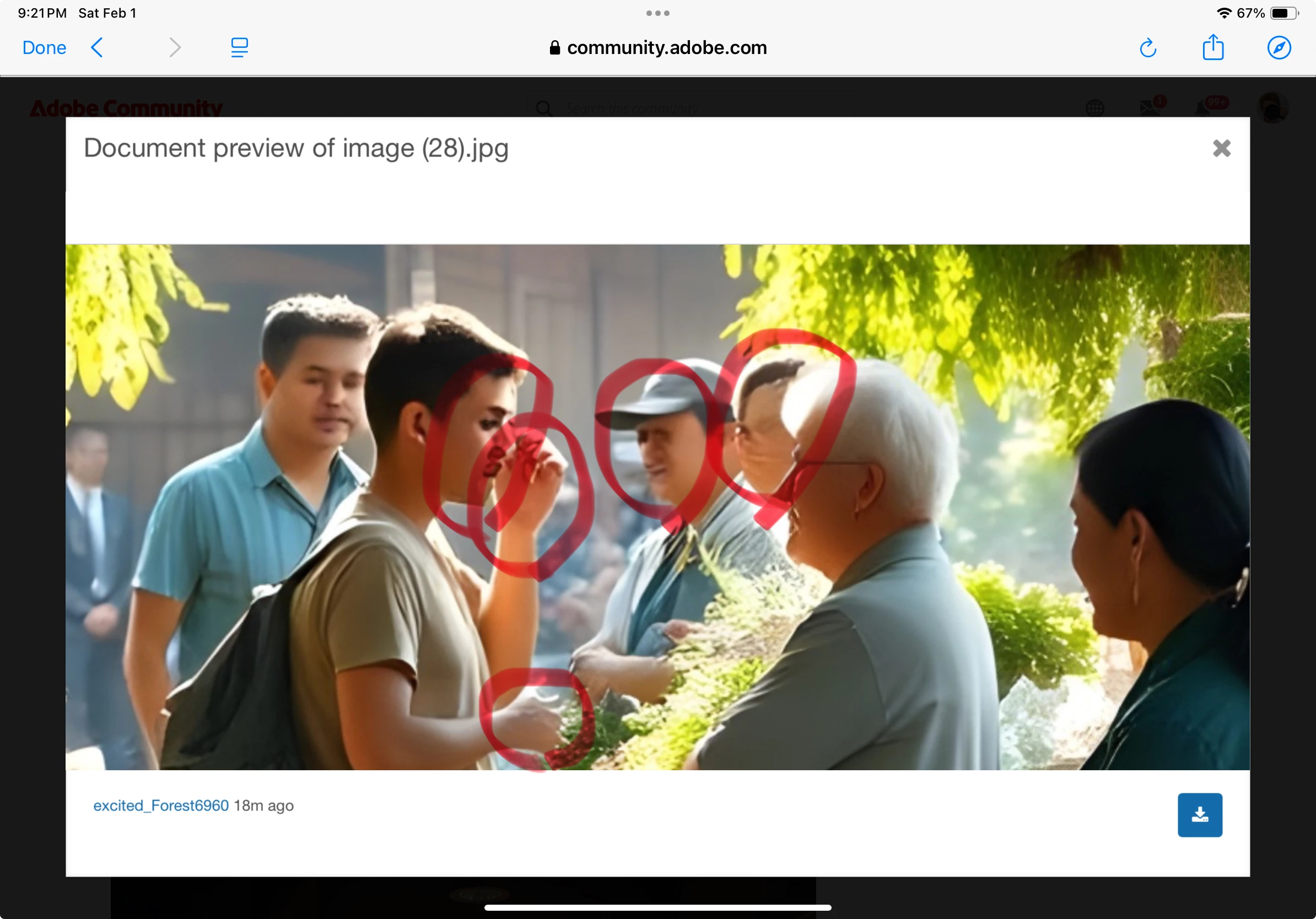
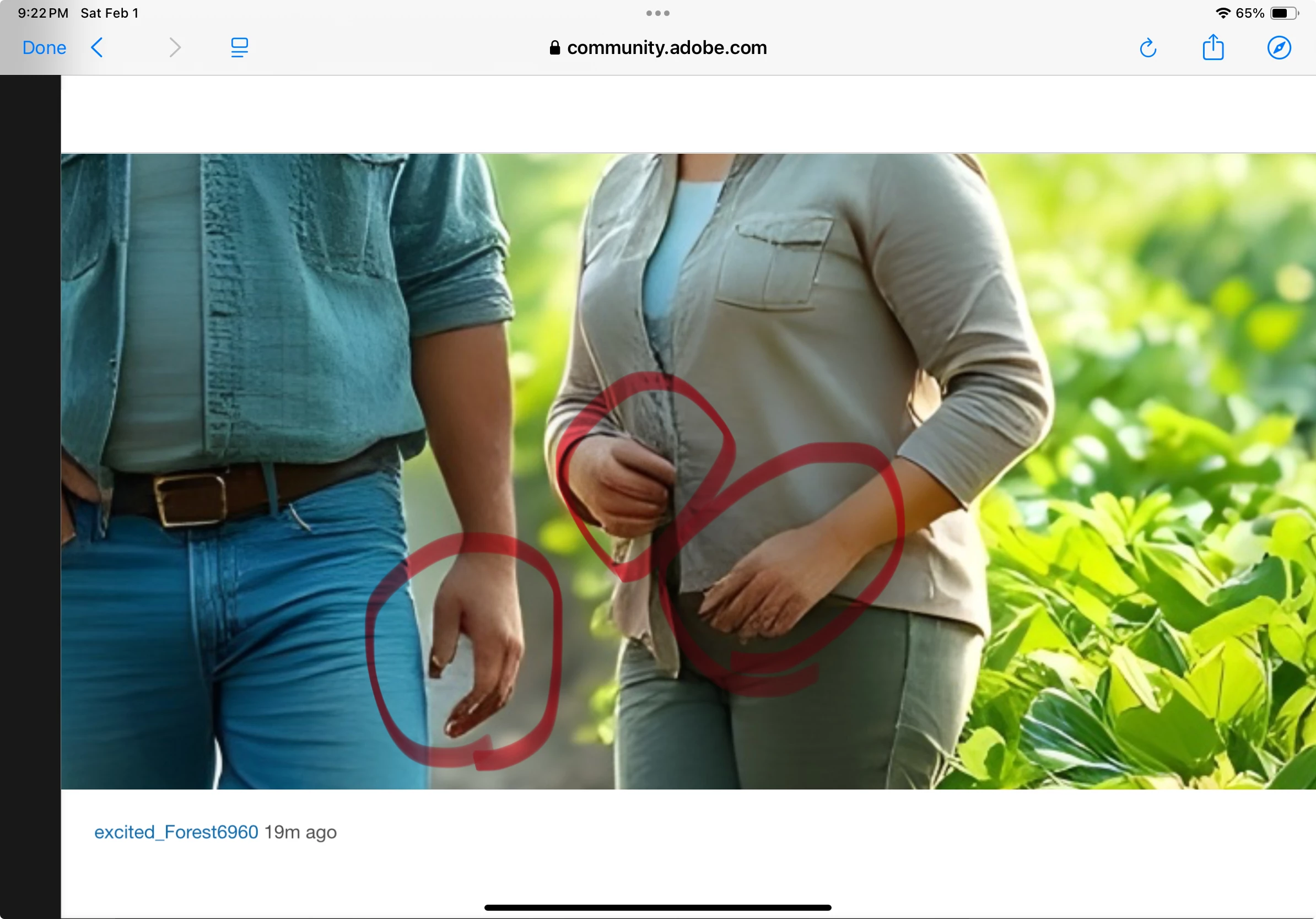
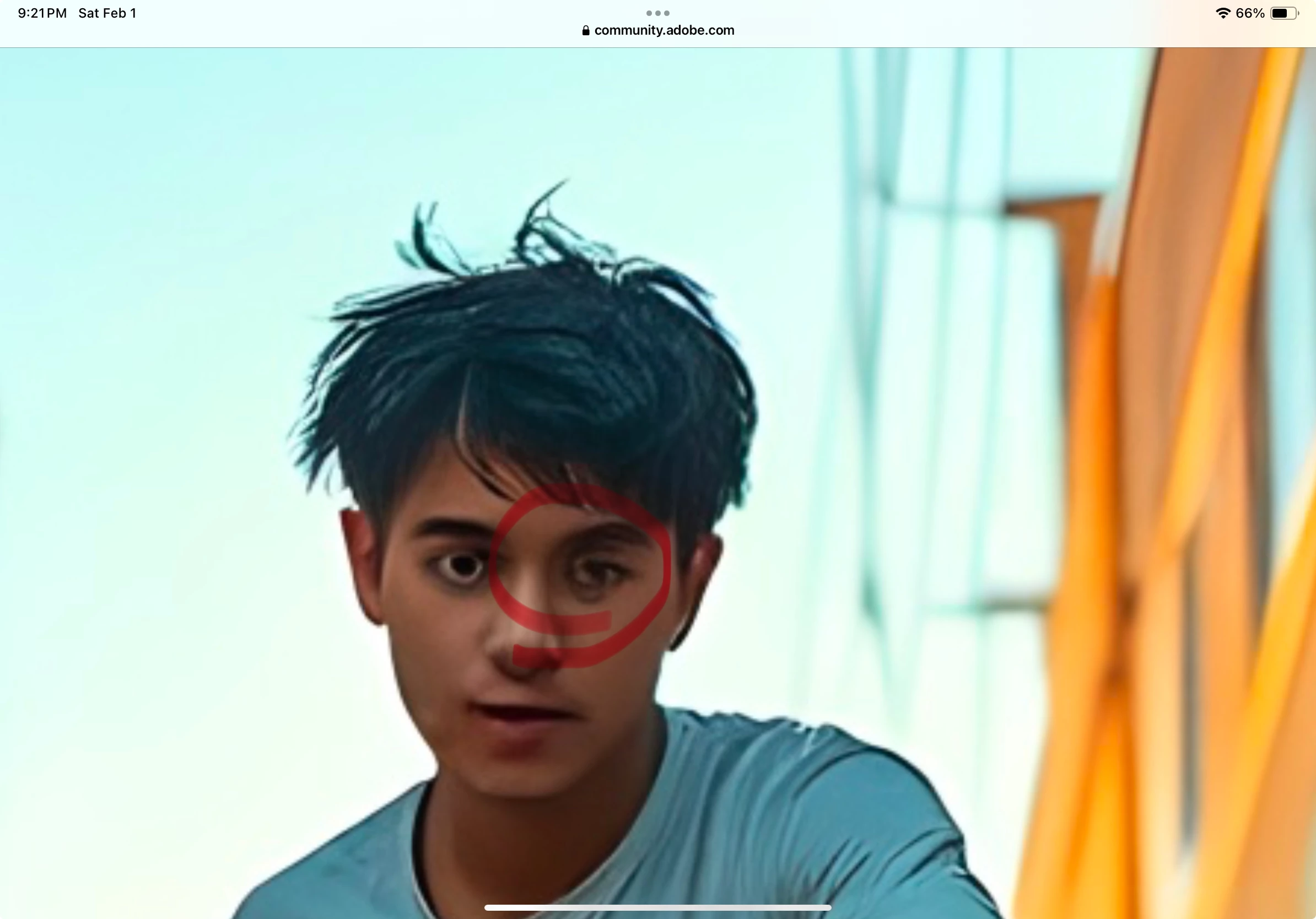
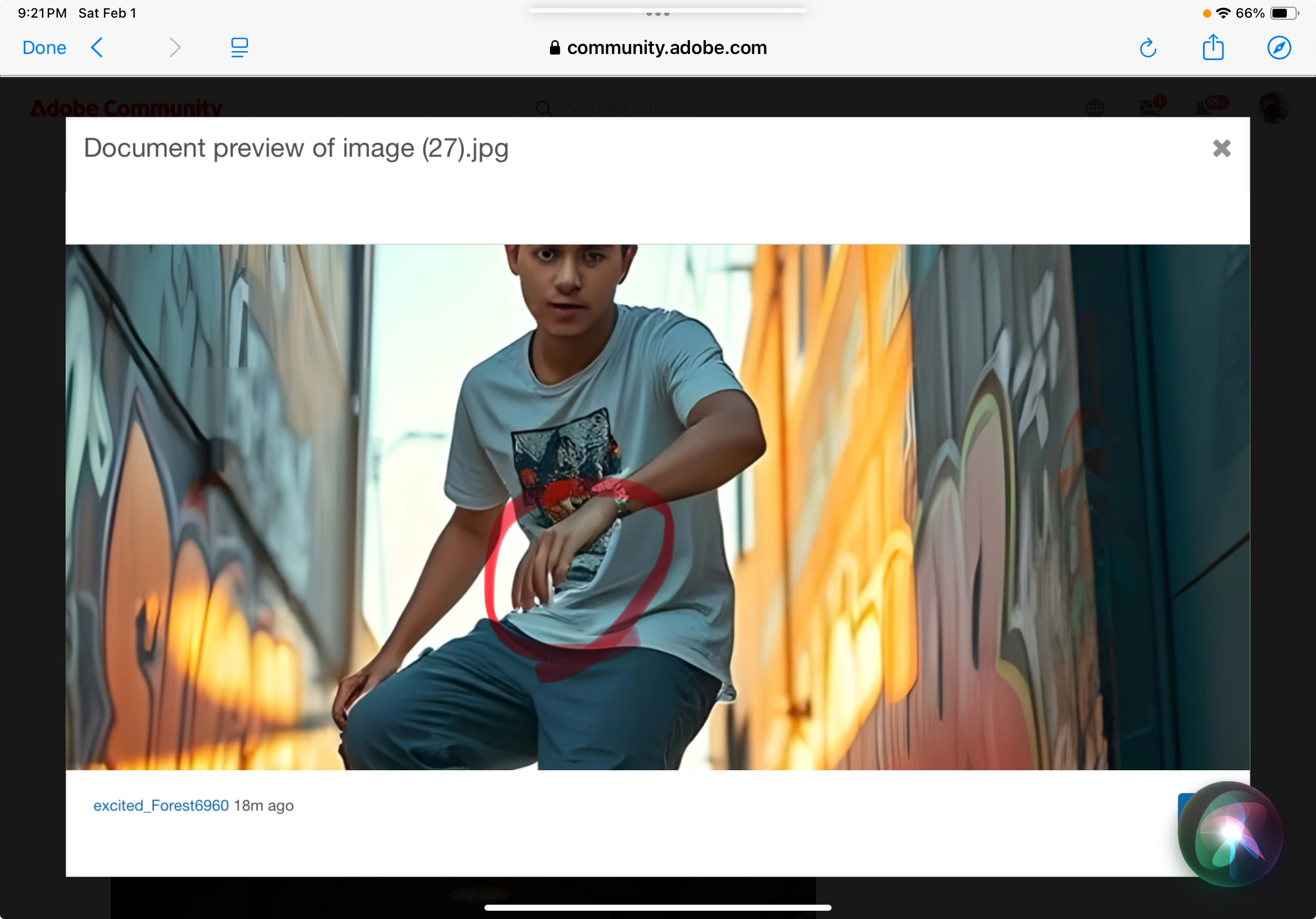
I'm sure it took the Moderator only a second or two to spot the AI drawing errors in these images. You MUST zoom in and inspect every area carefully.... By the way, the hands are the first place they look.
3 replies

Abambo
Community Expert
Community Expert
February 2, 2025
quote

It's hard to find problems on your own. Please help


By @excited_Forest6960

You really need to check your assets at 100%. Look at the eyes and hands first. Look for knobs on the clothing. Look for geometric objects that are wrong, like straight lines that are not straight. Check the hair and earrings. Check for hanging objects that are not attached. And check for odd textures. And especially correct the issues you see before submitting. At 100% of the image size, errors are quite visible and not hard to find. 

ABAMBO | Hard- and Software Engineer | Photographer
Jill_C
Community Expert
Jill_CCommunity ExpertCorrect answer
Community Expert
February 2, 2025

I'm sure it took the Moderator only a second or two to spot the AI drawing errors in these images. You MUST zoom in and inspect every area carefully.... By the way, the hands are the first place they look.
Jill C., Forum Volunteer
daniellei4510
Community Expert
Community Expert
February 2, 2025

It's easier than you think when you review your assets at 100% to 200% before submitting.


Adobe Community Expert | If you can't fix it, hide it; if you can't hide it, delete it.