Participant
January 31, 2020
Answered

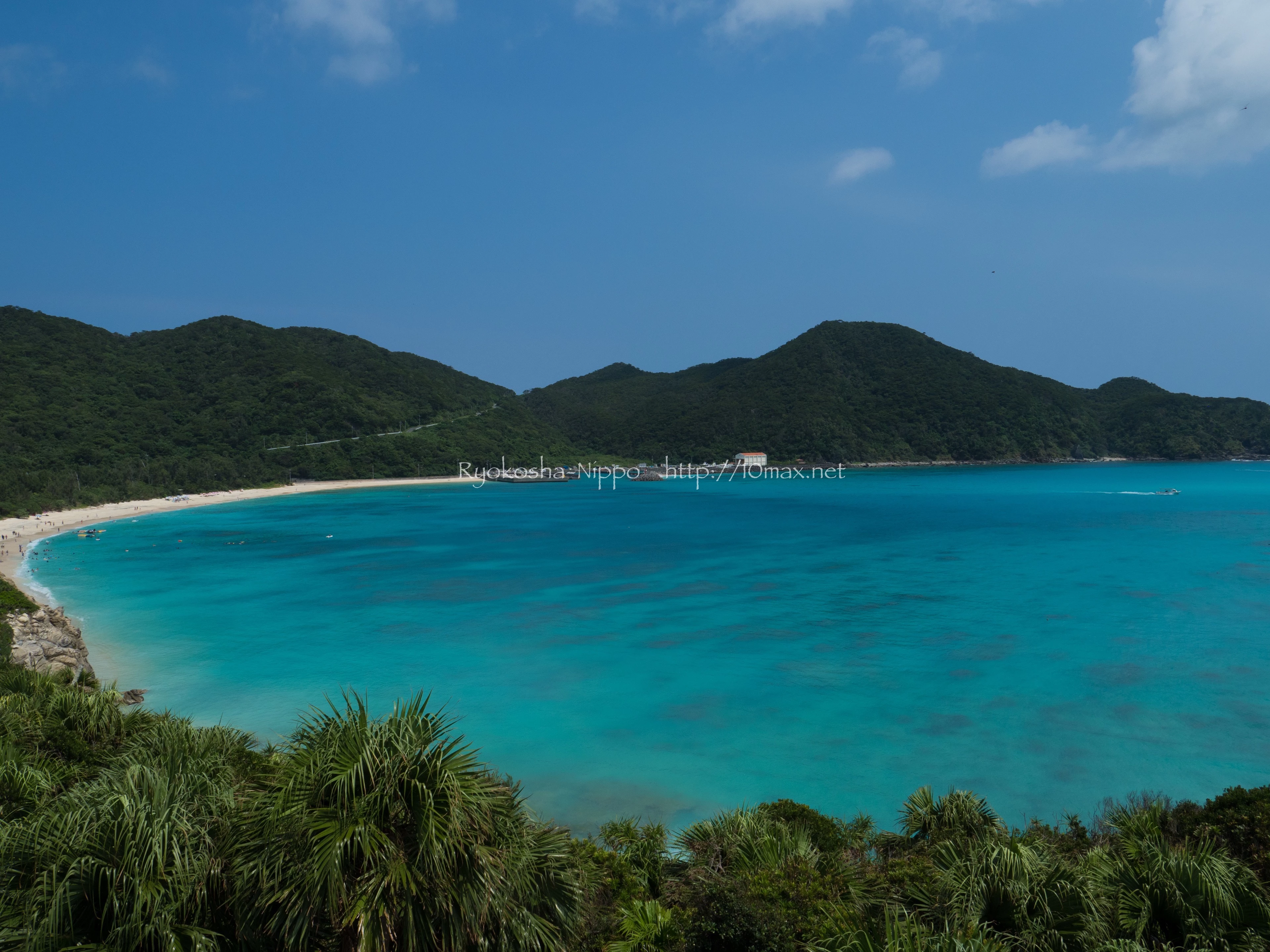
I'd like your advice for the reason of rejection of this photo

  • January 31, 2020
  • 3 replies
  • 798 views

Hi,


The attached photo was rejected by Adobe Stock with the following reason:

"Lighting Issue

Too much light (overexposure) or not enough (underexposure) ..."

You can find the detail of above on this URL:

https://helpx.adobe.com/stock/contributor/help/quality-and-technical-issues.html


I'm wondering why is this photo pointed out with this perspective because I can't find any too high/low exposure...


Thank you for you advice in advance.


*Attached photo is resized with watermark for this query.
This topic has been closed for replies.
Correct answer Ricky336

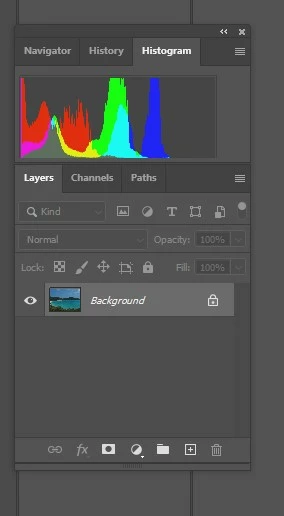
For example, the pixels are concentrated on the left of the histogram:


3 replies

Todd Shaner
Legend
February 1, 2020

"I'll make some adjustment and try once again."


This article on adjusting the Tone controls may be helpful.

https://helpx.adobe.com/lightroom-classic/help/tone-control-adjustment.html

Todd Shaner
Legend
January 31, 2020

This is usually due to your display's luminance level set too high. If using a monitor calibrator try setting the Luminace target for 100-120 cd/M2. If you don't have a calibrator use the White Saturation target at he below link and adjust your display's brightness control until you can see at least the 252 or higher squares. You can also check the Black Level target.


http://www.lagom.nl/lcd-test/

10maxAuthor
Participant
January 31, 2020

Hi Todd_Shaner,

Thank you so much for your advice.

Yes, that's what I'm recently concerned about because the display of my MacBook is usually relatively more lumonois than others.

I'll try adjust it for evaluating the lighting of my photo appropriately.

Appriciates again!

Ricky336
Community Expert
Community Expert
February 1, 2020

This is why the histogram is so useful, as it gives you a lot of information ! 

Ricky336
Community Expert
Community Expert
January 31, 2020

Your photo is a little bit underexposed. You need to increase the exposure in your photo editing programme . Take notice of your histogram. 

Ricky336
Community Expert
Ricky336Community ExpertCorrect answer
Community Expert
January 31, 2020

For example, the pixels are concentrated on the left of the histogram:


10maxAuthor
Participant
January 31, 2020

Hi ricky336,

Thank you so much for your advice.

Indeed the histogram is a bit left-sided. I'll make some adjustment and try once again.

Appreciates!