There are millions of flower photos in the database. If you want success, you have to make your photos stand out. They need drama, beauty, and they must be unique. I would recrop your photo, get rid of the underexposed areas and above all, sharpen the photo. What do you think?
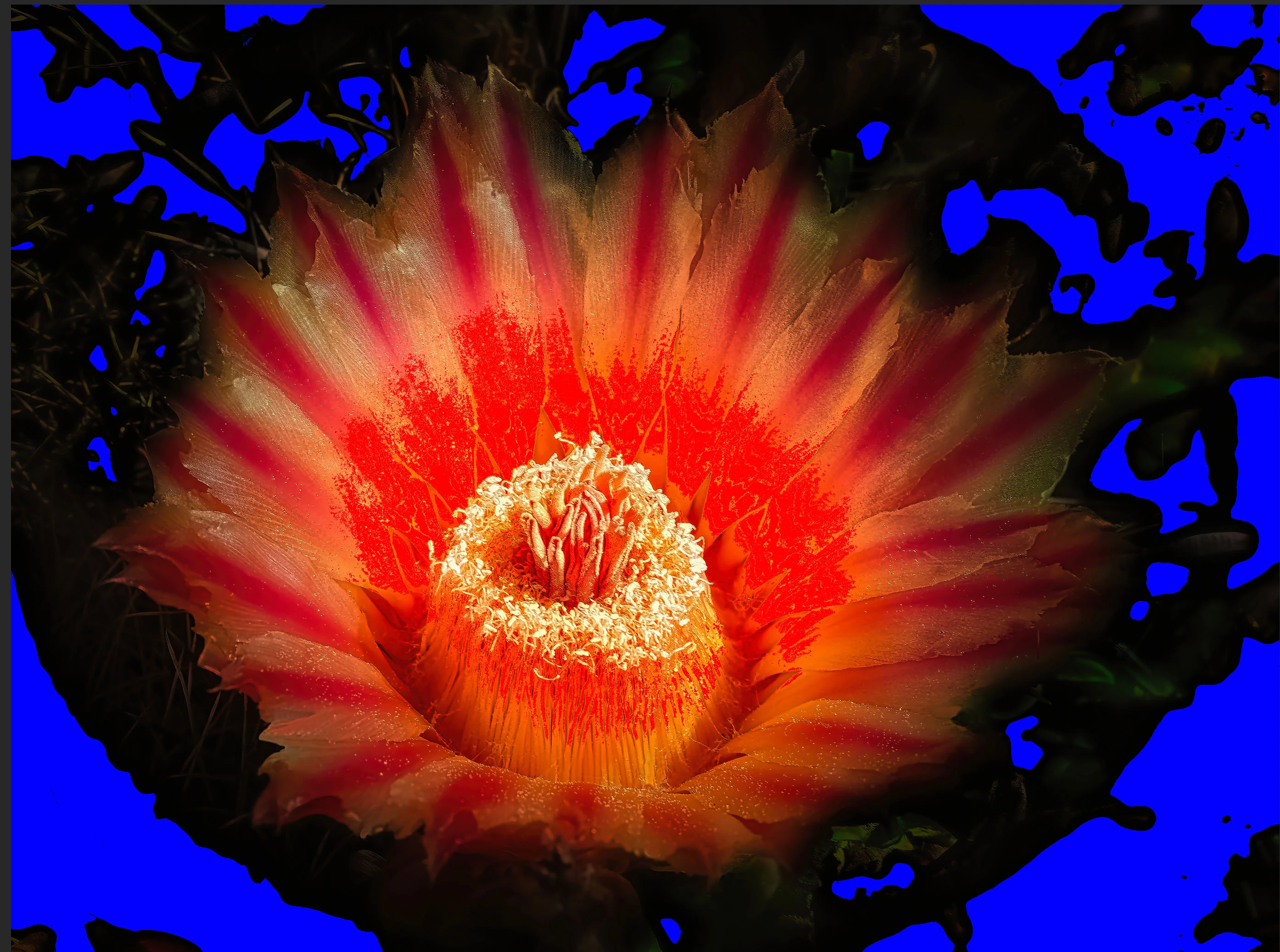
Hi Ralph, I was attempting to make my flower image stand out by exagerrating the darkness of the background and blurring it. I guess I won't do that again!
Check Ralph's portfolio (by clicking his avatar, you'll get the link). His style is to process the assets a lot, much more than I would do. The site also contains a link to his portfolio on Adobe stock. You will see assets that are highly processed and still accepted by Adobe stock.
Translate
ABAMBO | Hard- and Software Engineer | Photographer
It could be concluded that your file has a shallow depth of field causing the edges to be out of focus. Otherwise, it could be concluded as a poor composition whereby you wanted to capture the center but did not zoom in enough so that buyers can identify the subject of you capture.
I believe the refusal was because the reviewer concluded that too much of your subject was out of focus.
Zoom in on you files at between 100 and 200% to view for faults before submitting.
Hey Jaquelin, I do a standard 400% inspection of my images. I intentionally darkened and blurred the background and I think this was likely the reason for rejection. Adobe does accept images with vignettes, but only if they are very mild and they don't look artificial. My photo definitely doesn't look 'natural', lol. Thanks for your comments.
Hey Jaquelin, I do a standard 400% inspection of my images. I intentionally darkened and blurred the background and I think this was likely the reason for rejection. Adobe does accept images with vignettes, but only if they are very mild and they don't look artificial. My photo definitely doesn't look 'natural', lol. Thanks for your comments.
Vignettes are not allowed, but that does not mean that they don't accept assets where vignettes have been mildly applied. You need to know, that the assets you submit will be used by the customer for further processing, so best is not to process too much, like softening the edges. Or darkening the background. The buyer can do that, if they need to have that effect, but they can't recover the details, as soon as they are lost.
Even from an artistic point of view, my appreciation is, that you are doing too much. But Adobe stock is not an art gallery, in any sense. Assets need to be technically correct, and then they can be beautiful. Not the inverse.
Translate
ABAMBO | Hard- and Software Engineer | Photographer
Hi Jill, I question if Adobe possibly rejected this image because they thought I used generative AI. Well, I went over the image and I decided the edges of the petals, where they meet the darkened background, were too detailed/sharp. So I softened them. By the way, speaking of generative AI, I am one to NEVER use it. I don't like the thought that some people without any photoraphy skills can have AI make up things for them. My photos are for real. But, in spite of my position, when I submitted 10 images to Getty, they accused me of using generative AI on all of them. They can think what they want. I've decided that Adobe is the place for me - I hope I'm right! Anyways, I am submitting the full, updated version. See if you think it's okay. Thanks, Jill
It's a beautiful desert bloom, but does have the appearance of having been over-edited. I would go for a more natural look, leaving the edges of the petals undarkened.




 AdChoices