
Participant
February 8, 2021
Answered

I submitted photos for approval and confused the keywords and title of the photos.

  • February 8, 2021
  • 1 reply
  • 184 views

Dear Sirs,


I submitted photos for approval and confused the keywords and title of the photos with the other photos. How to correct it now?


Yours faithfully,

Sophia
This topic has been closed for replies.
Correct answer Abambo

If your picture approved, you can edit it in your stock contributor account:

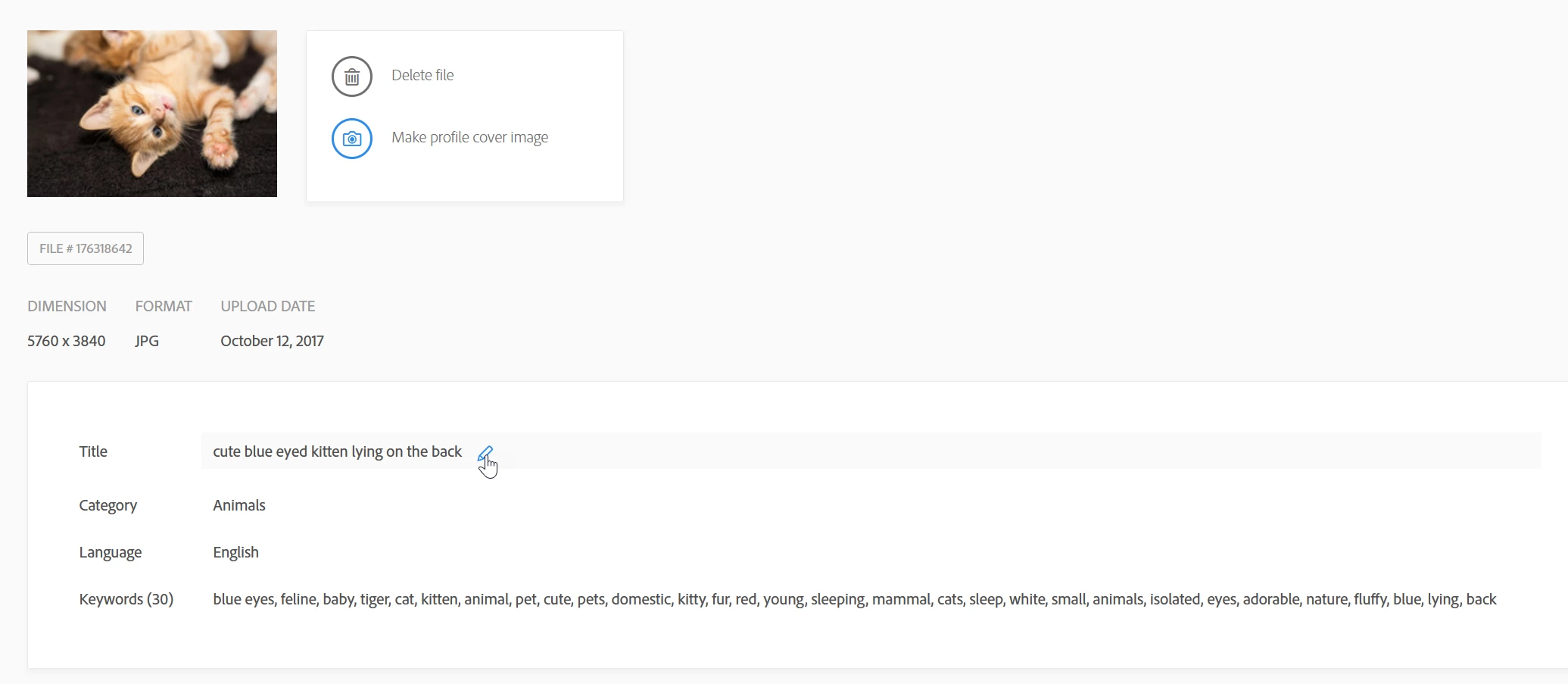
Select the image, hoover over the field you want to correct and click the pencil. You can then edit the data.

If it hasn't been yet approved but submitted, you need to delete and resubmit. Or you wait until it gets refused or accepted and react accordingly.


I'm moving this to the contributor forum.

1 reply

Abambo
Community Expert
AbamboCommunity ExpertCorrect answer
Community Expert
February 25, 2021

If your picture approved, you can edit it in your stock contributor account:

Select the image, hoover over the field you want to correct and click the pencil. You can then edit the data.

If it hasn't been yet approved but submitted, you need to delete and resubmit. Or you wait until it gets refused or accepted and react accordingly.


I'm moving this to the contributor forum.

ABAMBO | Hard- and Software Engineer | Photographer