Participant
March 5, 2025
Answered

I would like help on why these images were not accepted.

  • March 5, 2025
  • 5 replies
  • 1260 views

Hello, In order to improve, please tell me why these images were not accepted.
I'm just starting to upload AI-created images and I'd like to take into account your feedback from the community to improve my next images.
Because I find it confusing in some situations where two images have similar characteristics in technique and style sometimes they are accepted and sometimes they are not.
I'm attaching some rejected images from my last batch.
Thank you in advance.

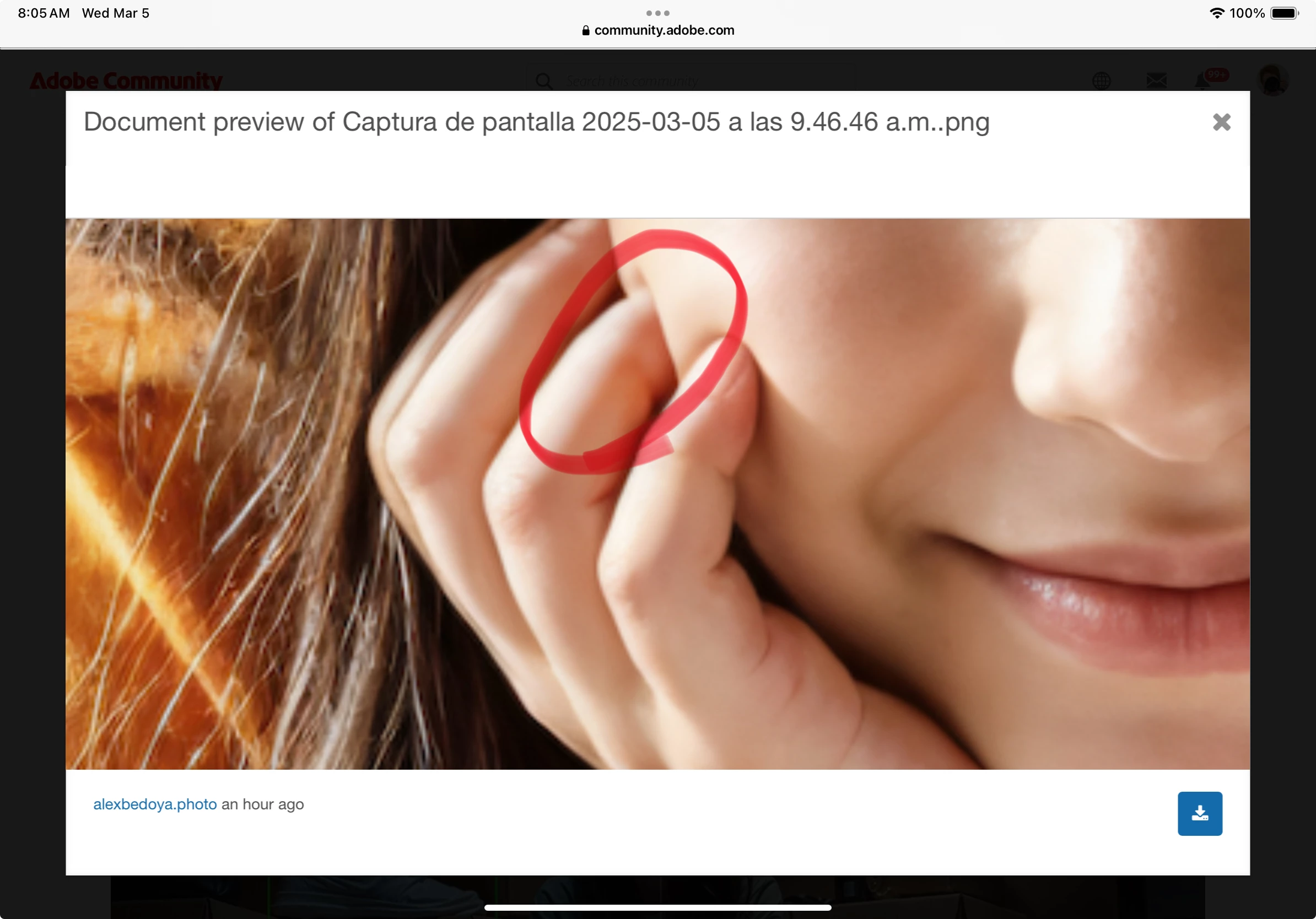
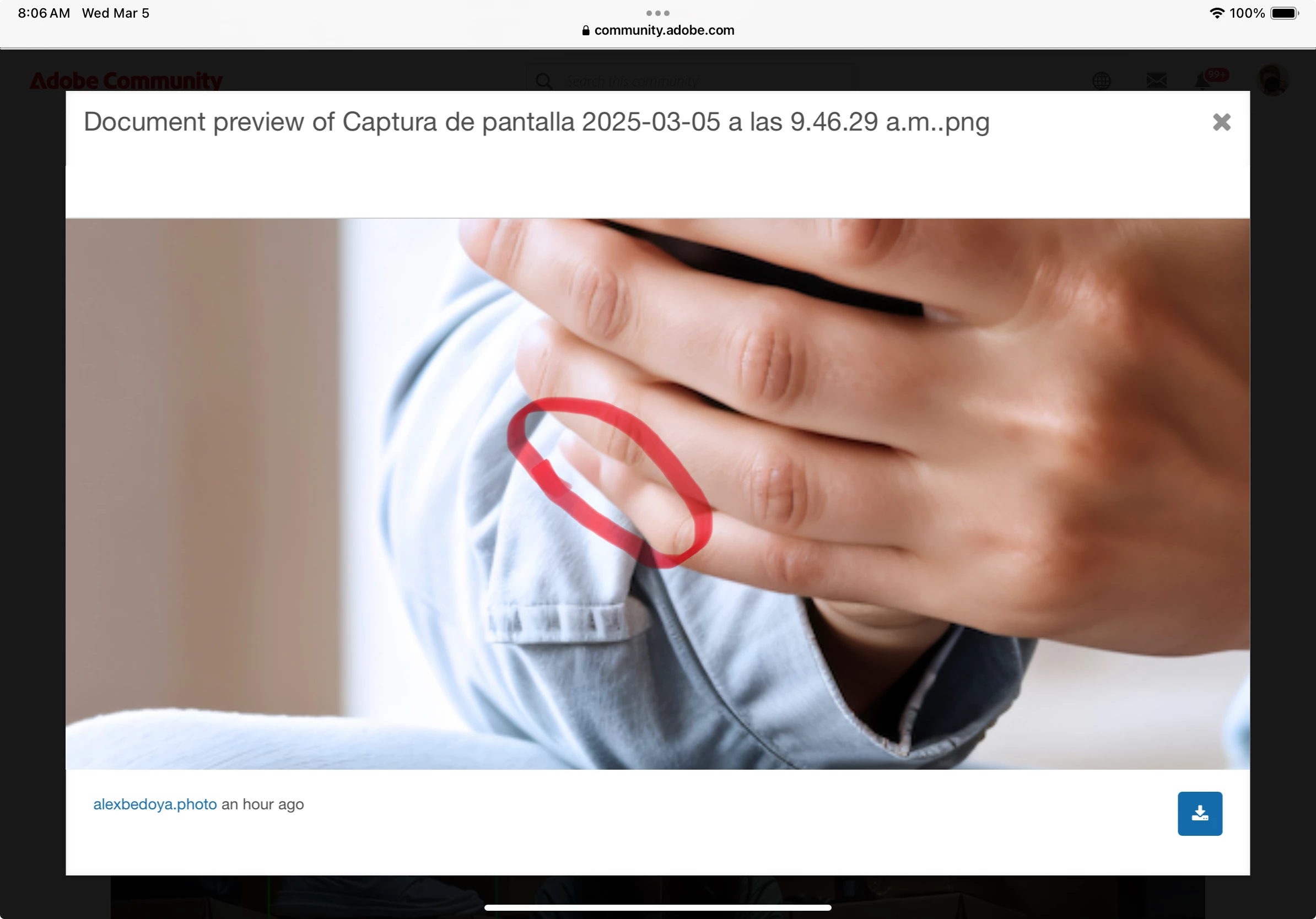
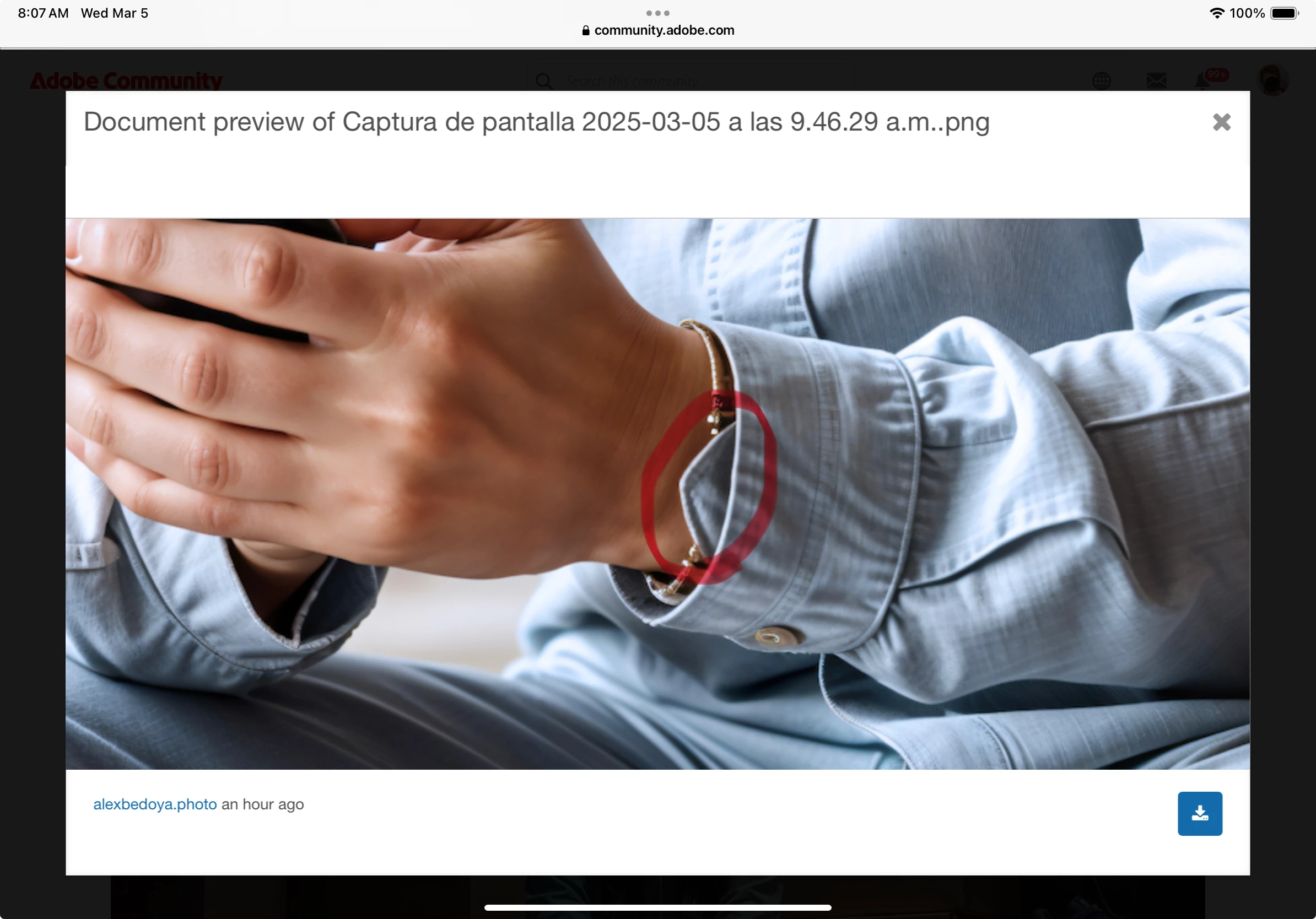
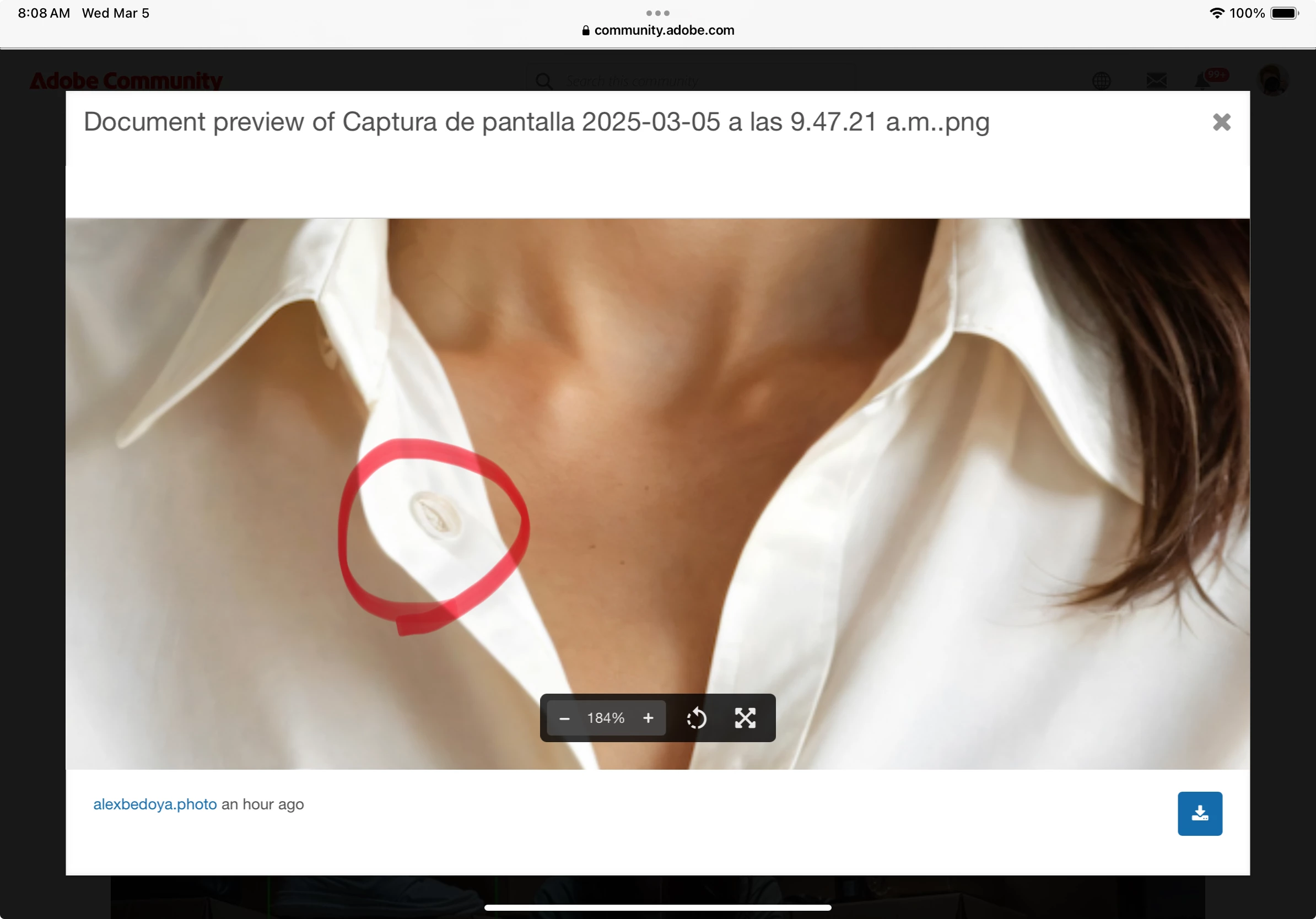
Correct answer Jill_C

Some AI drawing errors:

5 replies

Participating Frequently
March 6, 2025

Hello! If you are new to submit AI asset, you may consider to submit non-human AI asset first. To generate 100% correct human images are quite difficult( assume you are using midjourney). It's often you take a lot of time to correct a human image, than got reject after submission. 

Abambo
Community Expert
Community Expert
March 6, 2025

That's what you need to check beforehand. You simply need to estimate the time to correct vs the expected gain. The more complex a scene is, the more rendering errors it contains.

ABAMBO | Hard- and Software Engineer | Photographer
Abambo
Community Expert
Community Expert
March 5, 2025

You need to check your assets at 100% before submitting, and you need to fix all the errors beforehand. If you can't fix, don't submit.

When posting here, it is helpful to tell us the refusal reason. I assume, it is quality issues here.

quote

Because I find it confusing in some situations where two images have similar characteristics in technique and style sometimes they are accepted and sometimes they are not.


By @alexbedoya.photo

As moderation is done by humans and some people are better at detecting errors than others, you may have assets accepted that should be refused. The first customer will probably complain then.


If you are new to stock, you should consider these resources: https://helpx.adobe.com/stock/contributor/tutorials.html
Please read the contributor user manual for more information on Adobe stock contributions: https://helpx.adobe.com/stock/contributor/user-guide.html
See here for rejection reasons: https://helpx.adobe.com/stock/contributor/help/reasons-for-content-rejection.html
and especially quality and technical issues: https://helpx.adobe.com/stock/contributor/help/quality-and-technical-issues.html

ABAMBO | Hard- and Software Engineer | Photographer
Participant
March 5, 2025

Understood, I'll keep it in mind. If I make any adjustments, I see that I have missed several

Abambo
Community Expert
Community Expert
March 6, 2025

Generative AI alwys contains some and sometimes a lot rendering errors. You just can't trust that what you see on a small screen is good enough for a billboard size print.

ABAMBO | Hard- and Software Engineer | Photographer
Jill_C
Community Expert
Jill_CCommunity ExpertCorrect answer
Community Expert
March 5, 2025

Some AI drawing errors:

Jill C., Forum Volunteer
RALPH_L
Community Expert
Community Expert
March 5, 2025

Look at the fingers on the first image.

daniellei4510
Community Expert
Community Expert
March 5, 2025

Adobe Community Expert | If you can't fix it, hide it; if you can't hide it, delete it.