Hi, my AI-generated illustrations were not accepted, so please explain the reason. I am sending examples of illustrations in the attachment. A total of 38 illustrations were rejected.
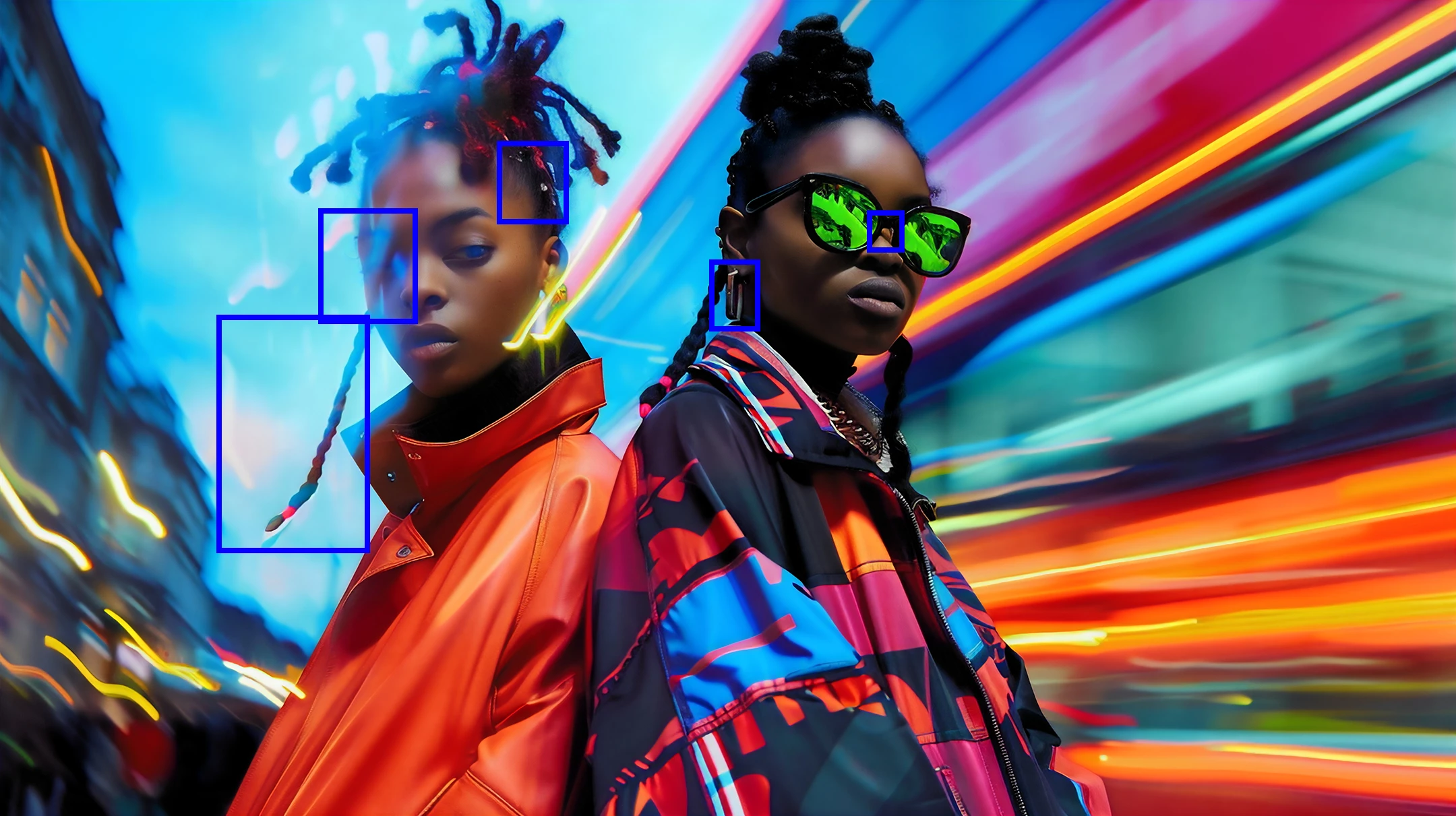
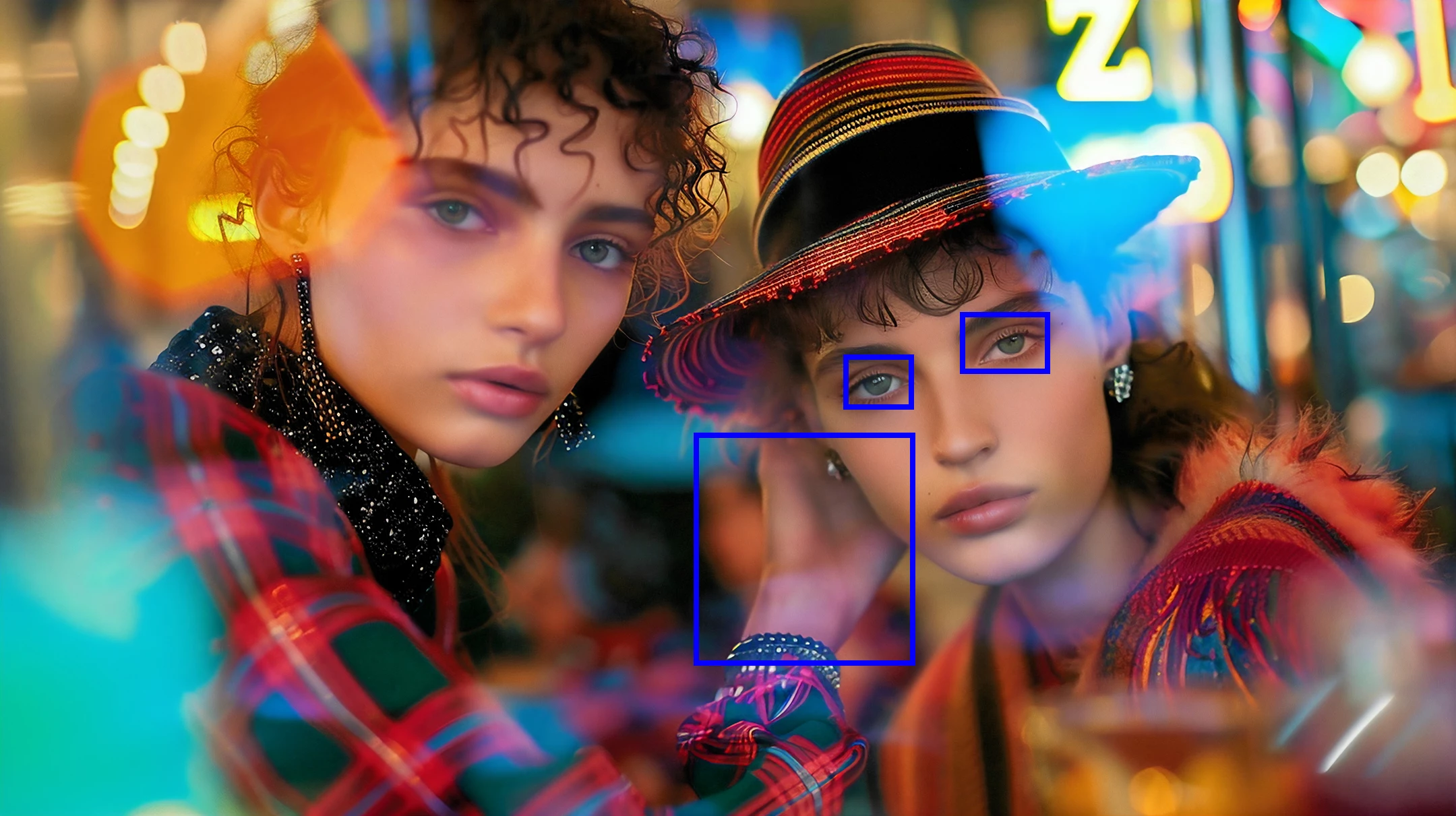
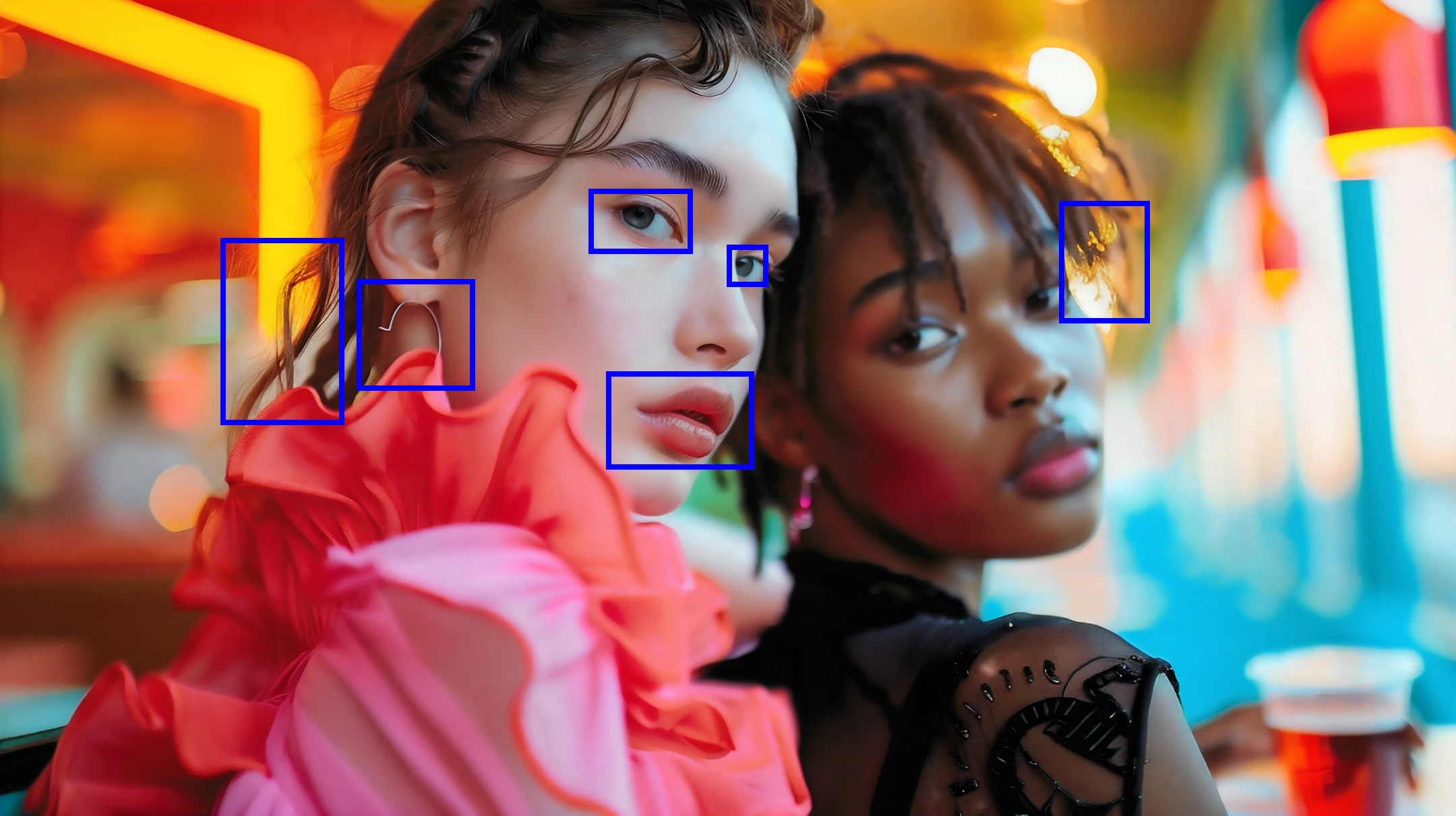
If you check your assets, you see many more artefacts as those pointed out by @daniellei4510. A lot of them are upscaled JPEG issues. Or simple rendering errors, that got upscaled.
(1) are compression artefacts
(2) are upscaled rendering errors.
The limits between compression artefacts and rendering artefacts are fluent.
The compression artefacts come from the generative AI rendering engine, as the source files used to train the AI engine had those. Creating a JPEG file at the highest quality does not generate any artefacts.
In addition to those obvious errors, your assets are highly styled and those flat, washed out colours may be considered as an error, even if you introduced those by design. Not everything that is possible at the design phase is accepted as this in stock.
Translate
ABAMBO | Hard- and Software Engineer | Photographer
I found some additional issues after posting these but the bottom line is this: view your images at 100% to 200% (the latter is better) to look for issues. Delete details that don't belong. Fix details (such as pupils and lips) that need fixing. Irises, pupils and catchlights should be identical and well rounded. Check diligently for fly-away hairs.
Translate
Adobe Community Expert | I have miles to go before I sleep, but I'm all done on this end.




 AdChoices