Participating Frequently
February 18, 2022
Answered

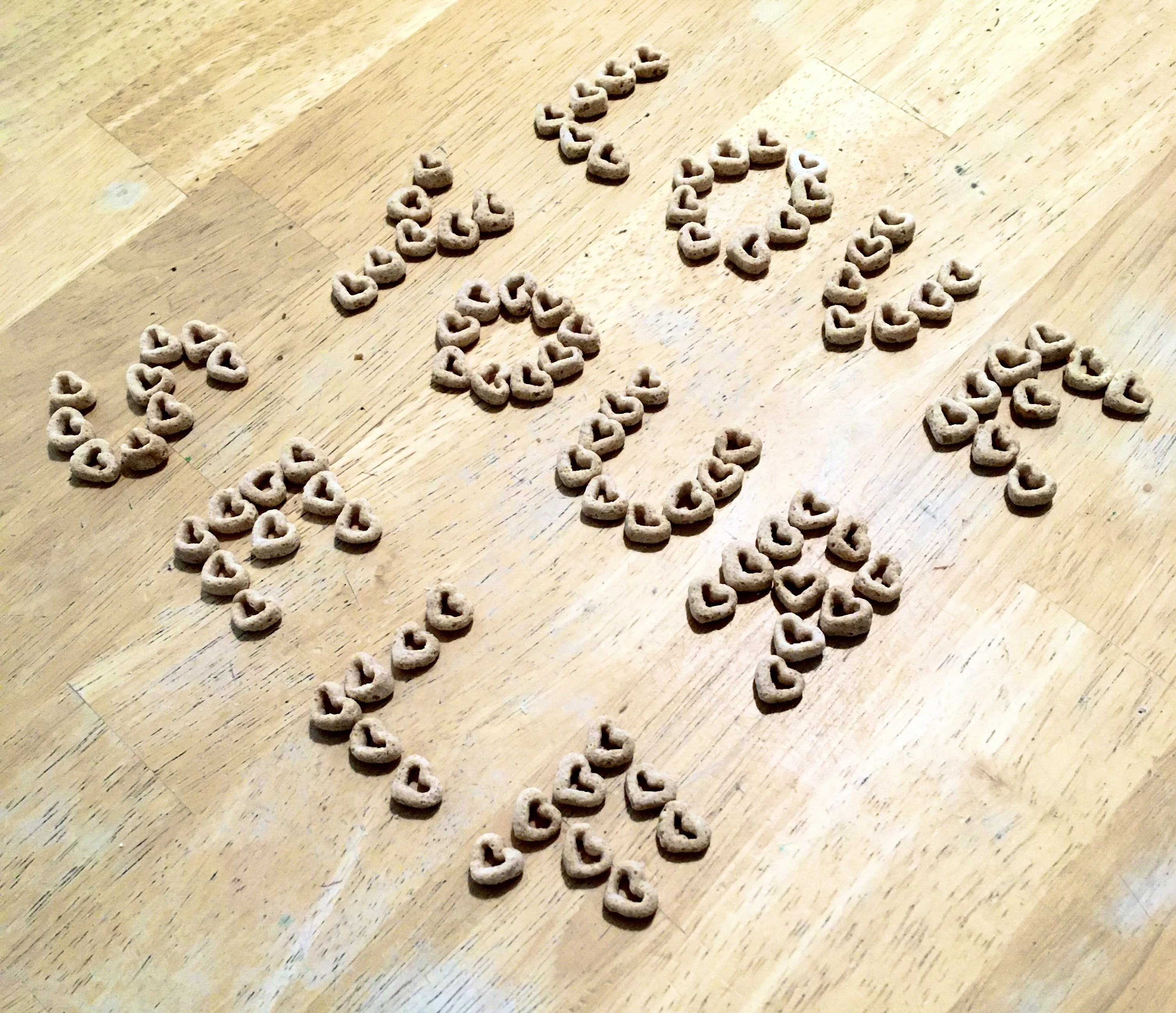
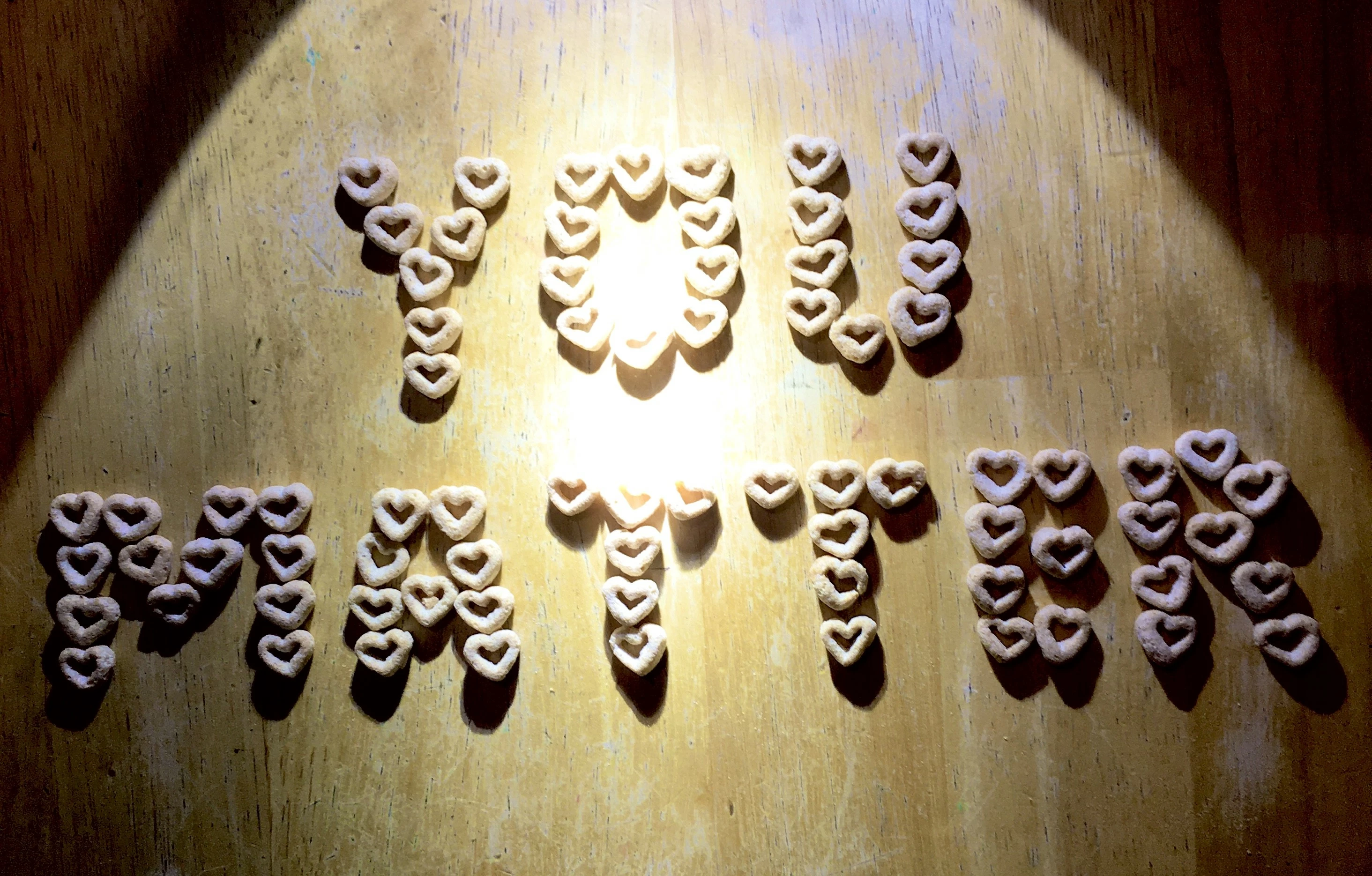
im a newbie using free uploader can someone tell me why these are rejected for technical
  • February 18, 2022
  • 25 replies
  • 1372 views

This topic is closed to new replies. Start a new post to keep the conversation going.
Correct answer Nancy OShea

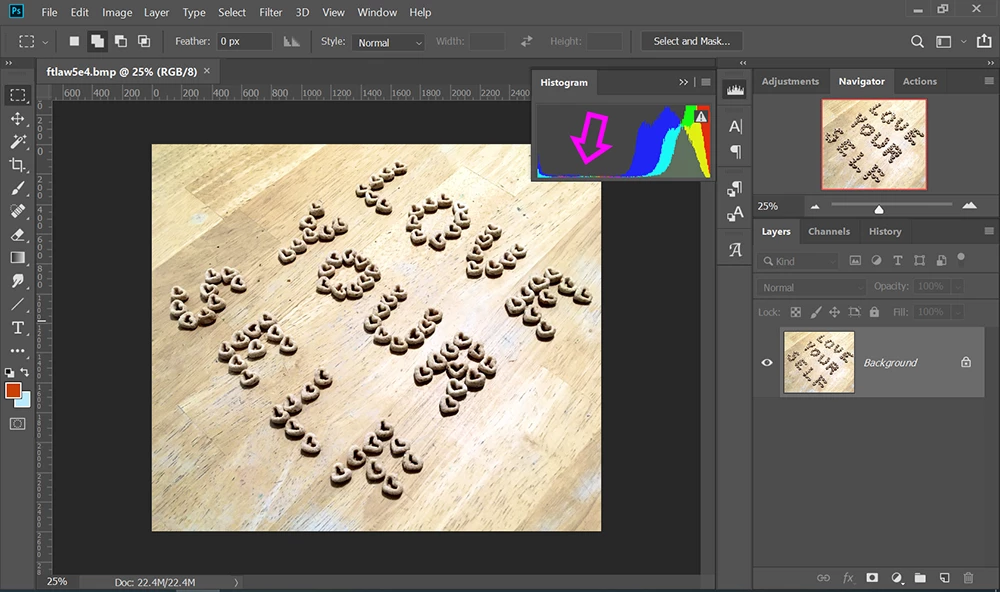
I agree with @Jill_C.  Both images suffer from poor light exposure levels as can be seen by the lopsided Histogram Panel in Photoshop.


Keep working at it.


25 replies

jacquelingphoto2017
Community Expert
Community Expert
February 19, 2022

Hi @marcella8,

Nice composition photographs you have. However, they are too cool, and overexposed in some areas. While flash can be used for fill lighting, it should not be used for primary lighting.

As highlighted, phone camera can be used, however you need to compensate for their limitations. It is quite likely most photos you take with your phone camera will be rejected due to resulting flaws. 


The only photo corrections you do are to ensure you have correct exposure, light balance and vibrancy. You also need to do lens correction sometimes, and to clean noise and fringing. The subject's appearance should be as is in reality.


In the future if you're using a flashlight to as in the case of the first image, shine the light directly on something white and allow the reflected light to light you image. In this way you'll get even lighting.


Best wishes

Jacquelin

marcella8Author
Participating Frequently
February 20, 2022

 Thanks for the tips 🙂   so is there any place for  phone camera photos? and their editing or apps to be put?   or is itonly Adobe you need a real camera and other places will take phone pics and edited ones in that  fashion Im a bit confused.


Jill_C
Community Expert
Community Expert
February 20, 2022

Your poorly lit mobile phone snapshots are not going to be accepted by any stock agencies. The quality is just not sufficient, and as several of us have said above, you can't fix bad photos with Photoshop. Read ALL of the material on the Adobe Stock Learn & Support pages to determine what is required to be successful at selling images on Adobe Stock, and spend time studying other images that are already in the database to help you discern what constitutes good quality. Start by looking at other images with Cheerios, and observe how well lit, sharply focused and nicely composed they are:

https://stock.adobe.com/search?filters%5Bcontent_type%3Aphoto%5D=1&filters%5Bcontent_type%3Aillustration%5D=1&filters%5Bcontent_type%3Azip_vector%5D=1&filters%5Bcontent_type%3Avideo%5D=1&filters%5Bcontent_type%3Atemplate%5D=1&filters%5Bcontent_type%3A3d%5D=1&filters%5Bcontent_type%3Aimage%5D=1&k=cheerios%2Bcereal&order=relevance&safe_search=1&limit=100&search_page=1&search_type=usertyped&acp=&aco=cheerios%2Bcereal&get_facets=0


https://helpx.adobe.com/support/stock-contributor.html

Jill C., Forum Volunteer
Nancy OShea
Community Expert
Nancy OSheaCommunity ExpertCorrect answer
Community Expert
February 18, 2022

I agree with @Jill_C.  Both images suffer from poor light exposure levels as can be seen by the lopsided Histogram Panel in Photoshop.


Keep working at it.


Nancy O'Shea— Product User & Community Expert
marcella8Author
Participating Frequently
February 19, 2022

oh my,  thanks for that in phptpshop

Jill_C
Community Expert
Community Expert
February 18, 2022

Cute idea to use heart-shaped cheerios for lettering. In the first image you have a huge blownout hot spot in the middle and uneven lighting throughout. The lettering is not level, and the background exhibits a lot of flaws. The second image is not sharply focused, and the background has a lot of flaws. If that's your only wooden table top on which to arrange the objects, you might try oiling it first to disguise some of the flaws.

Jill C., Forum Volunteer
marcella8Author
Participating Frequently
February 18, 2022

ok ,  I used my phone to edit  the pics  and then to  canva to do height and width as 4 mp  then submited

 it.   Is it better not to do edits on my phone or canva or  I just have to redo how I did it

 Can it be fixed  by photo shop > or have  another person  edit  what  I did to make it work?

Im trying to figure all the steps to make my pics technically rightt  so they accepet the uploads.


Nancy OShea
Community Expert
Community Expert
February 18, 2022

Phone cameras are convenient and portable but you will struggle to get good quality images from your phone.  If you're serious about Stock Photography, you should invest in better equipment -- either new or used.  It makes a big difference on many levels.

https://www.techradar.com/news/best-entry-level-dslr-camera


Use a desktop computer to edit RAW photos in Lightroom or Photoshop where you have much greater control than in phone apps.


Nancy O'Shea— Product User & Community Expert