January 17, 2026
Question

Image Not Accepted

  • January 17, 2026
  • 2 replies
  • 275 views

Hi All,

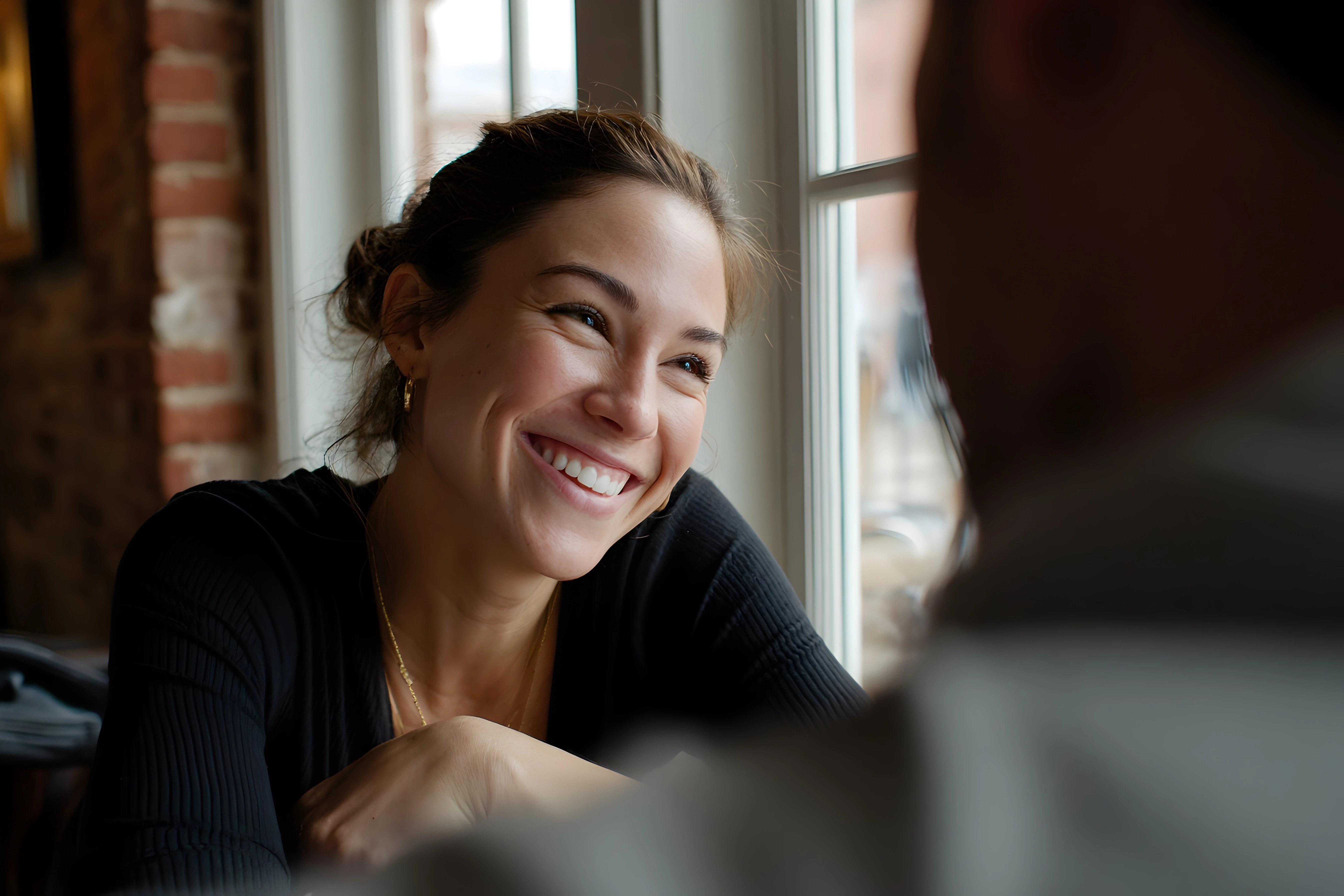
This image was turned down due to quality reasons.  I'm new to all of this and desparately trying to learn.  I'd really appreciate any feedback as to why it was it turned down.
Many thanks in advance,
Simon

2 replies

daniellei4510
Community Expert
Community Expert
January 17, 2026


Here's a quick video of the steps I take. The assumption is made that the image has already been upscaled and minor edits made. The video can also be downloaded. (I THINK this link will work).

Fin.mp4
Shared with Dropbox
Adobe Community Expert | If you aren't submitting your assets in sRGB, you probably didn't read the rules.
January 18, 2026

That's fantastic, thank you so much.  You are an absolute star

daniellei4510
Community Expert
Community Expert
January 18, 2026

Happy to be of help. Good luck going forward!

Adobe Community Expert | If you aren't submitting your assets in sRGB, you probably didn't read the rules.
daniellei4510
Community Expert
Community Expert
January 17, 2026

Some clean up needed. Eyes and teeth were improved using Nano Banana.


Untitled-1.jpg

Adobe Community Expert | If you aren't submitting your assets in sRGB, you probably didn't read the rules.
January 17, 2026

Thanks for that, I didn't realise that things had to be so "perfect".  Can I ask what you did in nanobanana to sort the eyes and teeth please?

daniellei4510
Community Expert
Community Expert
January 17, 2026

"Can I ask what you did in nanobanana to sort the eyes and teeth please?"


Nothing special. I selected just the woman's face as shown and pasted it into Nano Banana. Prompt: Improve the quality of the woman's eyes and teeth. Seems putting the entire image into Nano Banana confuses the bot and the results can be less than perfect. So I just choose square sections from each of my assets and improve or correct them one by one as needed. 


And yes. A small speck these days can get an asset rejected if your asset lands in front of a qualified moderator. Review your assets at 100% (or better yet, 200%) from corner to corner and look for anything that can be fixed or improved upon.

Adobe Community Expert | If you aren't submitting your assets in sRGB, you probably didn't read the rules.