Known Participant
January 29, 2025
Answered

Image quality issue with AI

  • January 29, 2025
  • 5 replies
  • 1758 views

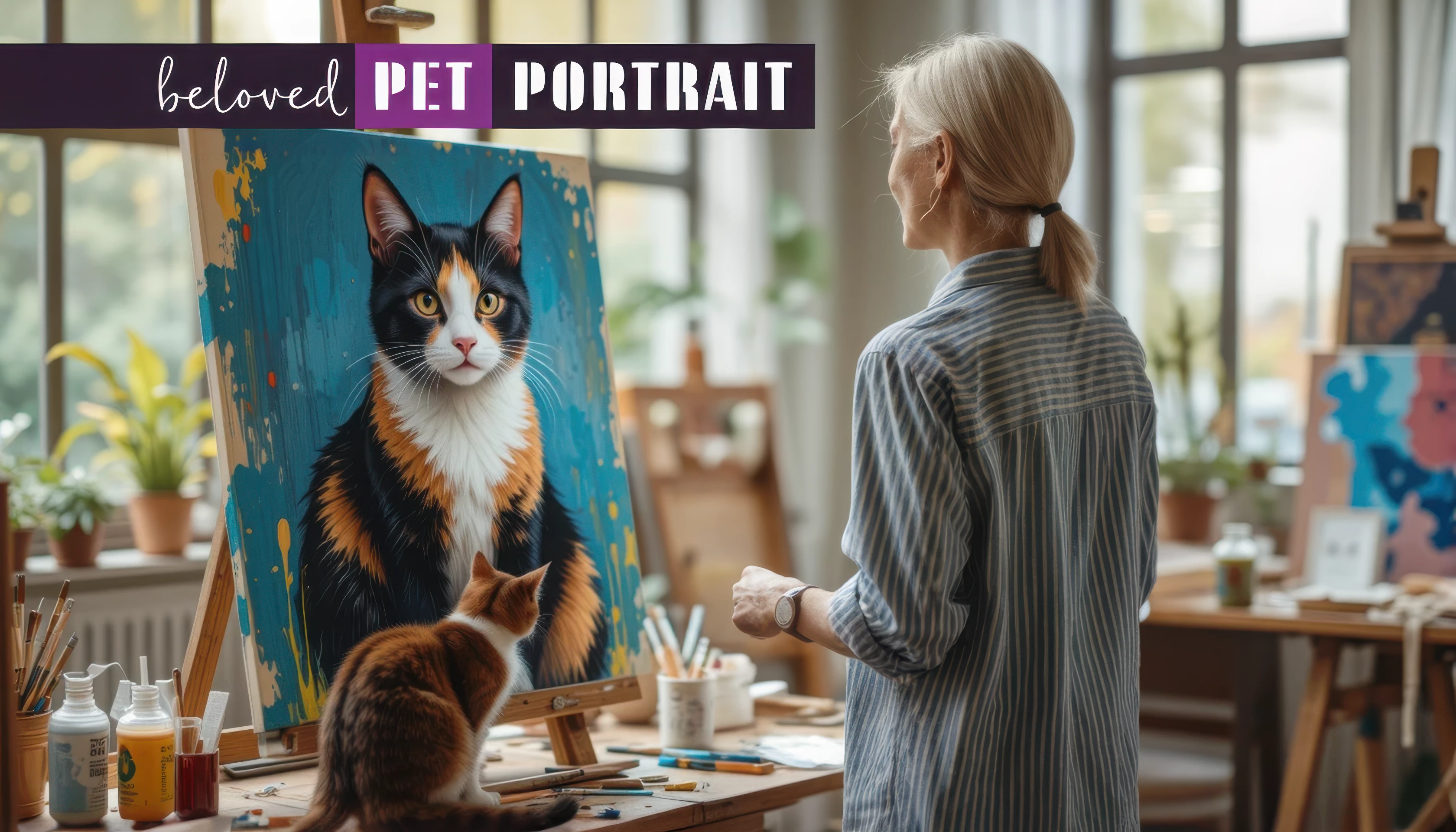
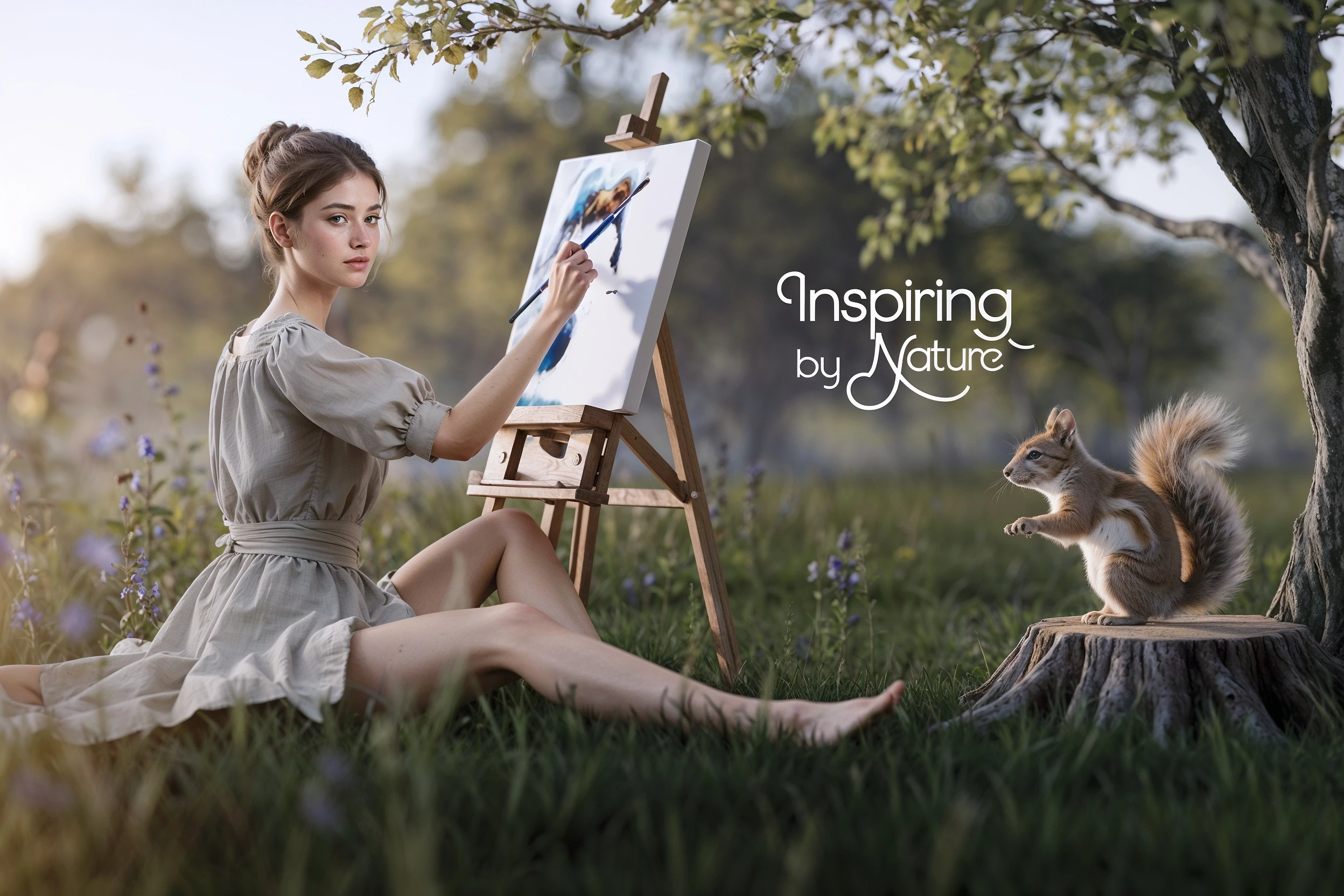
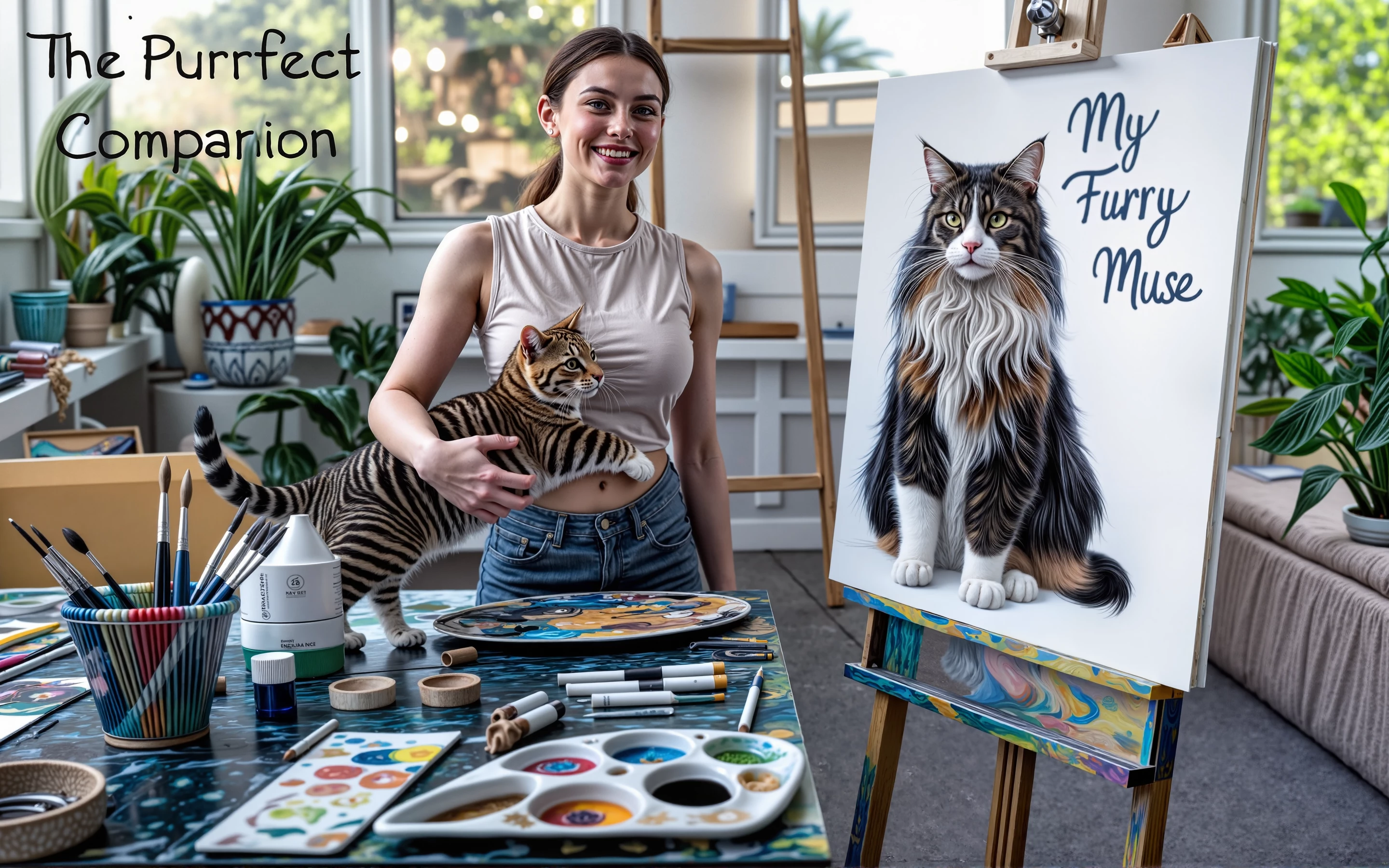
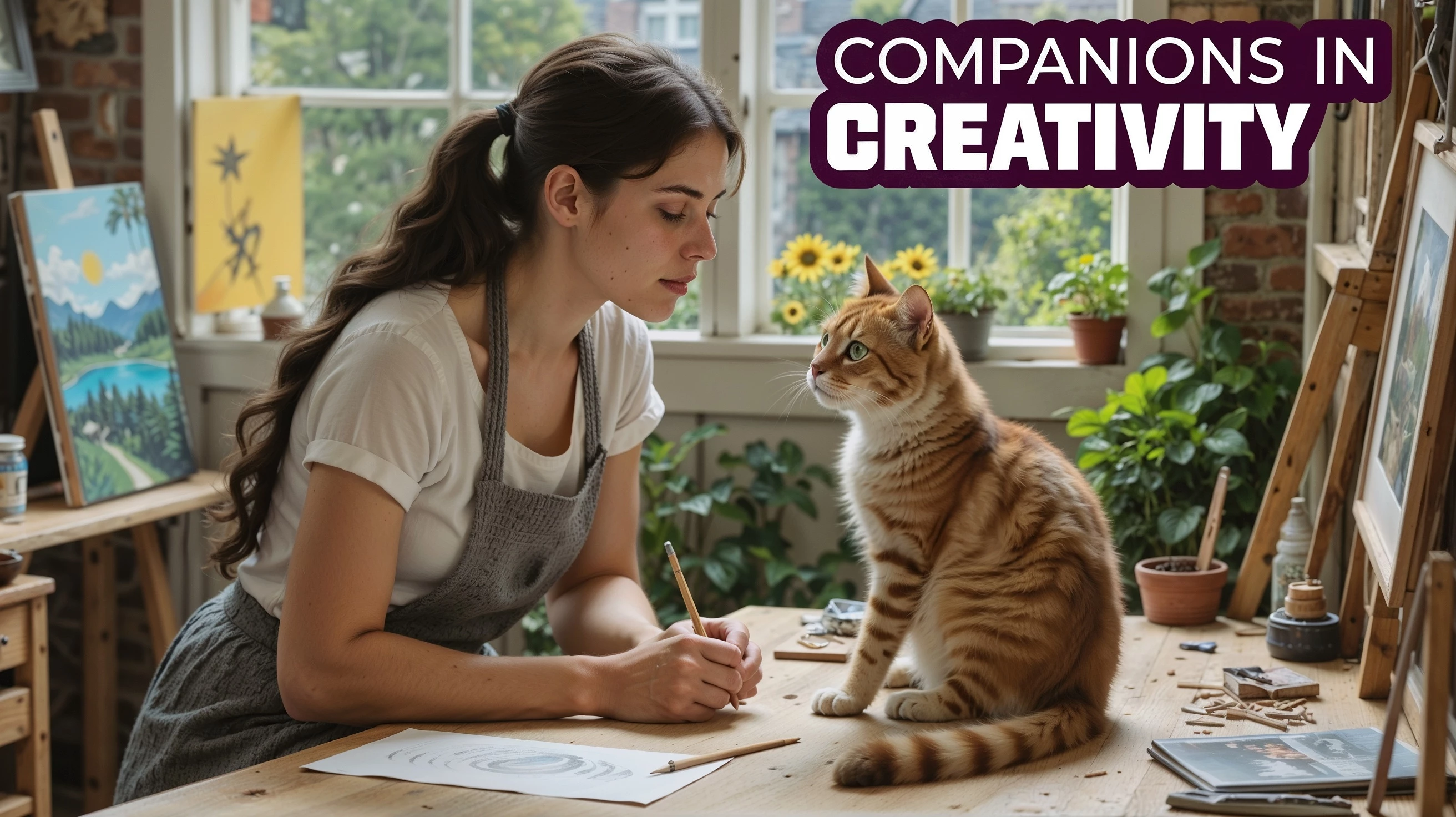
Hello. I would appreciate it if you could help me understand why these images were not accepted. This will help me in the future when creating images. Thank you very much for your time and assistance.

Correct answer daniellei4510

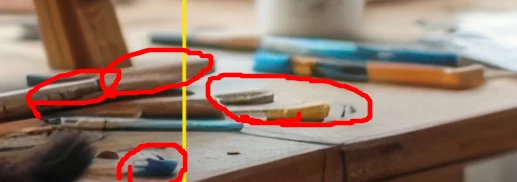
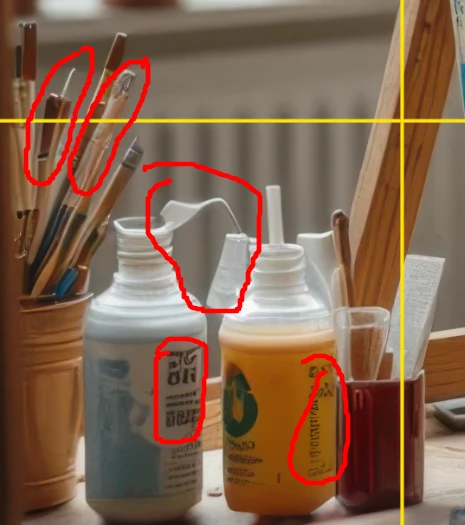
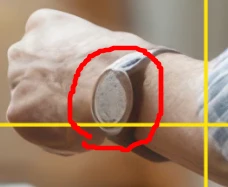
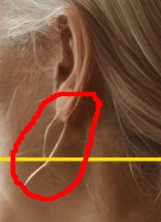
I don't use Photoshop, but it's not a problem to view images with a grid. The problem is understanding what should be considered an error and to what extent. After all, at significant magnification, almost everything gets distorted. The example I provided comes from the fifth image at 200% zoom. Is all of this really an error? I would appreciate your response. And thanks again for the advice—I will definitely be reviewing images with a grid.


Yes, these would definitely be considered rendering errors. And I noticed even more in these examples that were not circled. And no, I do not believe that viewing an asset two or even three times or more its original size will "distort" details. Doing so MAGNIFIES errors, it doesn't cause distortion. 

5 replies

Ricky336
Community Expert
Community Expert
January 30, 2025

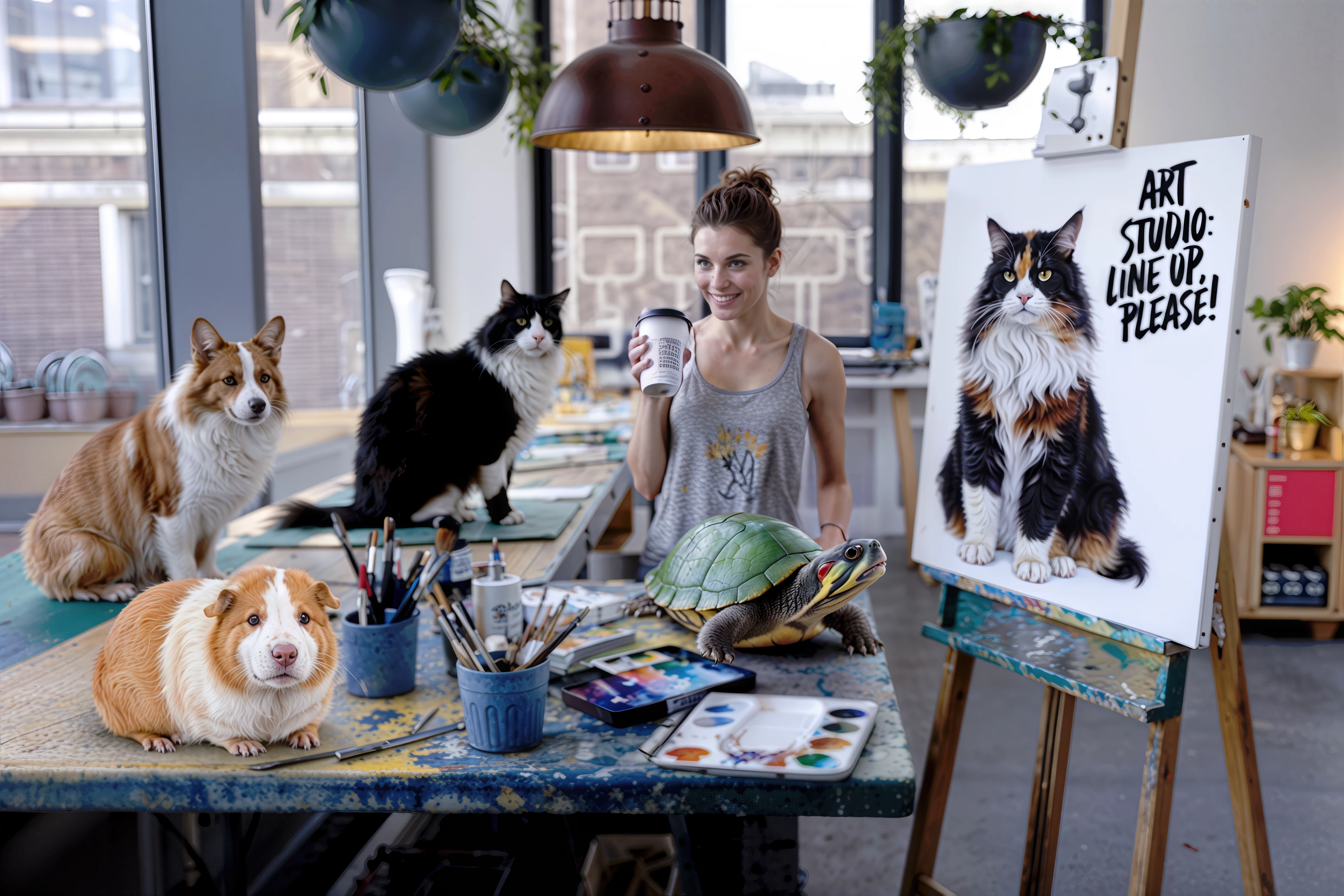
It's a cat right?

and a dog?

A problem I see is that the proportions and perspectives are all wrong in all mages.

And this??

The text just doesn't fit - it's like an afterthought.

And she is painting the air rather than the canvas!


Known Participant
January 30, 2025

Thank you very much for your important comments. I will definitely pay more attention to proportions and perspective in images.

This is a guinea pig.

Known Participant
January 30, 2025

What's the problem with the cat? (I think he's quite normal)

Nancy OShea
Community Expert
Community Expert
January 30, 2025

Proportions are oddly abnormal.  That's the biggest guinea pig and tiniest tiger I've NEVER seen in nature.


OpenAI is prone to many mistakes in drawing, geometry, perspectives & proportions.  All issues will have to be corrected before it's suitable for commercial use.


Nancy O'Shea— Product User & Community Expert
Known Participant
January 30, 2025

Thank you very much. I will take your comments into account. But, by the way, there is no tiger in the picture.

daniellei4510
Community Expert
Community Expert
January 29, 2025

I think if you look closely at your other assets, you'll find issues similar to these.


Adobe Community Expert | If you can't fix it, hide it; if you can't hide it, delete it.
Known Participant
January 29, 2025

Thank you very much for the detailed analysis of the image. I really didn’t notice all of that. I will learn to avoid missing such flaws. I hope I will be able to spot issues in other images as well.

daniellei4510
Community Expert
Community Expert
January 29, 2025

Glad to be of help. And remember, it only takes one issue to result in a rejection. Review your assets from corner to corner at 100% to even 200% to look for problems. Right now, in fact, I'm working on a rejected image for resubmission and finding errors at 400% that weren't noticable at 100%.

Adobe Community Expert | If you can't fix it, hide it; if you can't hide it, delete it.
Jill_C
Community Expert
Community Expert
January 29, 2025

There are numerous drawing errors in the first image, and I agree with @daniellei4510 that the text is not a selling point. In fact, you limit your audience to English-speaking Buyers because the effort to remove the text and replace it with something else is a barrier to potential buyers. Adobe's guidelines specifically state that you should not include text.


Jill C., Forum Volunteer
Known Participant
January 29, 2025

Thank you very much for analyzing the first image. I really didn't notice those artifacts. I will definitely take your comment about the text into account.

daniellei4510
Community Expert
Community Expert
January 29, 2025

For starters, lose the text. Let the buyer add what they want to add, if anything.

Adobe Community Expert | If you can't fix it, hide it; if you can't hide it, delete it.
Known Participant
January 29, 2025

Thank you very much. I will definitely take your advice into account. However, there must be other reasons, as I have uploaded many illustrations with text, and they successfully passed moderation.

daniellei4510
Community Expert
Community Expert
January 29, 2025

I suspect that there are other issues, but I'm on my laptop right now and the screen isn't adequate to inspect the details. I'm sure others will respond, and when I'm on my desktop I'll take a closer look.

Adobe Community Expert | If you can't fix it, hide it; if you can't hide it, delete it.