


Participant
December 9, 2025
Question

Image 'quality issues' review

  • December 9, 2025
  • 3 replies
  • 193 views

Hey, so my images have been getting rejected due to 'quality issues.' Clearly Adobe's standards are higher than others, but they never specify the issue (overexposed, clipping, noise & gain, too sharp, not shrp etc.), so I thought I'd post one of these images and get some specific feedback. If you can pin point what's wrong, that'd be great. Thank you. 
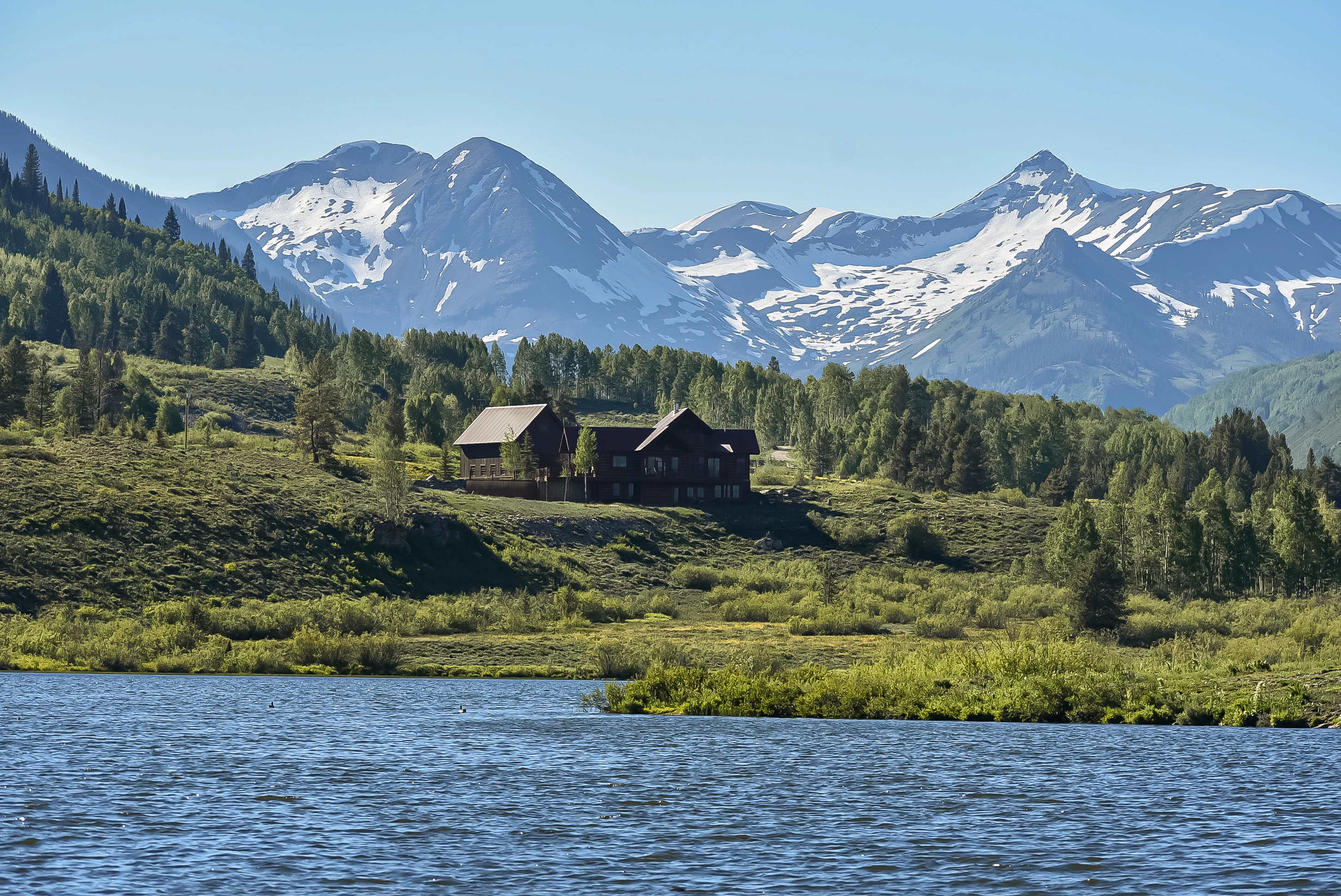


_DSC0703.jpg

3 replies

Ricky336
Community Expert
Community Expert
December 9, 2025

Hello,

I think you could add more contrast to the picture - decrease the haze with the 'Dehaze' slider in Photoshop Camera Raw/Lightroom, correct the colour balance a tad, open up the shadows a tad, and I think you will be good to go. It's a bit flat currently.

To give you an idea:

Ricky336_0-1765309147464.png

However, in the sky after these small changes, you will see two dust spots in the sky, which you will have to remove as well.

Jill_C
Community Expert
Community Expert
December 9, 2025

I think some of the snow might be blownout. You could use a linear gradient to reduce the exposure in the top half of the frame.

Jill C., Forum Volunteer
daniellei4510
Community Expert
Community Expert
December 9, 2025

The shadows of the château could be opened up. And I assume you submitted a property release along with the image.

Screenshot 2025-12-08 at 9.07.35 PM.png

Adobe Community Expert | If you aren't submitting your assets in sRGB, you probably didn't read the rules.