Participant
August 5, 2017
Question

Image rejected due to excessive noise.

  • August 5, 2017
  • 1 reply
  • 380 views

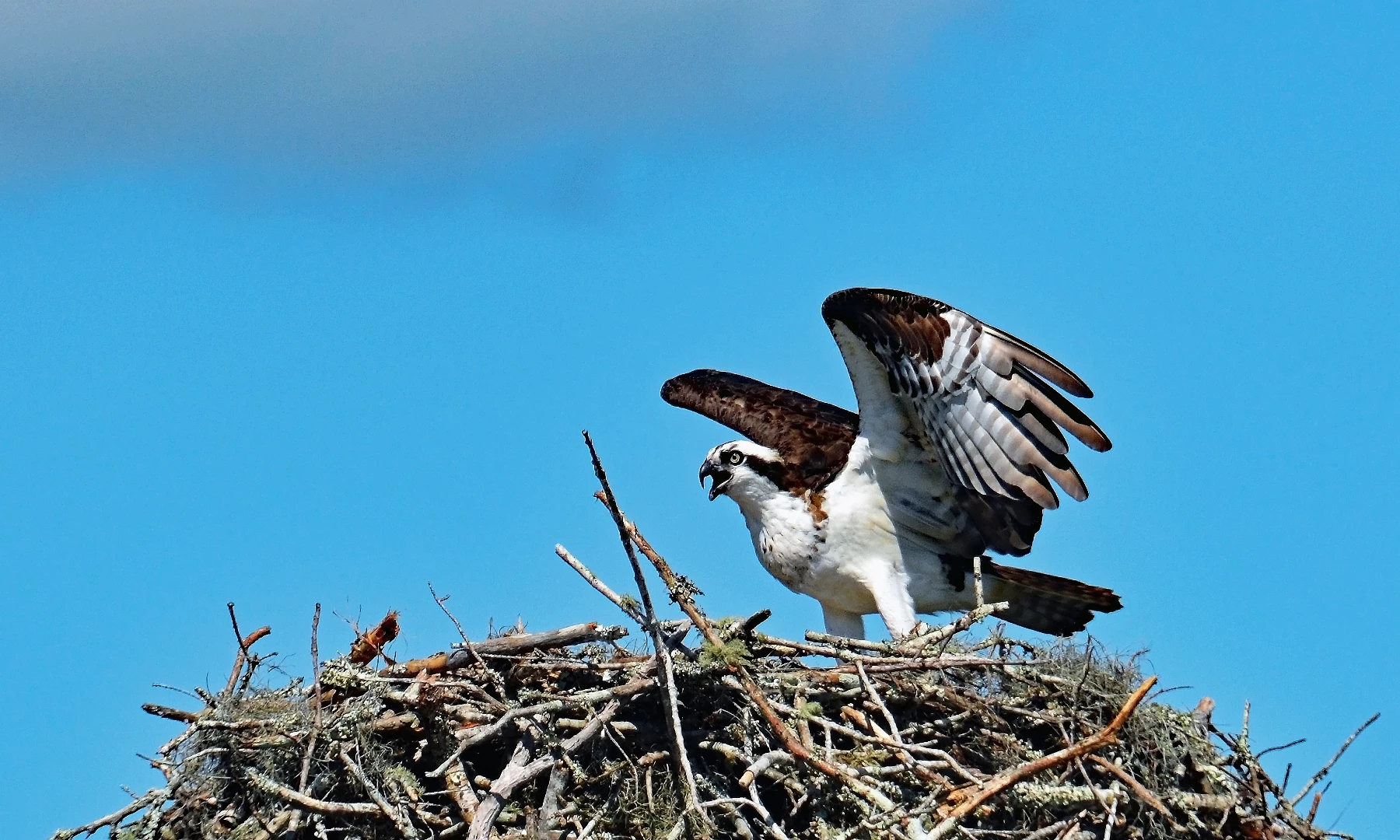
I am attaching the image that was rejected for excessive noise and the smae image edited again from the original. I do not see noise in either image after inlareging them 200%. How do I idenify noise that needs to be removed? The imagesd were edited in Elements 15. I also have lightroom. This is my first try with Abobe Stock. Your help and suggestions are greatly appreciated. Thanks

2-Aplachicola 6-2017.jpg
This topic has been closed for replies.

1 reply

Pixarno
Inspiring
August 7, 2017

bonjour
tu ne vois pas le bruit à 200% et moi je le vois sur l'aperçu du forum dans le ciel
le bruit est une sorte de grain visible surtout dans les parties sombres ou partie uniformes dans les photos avec beaucoup d'ISO ou traitement auquel on a ajouté beaucoup de lumière en post traitement de l'image.

si tu as le fichier original RAW
camera Raw l'enlève très bien
si tu fais avec lightroom, je pense que ça dois être possible aussi
sinon il existe des filtres en plus de photoshop à télécharger pour faire un traitement plus fin
mais déjà si tu ne le vois pas, c'est mal parti....

bon courage

Arnaud.

Szalam
Community Expert
Community Expert
August 7, 2017

Like Arnaud, I also see some noise up in the cloudy area. I think that might be from the image compression, but I'm not sure.

Oddly enough, it looks like some noise removal was already run on the image because a lot of the branches and the bird's feathers seem to be lacking in detail. They almost have an oil-painted look to them.

Also, look at the bird's beak particularly. There is a light-ish border on the outside of the beak in the sky and a darker border on the inside. These are signs of oversharpening. If you didn't apply sharpening, check your camera settings because something, somewhere is oversharpening your image.