


Participant
January 11, 2024
Question

Image Rejections

  • January 11, 2024
  • 6 replies
  • 788 views

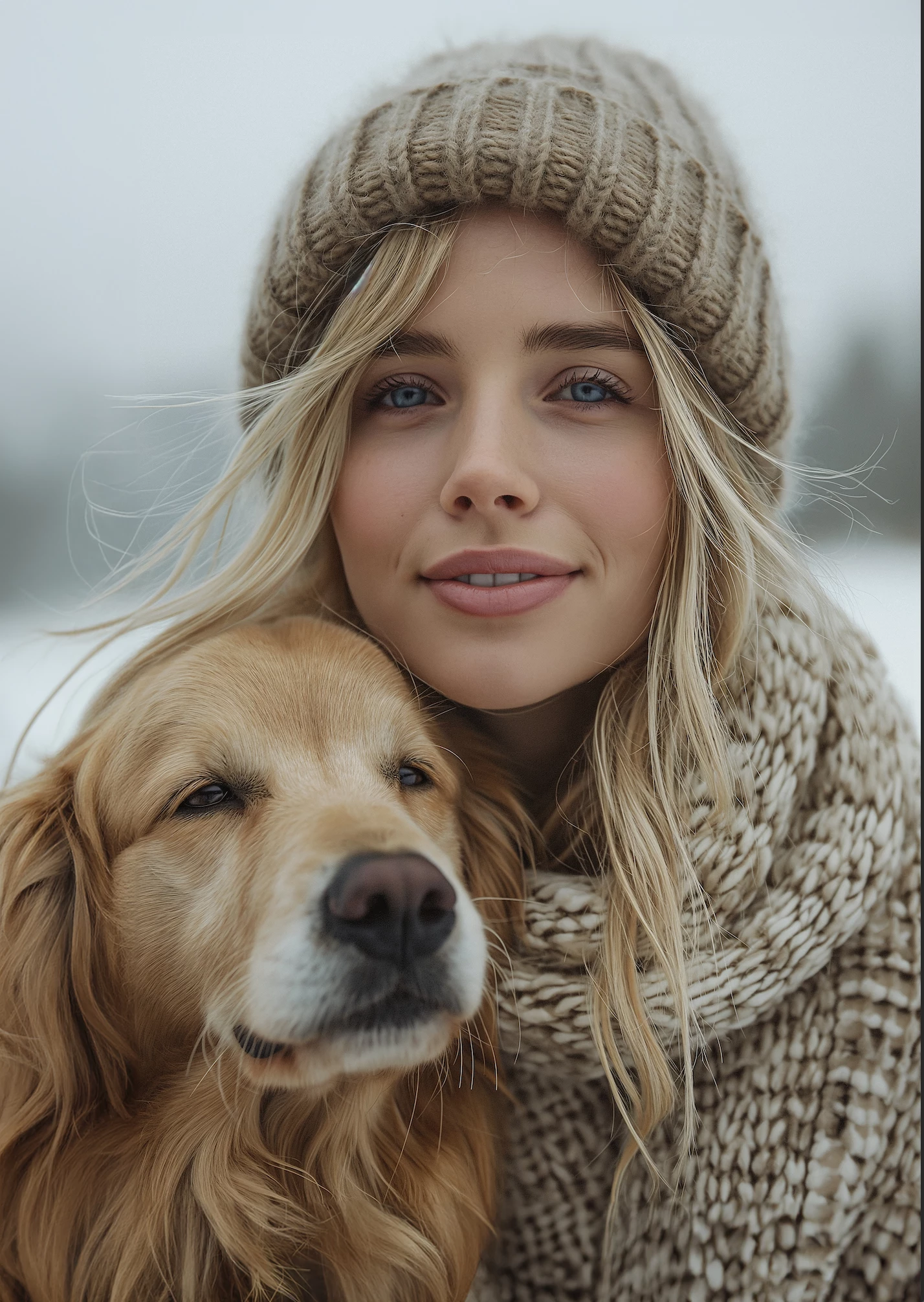
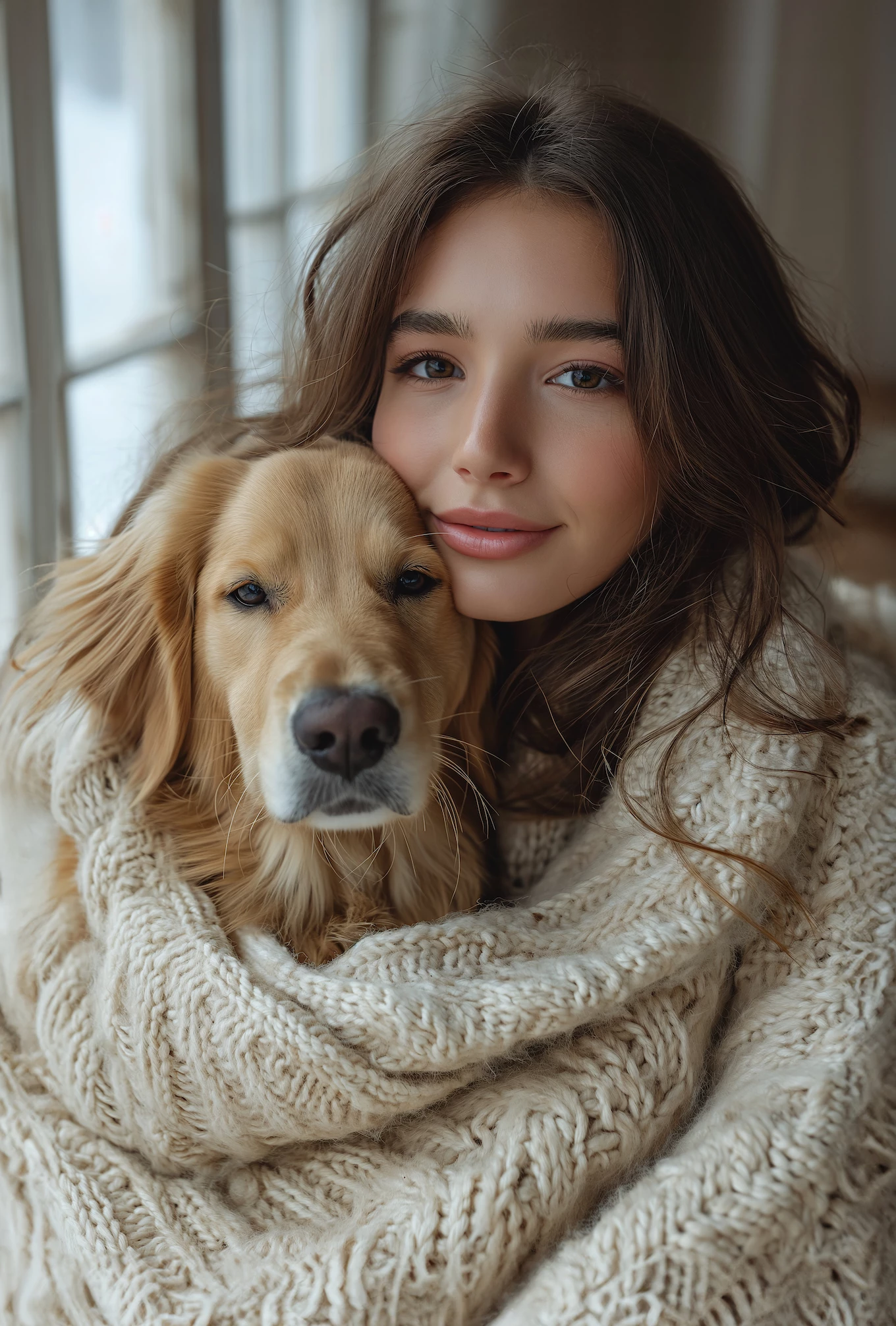
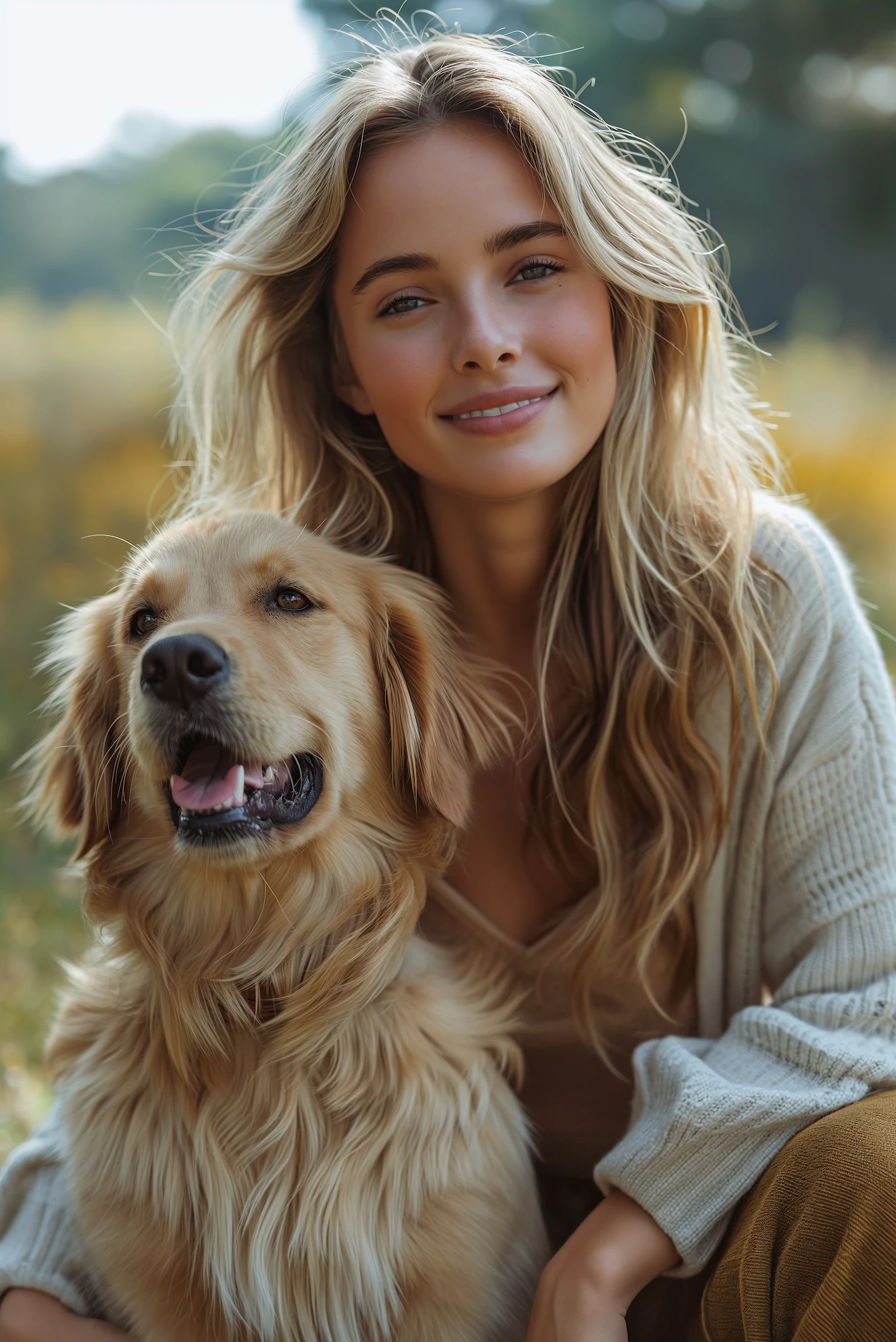
Hello, I have recently submitted several AI-generated images of women with their Golden Retrievers. For over twenty years I have been a designer who has been using stock photography of people and their pets. I believe these images have plenty of marketing value, but I don't know the reason for rejection, or how to avoid repeating the problem.
This topic has been closed for replies.

6 replies

MrGeoff1FAuthor
Participant
January 19, 2024

Thanks everyone. I touched up the flyaway hairs and resubmitted - and all the images were accepted! So either that was the problem, or this time I got a reviewer who was having a better day!

Jill_C
Community Expert
Community Expert
January 19, 2024

Wow, that's great to hear. They are nice images, and will hopefully generate some sales soon !

Jill C., Forum Volunteer
Abambo
Community Expert
Community Expert
January 11, 2024

You didn't tell us the reasons for the rejection. Adobe gave you a reason and a stock text. I can only assume that it was “Quality Issues”.


At a first sight, your images are charming, and I suppose that they also could have passed.


Third image:

You have different sharpening planes.

The dog's left eye is sharp, the right eye isn't. The snout is unsharp, the whiskers are oversharp. There is also an oversharpened hair above the right eye.


The woman's eyes are not sharp, but several hairs on her head are oversharpened.

The oversharpened hair would be considered as artefacts.

There are no such geometric transitions than with the other two images, but I see errors in the blurring that are quite obvious:


Second:

I see the same artefacts in the hair of the woman and the dog, and the same inconstancy in the whiskers.

Check also the eyebrows for artefacts due to oversharpening.


And then you have this drawing error:


First:

Your first shows a black border on the right, that is even a “Non-compliant Image” refusal.


And you have a region around the head with a rather high noise level and a sharp border where you have no noise:

Around the dog's right eye at the bottom, you have a white line that makes no sense.

ABAMBO | Hard- and Software Engineer | Photographer
MrGeoff1FAuthor
Participant
January 11, 2024

Thanks for the image improvement tips. Much appreciated. I still, however, don't think these items justify "rejection."

Ricky336
Community Expert
Community Expert
January 12, 2024

As these are 'photo-realistic' images, look at them as photos. The tone, contrast, skin tone, and colour balance needs to be corrected. Also, from a portrait perspective, the lighting is wrong! The pictures are also very dull!

Ricky336
Community Expert
Community Expert
January 11, 2024

Hello,

 I would also add white balance, and the skin tones aren't quite right! Try to correct these issues as well.

daniellei4510
Community Expert
Community Expert
January 11, 2024

All the images, in addition to what @Jill_C mentioned, could use some touch-up with the fly-away hairs.

Adobe Community Expert | If you aren't submitting your assets in sRGB, you probably didn't read the rules.
Jill_C
Community Expert
Community Expert
January 11, 2024

In the first image, the dog's snout is blurry and the hairs in the woman's forehead are unrealistic. In the second image, the snout is blurry. In the third image, the woman's teeth are odd - too large?

Jill C., Forum Volunteer