

RALPH_L
Community Expert
Community Expert
February 16, 2022
Question

keywords missing after upload

  • February 16, 2022
  • 3 replies
  • 695 views

Hello, is anyone expierencing this problem.

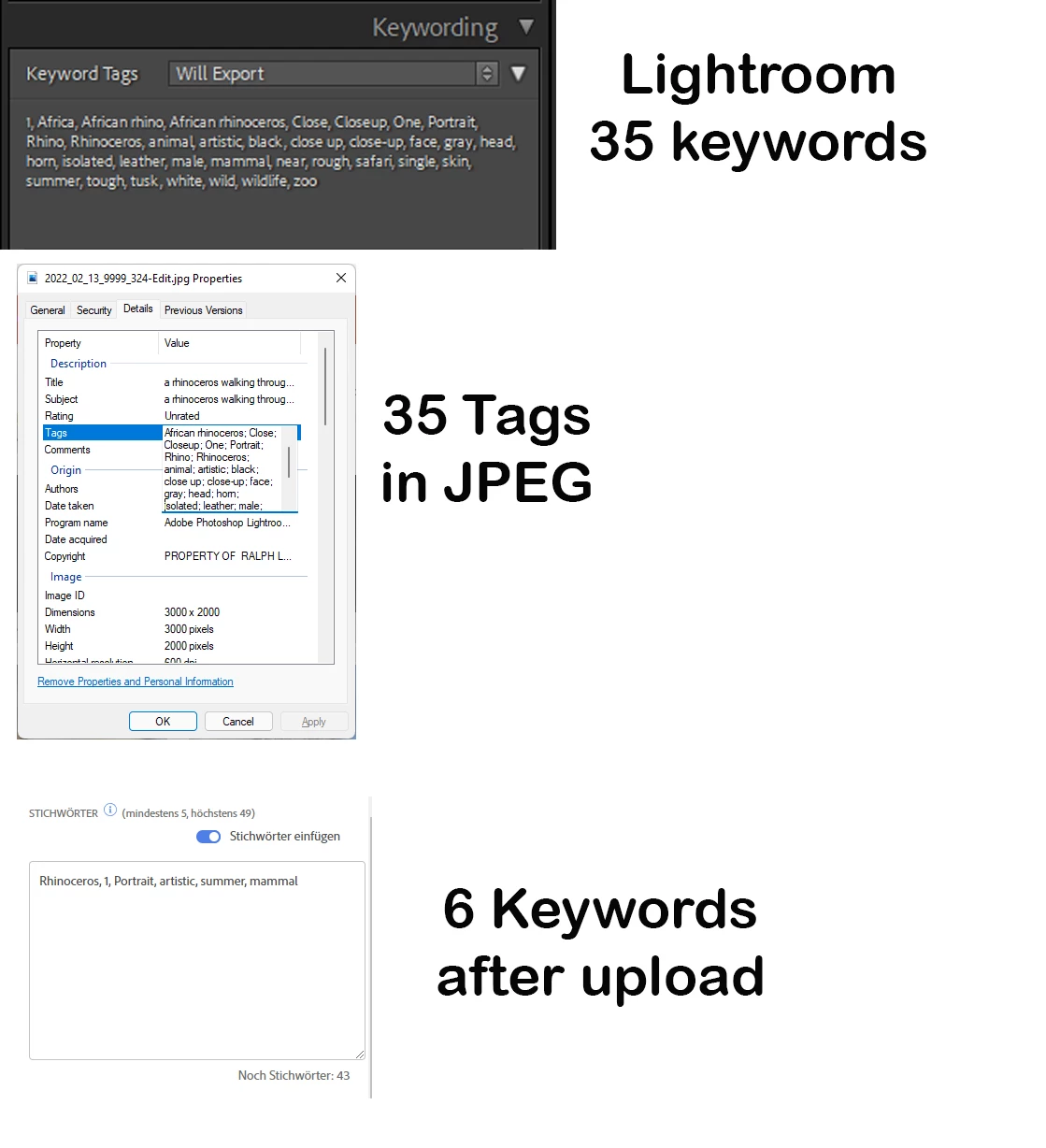
In this example, Lightroom shows 35 keywords to upload. Most of these are synonyms which are to be exported.

After exporting, the JPEG properties tag shows all 35 keywords (tags) are included.

After uploading to Adobe Stock, (HTML Upload or LightRoom App) only 6 keywords are shown.

I am having this problem with all of my images at the moment and only with Abobe.


This topic has been closed for replies.

3 replies

Participant
April 10, 2022

I have the same problem and I hope the next update will fix it.

Regards, Peter

RALPH_L
Community Expert
RALPH_LCommunity ExpertAuthor
Community Expert
April 14, 2022

This problem seems to have been fixed.

RALPH_L
Community Expert
RALPH_LCommunity ExpertAuthor
Community Expert
June 5, 2022

I am having the problem again. Is anyone else having this issue with lightroom, Adobe Stock import?

It seems the higher level keywords and the synonyms are lost. 

Jill_C
Community Expert
Community Expert
February 19, 2022

I uploaded some images just now using the Publish feature in LRC and all were uploaded, though not in the same order in which they appeared in LRC.

Jill C., Forum Volunteer
RALPH_L
Community Expert
RALPH_LCommunity ExpertAuthor
Community Expert
February 19, 2022

Thanks. Even if I manually change the tags in the windows explorer; when I upload the image, Adobe erases the tags.


Jill_C
Community Expert
Community Expert
February 19, 2022

It seems as though you are exporting the images from LRC, then uploading the jpg's to Adobe Stock. If you send the images from within LRC using the built-in Publish service, you eliminate the need to export the images to a location on your hard drive, and the keywords will be intact.

Nevertheless, your method exposes a bug which should be reported to Adobe.


Jill C., Forum Volunteer
RALPH_L
Community Expert
RALPH_LCommunity ExpertAuthor
Community Expert
February 19, 2022

Please, is anyone having this problem? It is happening with all of my Adobe uploads.