Participant
August 15, 2019
Answered

Looking for some Pointers

  • August 15, 2019
  • 3 replies
  • 1007 views

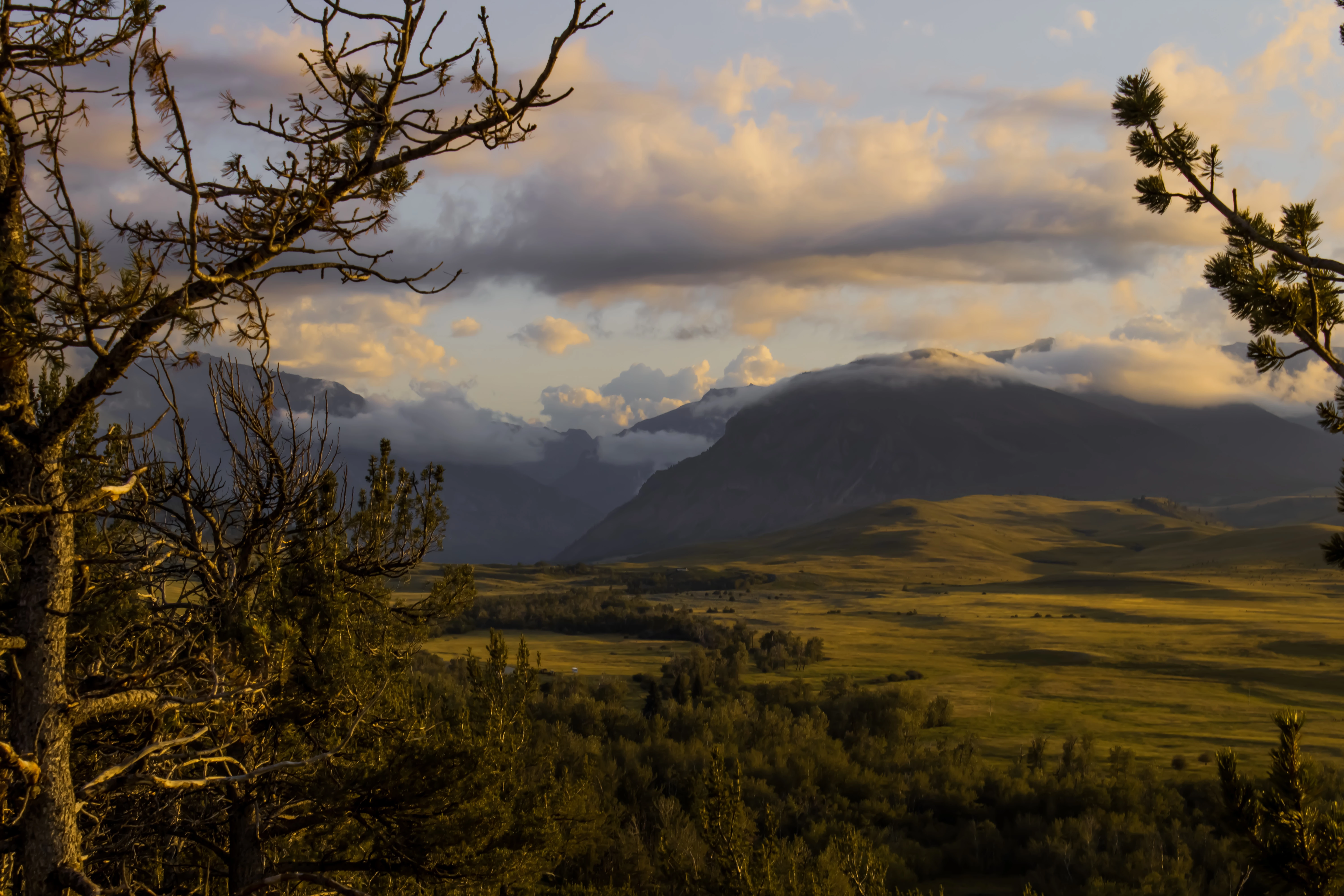
I am rather new at landscape photography, and I had the photo bellow rejected for technical issues. I would like to know what the issues would be, and how to improve to avoid the issues in the future. I shoot in RAW, and recently got ahold of Lightroom. In which this photo was edited.

Max
This topic has been closed for replies.
Correct answer Abambo

There are rather a lot of issues with this picture:

  • It's underexposed - you can see it even without consulting the histogram.
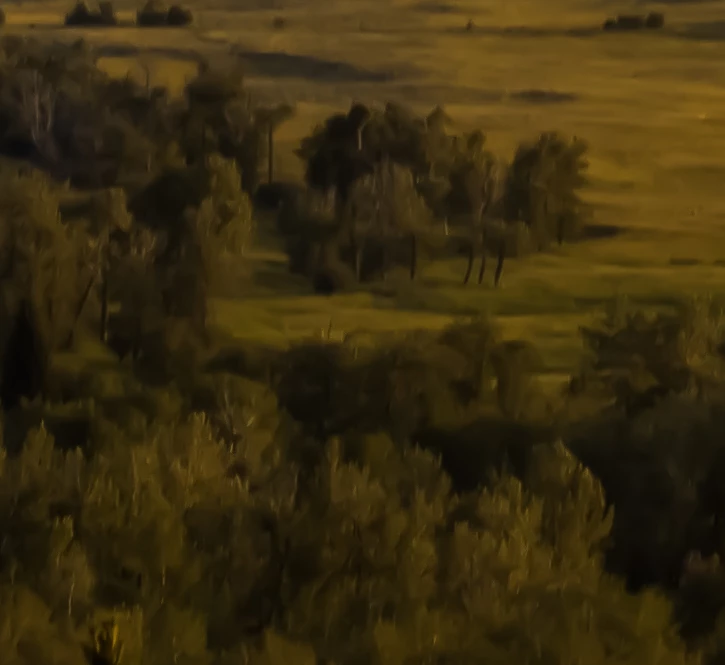
  • It has no structure. Looks more like a painting than a photo. Nowhere in the picture I could find one element in focus.
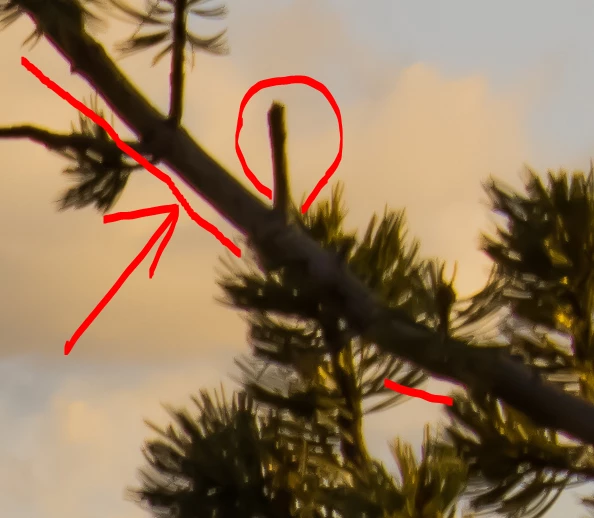
  • you have heavy chromatic aberration:
  • Your white balance is bad. The image is too yellow.
  • The saturation is too high.
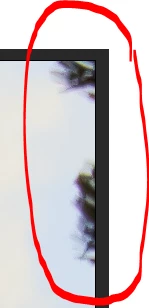
  • The upper right corner could get some elements edited or cropped out.

As such, the picture is completely unusable, any of the causes above, except the last one, would lead to a refusal.

3 replies

Participant
August 19, 2019

Thank you all. Helpful pointers in every ones reply. Yes, I was using the 18-55 lens. It is one of two lenses I own, and the widest angled lens I own. I am a little suppressed that you found that info. I did run a few tests, to figure of the smudging effects, and I did use too much noise reduction. Thanks to those people, who pointed that out.

Over all, this has been a fun and education experience for me. I do have one more question though, who can I reduce the halo effect on the mountains? The mountain ridge on the nearest mountain is kind of bugging me.

Abambo
Community Expert
Community Expert
August 19, 2019

max.hamann  wrote

Thank you all. Helpful pointers in every ones reply. Yes, I was using the 18-55 lens. It is one of two lenses I own, and the widest angled lens I own. I am a little suppressed that you found that info.

It's in the exif of the picture posted here. Those data are quite useful when looking at the pictures.

max.hamann  wrote

I do have one more question though, who can I reduce the halo effect on the mountains? The mountain ridge on the nearest mountain is kind of bugging me.

A halo effect appears when either processing as HDR (depending on the parameters) or by sharpening.

ABAMBO | Hard- and Software Engineer | Photographer
Ricky336
Community Expert
Community Expert
August 18, 2019

Hello,

The 'sweet spot' for a lens being f 8 is a myth - social media is on and on about f8 being the 'sweet spot' - this meaning the lens is sharpness at this f-number, but it is not actually true.

Sharpness is dependant on a whole number of factors.

To me, it looks like you used a bit too much noise reduction - over 50% - so that can explain why the picture looks a bit like a painting. Having too much noise reduction applied smudges the pixels together, so therefore it gives this effect.

You do have a bit of chromatic aberration - purple/green fringing in the branches. In Lightroom this function is under Lens Corrections.

Your white balance can be changed. It's not quite right.

I've done a quick edit here to show you the difference. A small crop has also been applied and the branch removed.

The composition isn't so good either. I think the branch on the right can be removed. It's not very well balanced.

Using the auto functions in Lightroom can give a pretty good result these days. The auto function has improved a lot.

Have a look a Tony Northrup youtube video on photography myths. I not a big fan, but he does point out some things to think about - like f-8 being the sweet spot. - 21:55

(He is correct on this.)

Are JPGs really worse? Don't believe these photography myths (Picture This! Podcast) - YouTube

Abambo
Community Expert
Community Expert
August 19, 2019

ricky336  wrote

Have a look a Tony Northrup youtube video on photography myths. I not a big fan, but he does point out some things to think about - like f-8 being the sweet spot. - 21:55

(He is correct on this.)

Are JPGs really worse? Don't believe these photography myths (Picture This! Podcast) - YouTube

Yes, we are talking here about consumer lenses (EFS 18-55). So it's +-f8 (I found tests telling me f9).

And yes it depends on your lens...

ABAMBO | Hard- and Software Engineer | Photographer
Abambo
Community Expert
AbamboCommunity ExpertCorrect answer
Community Expert
August 16, 2019

There are rather a lot of issues with this picture:

  • It's underexposed - you can see it even without consulting the histogram.
  • It has no structure. Looks more like a painting than a photo. Nowhere in the picture I could find one element in focus.
  • you have heavy chromatic aberration:
  • Your white balance is bad. The image is too yellow.
  • The saturation is too high.
  • The upper right corner could get some elements edited or cropped out.

As such, the picture is completely unusable, any of the causes above, except the last one, would lead to a refusal.

ABAMBO | Hard- and Software Engineer | Photographer
Participant
August 16, 2019

Thank you very much. It is nice to come to a place where pictures are reviewed at such a high standing. And yet, there is a community to help sort out issues and give pointers. I am very thankful of the criticism and feed back.

joanH
Inspiring
August 16, 2019

Hello Max. One question from the illustrator's point of view. Did you place the photo through any artistic filters? It looks like it has had processing. If you are going to make this a "Painting" then make it 100% a painting - not a photo entry. Then use curves or color exposure adjustments to bring out the proper highlighted areas. So, resubmit it as an illustration once it is finished as such. If you do this, do show the results to us.

For now, the cloud is a bother with the dark streek through it and the dark areas are too harsh. Best regards, JH