Participant
October 25, 2022
Question

Multiple images accepted, but now rejected

  • October 25, 2022
  • 4 replies
  • 249 views

I had about 30 images that seemed to have been accepted, but are all now rejected for "Quality issues".  Is there something I'm doing wrong, here?
This topic has been closed for replies.

4 replies

Participant
October 26, 2022

Thank you, I think I understand why they were rejected- My question was about the review process appearing to approve a large batch of images and then a couple of days later, move them to not accepted. Not complaining, just attempting to understand the system- some of my newly approved images as of today have the same sort of painterly look to them: They are illustrations, so it is intentional, but I grok its lack of appeal to the platform


Jill_C
Community Expert
Community Expert
October 26, 2022

I've never heard of an entire batch of images being accepted then subsequently rejected; however based on the samples you supplied above, it is clear that the initial acceptance was an error by the Moderator. Perhaps there is some internal review process to catch such errors, or perhaps the Moderator just pressed the wrong button when they were initially accepted, or perhaps a Buyer complained about the quality after licensing an image which caused a review of other images in your account. This is all conjecture, as Adobe never provides much detail about the process. 

Jill C., Forum Volunteer
Abambo
Community Expert
Community Expert
October 25, 2022

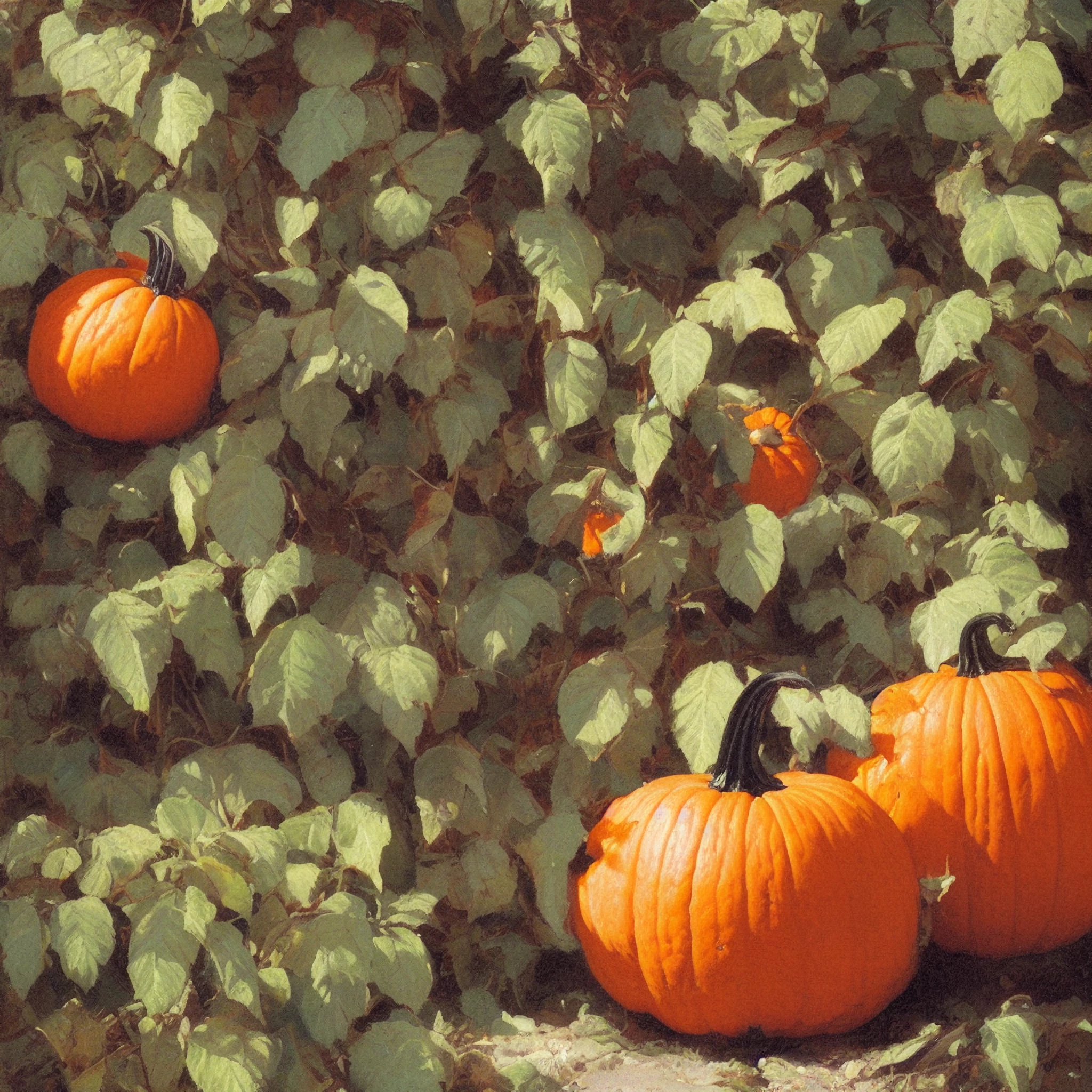
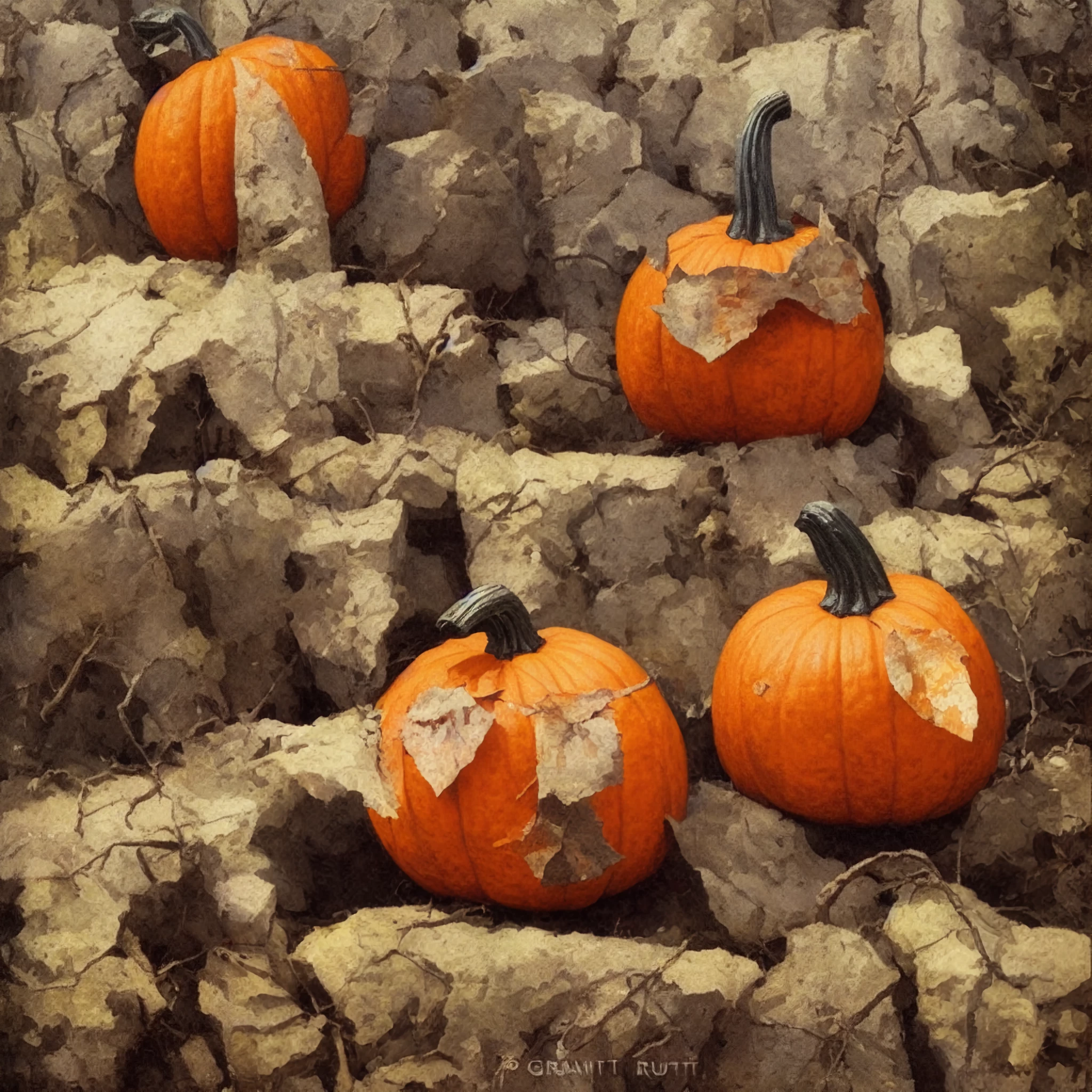
The two pictures you posted here have heavy quality issues. In addition, your second has also a signature in the picture, which is not accepted.

1. missing contrast, missing sharpness, artefacts, noise:

2. It's even worse. It looks like a photography that has been sending through a fancy filter.

ABAMBO | Hard- and Software Engineer | Photographer
Jill_C
Community Expert
Community Expert
October 25, 2022

Getting images accepted and available for sale is a 3-step process:

1. Upload to Adobe Stock, then you'll see them in the "New" section of the "Uploaded Files" tab.

2. Add titles, keywords and releases (if needed). Submit. Then they're moved to the "In Review" section of the "Uploaded Files" tab.

3. Wait a few days for the Moderators to review. Then you'll receive an email indicating whether they were Accepted or Rejected. The Accepted images will now appear on the Dashboard of your Adobe Stock account and are available for Buyers to find and license. The Rejected images will show up in the "Not Accepted" section of the "Uploaded Files" tab. Click on the image to display the reason for rejection.  


You said "they seem to have been accepted". Did you ever receive an email indicating that they were accepted?


Both of these images are blurry and have an odd color cast; it appears you have applied some sort of filter which has crushed the details, giving them a painterly look. Though you may find this effect pleasing, it is not what Adobe wants; in fact, the use of filters is specifically disallowed.


Jill C., Forum Volunteer
Inspiring
October 25, 2022

You didn't include the full size photos so it's hard to tell.  The first one looks noisey to me and the exposure seems a little dark.  The framing is also odd.  The pumpkins are all on the periphery.  The center of the photo has nothing.

The second one looks better IMO.  You didn't include the watermark when you submitted it, did you?  That's not permissable.  Best regards, John
