
Participant
June 20, 2019
Answered

My photo was rejected. Why?

  • June 20, 2019
  • 1 reply
  • 789 views

Adobe said:

Thanks for giving us the chance to consider your image. Unfortunately, during our review we found that it features excessive post-processing and/or noise, so we can't accept it into our collection.

Excessive artifacts/noise can be caused by low light, bad camera settings, strong compression or excessive post-production.

If it was due to post production effects, know that our customers typically prefer to add their own special effects, filters or black-and-white conversions to fit the needs of their projects, so adding these effects in advance drastically reduces the market for your image.

This was focus stacked with Zerene Stacker, but so were many other images that they accepted.  Is it background noise?  Would doing some post-production noise reduction get it through with another attempt?  Is something else wrong?

Many thanks in advance.
This topic has been closed for replies.
Correct answer Abambo

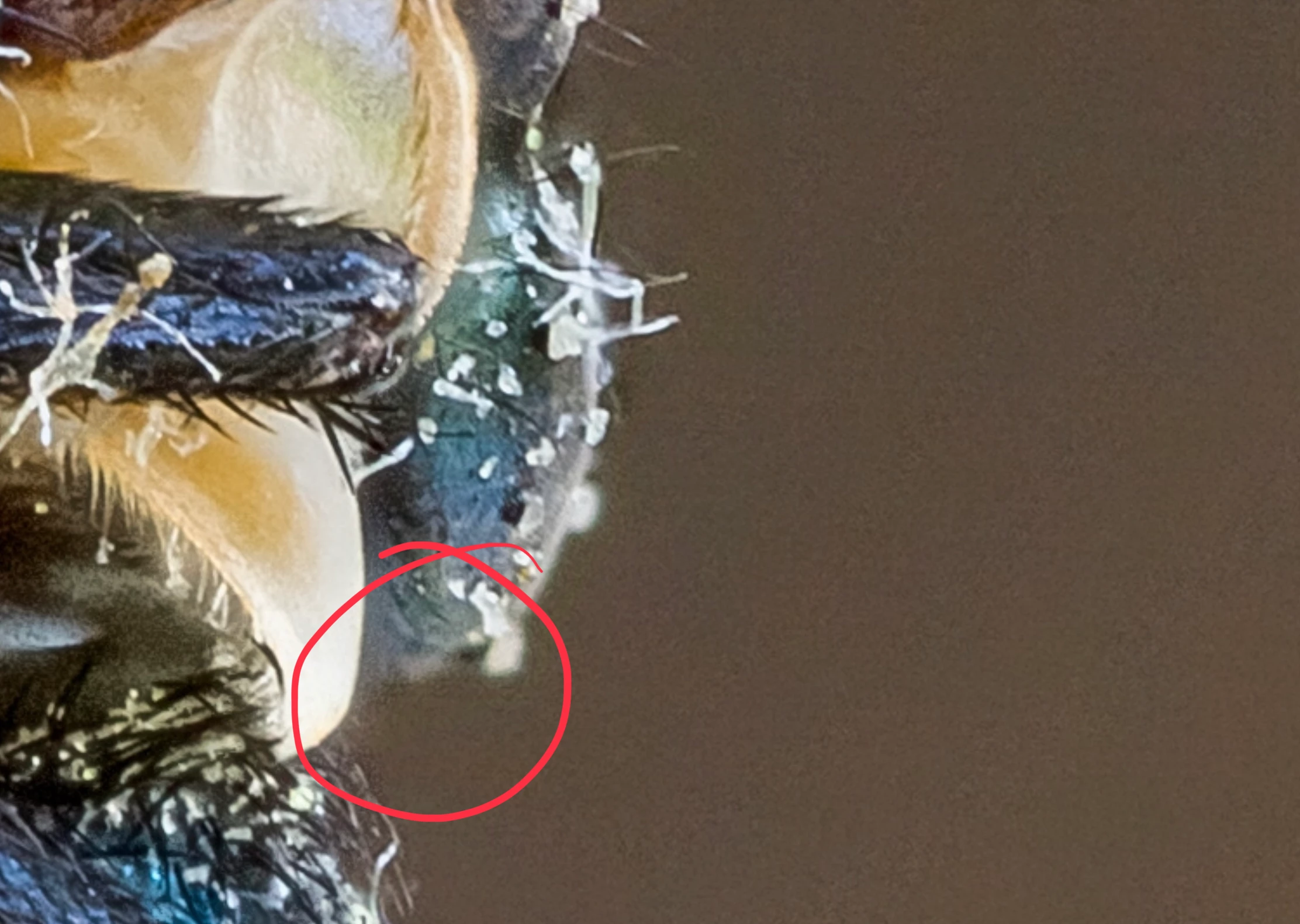
There is  noise on the background and that can be solved with noise reduction.

But I also saw errors of the stacking processor, that may be more critical:

1 reply

Abambo
Community Expert
AbamboCommunity ExpertCorrect answer
Community Expert
June 20, 2019

There is  noise on the background and that can be solved with noise reduction.

But I also saw errors of the stacking processor, that may be more critical:

ABAMBO | Hard- and Software Engineer | Photographer
newmy51Author
Participant
June 20, 2019

Hi Abambo, thanks for the reply.  I'll see about restacking and doing more manual touch-up there.  As for the noise, would a dozen or two notches on the luminance slider in LR be enough?  I do not own and am not proficient in photoshop.

jacquelingphoto2017
Community Expert
Community Expert
June 21, 2019

hi newmy,

You may use the luminance and other related sliders to reduce the nose and restore details. We are not able to tell you how much slide point required. When making your adjustments, zoom your image to between 100 and 200%. In that way you will be ale to see the correction as you apply it. You may find How to Reduce Noise in Lightroom  useful.

Regards

JG.