
inam-87
Participant
February 20, 2026
Question

Need help regarding understanding the issues in the images

  • February 20, 2026
  • 4 replies
  • 72 views

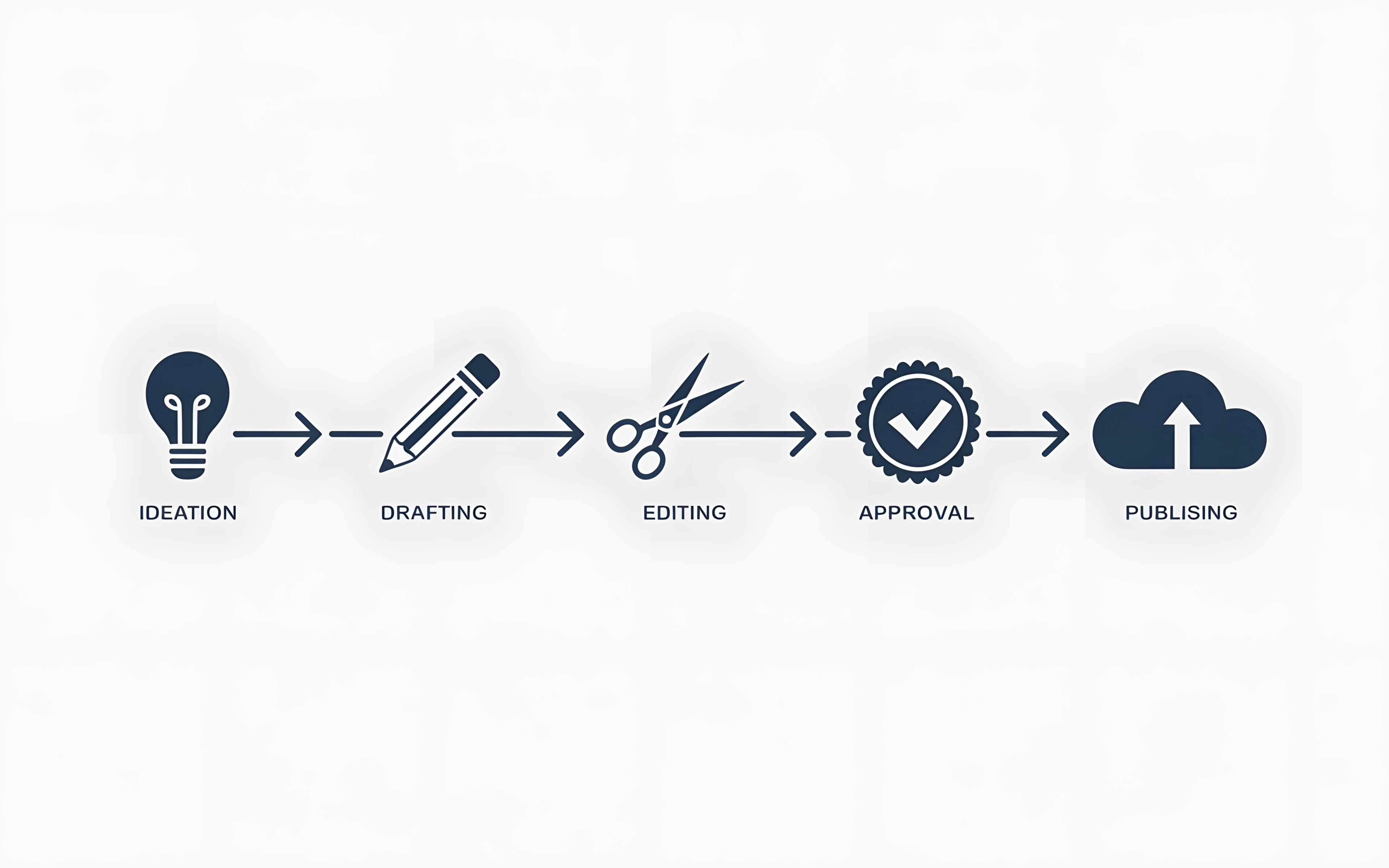
I am a new contributor and need some help regarding issues with the images. I attached two images with this post, both of them are flat designs containing icons representing workflow on bright background, the issue is that after upscaling strange type of  structure or structures appears around the icons now what is this? Actually one image from them is uploaded on adobe and passed moderation and also got one sale ( the image containing the search icon and shield icon ). Is this ethical to sell such type of images, I have lot of others images like that but the same issue with all. 
 

    4 replies

    Nancy OShea
    Community Expert
    Community Expert
    February 20, 2026

    These would much more useful as scalable Vector Graphics (Illustrator .ai, .eps or .svg) files. 

    Vectors are scalable to any size that’s required without quality loss. You can’t do that with pixel-based JPEG or PNG files. 


    Just my 5 cents.


    Nancy O'Shea— Product User & Community Expert
    Legend
    February 20, 2026

    The ‘shadows’ are because the gray has not been completely removed. Looks like it was attempted but failed.

    daniellei4510
    Community Expert
    Community Expert
    February 20, 2026

    I can see the issue. A good moderator would indeed see the issue and reject the asset. Another moderator might overlook it. But a potential buyer probably won’t and would ask for a credit refund. Are you submitting these as jpgs? They might be more useful to a buyer as pngs with transparent background in any case. 

    If you go to the Restore tool in Lightroom, you can select the Visualize Spots button and see where the issues are most prominent. Not sure what tools you are using to upscale, but the results need some editing.


    Adobe Community Expert | If you can't fix it, hide it; if you can't hide it, delete it.
    Jill_C
    Community Expert
    Community Expert
    February 20, 2026

    I don’t  know what is causing that shadowing; however, you would increase the utility of such assets by submitting them as PNG files with a transparent background. Adobe will automatically create the JPG version which won’t have that shadow effect. Also, you spelled publishing wrong.

    Jill C., Forum Volunteer