Participant
August 4, 2025
Answered

Need Help Understanding Image Rejection

  • August 4, 2025
  • 5 replies
  • 702 views

Hi everyone,


I'm new to contributing and recently submitted a few images. However, I noticed today that they were rejected, and I’m not entirely sure why.


All the images I submitted are AI-generated, and I made sure to label them accordingly during the upload process.


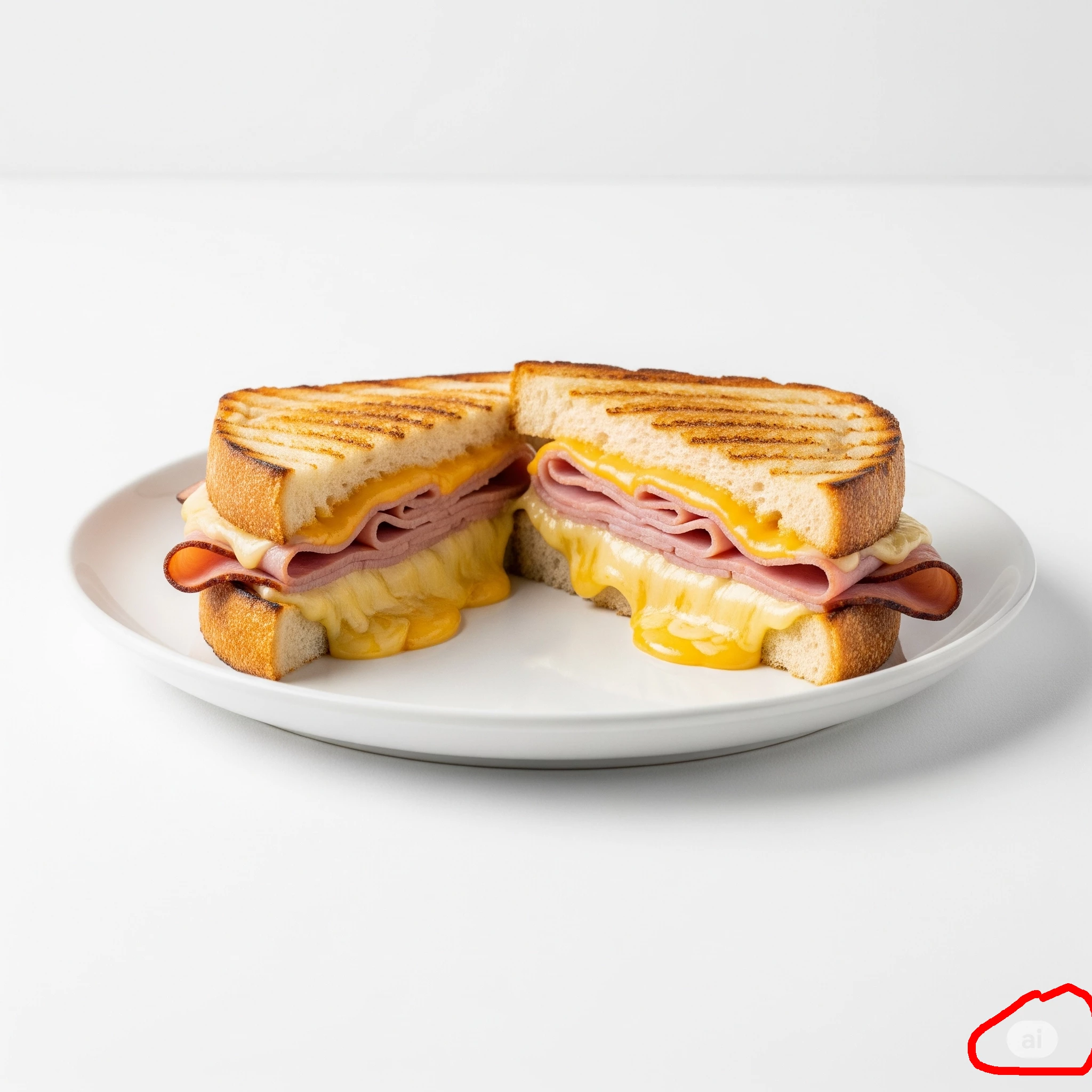
Could someone please help me understand the reason for the rejection? I’ve attached a couple of samples for reference.


Any guidance would be greatly appreciated.


Best regards,
Jkin

Correct answer daniellei4510

All of your assets have an "ai" logo on the bottom right. That's an automatic rejection. Remove them and try again. And maybe get away from the default square format of AI. Leave room for copy and cropping.


5 replies

Participant
October 23, 2025

The rejections make sense now — most stock platforms automatically flag files that include embedded AI logos or non-transparent PNGs. They also tend to reject content that follows default AI-generated formatting, such as the standard square aspect ratio.

From my own experience working with digital design and game textures, it’s usually best to review how the file is rendered before submission. In projects like the visual enhancement work featured at jennysmods.com

GameTextureGuy
Nancy OShea
Community Expert
Community Expert
August 4, 2025

Did you read your Stock Contributor User Guide before submitting?  It's important to understand the TERMS and requirements. 


Also, ensure that you have legal rights of ownership to these images and can use them commercially. When in doubt, don't submit it to Stock. 


Finally, compare your best work with current Stock inventory.

Do they need another one? 

Is yours better than what Stock is selling now?

Melted Ham & Cheese Sandwich


Nancy O'Shea— Product User & Community Expert
Jill_C
Community Expert
Community Expert
August 4, 2025

You should not be submitting these with png file type unless they have transparent backgrounds.

Jill C., Forum Volunteer
daniellei4510
Community Expert
Community Expert
August 4, 2025

Also, more often that not, if an AI software embeded a logo, it's possible it's a sign that the results can not be used for commercial purposes. Check with Gemini's T&Cs.

Adobe Community Expert | If you can't fix it, hide it; if you can't hide it, delete it.
daniellei4510
Community Expert
daniellei4510Community ExpertCorrect answer
Community Expert
August 4, 2025

All of your assets have an "ai" logo on the bottom right. That's an automatic rejection. Remove them and try again. And maybe get away from the default square format of AI. Leave room for copy and cropping.


Adobe Community Expert | If you can't fix it, hide it; if you can't hide it, delete it.