



Participant
January 5, 2023
Answered

Not sure why these got rejected?

  • January 5, 2023
  • 13 replies
  • 887 views

I mean the quality isn't like ultra 4k but it's not bad.

This topic has been closed for replies.
Correct answer Abambo

Generative AI? You claim, the quality is not bad?

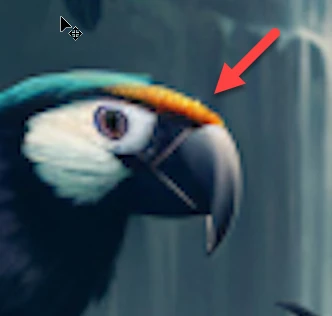
Just checked one, very fast, at 100% and I saw the aliasing from the upscale:
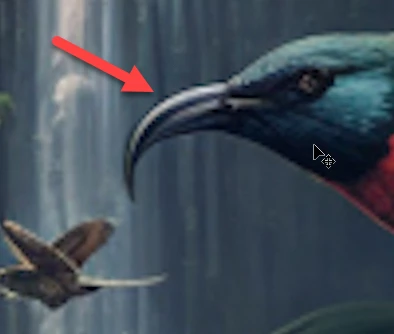
This means that the quality is bad!
If you are new to stock, you should consider these resources: https://helpx.adobe.com/stock/contributor/tutorials.html
Please read the contributor user manual for more information on Adobe stock contributions: https://helpx.adobe.com/stock/contributor/user-guide.html
See here for rejection reasons: https://helpx.adobe.com/stock/contributor/help/reasons-for-content-rejection.html
and especially quality and technical issues: https://helpx.adobe.com/stock/contributor/help/quality-and-technical-issues.html

13 replies

Legend
January 6, 2023

P.S. If you wonder why Adobe are so picky and look so closely, it's because Adobe's stock customers do exactly that before they use the pictures on adverts, billboards etc. If it isn't absolutely perfect, Adobe's customers complain and get their money back. Adobe's reputation suffers badly. So Adobe work hard to make sure problems never make it to sale... so you aren't just trying to please Adobe, you're also working to please every possible customer of Adobe...

Abambo
Community Expert
Community Expert
January 10, 2023

Moderation is done to protect customers from bad pictures. It's not to make creators better creators.

ABAMBO | Hard- and Software Engineer | Photographer
Jill_C
Community Expert
Community Expert
January 5, 2023

Before you spend any more time uploading images that have obvious flaws, read ALL of the material in the Adobe stock help pages. This page clearly states that you must inspect your images at 100%. 
https://helpx.adobe.com/stock/contributor/help/photography-illustrations.html


The help pages will help you to understand the quality level Adobe is looking for.

Jill C., Forum Volunteer
Ricky336
Community Expert
Community Expert
January 5, 2023
Participant
January 5, 2023

Like I said before I didn't realize images were being zoomed in, when not zoomed in the image looks fine, that's why I assumed the image quality was ok.

Legend
January 6, 2023

Adobe's reviewers will zoom into 100%-200% and check every detail carefully. You need to do the same in Photoshop or similar. Look over every aspect of the image, after it passes the "looks great" test. This image was clearly increased in size. If this was done by the AI, then the AI is useless to you. If it was done by you, then DON'T - Adobe forbid it. Submit only at the natural size. If the AI makes work that is too small to submit, then the AI is useless to you...

Abambo
Community Expert
AbamboCommunity ExpertCorrect answer
Community Expert
January 5, 2023

Generative AI? You claim, the quality is not bad?

Just checked one, very fast, at 100% and I saw the aliasing from the upscale:

This means that the quality is bad!

If you are new to stock, you should consider these resources: https://helpx.adobe.com/stock/contributor/tutorials.html
Please read the contributor user manual for more information on Adobe stock contributions: https://helpx.adobe.com/stock/contributor/user-guide.html
See here for rejection reasons: https://helpx.adobe.com/stock/contributor/help/reasons-for-content-rejection.html
and especially quality and technical issues: https://helpx.adobe.com/stock/contributor/help/quality-and-technical-issues.html

ABAMBO | Hard- and Software Engineer | Photographer
Participant
January 5, 2023

Thanks! I didn't realize images were being zoomed in, any tips?

Ricky336
Community Expert
Community Expert
January 5, 2023

Always zoom in to your images to at least 100%. You can then see the technical/quality issues!