

Paid for Adobe Stock AE Template 'Bullet Points Pack' scale not working
I recently bought the template 'Bullet Points Pack' through Adobe stock.
It is somewhat limited but by tweaking a few options within the Essential GFX panel I am able to get something close enough.
But for some reason the scale option for one of the four bullet points is not responding.
Bullet Point 2 sits at it's original size no matter what the scale slider says. You can see in the screenshot below both bullet point 1 and 2 are set at 64.
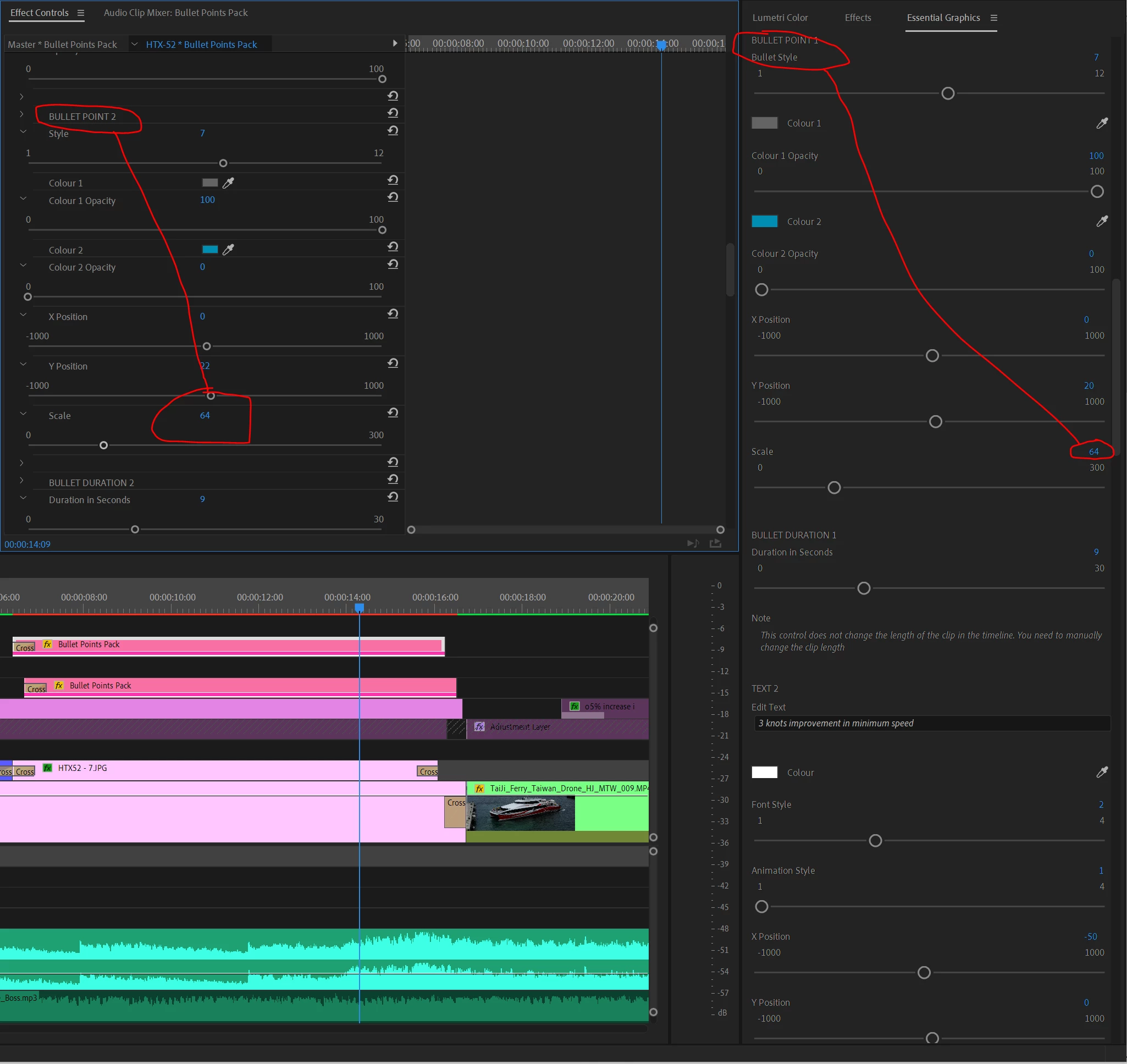
But for some reason (below) this does not change the scale of Bullet Point 2 whatsoever.
I am 100% sure it is the right one because when changing the x or y-axis directly above it, it responds!!
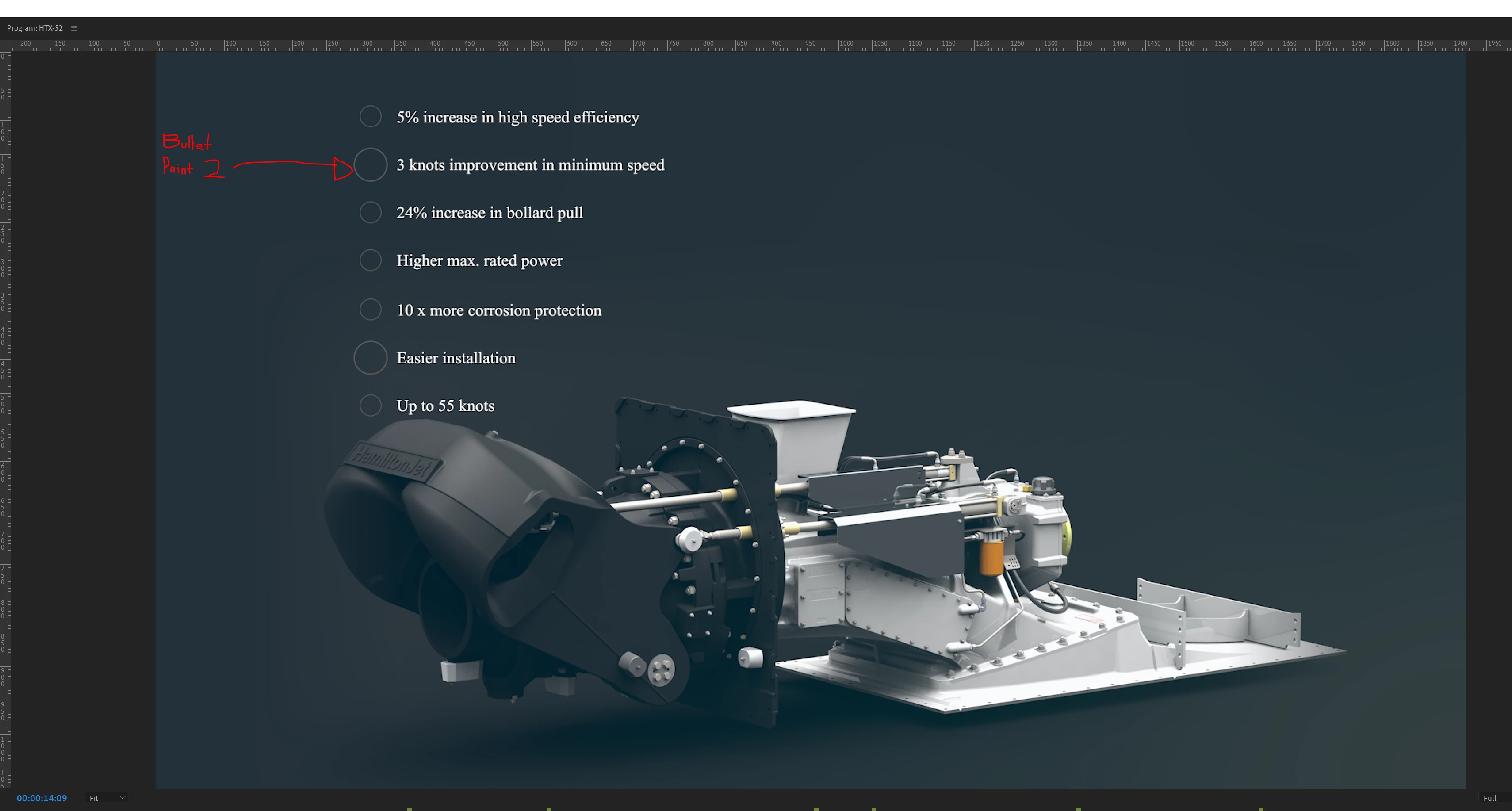
The same bigger bullet point on the 6th line, is again Bullet Point 2. Just a copied version of the original.
(Pretty lame that the limit is only four, but at least there's a workaround.)
I tried closing and opening Premiere.
I tried rebooting my computer, then things got worse.
The scale still hadn't changed and I had lost the original font!
Considering this is paid for product, I find it pretty appalling that a simple scale function is not working!
I'd like Adobe to address this but couldn't even find a sensible way to find help - I hope someone can.
Thanks


 AdChoices