Participant
May 14, 2025
Question

Photo not being accepted to Adobe Stock

  • May 14, 2025
  • 5 replies
  • 210 views

Hello! 


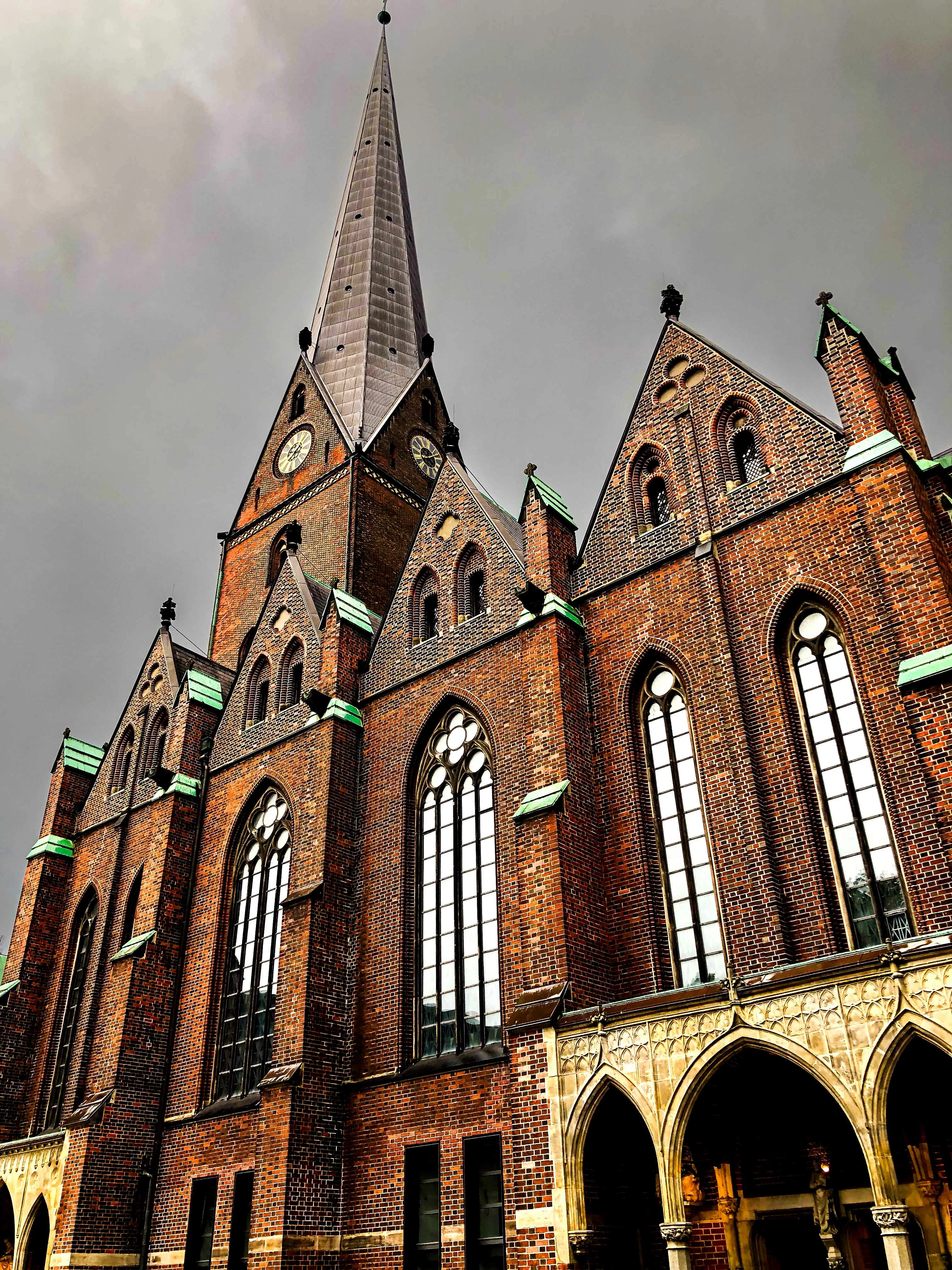
I recently submitted these photos to Adobe Stock and was told it didn't meet their quality standards. I'm wondering if I can have some guidence on what they are looking for so I can keep that in mind for future photos and editing. I've noticed that it talks about image quality with being too overexposed, grainy or the image not being sharp, but I've double checked and now I'm just confused.


Any guidence would be appreciated.


[Moderator moved the thread to the correct forum]

5 replies

Nancy OShea
Community Expert
Community Expert
May 16, 2025

...can I have some guidence on what they are looking for?

==========

Adobe Stock customers expect the highest visual and technical quality for use in commercial projects -- print, digital and merchandise.  Read your Contributor User Guide for more tips.

Before you submit, compare your best work with similar Stock inventory to see if Stock needs what you're selling. And if the quality is better than what Stock has now.  As a customer, would you buy it?

https://stock.adobe.com/search?k=pink+feathers


Hope that helps.


Nancy O'Shea— Product User & Community Expert
Abambo
Community Expert
Community Expert
May 16, 2025

The first, besides having such a narrow DOF that it becomes unusable, exposes a lot of noise and artefacts:

Your second is also extremely noisy, but the DOF is a bit better.

If you check the sky with your third, you'll see colour clipping:

A similar issue can be found here:

The patina is clipping and the contrast is so high, that there is no detail with the gutter.

ABAMBO | Hard- and Software Engineer | Photographer
yamato713108855
Community Expert
Community Expert
May 16, 2025

At AdobeStock, photos with a wide range of focus are more likely to pass the review.
Also, photos with noticeable noise will be rejected.
Please enlarge your photo to 100% to check it.

Jill_C
Community Expert
Community Expert
May 14, 2025

The DOF in the first two images is too shallow, causing a lot of the frame to be out of focus, and the third image is not well composed and has artifacts in the sky.

Jill C., Forum Volunteer
daniellei4510
Community Expert
Community Expert
May 14, 2025

The two top images do appear unsharp to me, as though enlarged to an extreme.

Adobe Community Expert | If you can't fix it, hide it; if you can't hide it, delete it.