Participant
May 12, 2025
Answered

Photo refusée pour "Problème de qualité"

  • May 12, 2025
  • 3 replies
  • 1143 views

Bonjour,


Plus de la moitié de mes photos sont refusées pour "Problème de qualité".

En voici quelques exemples refusés ci-joint.


Sauriez-vous m'aider à résoudre ce défaut svp ?


Merci beaucoup

Correct answer daniellei4510

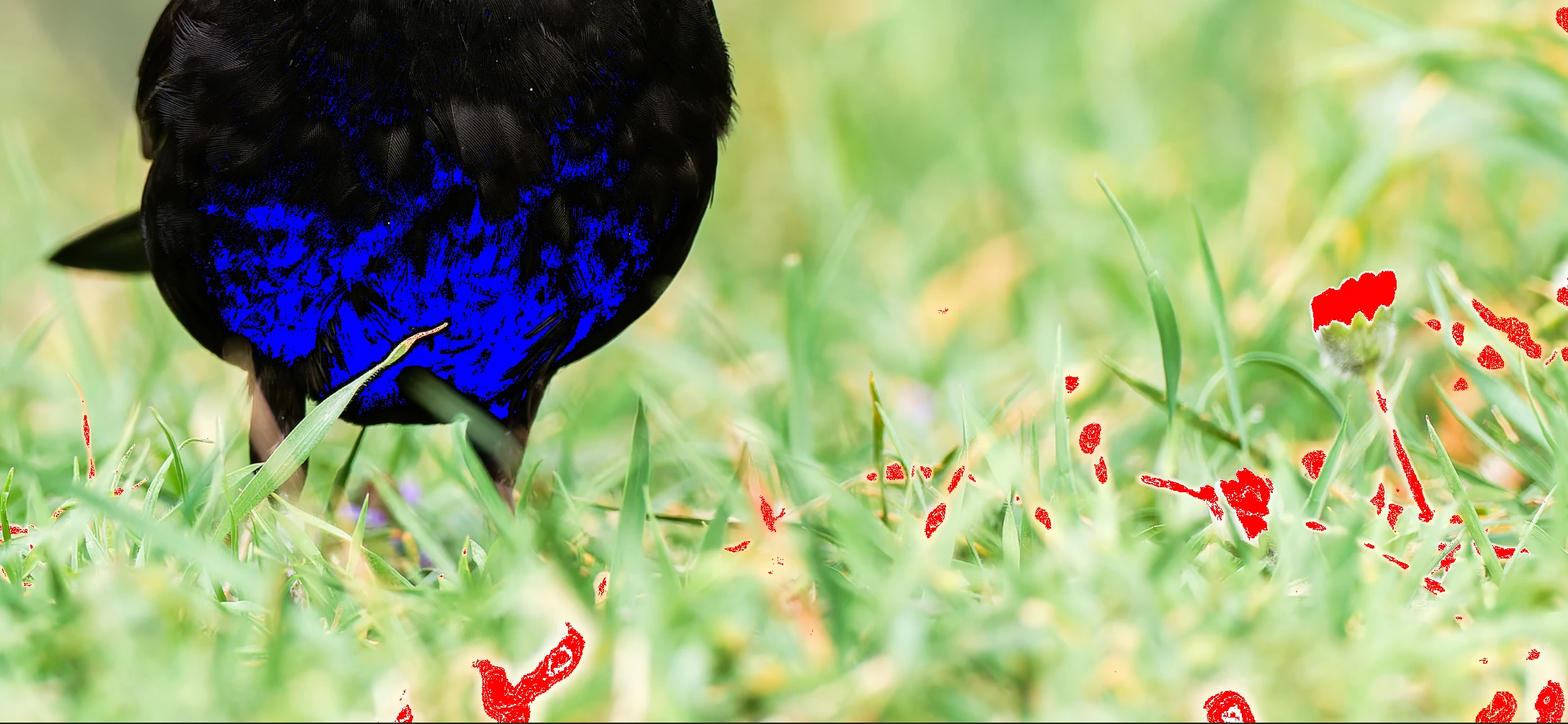
Shadows and highlight in this example. I think you could go a little dark on the immediately foreground as well to frame it a bit better. 

3 replies

jacquelingphoto2017
Community Expert
Community Expert
May 12, 2025

Hi @Colombe26127450fy07 ,

For the first picture, the tail has motion blur.

There is an out of focus object that cross the bird's outline, hence will cause an issue during cropping. There is also a green color fringe.

The second bird is not completely in focus. You needed more depth to include its legs. You should always try to include all objects in the forefront in focus. 

There third picture is not in full focus. Besides, there seem to be a motion blur. In addition the whites/highlights need to be adjusted down to achieve more details.

For the fifth image, the highlights are too high.

The sixth photo has motion blur

The seventh image also has a focus problem.

Please zoom in on your files to inspect them at between 100 and 200% before submitting them.

Best wishes

Jacquelin


Participant
May 22, 2025

Thank you so much for your help 😃

Jill_C
Community Expert
Community Expert
May 12, 2025

20250324-P3243946-ORF_DxO_DeepPRIMEXD.jpg - DOF is too shallow, causing the foreground feathers to be quite blurry

20250324-P3243804-ORF_DxO_DeepPRIMEXD.jpg - the top of the beak is overexposed, and perhaps even blownout in a couple of areas


Jill C., Forum Volunteer
daniellei4510
Community Expert
daniellei4510Community ExpertCorrect answer
Community Expert
May 12, 2025

Shadows and highlight in this example. I think you could go a little dark on the immediately foreground as well to frame it a bit better. 

Adobe Community Expert | If you can't fix it, hide it; if you can't hide it, delete it.
Participant
May 12, 2025

Thank you very much for your help 😃

daniellei4510
Community Expert
Community Expert
May 12, 2025

You're welcome. Good luck!

Adobe Community Expert | If you can't fix it, hide it; if you can't hide it, delete it.