


Participant
July 6, 2022
Answered

Photo rejected.

  • July 6, 2022
  • 4 replies
  • 298 views

Hi everyone, My image was rejected due to technical issues and I just wanted to get some more insight on the types of things I need to be aware of. I have not done any post-production work for this photo and any help would be greatly appreciated.


Thanks,

Tanner 
This topic has been closed for replies.
Correct answer Jill_C

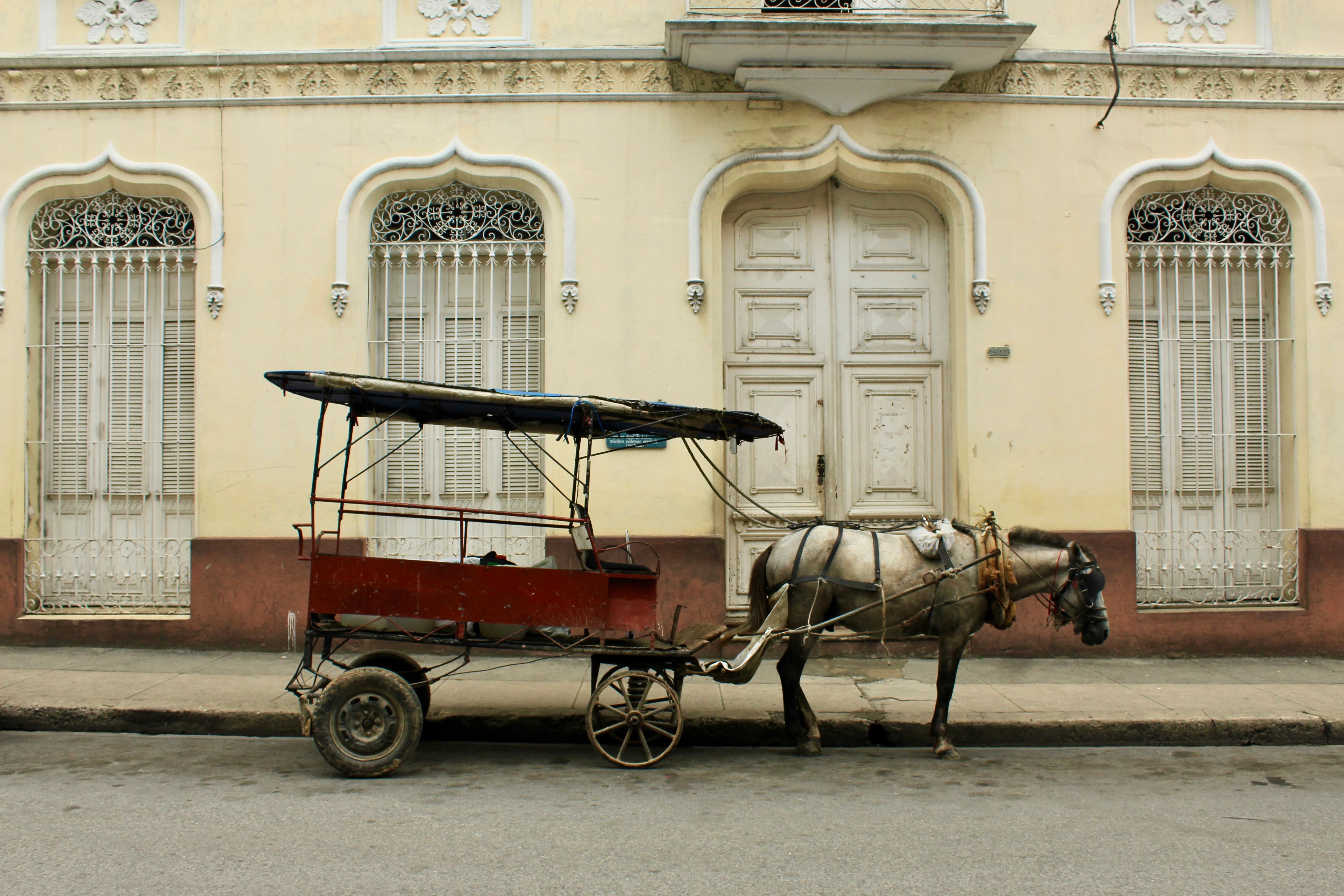
Every photo needs at least a little bit of post-production work before uploading. This one has some underexposed areas, particularly the shadows around the horse. You also need to do some lens profile correction to compensate for the parallax error which causes the horizontal trim on the building to appear to be bowed. These are both very minor corrections in Lightroom Classic. This doesn't appear to be a full resolution image, because when I zoom in it appears to be pixelated and jagged, so I can't confirm whether it is actually in sharp focus.

4 replies

George_F
Community Expert
Community Expert
July 7, 2022

I think it's also worth noting that aside from the technical issues the others have pointed out, there are most likely some IP issues to overcome with the building, horsebuggy, etc.


I wish you success!


George F, Photographer & Forum Volunteer
jacquelingphoto2017
Community Expert
Community Expert
July 7, 2022

Hi @Tanner25151337968p ,

The photo is not in sharp focus. It's noisy and has color fringing on the edges. There is also chromatic noise, and is a bit underexposed. Please zoom your photos to between 100 and 200% to inspect for faults. You also need to look for the issues stated at this link and correct them with a photo editor such as Photoshop, Lightroom or any other of your choice. Here are some do's and don'ts you need to know. There are also some extra tips you'll find useful.

Best wishes

Jacquelin

Nancy OShea
Community Expert
Community Expert
July 6, 2022

Apart from perspective and lens correction issues mentioned by @Jill_C , you should add a levels adjustment layer and correct the white balance.

https://www.adobe.com/creativecloud/photography/discover/white-balance.html


Nancy O'Shea— Product User & Community Expert
Jill_C
Community Expert
Jill_CCommunity ExpertCorrect answer
Community Expert
July 6, 2022

Every photo needs at least a little bit of post-production work before uploading. This one has some underexposed areas, particularly the shadows around the horse. You also need to do some lens profile correction to compensate for the parallax error which causes the horizontal trim on the building to appear to be bowed. These are both very minor corrections in Lightroom Classic. This doesn't appear to be a full resolution image, because when I zoom in it appears to be pixelated and jagged, so I can't confirm whether it is actually in sharp focus.

Jill C., Forum Volunteer
