

daniellei4510
Community Expert
Community Expert
September 4, 2025
Question

Photographers and AI designers alike...

  • September 4, 2025
  • 3 replies
  • 535 views

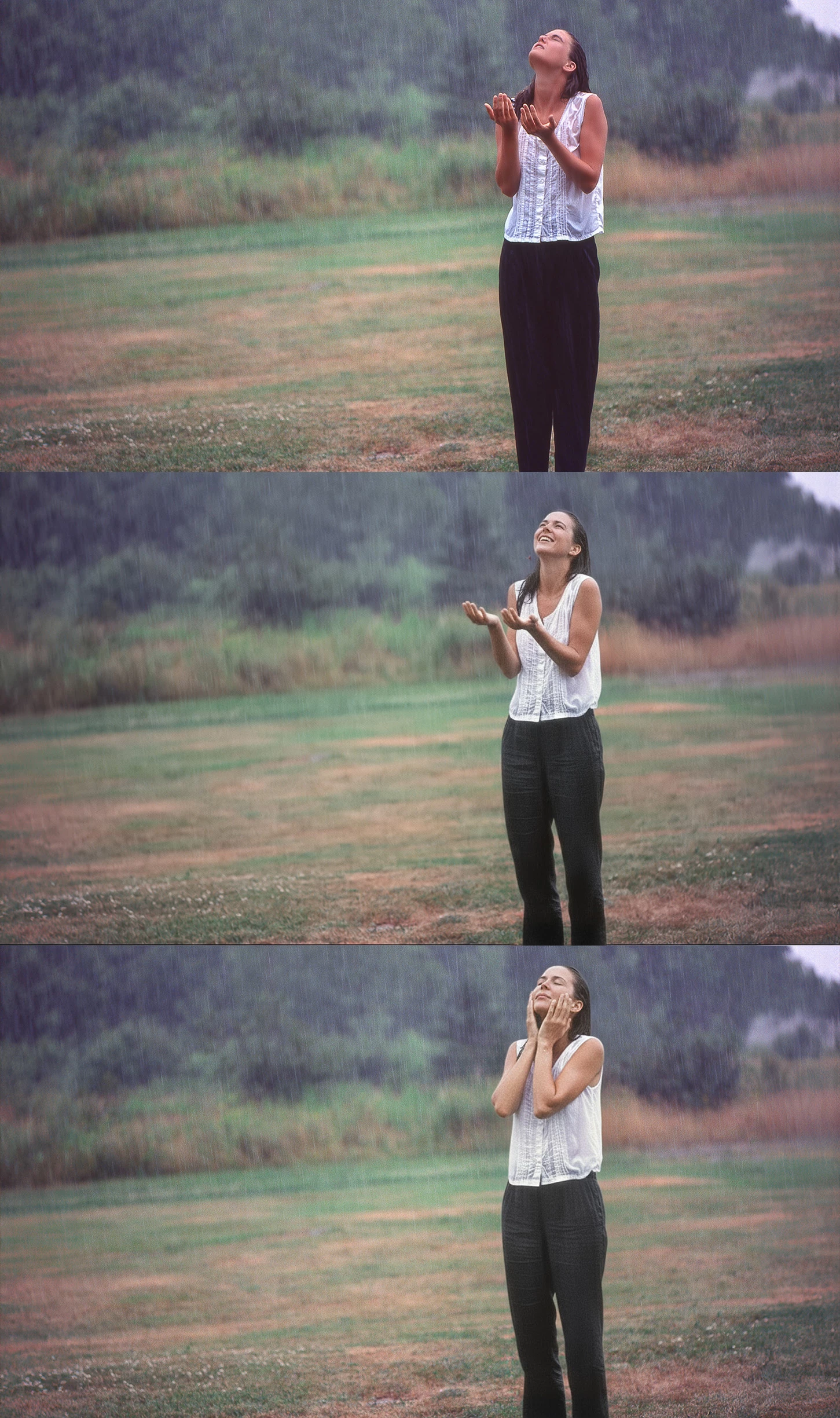
In case you missed it, Adobe Firefly has recently added Gemini 2.5 Flash (a.k.a. Nano Banana) to the list of available AI apps within Firefly. Below is a quick little example of things it can do. The first image is the original, a quick candid taken in the rain about 30 years ago in Rockport, Maine. I asked Gemini 2.5 Flash to add a smile and to add detail to her pants in the second version, and then to place her hands on either side of her face in the third. So if you have some photographs sitting around on your hard drive that just didn't make the cut, or that require heaps of impossible or nearly impossible editing, Gemini 2.5 Flash might come in handy.
 

3 replies

Nancy OShea
Community Expert
Community Expert
September 5, 2025

Nano Banana.  😄

Was the original film or digital?


Nancy O'Shea— Product User & Community Expert
daniellei4510
Community Expert
Community Expert
September 5, 2025

A scan from a transparency,

Adobe Community Expert | If you can't fix it, hide it; if you can't hide it, delete it.
Jill_C
Community Expert
Community Expert
September 5, 2025

Wow, that's quite impressive. I'm sure this will allow me to spend (waste) even more time messing around with old photos !

Jill C., Forum Volunteer
RALPH_L
Community Expert
Community Expert
September 5, 2025

Remember, when submitting photographs that have been altered in such a way, they must be submitted as AI images. Failure to do so will get your account suspended.

daniellei4510
Community Expert
Community Expert
September 5, 2025

I was going to bring that issue up in my post. In the past, we've been saying that a photograph should be labeled as AI only if something new has been added. Using generative fill to fix an issue or to make a minor change in a photograph, or using generative expand, has not required a photo to be labeled as AI. But here the line starts to blur quite a bit. Myself, I only submit AI, so it's not an issue for me. I lost my model releases years ago after numerous moves from one place to another, so I couldn't submit most of my photos even if I wanted to. Also, while I did post within the context of a contributor forum, it was more an FYI for photographers in general, not specifically contributors. Out of curiosity, I did run one of the examples through what I have found to be a very accurate AI detector, and it was not found to be AI generated. But yes, care must be taken with such submissions.  Does giving a model in a photograph a smile with gen fill make it AI, compared, say, to moving a model's hands to an entirely new position with an external application?  I guess what it boils down to is, when in doubt, tag it as AI.

Adobe Community Expert | If you can't fix it, hide it; if you can't hide it, delete it.