Kamooch
Participating Frequently
March 11, 2026
Question

photos got rejected due to quality issues

  • March 11, 2026
  • 6 replies
  • 140 views

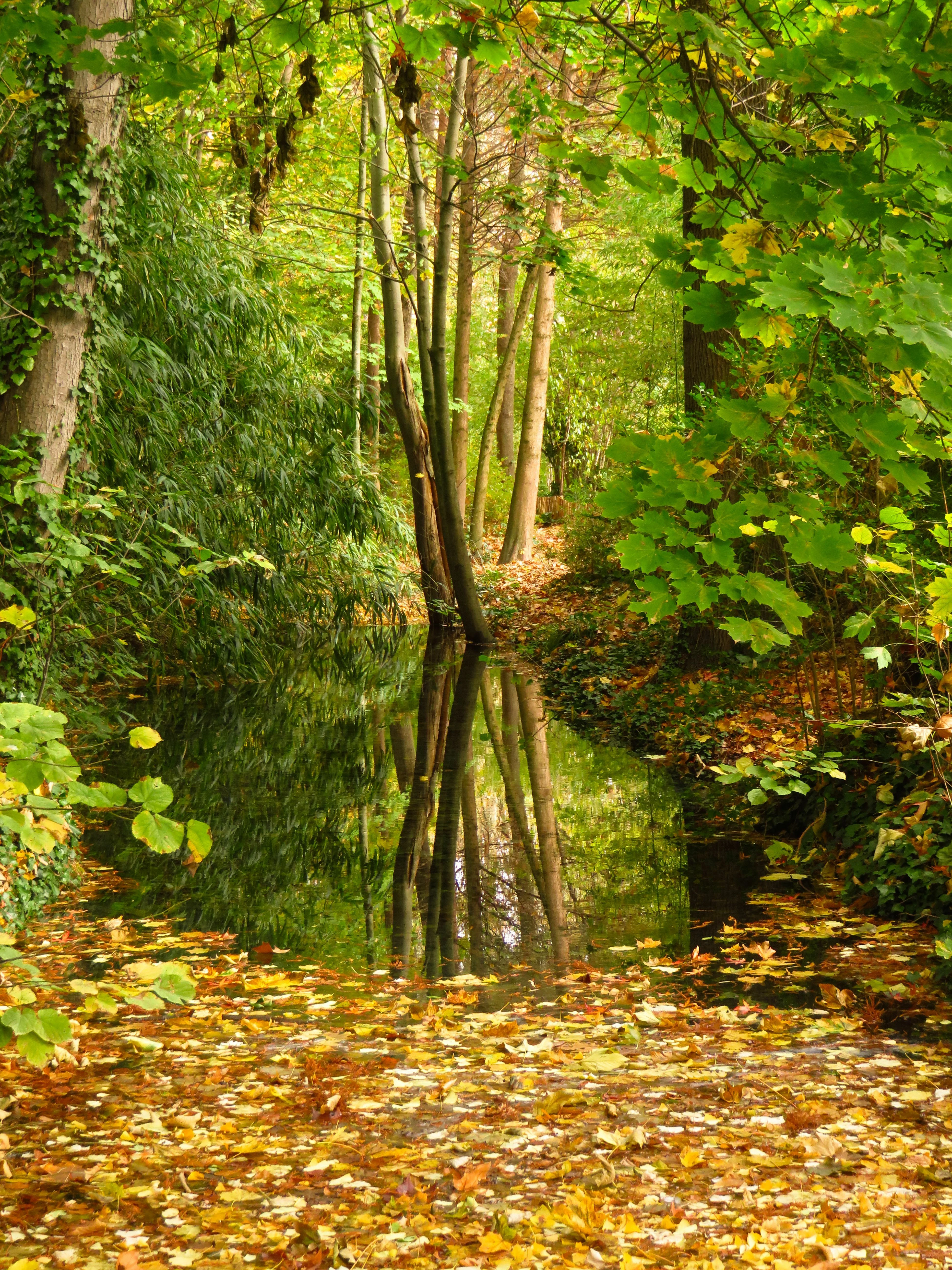
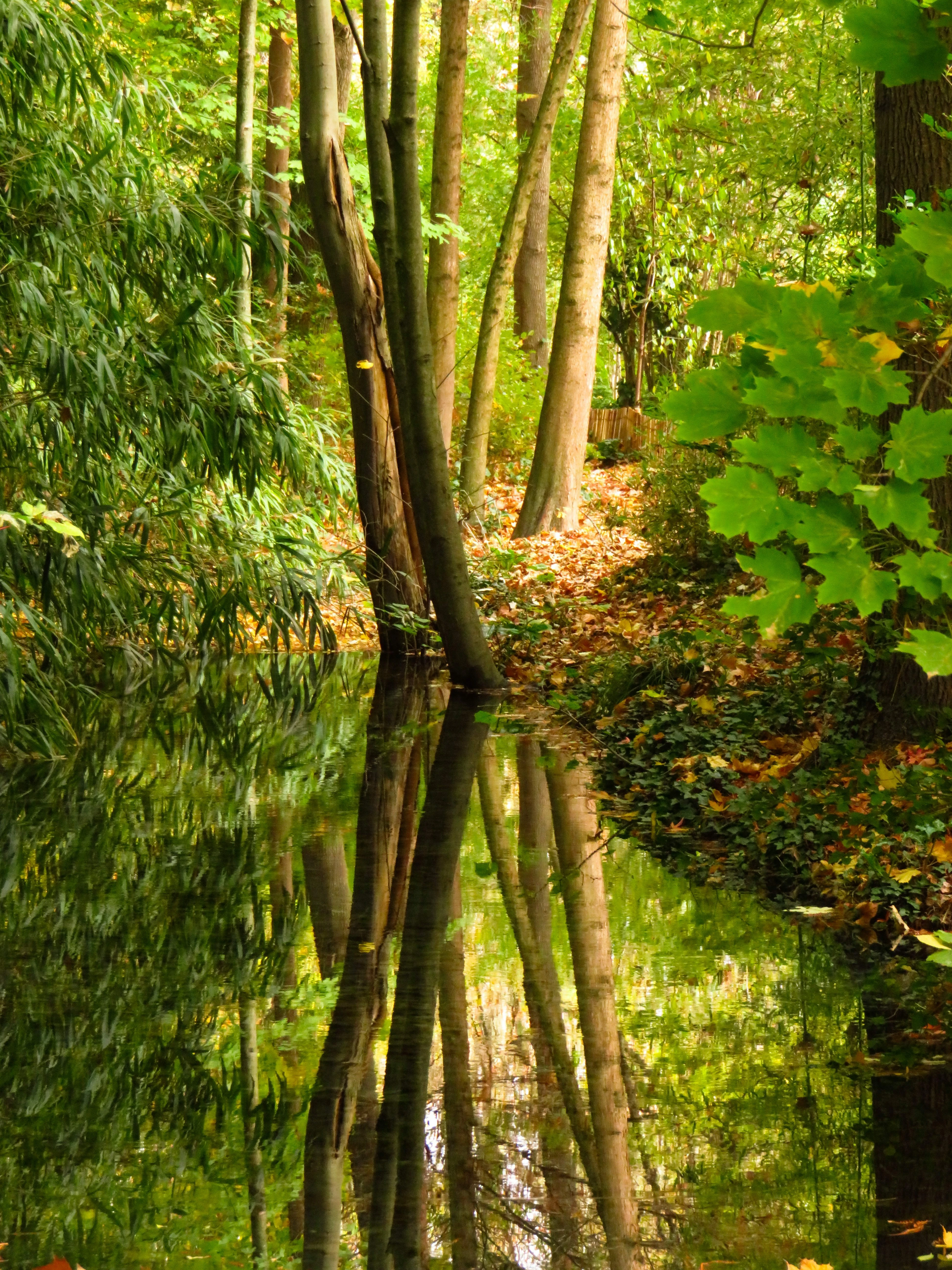
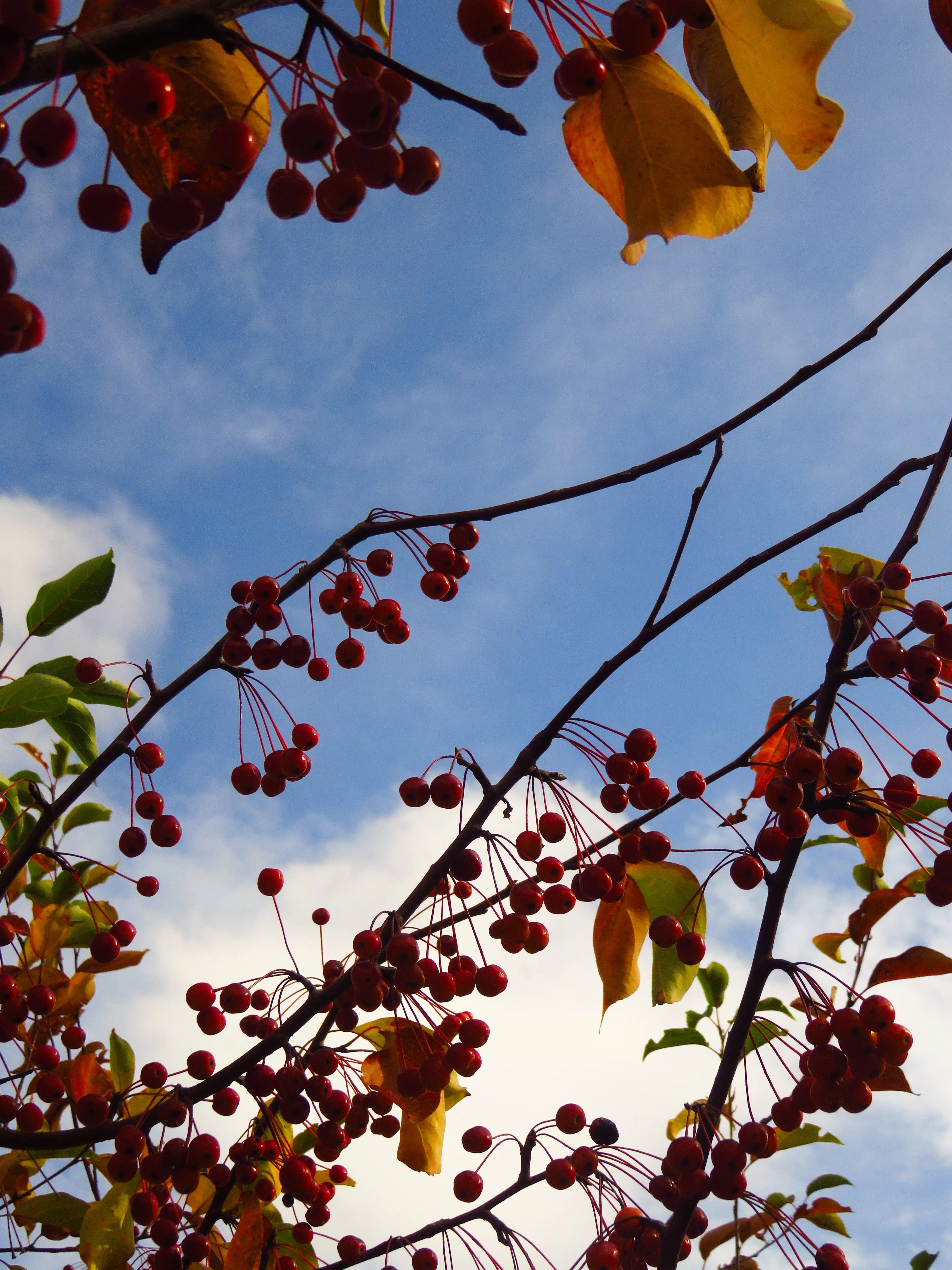
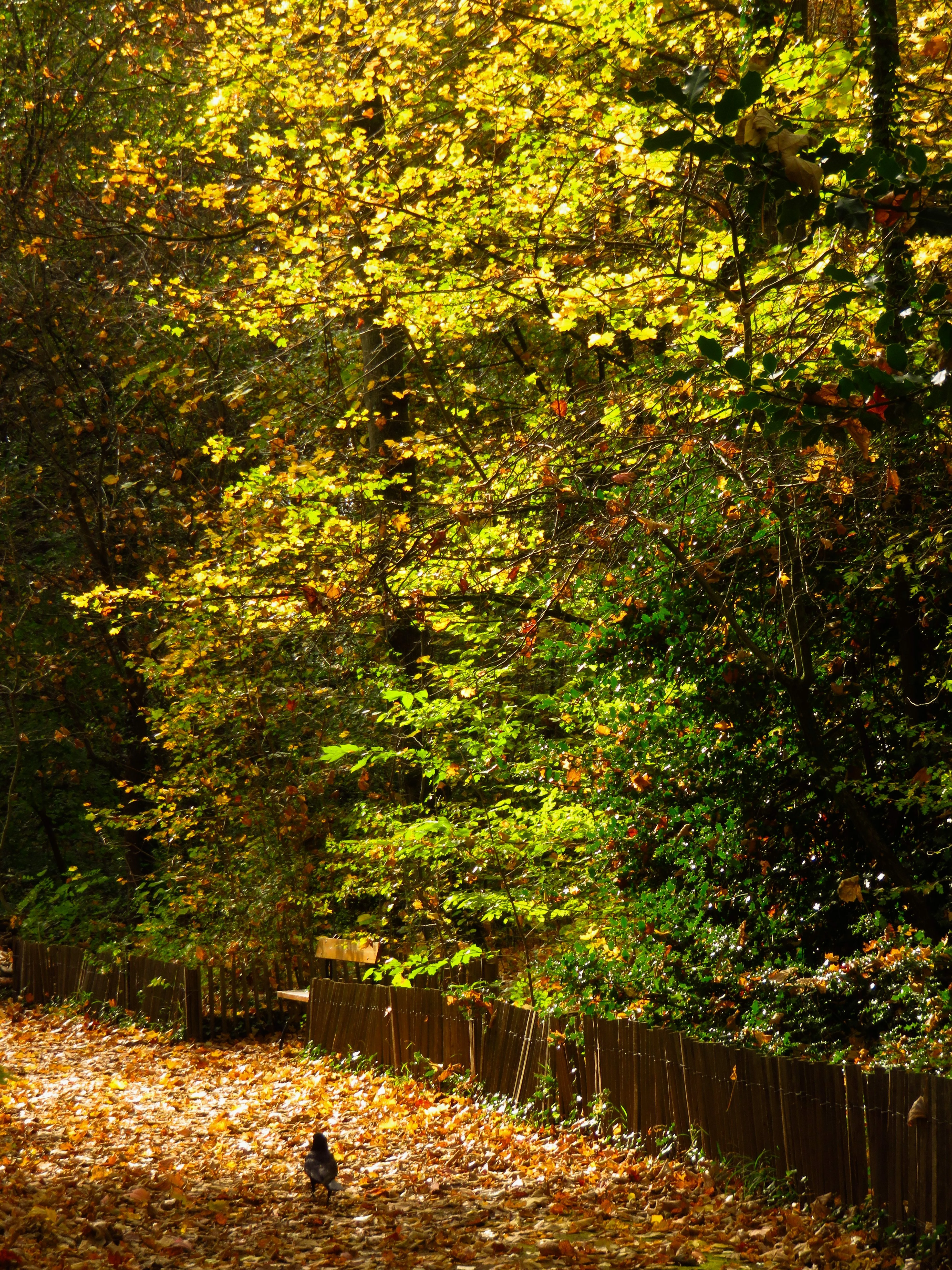
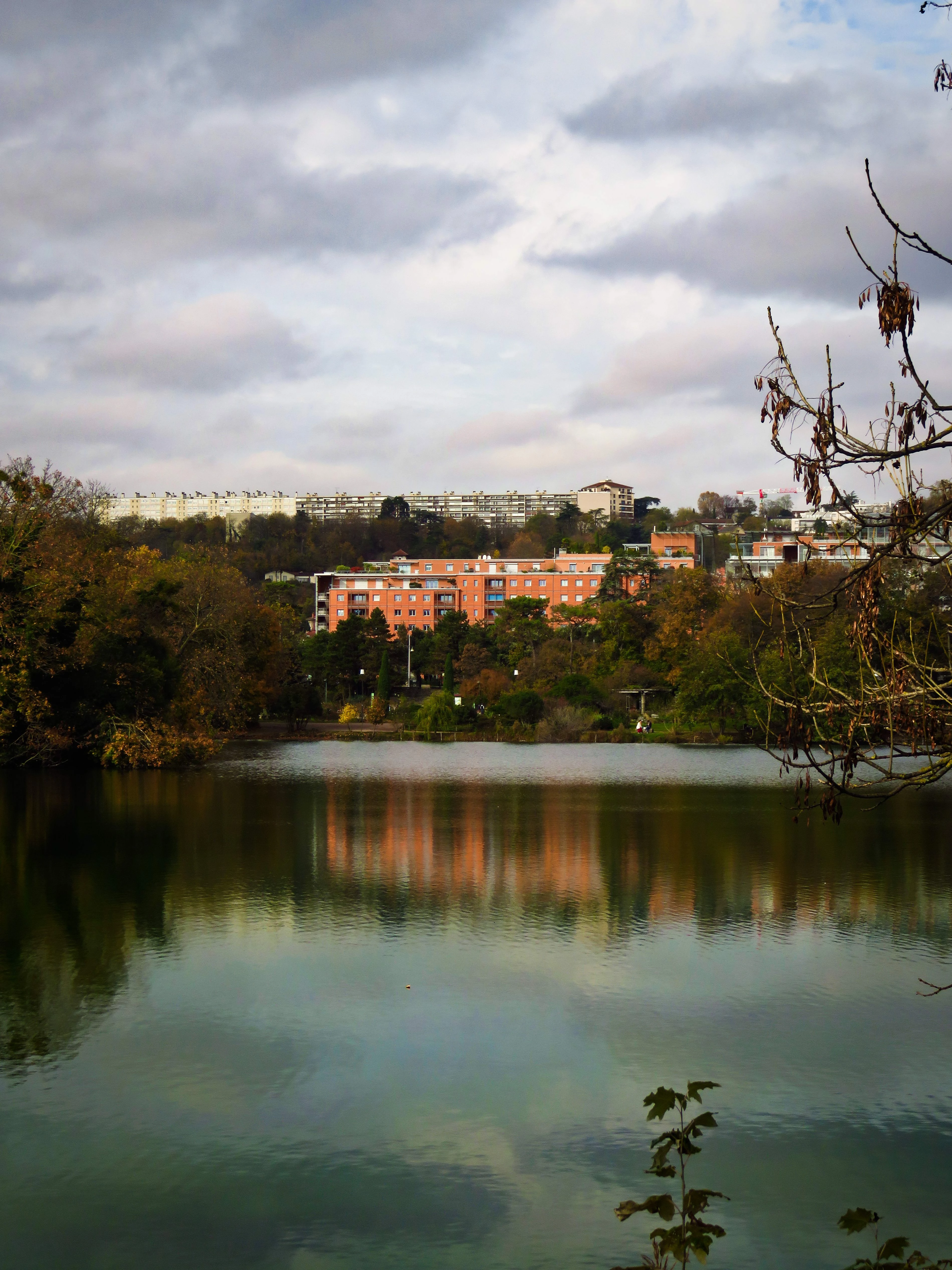
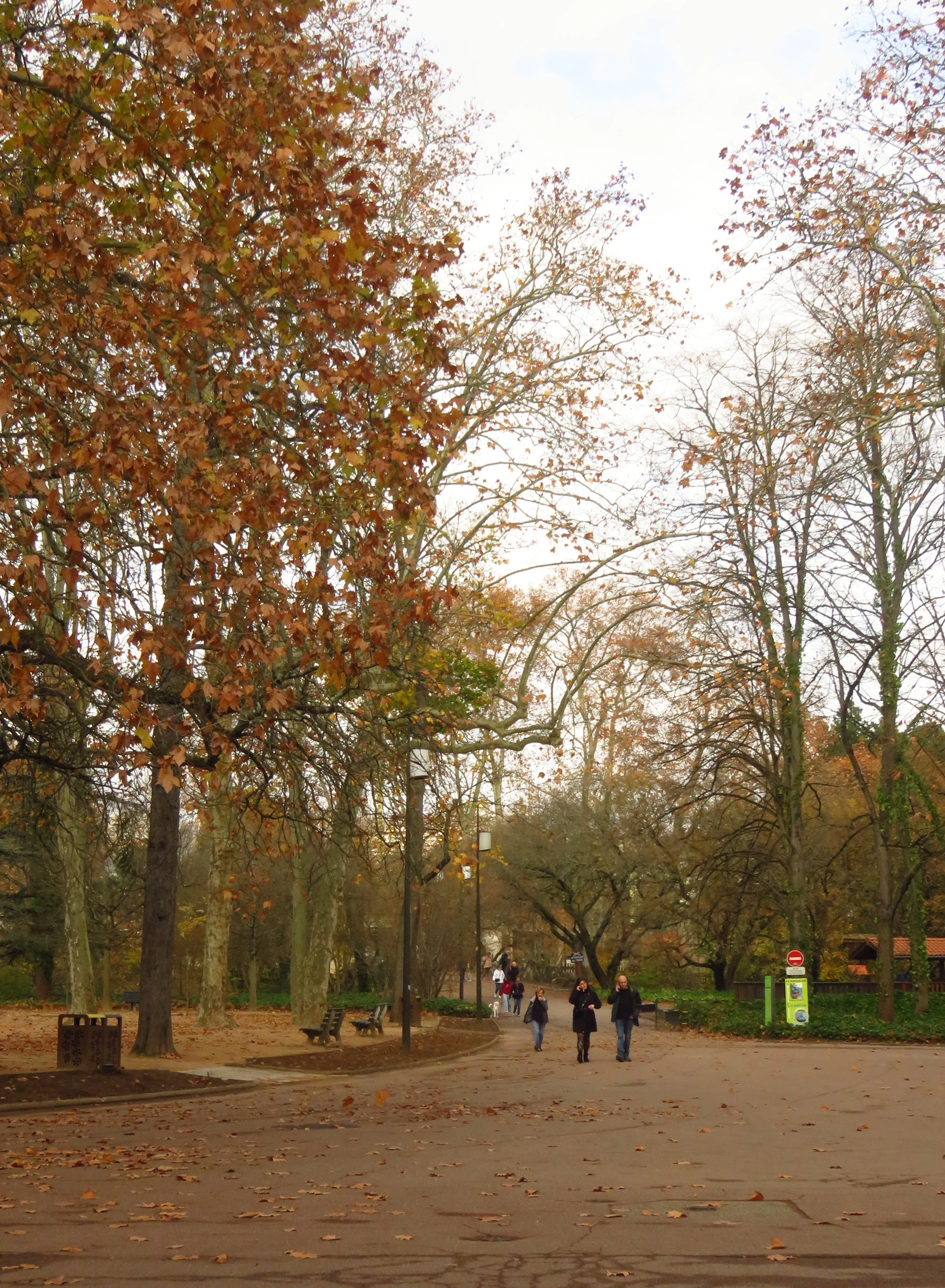
Hi, I just tried uploaded few photos I took and edited and got rejected because of the quality issues. I am very new to photography and selling photos online so I don’t really know what I’m doing. I take photo as a hobby and haven’t got serious although I still want to know why my photos got rejected in more details (the one they gave me give me no clues lmao). I would really appreciate it if anyone with experience could give me some comments on my photos.

(I have reduced the quality of the photo to post it here because it doesn’t allow me to upload big files)

Thanks a lot guys !


    6 replies

    March 12, 2026

    Hey ​@Kamooch 
    There are a number of courses on Udemy, LinkedIn, skillshare.
    There are number of instructors on Youtube as well: Photoshop training was the search I used.

    Cheers

    Nate

    Kamooch
    KamoochAuthor
    Participating Frequently
    March 12, 2026

    Thanks a lot Nate ! I’ll try look it up 

    Ricky336
    Community Expert
    Community Expert
    March 12, 2026

    Hello,

    Another thing which is very mportant in photography is composition. You have to be careful how to frame your subject and what is around it. Be aware of distracting objects.

    Read this link from Adobe about composition:

    Composition

    Kamooch
    KamoochAuthor
    Participating Frequently
    March 12, 2026

    I’ll practice on that, thank you !

    jacquelingphoto2017
    Community Expert
    Community Expert
    March 12, 2026

    Hi ​@Kamooch ,

    All your photos have noise grains. They have signs of compression noise, which occurs sometimes if photos are taken with a compact camera or a cell phone. Also, they are not in sharp focus.

    You need to zoom in at between 100 and 200% on your images to inspect them for issues.

    Best wishes

    Jacquelin

    Kamooch
    KamoochAuthor
    Participating Frequently
    March 12, 2026

    Hi,
    I did use an old digital camera, that must be the reason. Thanks a lot !

    Nancy OShea
    Community Expert
    Community Expert
    March 11, 2026

    Photo Quality & Technique is a BIG subject. See links below. 

    https://helpx.adobe.com/stock/contributor/help/photography-illustrations.html

    https://helpx.adobe.com/stock/contributor/help/quality-and-technical-issues.html


    Stock customers expect commercial quality assets to use in professional projects. How experienced are you with post-editing in Photoshop or Lightroom?  

    https://helpx.adobe.com/stock/contributor/help/editing-dos-and-dont.html


    Nancy O'Shea— Product User & Community Expert
    Kamooch
    KamoochAuthor
    Participating Frequently
    March 11, 2026

    I’ll look those up, thanks for the info ! 

    and I'm not at all experienced with post-editing, I don’t fully understand every tools yet.

    Nancy OShea
    Community Expert
    Community Expert
    March 11, 2026

    If you’re serious about being a Stock photographer, enroll in some digital photography & post-editing courses to learn the basics.  Then practice, practice, practice what you’ve learned. 


    Photography is much like learning to play a musical instrument. The more you study & practice, the better you perform.


    Compare your best work with Adobe Stock inventory. It sometimes helps to see what other creative people are doing. 


    Good luck.


    Nancy O'Shea— Product User & Community Expert
    Jill_C
    Community Expert
    Community Expert
    March 11, 2026

    The first image has identifiable people for which you would have needed model releases. The second image has chromatic aberration. The fourth image is not well composed and is underexposed in the shadows. The next image has no real focal point. The last image is underexposed in the shadows and those branches intruding from the side of the frame are distracting. These all appear to be unedited mobile phone images, which generally aren’t going to meet Adobe’s quality criteria.

    Jill C., Forum Volunteer
    Kamooch
    KamoochAuthor
    Participating Frequently
    March 11, 2026

    Thanks a lot for the detailed comment ! I do see those point you pointed out now. Although I don’t really understand the chromatic aberration. I did searched it up to see what it is tho I couldn't really identify it in my photo (I don’t mean that I think I don’t have it in my photo, it’s just that I couldn't make the different). And would it be more of a problem from my camera or my editing?

    daniellei4510
    Community Expert
    Community Expert
    March 11, 2026

    Maybe this will help. I asked Gemini 3 to remove the chromatic aberration. (Not great, but it did OK.) Note especially the color bleeding of the leaves in your original. 


    Adobe Community Expert | If you can't fix it, hide it; if you can't hide it, delete it.
    daniellei4510
    Community Expert
    Community Expert
    March 11, 2026

    You would need a model release for the people, but even if you have one, they add nothing to the image. I’d remove them. You mentioned a loss of quality in order to reduce the images, but I suspect even the full-sized versions probably show a good deal of softness.


    Adobe Community Expert | If you can't fix it, hide it; if you can't hide it, delete it.
    Kamooch
    KamoochAuthor
    Participating Frequently
    March 11, 2026

    Thanks a lot for the comment ! it’s true that the full size image also have that softness you mentioned. Tho would you be able to suggest me where does it came from? these wasn’t there in the original one before I edit it.

    daniellei4510
    Community Expert
    Community Expert
    March 11, 2026

    I really couldn’t begin to take a guess. Did you edit in Lightroom? Photoshop?  What specific edits did you make? Too many potential variables to be of much help. 

    Adobe Community Expert | If you can't fix it, hide it; if you can't hide it, delete it.