sushilm96855309
Participant
April 16, 2018
Answered

Please guide me on "what "technical issues" would be there on the images I uploaded?"

  • April 16, 2018
  • 3 replies
  • 656 views

I am not able to understand , what "technical issues" would be there for this image. Any help would be really appreciated.

This topic has been closed for replies.
Correct answer marog-pixcells

Hy

Please look at your picture in 100% view.
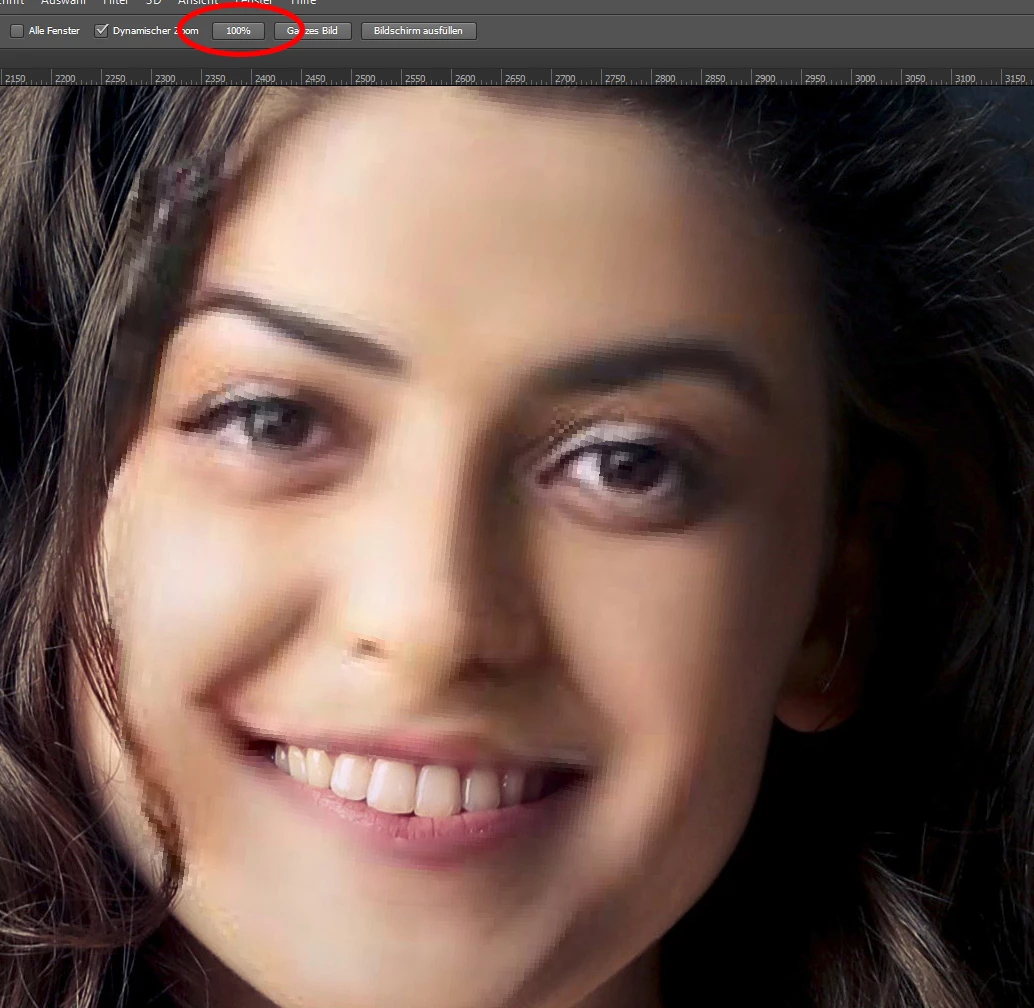
    ...are many blurred areas.  :-(

See also under:

Stock Contributor User Guide > Review process > Quality and technical issues

Best regards,

Mario

3 replies

marog-pixcellsCorrect answer
Inspiring
April 19, 2018

Hy

Please look at your picture in 100% view.

    ...are many blurred areas.  :-(

See also under:

Stock Contributor User Guide > Review process > Quality and technical issues

Best regards,

Mario

Inspiring
April 19, 2018
Ricky336
Community Expert
Community Expert
April 16, 2018

Technical issues can mean white balance - but I don't think this is major problem. However, you have shadow areas under the hair and by the face which are clipped - no detail in these areas. If you look at your histogram and have clipping showing, you will see this - e.g. in Lightroom. Or, if you use camera raw filter in Photoshop. This could be a problem. The eyes also don't seem to be very sharp and you would definitely want them sharp!

joanH
Inspiring
April 16, 2018

Just a few more concerns, the background is a mess. Yes, I know it speaks to the school setting but let the buyer decide that. Did you send a model release with it? One eye, on the left, is not sharp. Sometimes I have a lace pattern in the foreground as the dress is in this one and for some reason, it gets rejected. So, overall not quite up to Adobe standard. Best regards,JH