
fotogail
Participant
September 17, 2018
Answered

Please help me see (and perhaps fix) the grain/noise

  • September 17, 2018
  • 3 replies
  • 450 views

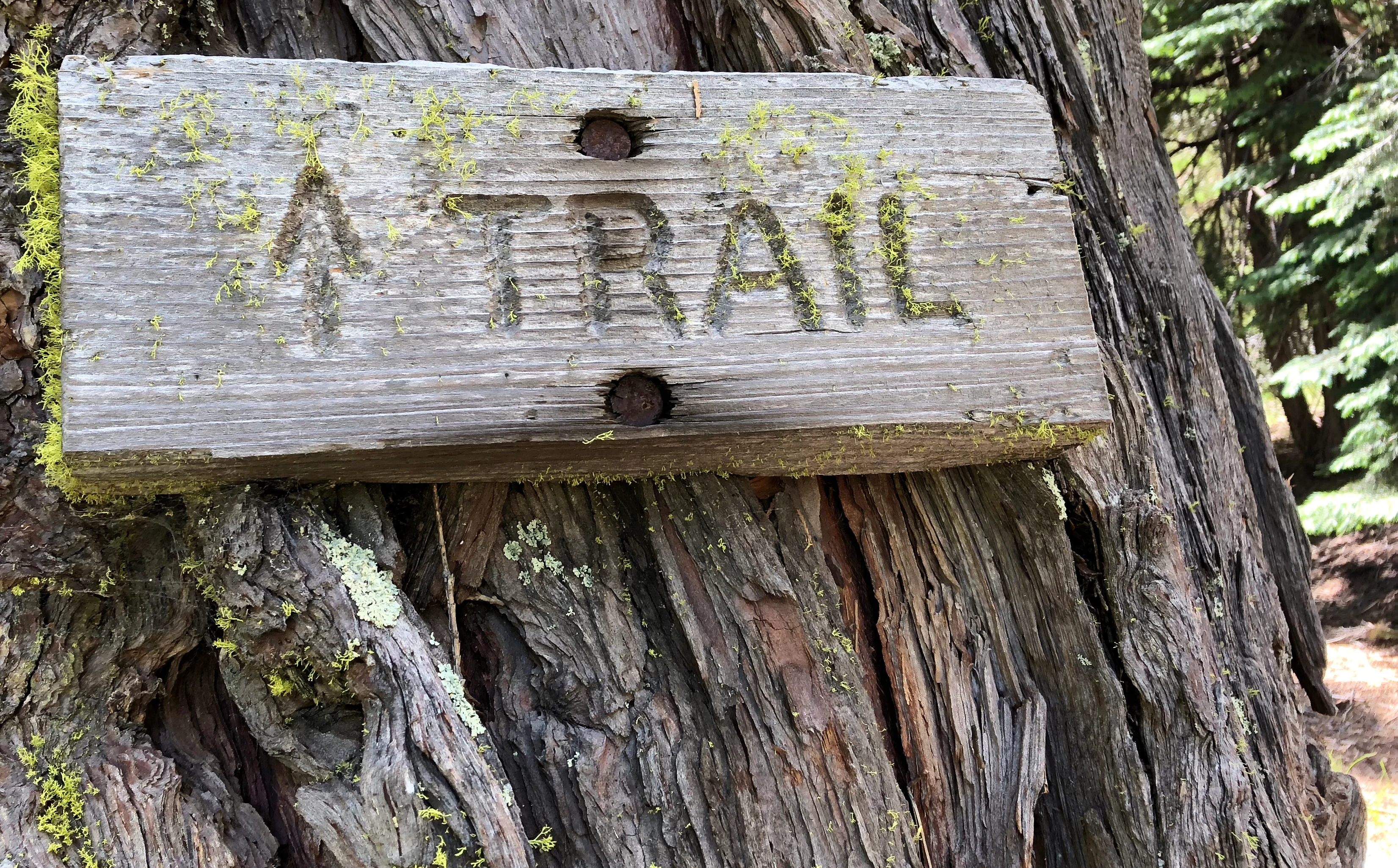
I thought this was sharp and expressive.  Rejected for grain/noise. What am I not seeing? And how do I fix it?  thanks!  (this selection cropped tighter to reduce size of image)
This topic has been closed for replies.
Correct answer Ricky336

Well, it may depend on who is doing the reviewing/moderating. Adobe can be fairly picky. So, for what it's worth, I think the issue could be in the background with the trees. I agree with Abambo, that it is a bit oversharpened, and just maybe too much noise reduction.
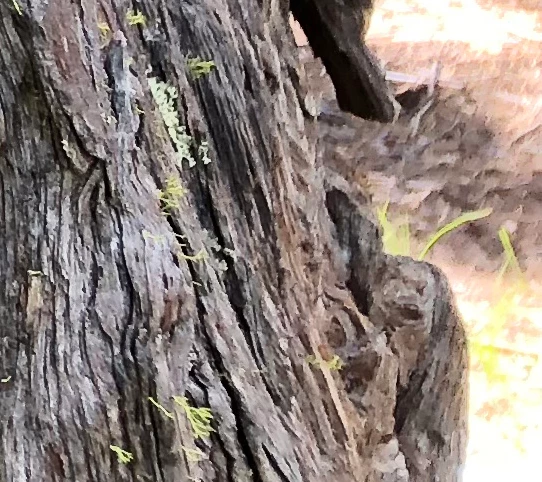
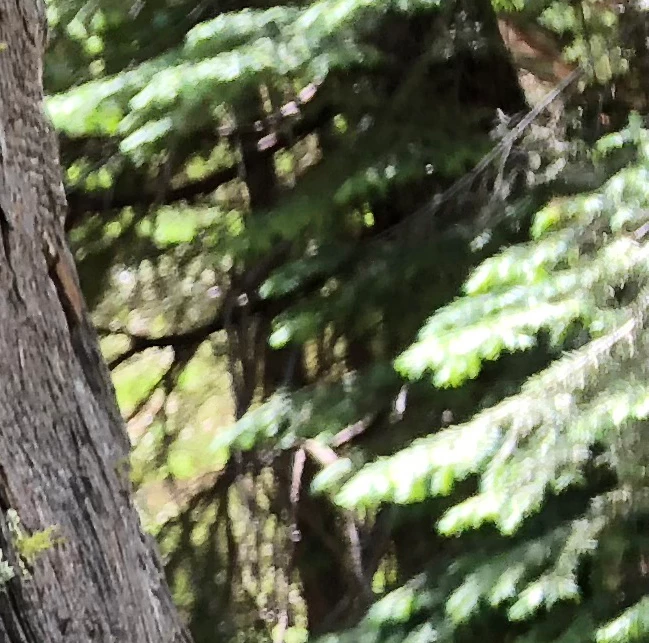
Take note of these two examples in the background, it has a bit of a painted look. This is a sign of having too much noise reduction. So, I think they are referring to this.

Also: Artifacts can be caused by invasive post-processing. Always save your original file. If you get a rejection based on artifacts, compare the image you submitted with the original and assess where artifacts were introduced. 

ref: Quality and technical issues rejected at Adobe Stock

So, compare your original image to the one you submitted and see if there is any difference.

If you submit this again as is, you just may have it rejected again!

Quality is also an issue with the type of camera/lens/smartphone, so this is something to consider as well.

3 replies

Ricky336
Community Expert
Ricky336Community ExpertCorrect answer
Community Expert
September 18, 2018

Well, it may depend on who is doing the reviewing/moderating. Adobe can be fairly picky. So, for what it's worth, I think the issue could be in the background with the trees. I agree with Abambo, that it is a bit oversharpened, and just maybe too much noise reduction.

Take note of these two examples in the background, it has a bit of a painted look. This is a sign of having too much noise reduction. So, I think they are referring to this.

Also: Artifacts can be caused by invasive post-processing. Always save your original file. If you get a rejection based on artifacts, compare the image you submitted with the original and assess where artifacts were introduced. 

ref: Quality and technical issues rejected at Adobe Stock

So, compare your original image to the one you submitted and see if there is any difference.

If you submit this again as is, you just may have it rejected again!

Quality is also an issue with the type of camera/lens/smartphone, so this is something to consider as well.

Abambo
Community Expert
Community Expert
September 18, 2018

ricky336  wrote

Quality is also an issue with the type of camera/lens/smartphone, so this is something to consider as well.

Even that I'm amazed with the image quality of modern smartphones (like the iPhone 8), I find it still difficult to manage the quality level that Adobe stock asks for. If there is the slightest problem (lack of light in occurrence), phone pictures degrade rapidly.

ABAMBO | Hard- and Software Engineer | Photographer
joanH
Inspiring
September 17, 2018

Hi, fotogail,

Nothing wrong with this photo. Noise - tiny bit in trees to right but not worth rejection. Maybe crop the tree background out. Love the look and feel of this. I can smell the woodland trail. It is okay to resubmit this once. A new reviewer might like it as it is. Kind regards, JH

Abambo
Community Expert
Community Expert
September 17, 2018

Well, it seams to be a bit over sharpened to me. But it's definitely not noisy.

I see that the picture has been edited in Ps CS6. But I do not see the edits. Could you also post the original picture?

ABAMBO | Hard- and Software Engineer | Photographer
