JerHetrick
Participant
September 25, 2017
Answered

Please Look, I Can't Understand Why These Would Have Been Rejected

  • September 25, 2017
  • 1 reply
  • 868 views

These are just four photos of the last 10 or so that Ive uploaded to Adobe Stock. This is the 2nd batch of photos Ive attempted to upload. All have been rejected for "Artifacts Problems."  I don't understand how, when there are no artifacts in the photos Ive uploaded. Have they been post processed? Absolutely! Who does not post process digital photos in a digital age?

I just dont understand what the problem is with these. If you would take a look at the following photos and give me your input that would be fantastic and much appreciated. Thank you, Jeremy

This topic has been closed for replies.
Correct answer Szalam

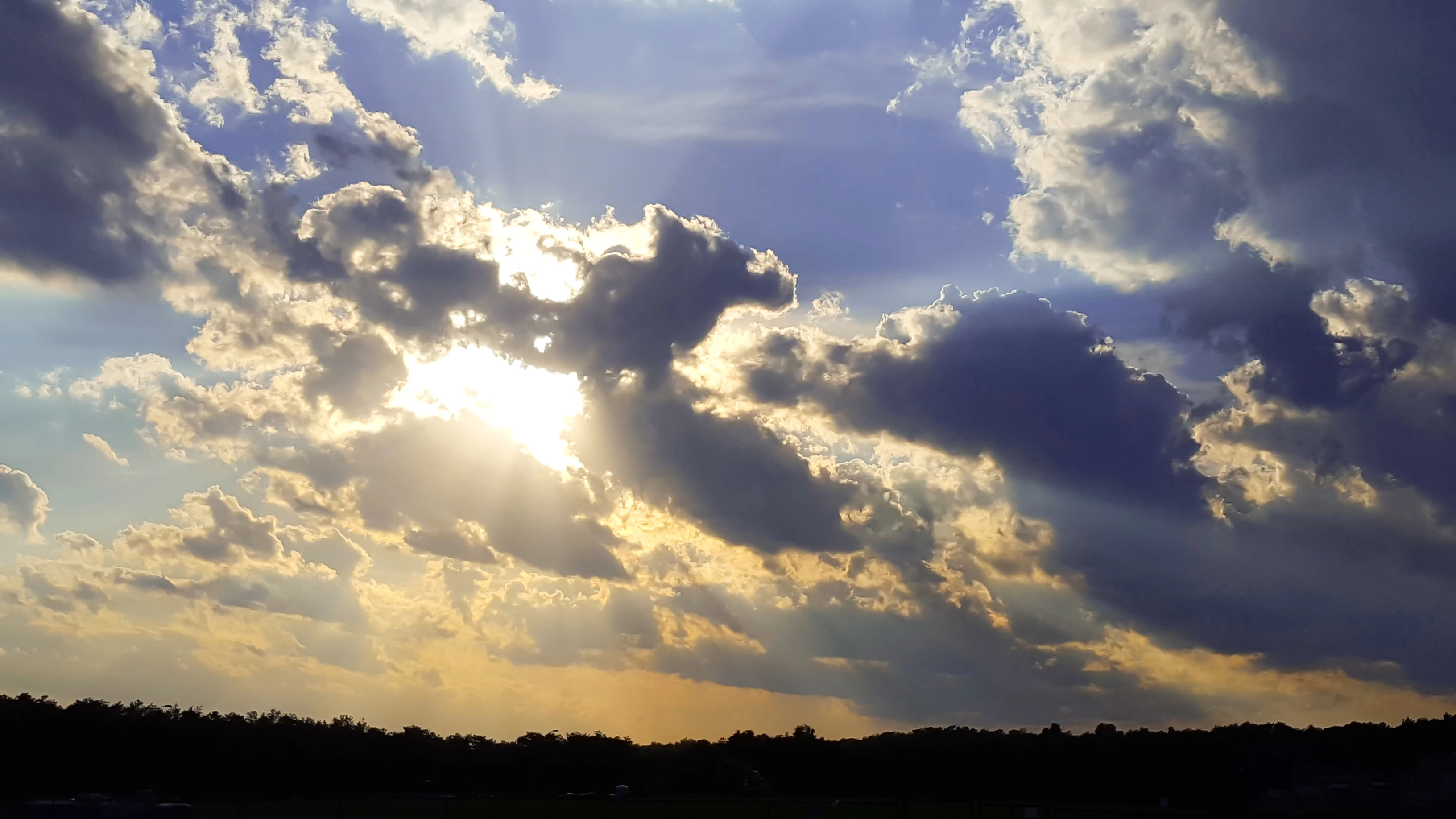
The one with the crepuscular rays definitely has a number of artifact issues.

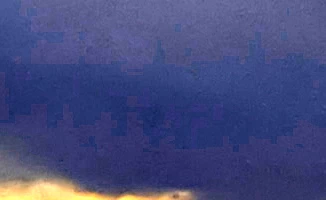
For example, in the lower-right, you can see some severe blocking (image slightly enhanced:
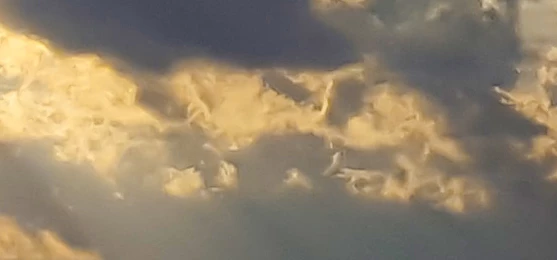
The clouds look a bit smeary as if overly aggressive noise removal was used, but yet there's still a lot of noise in the image overall:
And, perhaps most damning, there is a lot of artifacting on the edge between the sky and land:
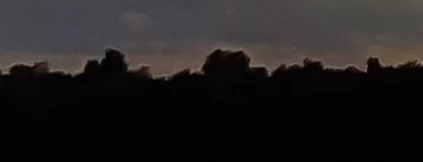
Also, it looks really blocky down there too, by the way. Those trees look like cubes.

Also, of course, it's very overexposed where the sun is and underexposed down on the ground, but that should be expected and not a reason to reject it. All the other issues, however, are reasonable.

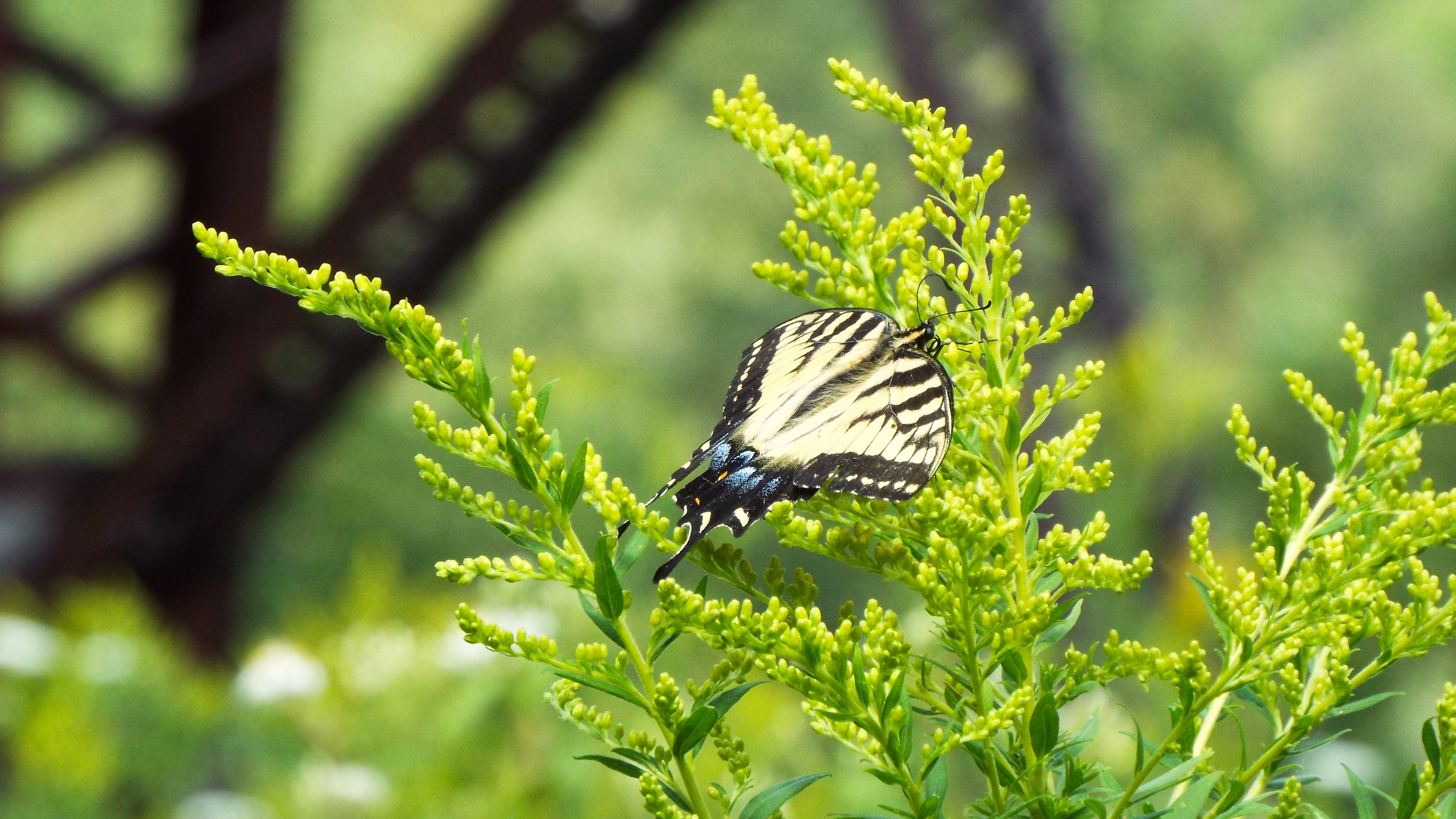
The butterfly is borderline overexposed.

It is also fairly noisy when viewed at 100%. If the butterfly were properly exposed, maybe the noise wouldn't be an issue, but altogether it makes the image seem to be poor quality.
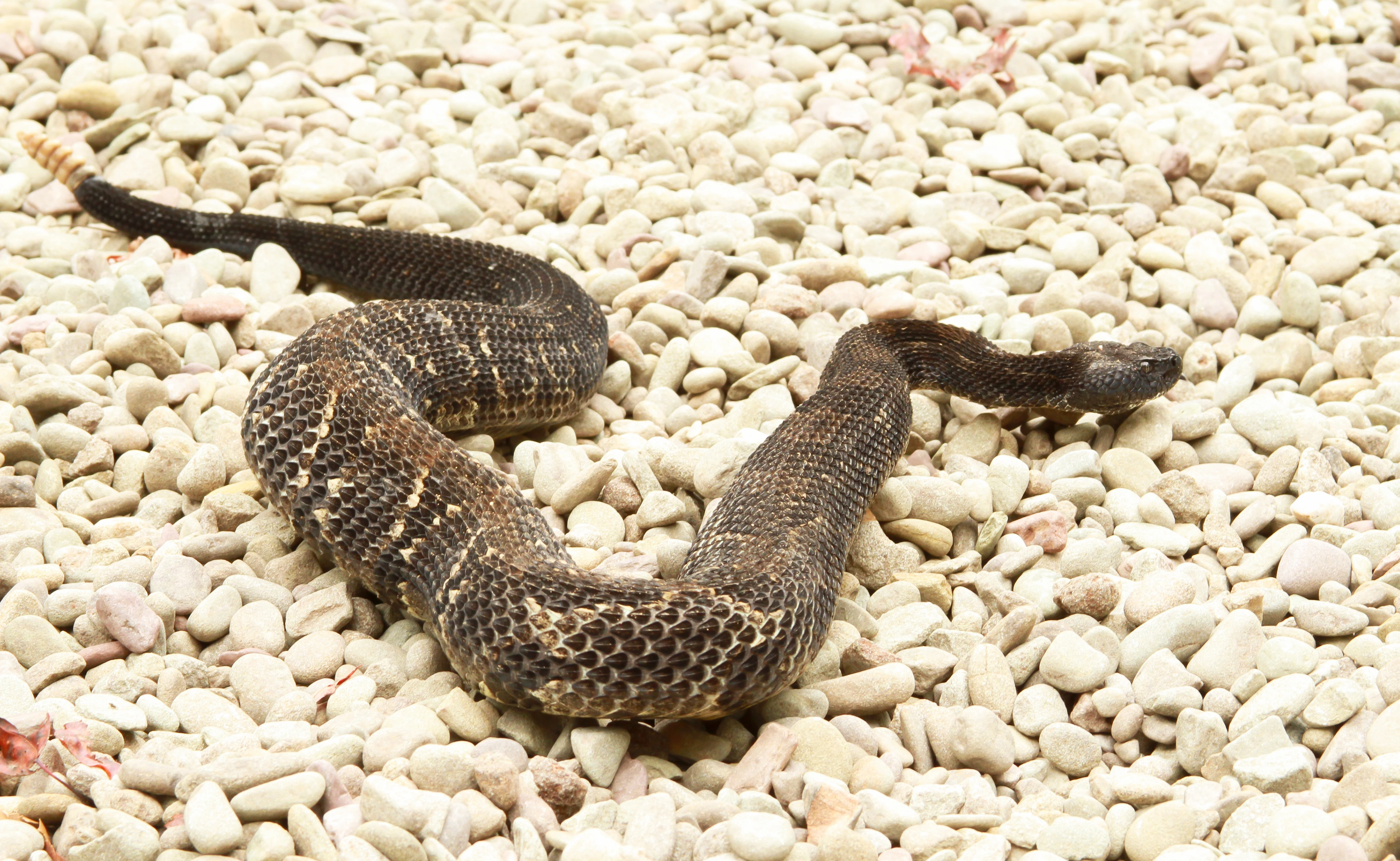
On the snake, the rocks are overexposed and the snake's face is out of focus. Neither of those are "artifacts" as there are exposure and focus issue reasons, but both of those issues would be reason for refusal.
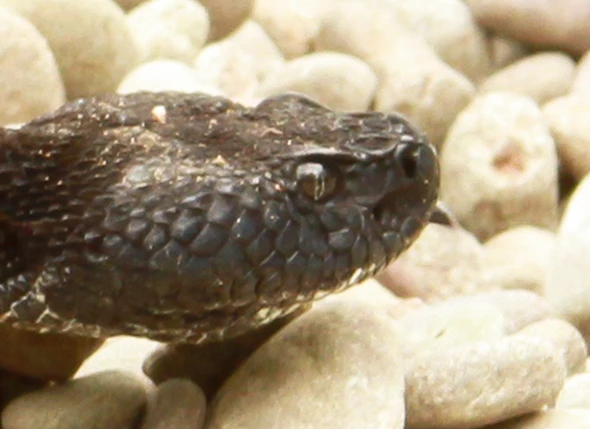
Note how blurry his (her?) face is compared to how sharp the body is.
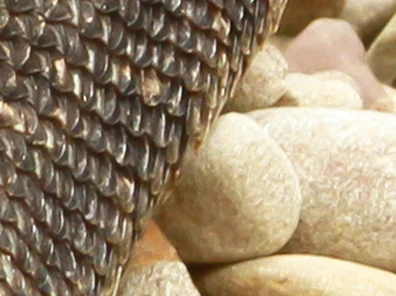
That's a problem. The eye on animals as well as humans should be in focus.

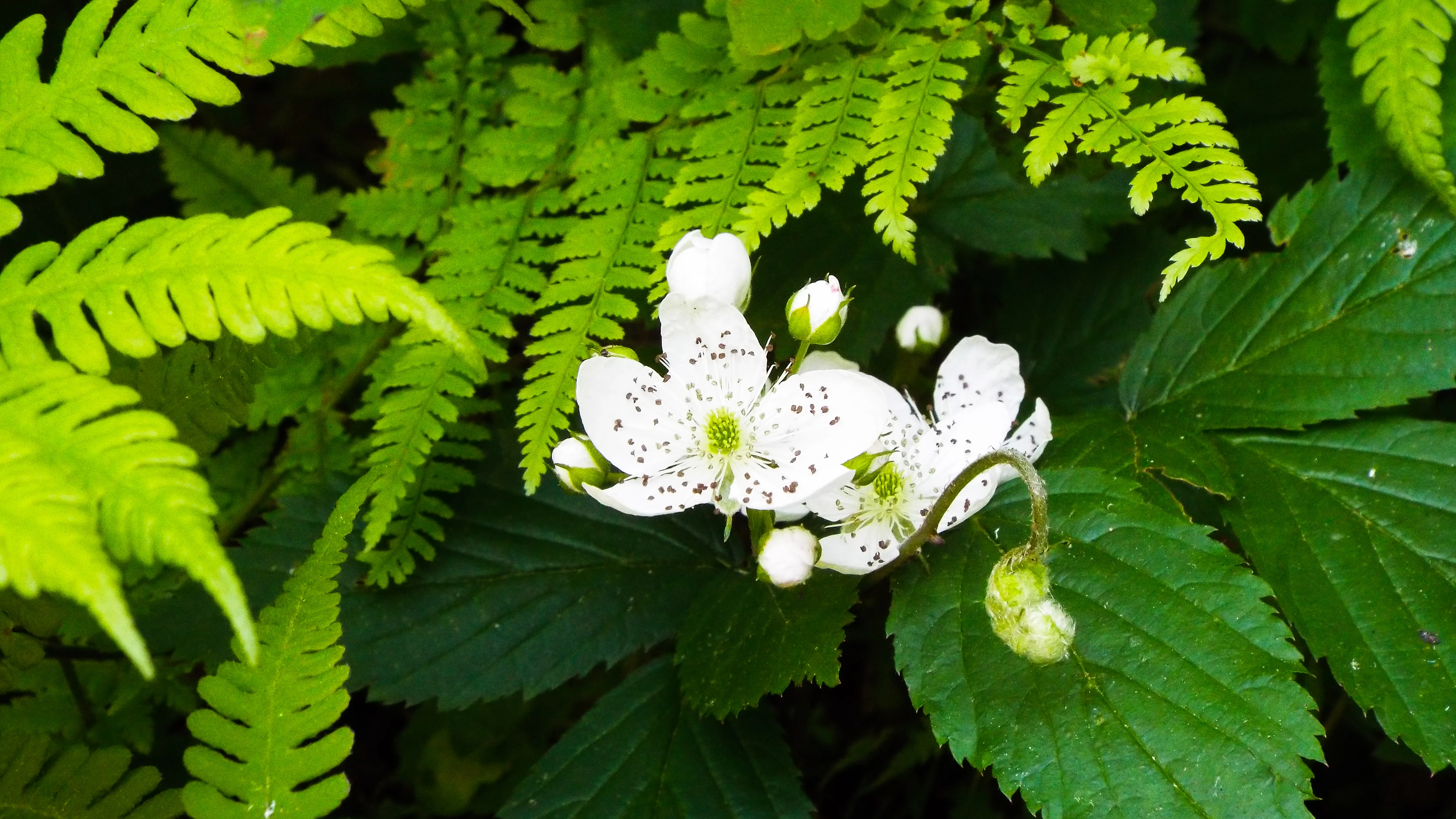
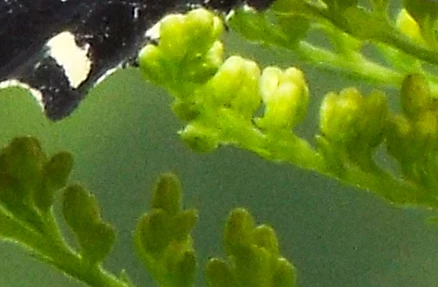
The flower (besides being fairly boring - there are THOUSANDS of similar compositions on Adobe Stock) is overexposed and demonstrates a lot of noise and artifacts:
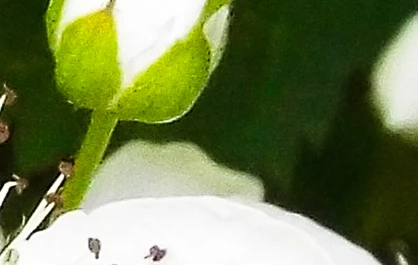
If you want to prevent this sort of issue in the future, make sure you're viewing your images at full resolution. I've not blown any of these photos up. These are just crops taken at 100% zoom.

Does that help?

1 reply

JerHetrick
Participant
September 27, 2017

Or not

Szalam
Community Expert
SzalamCommunity ExpertCorrect answer
Community Expert
September 27, 2017

The one with the crepuscular rays definitely has a number of artifact issues.

For example, in the lower-right, you can see some severe blocking (image slightly enhanced:

The clouds look a bit smeary as if overly aggressive noise removal was used, but yet there's still a lot of noise in the image overall:

And, perhaps most damning, there is a lot of artifacting on the edge between the sky and land:

Also, it looks really blocky down there too, by the way. Those trees look like cubes.

Also, of course, it's very overexposed where the sun is and underexposed down on the ground, but that should be expected and not a reason to reject it. All the other issues, however, are reasonable.

The butterfly is borderline overexposed.

It is also fairly noisy when viewed at 100%. If the butterfly were properly exposed, maybe the noise wouldn't be an issue, but altogether it makes the image seem to be poor quality.

On the snake, the rocks are overexposed and the snake's face is out of focus. Neither of those are "artifacts" as there are exposure and focus issue reasons, but both of those issues would be reason for refusal.

Note how blurry his (her?) face is compared to how sharp the body is.

That's a problem. The eye on animals as well as humans should be in focus.

The flower (besides being fairly boring - there are THOUSANDS of similar compositions on Adobe Stock) is overexposed and demonstrates a lot of noise and artifacts:

If you want to prevent this sort of issue in the future, make sure you're viewing your images at full resolution. I've not blown any of these photos up. These are just crops taken at 100% zoom.

Does that help?

evap1816824
Participant
October 5, 2017

good

Szalam! Tell me more ... how can I do to eliminate artifact problems? Is this something I can control with ISO or depends on several factors? I'm starting to take pictures and I'm lost in it. Vous posting some photos that were denied, I would love for you to analyze! I'm from Brazil.