This topic has been closed for replies.
Correct answer Ricky336

Hello,

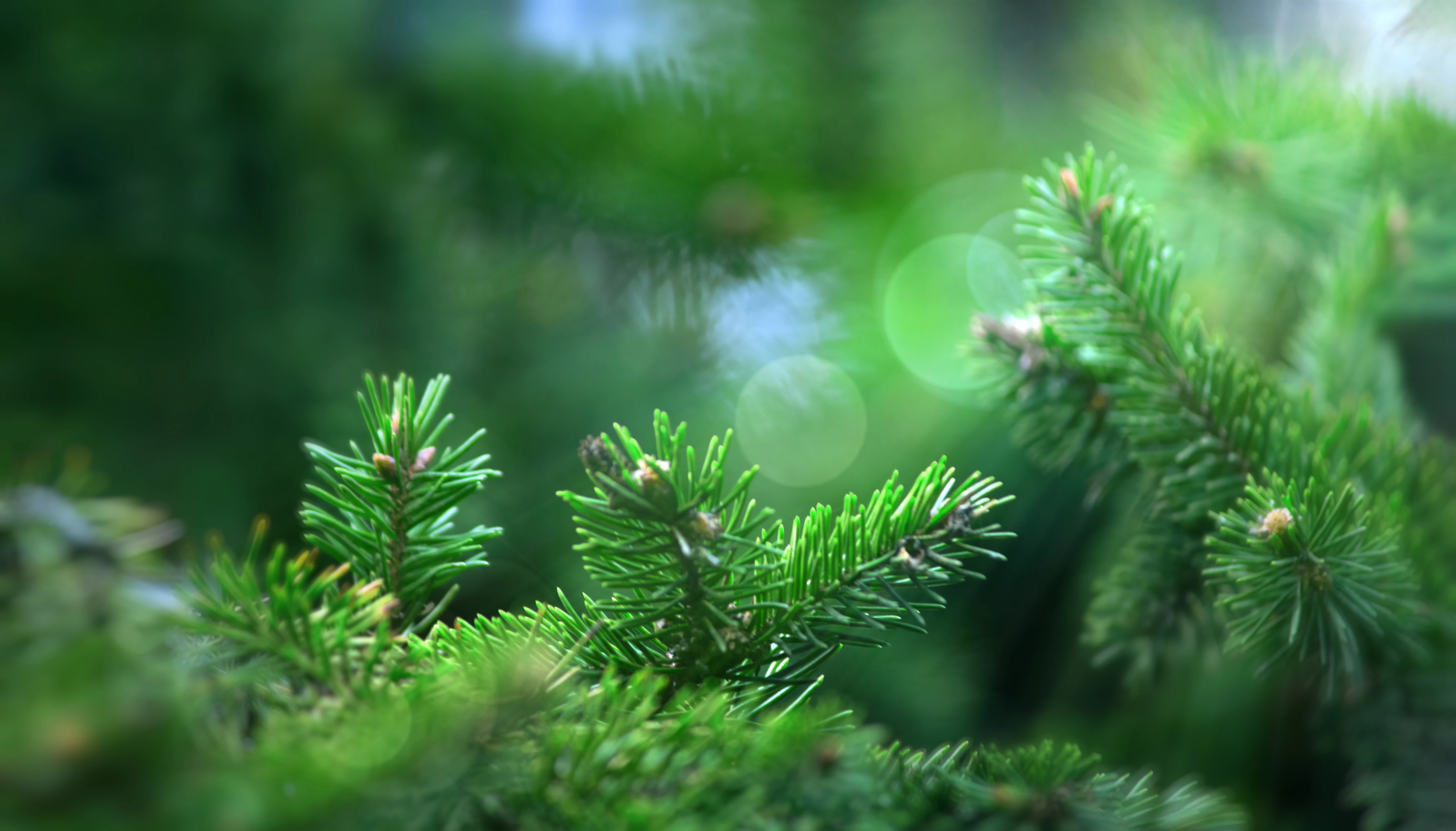
The problem here is, that although you may have intended to have a soft focus, you have ended up having a rather blurred out-of-focus image. The f-stop is too wide, bearing in mind you have a long focal length. The DOF is very shallow. The pine needles need to be sharper. This is a problem! Also, I think the image is a bit too green.

I don't think the highlights are a problem.

3 replies

Abambo
Community Expert
Community Expert
October 17, 2023

Looking at your asset: you need to have something in focus. You need to check sharpness 1:1 on your computer screen.


As a side note: when posting here, give us the refusal reason that Adobe gave you (heading). Here it appears to be obvious: Quality Issues!

ABAMBO | Hard- and Software Engineer | Photographer
Jill_C
Community Expert
Community Expert
October 16, 2023

I assume it was rejected for quality issues. Nothing is in sharp focus.

Jill C., Forum Volunteer
daniellei4510
Community Expert
Community Expert
October 16, 2023

Primarily, the depth of field is too shallow. All the branches in the foreground should be sharp. Also, are the lens flares natural or did you add them with a filter? You should not use filters on your submitted images.

Adobe Community Expert | If you can't fix it, hide it; if you can't hide it, delete it.
Participating Frequently
October 16, 2023

the highlights are original. and for the focus in the description it was indicated that the photo was with soft focus. Thanks for the answer

daniellei4510
Community Expert
Community Expert
October 16, 2023

Never the less, both would most likely be the reasons for rejection, whether done purposely or not.

Adobe Community Expert | If you can't fix it, hide it; if you can't hide it, delete it.