Inspiring
January 7, 2025
Answered

Points of rejetion of my assets

  • January 7, 2025
  • 4 replies
  • 751 views

Dear critiques,


I have had submitted lots of AI images in the last 2-3 days, but 46 AI images were not accepted. I am unable to understand why.

I am pating some of my images for you to check. I am a lbeginner at Adobe Stock. Somebody please help at your earliset. 

Correct answer Nancy OShea

AI is not perfect.  It makes many mistakes, especially with fine details.


To succeed, you need a keen eye for details, artistic talent & good editing skills to fix artwork mistakes.  Sometimes it requires more effort than it's worth.  Discarding bad artwork & starting over might be the best of course of action.


Before you submit, compare your best work with current Stock inventory.  If yours is as good or better than what Stock sells now, your work might get accepted. If it's not, it won't.


Good luck.


4 replies

Abambo
Community Expert
Community Expert
January 10, 2025

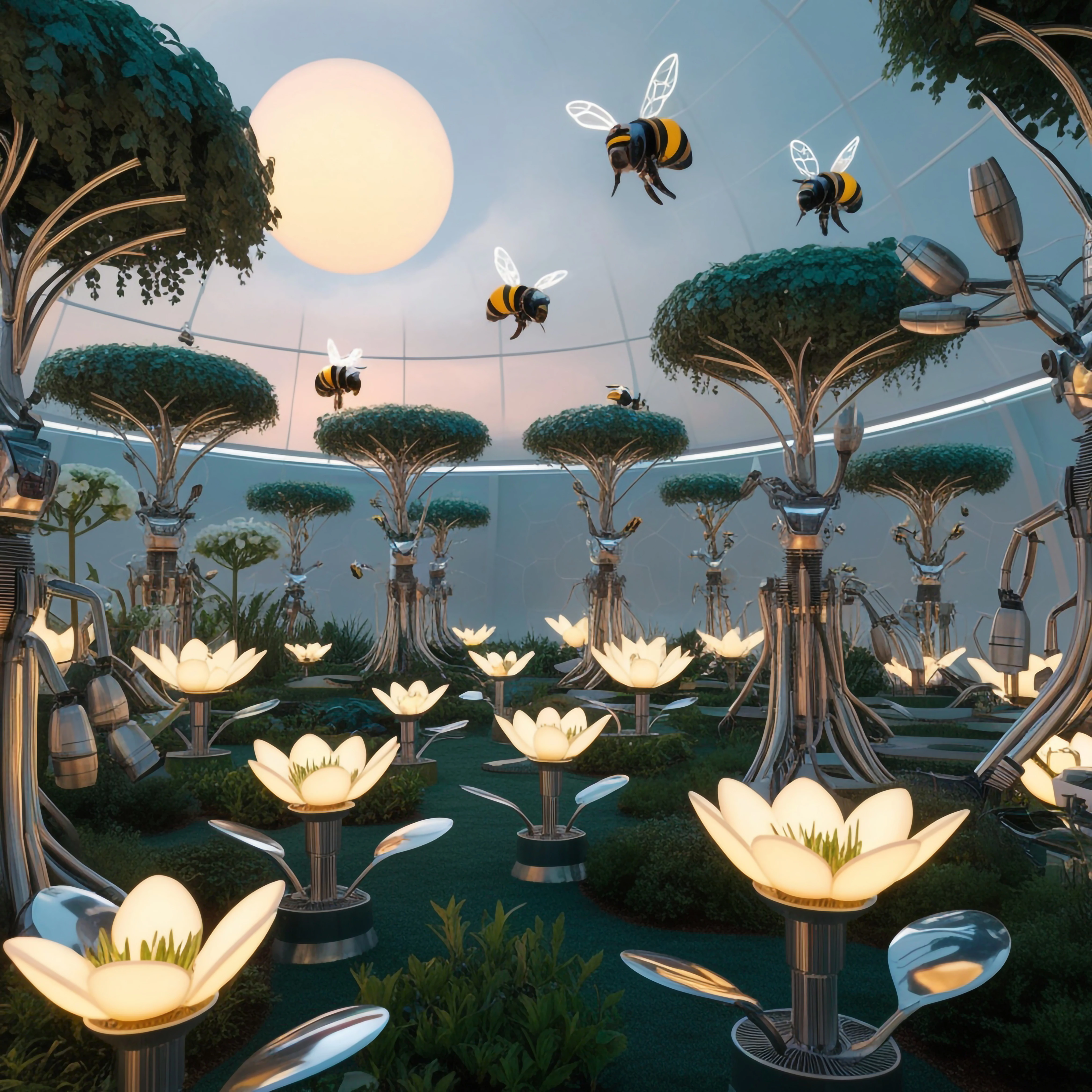
Flower picture: None of your bees is good. But they also have logical issues. Wouldn't the bees check out the flowers instead of the trees?


My approach to such a pictuire would be to have a few good quality bees and put them in Photoshop on the flowers. That would give you much better control about the position and would help to detect errors beforehand. But it's more work to do than just typing a small prompt and scaling up a bad image.

ABAMBO | Hard- and Software Engineer | Photographer
Inspiring
February 2, 2025

Abambo,


You are absolutely right, the bees has had to over flowers not the trees, This is a big mistake. Thanks for your help.

KS
Abambo
Community Expert
Community Expert
February 2, 2025

You're welcome.


But in my eyes, that is more a perception issue. You won't get a quality refusal for that. Your sales may be low with such an image, however.

ABAMBO | Hard- and Software Engineer | Photographer
Abambo
Community Expert
Community Expert
January 10, 2025

Your first error is to submit a lot, before knowing what gets accepted and what not, and why it gets rejected. You should read the users guide prior to submit a lot, and you should check every asset before submission at 100%. Do not submit when you see errors. Correct them. If you can't correct them, do not submit. 

ABAMBO | Hard- and Software Engineer | Photographer
Nancy OShea
Community Expert
Nancy OSheaCommunity ExpertCorrect answer
Community Expert
January 7, 2025

AI is not perfect.  It makes many mistakes, especially with fine details.


To succeed, you need a keen eye for details, artistic talent & good editing skills to fix artwork mistakes.  Sometimes it requires more effort than it's worth.  Discarding bad artwork & starting over might be the best of course of action.


Before you submit, compare your best work with current Stock inventory.  If yours is as good or better than what Stock sells now, your work might get accepted. If it's not, it won't.


Good luck.


Nancy O'Shea— Product User & Community Expert
Inspiring
January 8, 2025

Nancy O'Shea,

 Thanks for your time. My pleasure

KS
daniellei4510
Community Expert
Community Expert
January 7, 2025

More drawing errors than I could count. There's a fine line between an illustration such as this where it's reasonable to be stylistic while at the same time making sure the results are not too randomly drawn.


Adobe Community Expert | If you can't fix it, hide it; if you can't hide it, delete it.
Inspiring
January 8, 2025

Thanks for the reply daniellei4510. Actually, I don't have such type of an eagle eye to look closely. Well, I will try me best in the future. Can I ask you about some more insights into my images if you like to do so. Please reply.

Staf safe and healthy

KS
daniellei4510
Community Expert
Community Expert
January 8, 2025

Since 99% of my portfolio consists of photo realistic assets, I'm no expert on judging illustrations. I can only recommend that you view your assets and 100-200% to look for rendering errors, keeping in mind that it only takes one error to result in a rejection.

Adobe Community Expert | If you can't fix it, hide it; if you can't hide it, delete it.