


Participant
February 7, 2025
Question

Pourquoi mon image IA a été refusée sur Adobe Stock ? Besoin de conseils et d’un guide !

  • February 7, 2025
  • 3 replies
  • 302 views


Bonjour à tous,


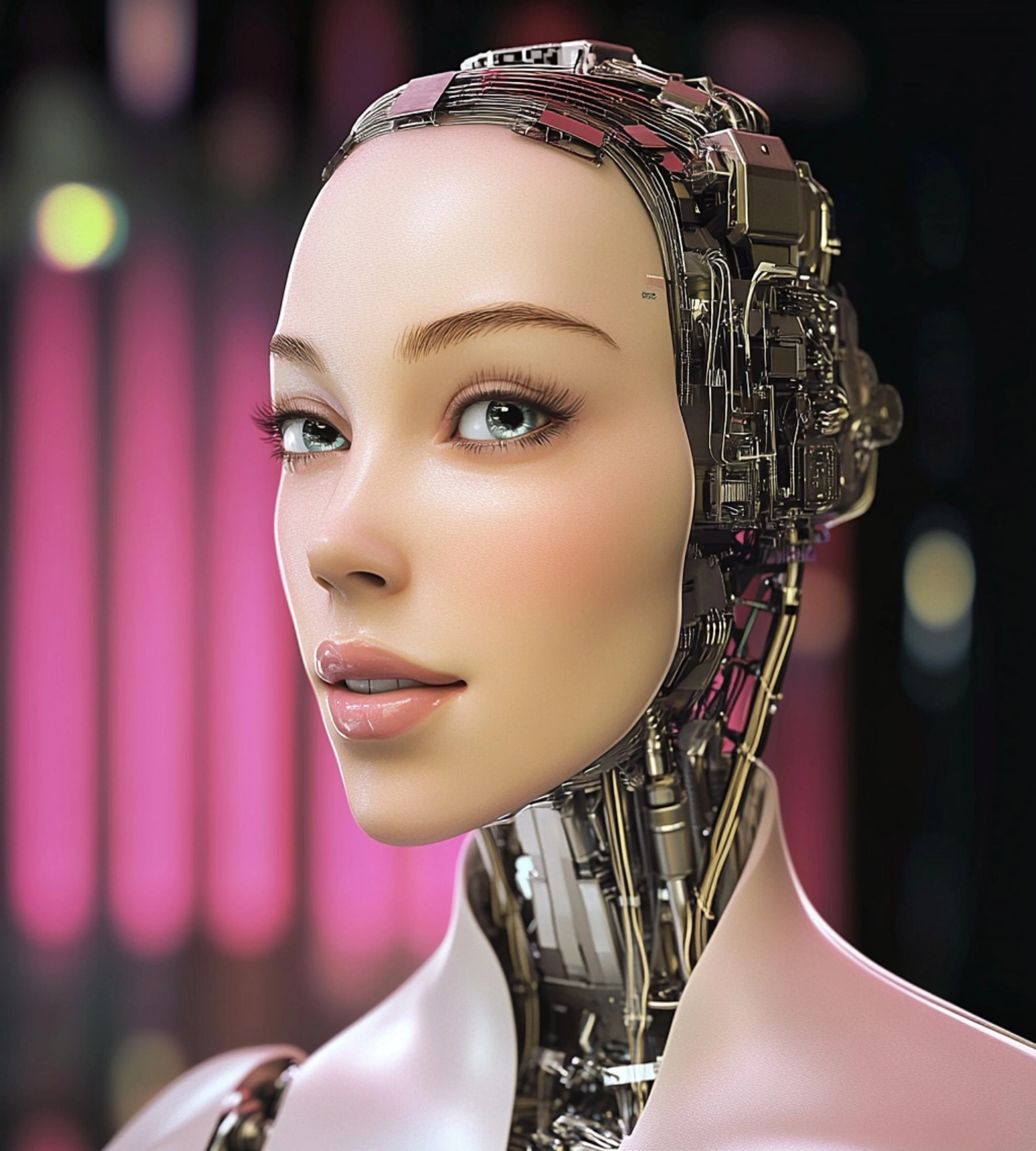
Je débute dans la vente d'images générées par IA sur Adobe Stock, et je viens de recevoir un refus pour cette image (voir ci-dessous). Honnêtement, je pensais que publier sur Adobe serait plus simple, mais je me rends compte que l’édition et le graphisme jouent un rôle important.


Le problème, c'est que je suis complètement novice en graphisme et en retouche photo. Je fais juste quelques ajustements basiques avec Snapseed, mais apparemment, ce n'est pas suffisant.


J’aimerais savoir pourquoi mon image a été rejetée et comment je peux l’améliorer. Mais au-delà de ça, je me rends compte que j’ai besoin d’apprendre les bases du graphisme et de l’édition en général. Est-ce que vous connaissez un guide ou une ressource qui pourrait m’aider à progresser ?


Dois-je utiliser Photopea ou Photoshop ? Ou existe-t-il une application qui pourrait automatiser une partie du travail d’édition ?


Merci d’avance pour vos conseils !
3 replies

Abambo
Community Expert
Community Expert
February 10, 2025
quote


Dois-je utiliser Photopea ou Photoshop ? Ou existe-t-il une application qui pourrait automatiser une partie du travail d’édition ?


By @priscilla_6615

Comme toujours, le succès est le fruit d'un travail dur et persistant. Malheureusement, l'IA laisse penser qu'on n'a pas à investir le temps et l'effort nécessaires pour créer des images correctes. Si cela serait le cas, je serais riche. 

Peu importe le programme que tu utilises. Tu dois juste l'utiliser correctement.

ABAMBO | Hard- and Software Engineer | Photographer
daniellei4510
Community Expert
Community Expert
February 7, 2025

To answer your questions: No, there is no app that makes editing AI easier. The best application to use is Photoshop, which I recommend if only because it's the only graphics app I'm familiar with.


As for what you can do to improve this image, probably nothing. I'm not bad at photo editing, and I wouldn't tackle something with this many issues. I'd delete it and move on to something else.


Meanwhile, I'd suggest you immerse yourself in photoshop editing videos on YouTube and the tutorials within Phoshop itself. But you won't find much if anything about editing AI specifically. 

Adobe Community Expert | If you can't fix it, hide it; if you can't hide it, delete it.
Participant
February 7, 2025

Thank you for your input. I understand that editing AI-generated images can be challenging, and I appreciate your perspective. I will definitely look into more Photoshop tutorials and continue to improve my skills. I also appreciate your honesty about the image, and I'll take your advice into consideration moving forward.


daniellei4510
Community Expert
Community Expert
February 7, 2025

Poorly rendered wiring throughout. I've circled just a few.


Adobe Community Expert | If you can't fix it, hide it; if you can't hide it, delete it.
Participant
February 7, 2025

Thank you very much for your feedback, it's much appreciated. I take your comments about the wiring into account and will pay more attention to it in my future creations.


daniellei4510
Community Expert
Community Expert
February 7, 2025

Happy to help.

Adobe Community Expert | If you can't fix it, hide it; if you can't hide it, delete it.