Participating Frequently
May 19, 2025
Answered

"Quality Issue" rejection; please review

  • May 19, 2025
  • 2 replies
  • 878 views

I'm struggling a bit to understand some quality issue rejections. I'm uploading a variety of photos that I took, without Adobe Stock in mind when I took them, to try and figure out what the reviewers consider "quality issues". Could you please give me some feedback on this image. Thanks.


 

Correct answer Jill_C

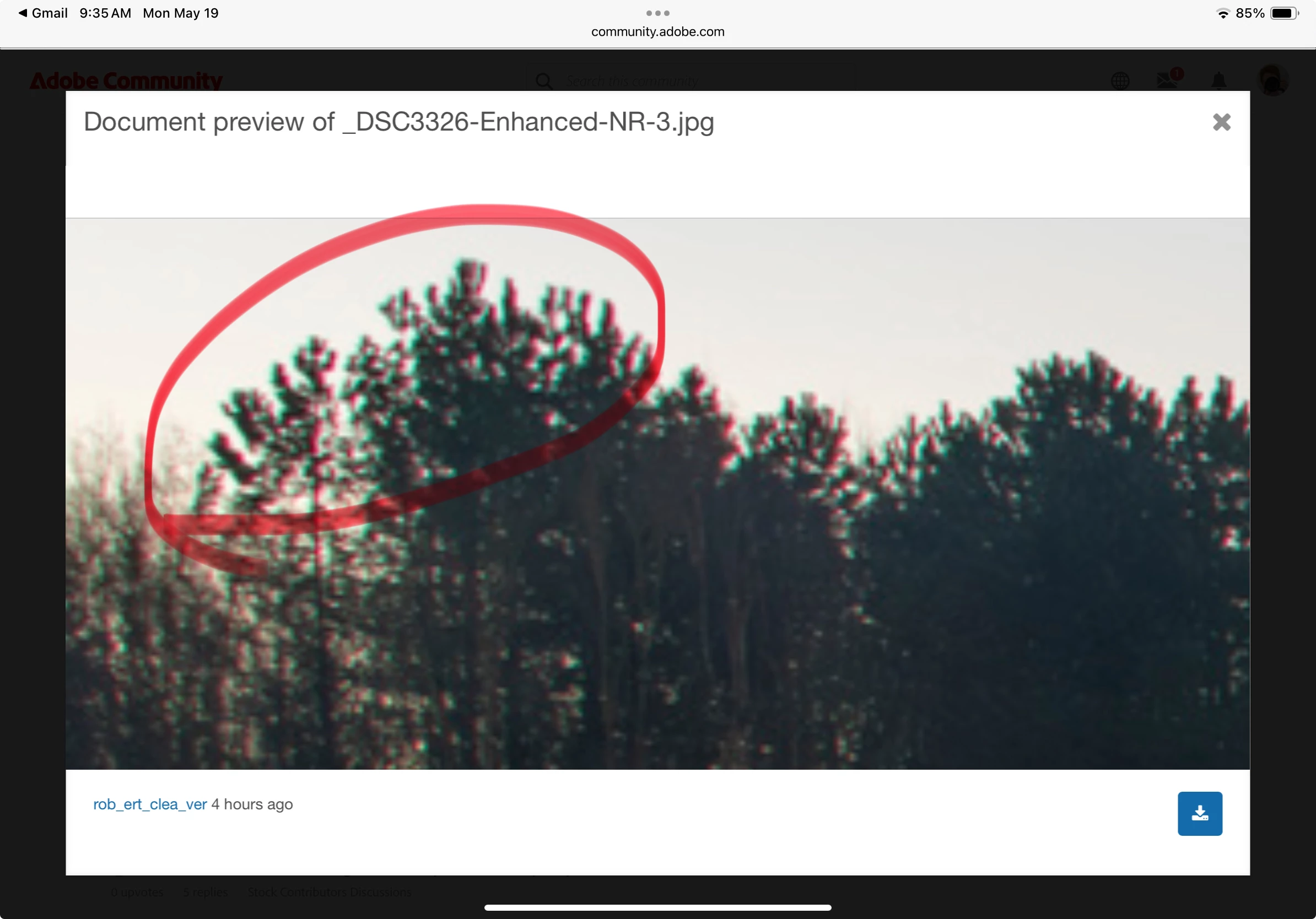
I've revisited the original image and processed it differently. Clipping flag is neutral. Fewer clipped areas in the edge of the reflections, although when you zoom in, these dark areas merge a bit with the gaps in the mist so it doesn't look as bad.

I prefer the lower exposure and deeper blue of the original, so maybe I'm trying to do too much with an image that isn't good enough. I was disappointed that the sunrise wasn't better, and would have rather stayed in bed...


Chromatic Aberration - easy to fix in Lightroom or Camera RAW.

2 replies

Nancy OShea
Community Expert
Community Expert
May 20, 2025
quote

I'm uploading a variety of photos that I took, without Adobe Stock in mind...

By @rob_ert_clea_ver

=======

That's part of the problem.  You didn't know then what you know now. 

The good news is you caught this on a still evening and there are some interesting details to work with.  Crop, frame, adjust & conquer.


Nancy O'Shea— Product User & Community Expert
Participating Frequently
May 20, 2025

Thanks Nancy. I'll maybe revisit this image.

RALPH_L
Community Expert
Community Expert
May 19, 2025

The image is underexposed and there are too many clipped areas in the shadows.
This is indicated in Lightroom by the Clipping Flag in the Histogram and shown by the blue colored overlay.

You need to fill in the black spots so that the clipping flag is neutral.


Participating Frequently
May 19, 2025

Thanks for your comments.