Participating Frequently
June 6, 2025
Answered

Quality issues

  • June 6, 2025
  • 4 replies
  • 349 views

I am facing a lot of quality issues, I can understand in some cases why it is rejecting due to quality issues.
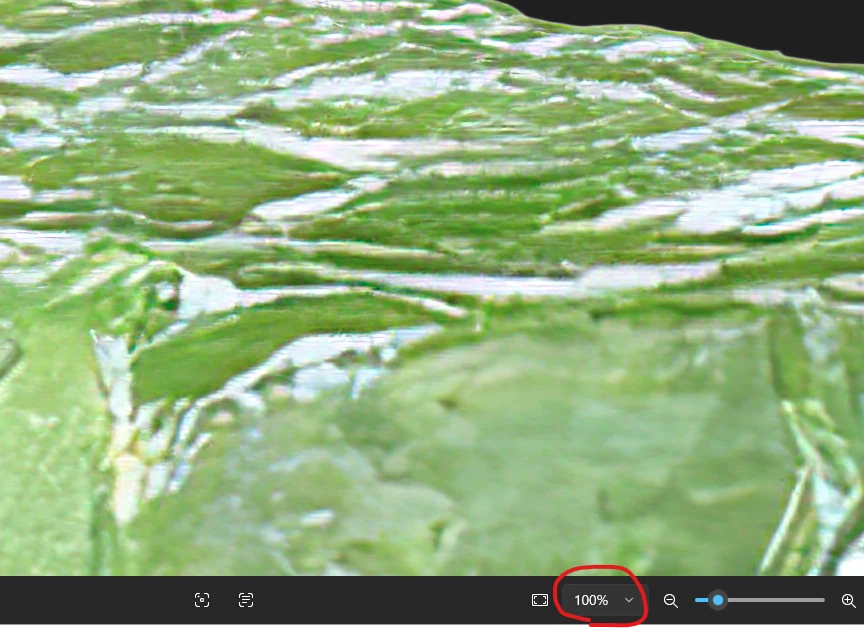
Can someone please tell me where the quality issue is in the image below?

Correct answer yamato713108855

If you enlarge the image to 100%, you can see that it has deteriorated.
There seems to be a problem with the process of enlarging the original image.


4 replies

Jill_C
Community Expert
Community Expert
June 6, 2025

If you search for "aloe Vera slice" in the database and exclude AI, you'll see that this doesn't resemble the real thing.

Jill C., Forum Volunteer
daniellei4510
Community Expert
Community Expert
June 6, 2025

Ah, it's aloe vera. Thought it was a lime. Didn't read the title. 🙂

Adobe Community Expert | If you can't fix it, hide it; if you can't hide it, delete it.
Nancy OShea
Community Expert
Community Expert
June 6, 2025

Aloe Vera is a rugged succulent with thorny spikes. If you're not careful when handling, the outer skin can really bite you. Don't ask how I know...  


Nancy O'Shea— Product User & Community Expert
daniellei4510
Community Expert
Community Expert
June 6, 2025

The image has the skin of a watermelon, not a lime. So even a sharper version might still be rejected.

Adobe Community Expert | If you can't fix it, hide it; if you can't hide it, delete it.
Abambo
Community Expert
Community Expert
June 6, 2025

Your asset is not sharp at 100%, has noise issues and exposure issues (blacks are missing on the histogram). Your cutout is clean, I would say that's OK.

ABAMBO | Hard- and Software Engineer | Photographer

yamato713108855
Community Expert
yamato713108855Community ExpertCorrect answer
Community Expert
June 6, 2025

If you enlarge the image to 100%, you can see that it has deteriorated.
There seems to be a problem with the process of enlarging the original image.