Participant
November 8, 2025
Answered

quality issues

  • November 8, 2025
  • 2 replies
  • 196 views

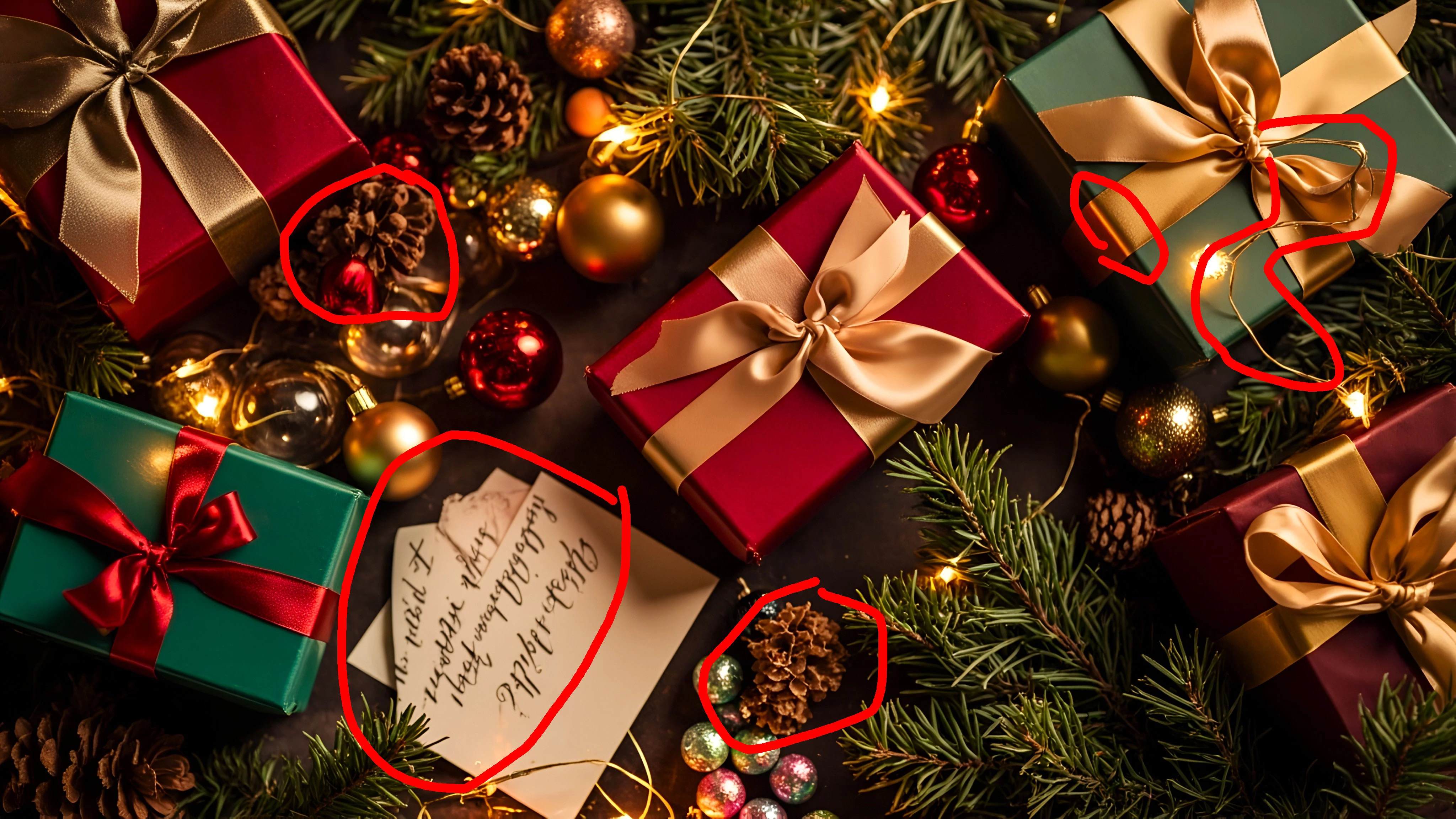
I’d like to know why these two photos were rejected for “quality issues.” Could anyone please give me some feedback or advice? Thanks!

Correct answer daniellei4510

Meaningless text on the cards, some misshapen pine cones, a weird wire on top of the present, ribbon changes colors at the corner. Always check your assets at 100-200% to look for such errors. There are also some distracting lights on the presents that I didn't mark. And some random wires that the AI just decided to throw in for no particular reason.


2 replies

Participant
November 8, 2025

Ah, I see! Thank you so much for your explanation. Sorry, but may I ask what these three issues are? They’re also marked as quality issues.


daniellei4510
Community Expert
Community Expert
November 8, 2025

This is a lesson you should have learned from my last response. Indecipherable text. 🙂


Adobe Community Expert | If you can't fix it, hide it; if you can't hide it, delete it.
Participant
November 9, 2025

owh~i see,thank you so much for your explanation!!

daniellei4510
Community Expert
daniellei4510Community ExpertCorrect answer
Community Expert
November 8, 2025

Meaningless text on the cards, some misshapen pine cones, a weird wire on top of the present, ribbon changes colors at the corner. Always check your assets at 100-200% to look for such errors. There are also some distracting lights on the presents that I didn't mark. And some random wires that the AI just decided to throw in for no particular reason.


Adobe Community Expert | If you can't fix it, hide it; if you can't hide it, delete it.