Participant
May 15, 2024
Answered

Quality Issues

  • May 15, 2024
  • 3 replies
  • 1068 views

Hello all, I need your help. Adobe company reject my ai image for the reason of quality issues. I just want to know what the problem of those image. Please help me to find the image problem. 

This topic has been closed for replies.
Correct answer daniellei4510

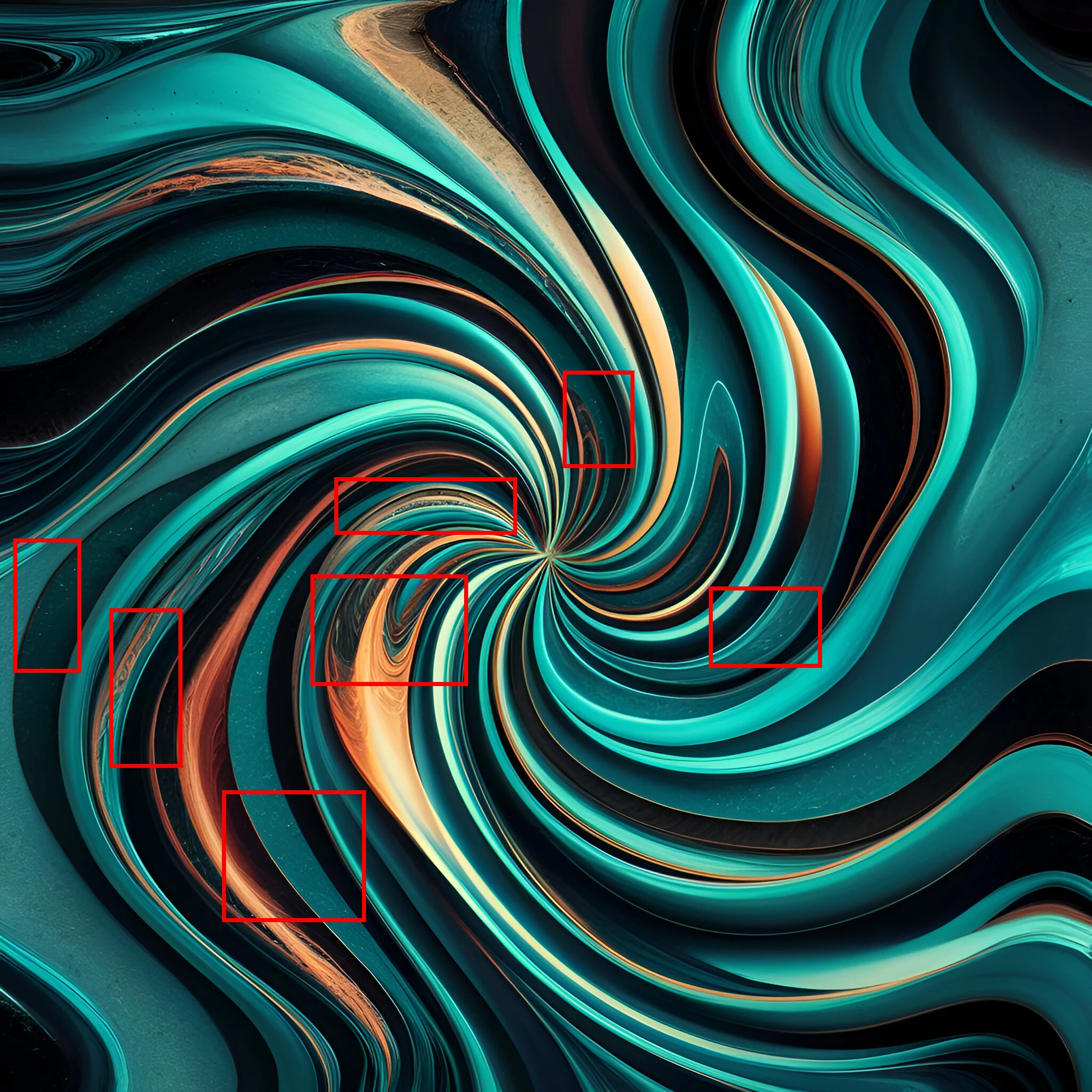
Numerous rendering errors throughout in this example and probably the others as well, when viewed at 100%. Also, ditch the 1:1 aspect ratio. From a buyer's point of view, I would want some room to crop or add text as needed. There is really no use for square designs. If you want to submit similar images for use as backgrounds for desktops or phones or whatever, a 9:16 or 16:9 ar is more suitable.
 

3 replies

Nancy OShea
Community Expert
Community Expert
May 17, 2024

Speaking as a Stock customer, I can use a Twirl filter too.  Why would I pay for what can easily be achieved in Photoshop? 


Even if it's accepted, abstract backgrounds are a low % sale. Stock customers want high quality artwork that represents relatable people, places and objects for use in commercial projects.


Nancy O'Shea— Product User & Community Expert
Abambo
Community Expert
Community Expert
May 20, 2024
quote

Even if it's accepted, abstract backgrounds are a low % sale. Stock customers want high quality artwork that represents relatable people, places and objects for use in commercial projects.


By @Nancy OShea


For something that doesn't sell, Adobe invests even a button?


ABAMBO | Hard- and Software Engineer | Photographer
Nancy OShea
Community Expert
Community Expert
May 20, 2024

Do you use Adobe Express? 

Free wallpapers -- https://www.adobe.com/express/create/wallpaper


Nancy O'Shea— Product User & Community Expert
Jill_C
Community Expert
Community Expert
May 15, 2024

Zoom in to at least 100% and inspect every area of each image before submitting. There are many drawing errors and inconsistencies such as these: 

Jill C., Forum Volunteer
Participant
May 15, 2024

Thanks

daniellei4510
Community Expert
daniellei4510Community ExpertCorrect answer
Community Expert
May 15, 2024

Numerous rendering errors throughout in this example and probably the others as well, when viewed at 100%. Also, ditch the 1:1 aspect ratio. From a buyer's point of view, I would want some room to crop or add text as needed. There is really no use for square designs. If you want to submit similar images for use as backgrounds for desktops or phones or whatever, a 9:16 or 16:9 ar is more suitable.


Adobe Community Expert | If you can't fix it, hide it; if you can't hide it, delete it.



