
Participant
September 5, 2025
Question

Quality issues images upload canon
  • September 5, 2025
  • 6 replies
  • 501 views

Hi,
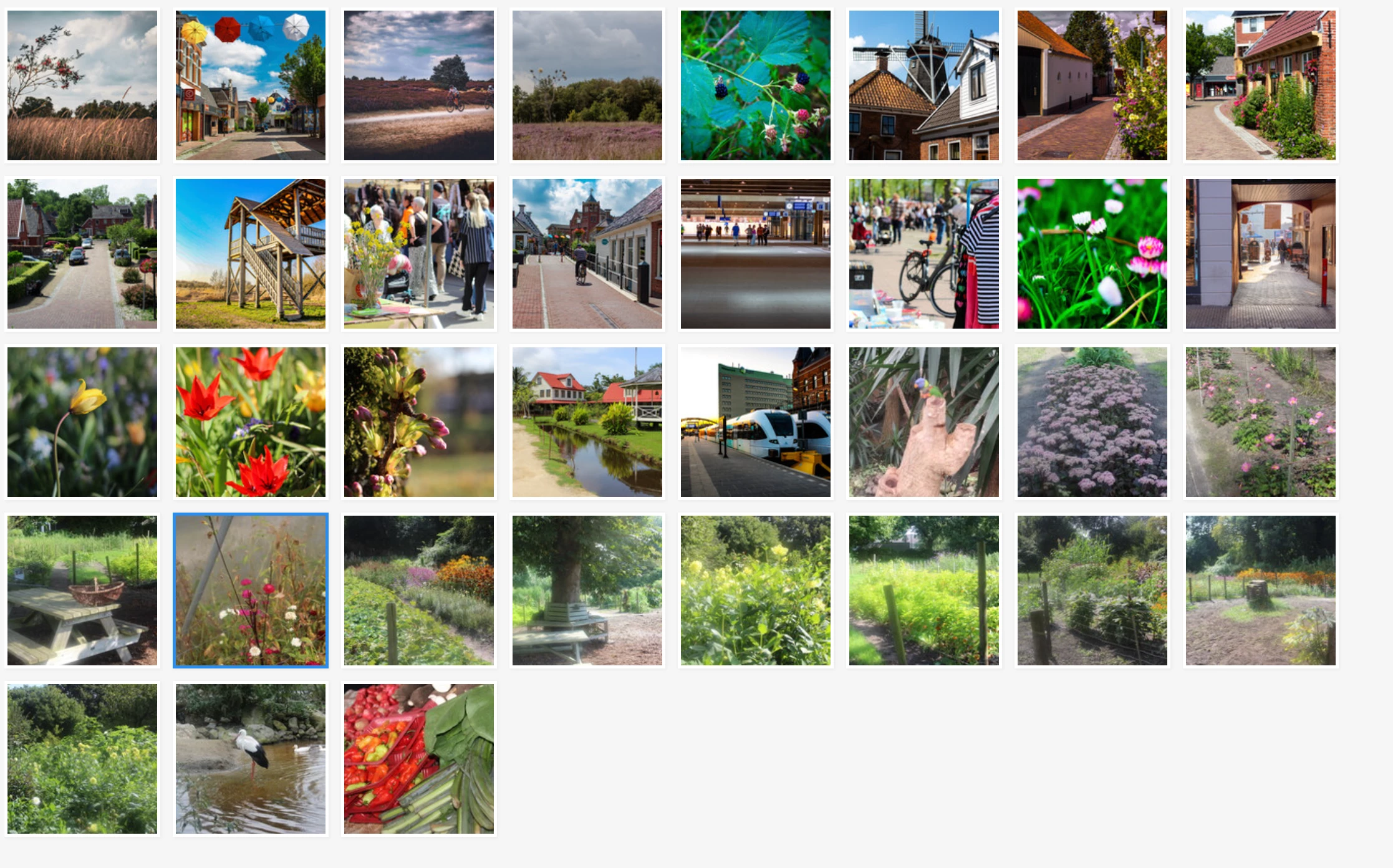
I recently uploaded these photos – raw material from my Canon camera, with very little editing. However, I'm getting a notification about quality issues.
Does anyone have any tips?

6 replies

Ricky336
Community Expert
Community Expert
September 6, 2025

Hello,

Your depth of field is too shallow, especially at f /1.8. You didn't manage to get the focus spot on as well.

Did you use the kit lens that came with the camera? Often, these kit lenses aren't that sharp.


DiginiekAuthor
Participant
September 6, 2025


The photo is just the way I like it. Everyone has their own taste. Thanks for the tip, but I don’t need a kit lens.

Nancy OShea
Community Expert
Community Expert
September 6, 2025
quote

The photo is just the way I like it. Everyone has their own taste. 

By @Diginiek

=========

Then keep it for personal use. Don't submit blurry photos to Stock. They won't accept them. 

Stock customers expect commercial quality artwork for use in professional projects— print, digital and textile.


A kit lens that came with our camera is usually lesser quality than separately purchased lenses, which cost quite a bit more.  


Good luck.


Nancy O'Shea— Product User & Community Expert
DiginiekAuthor
Participant
September 6, 2025

The reason for the rejection was purely technical. The photo was taken with a 50mm lens (bokeh), which was a deliberate choice.

daniellei4510
Community Expert
Community Expert
September 6, 2025

Adobe moderators don't take personal choices into consideration. If it doesn't meet Adobe's standards, rather due to quality, technical or other issues, assets will be rejected. 

Adobe Community Expert | If you can't fix it, hide it; if you can't hide it, delete it.
DiginiekAuthor
Participant
September 6, 2025

Attached is a raw photo with no editing (except for Lightroom).
As for the number of flower photos on Adobe Stock, I believe this is not a criterion.
The rejection notice refers to a quality issue.

daniellei4510
Community Expert
Community Expert
September 6, 2025

The image is slightly out of focus. And yes, the number of images on Adobe Stock is a criterion. If you are new to Adobe Stock, you apparently haven't seen the rejection reason for Similar Content already in the database, which has been a growing issue. And when there are millions upon millions of the same subject on Adobe Stock, such assets get buried in the search results, which can include up to 10,000 (or 100 pages) of examples. Few contributors have the time to peruse 10,000 assets looking for the one they need.

Adobe Community Expert | If you can't fix it, hide it; if you can't hide it, delete it.
Abambo
Community Expert
Community Expert
September 5, 2025

I would say, that you need to edit them. 


As @daniellei4510 said, post a couple (2) of them as submitted, and we will have a look at it.

ABAMBO | Hard- and Software Engineer | Photographer
Nancy OShea
Community Expert
Community Expert
September 5, 2025

Keep in mind that Stock already contains millions & millions of plants, trees, flowers, leaves and other vegetation.


Before you submit, always compare your best images against Stock's current inventory to ensure that 1) Stock needs it and 2) it's better than what Stock is selling now.

https://stock.adobe.com/search/images?k=flowers  69 MILLION results


Also read your Contributor User Guide for more tips. Adobe Stock customers expect the highest visual and technical quality for use in commercial projects.

Hope that helps.


Nancy O'Shea— Product User & Community Expert
daniellei4510
Community Expert
Community Expert
September 5, 2025

We need to see a couple full-sized images. We have no way to access your rejected assets. You can post them here at the size submitted.

Adobe Community Expert | If you can't fix it, hide it; if you can't hide it, delete it.