Known Participant
Jan 13, 2025 12:40 PM UTC
Answered

Quality issues on my AI generated illustrations

Hello,

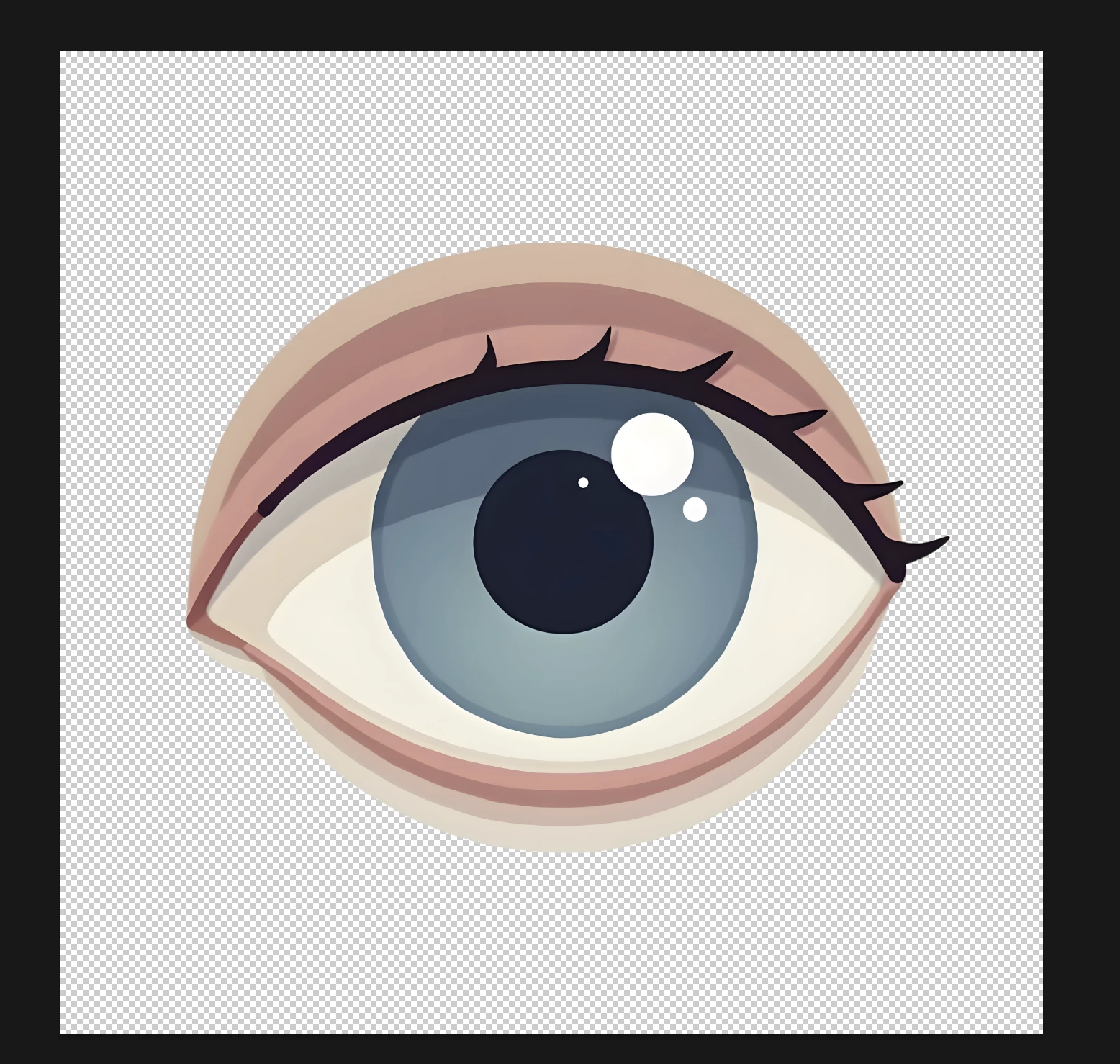
I mainly use generative AI, but recently I've been receiving many rejections for my photos.

So this time, I uploaded some simple illustrations instead. However, even the illustrations that seem simple to me were all rejected due to quality issues.

I would appreciate your advice on what might be the problem.
Abambo
AbamboCorrect answer
Community Expert
Jan 13, 2025 5:20 PM UTC

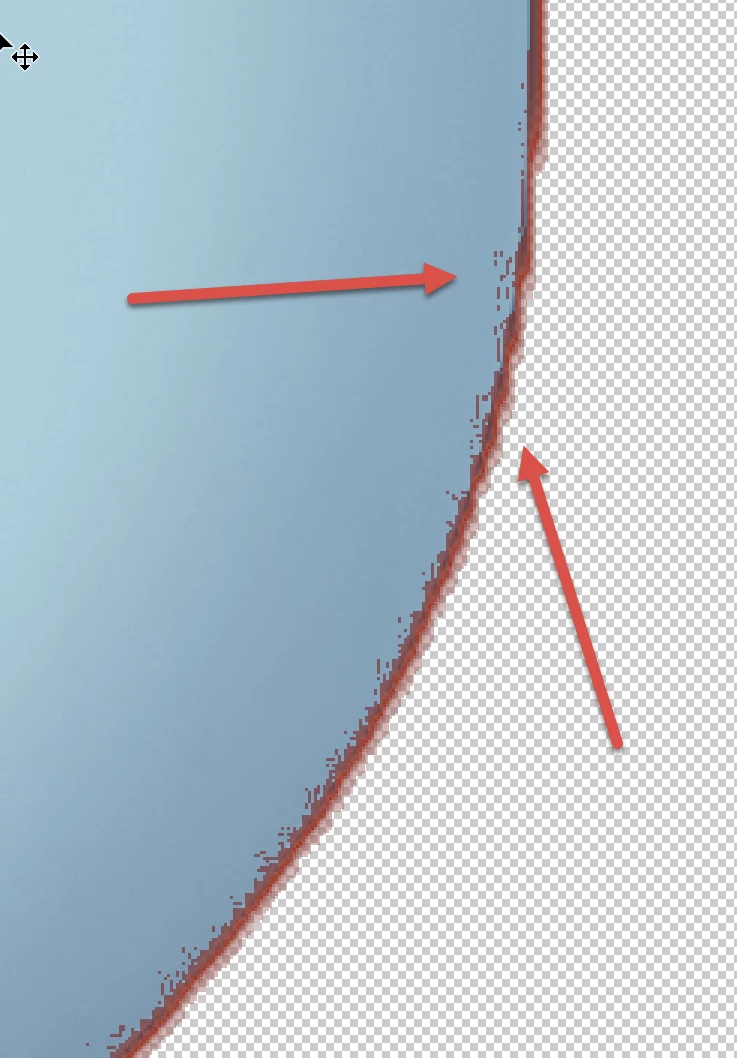
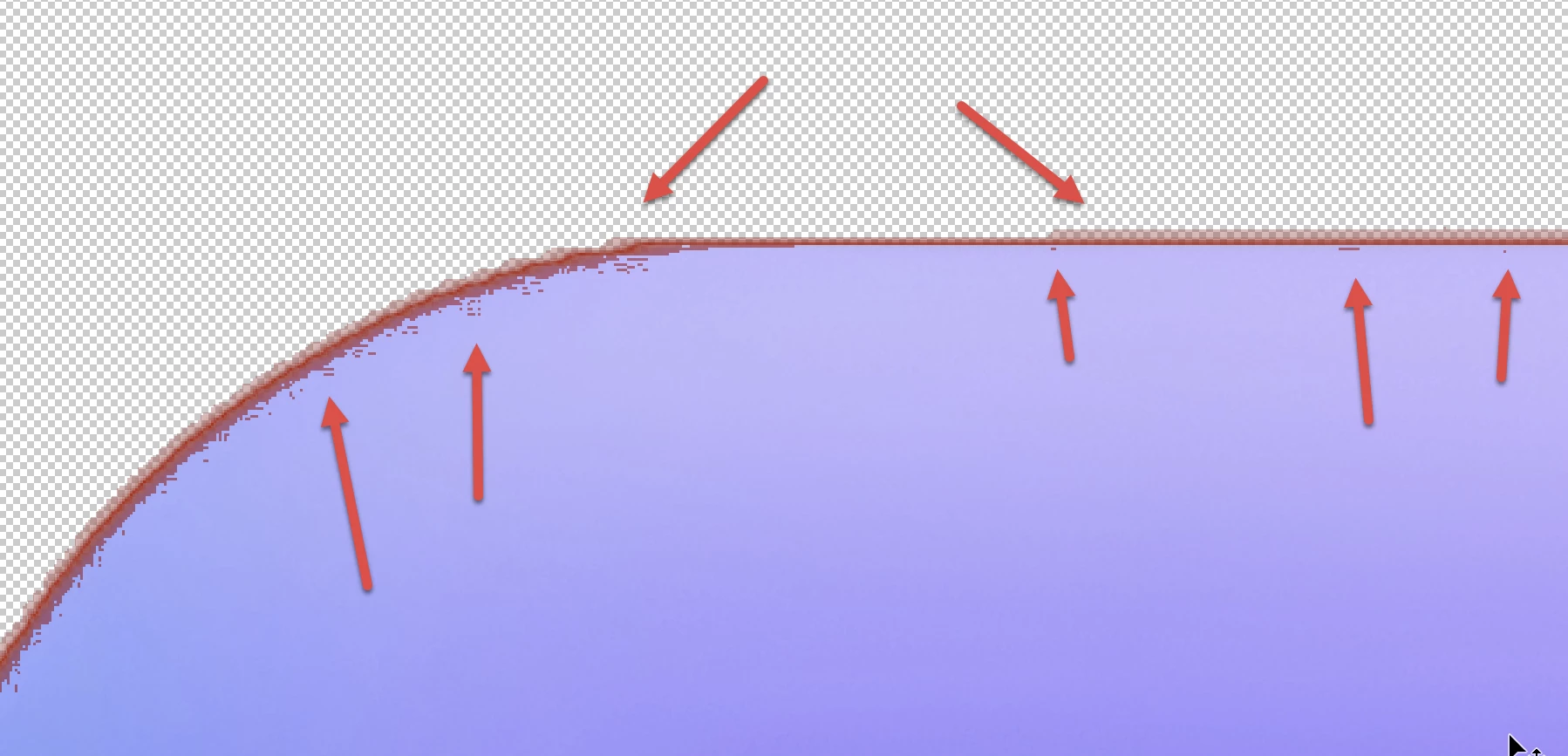
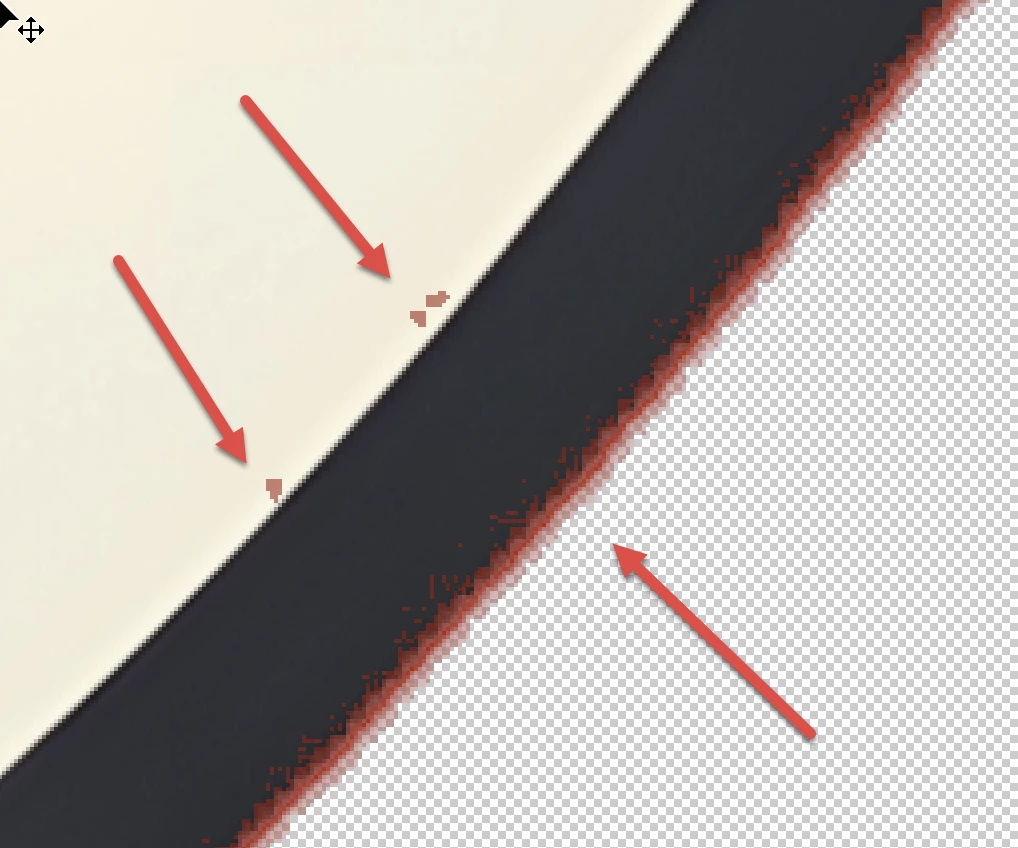
First Checkmark: your transparency mask is not good enough:

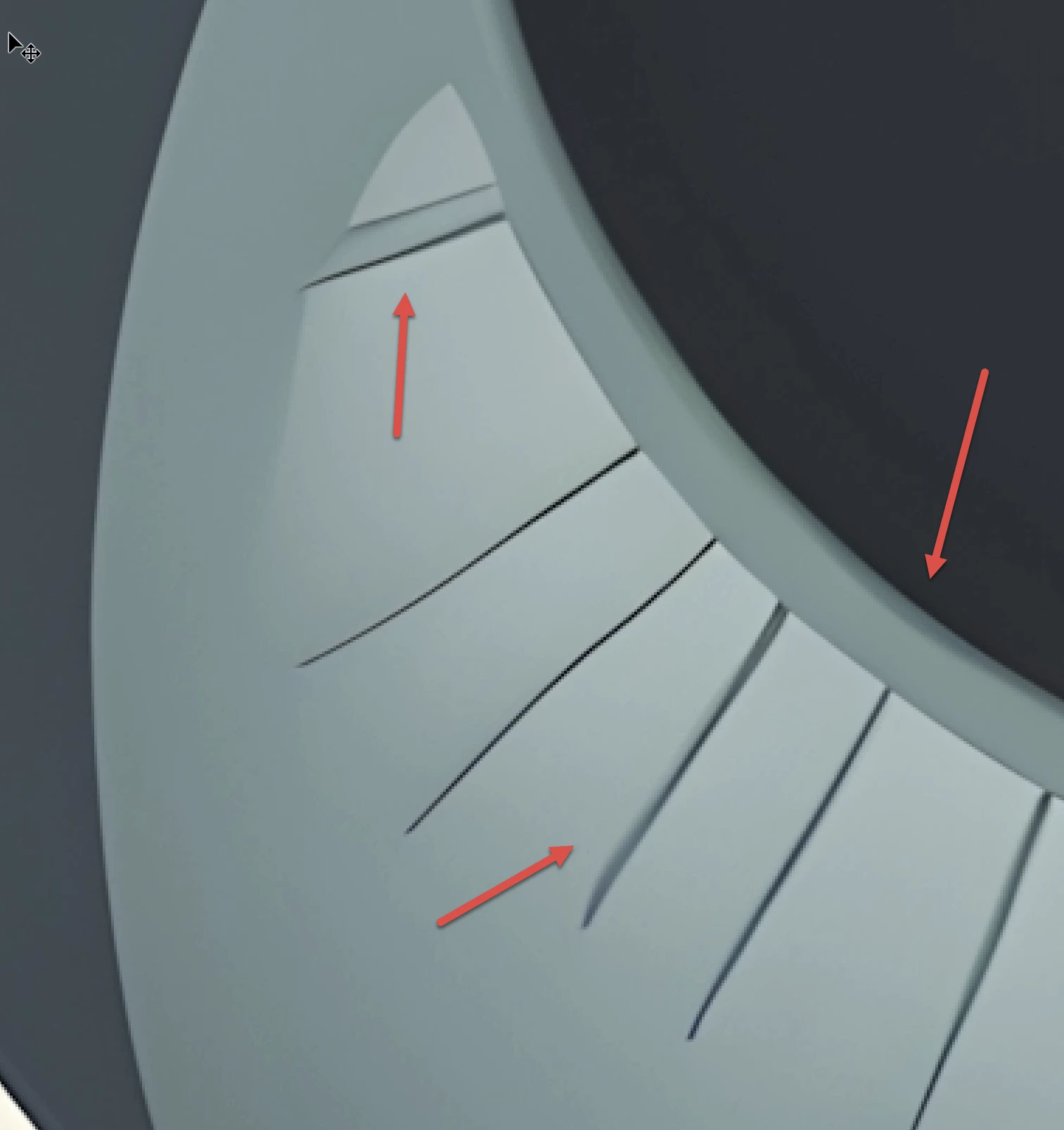
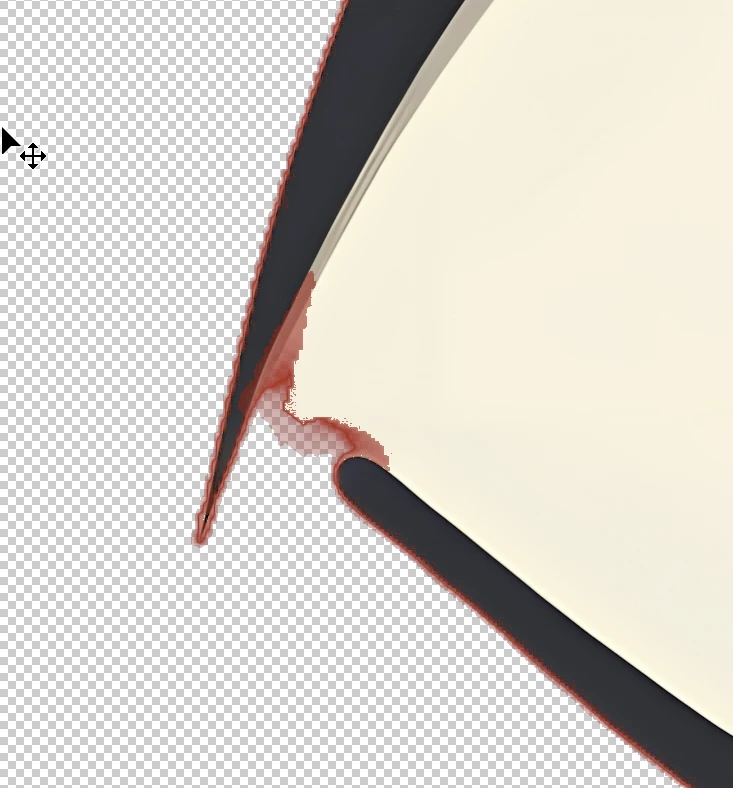
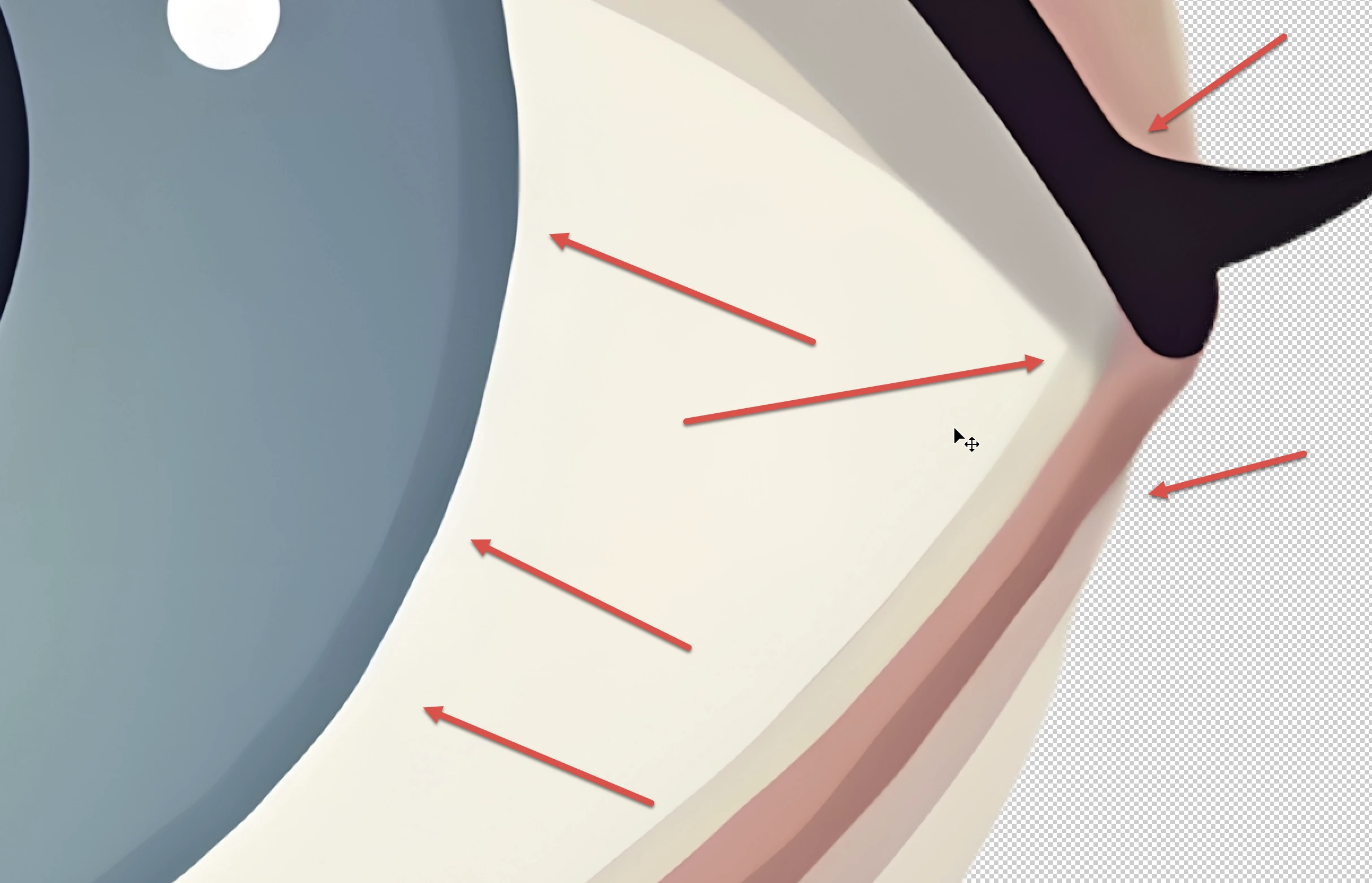
In addition, there are rendering errors:


Your asset also exposes lines, where no lines should be:


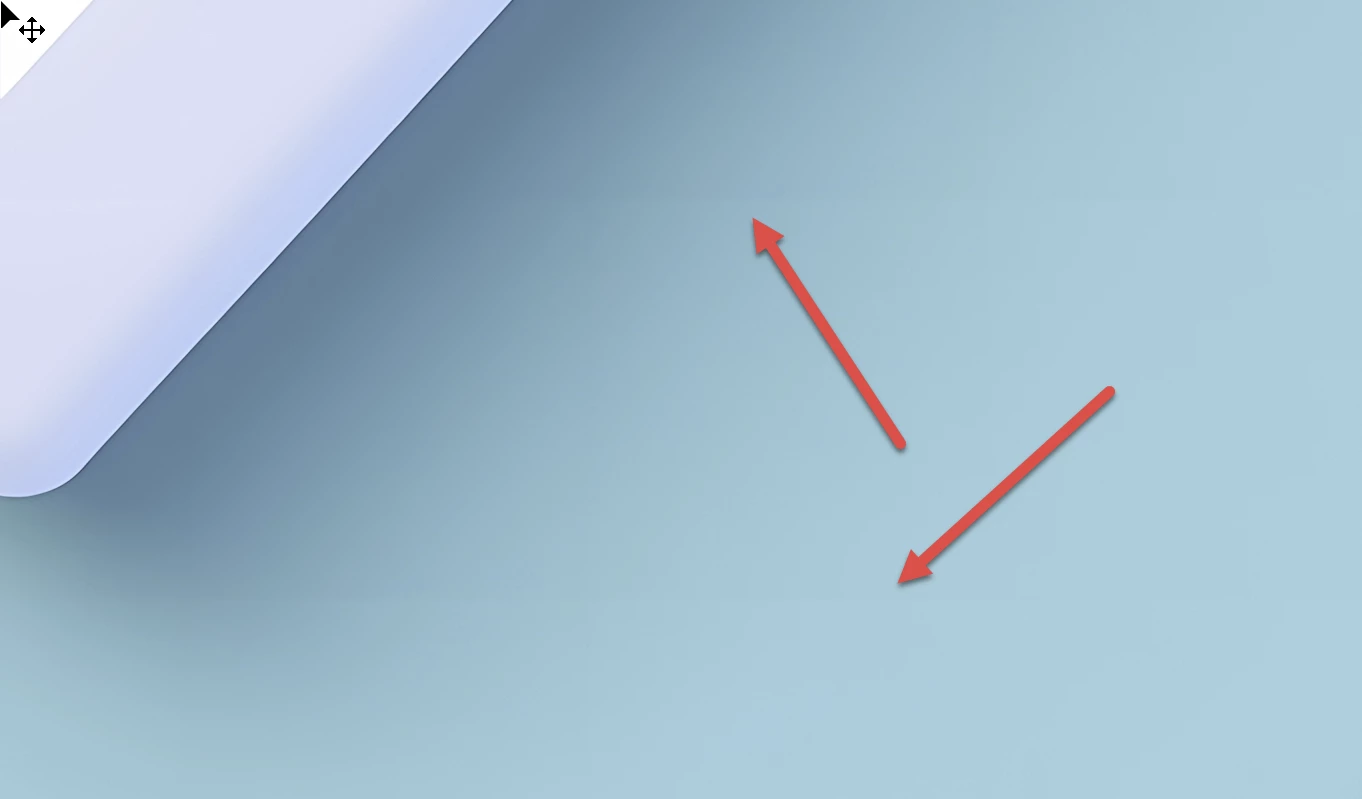
Second: the shadow is odd:

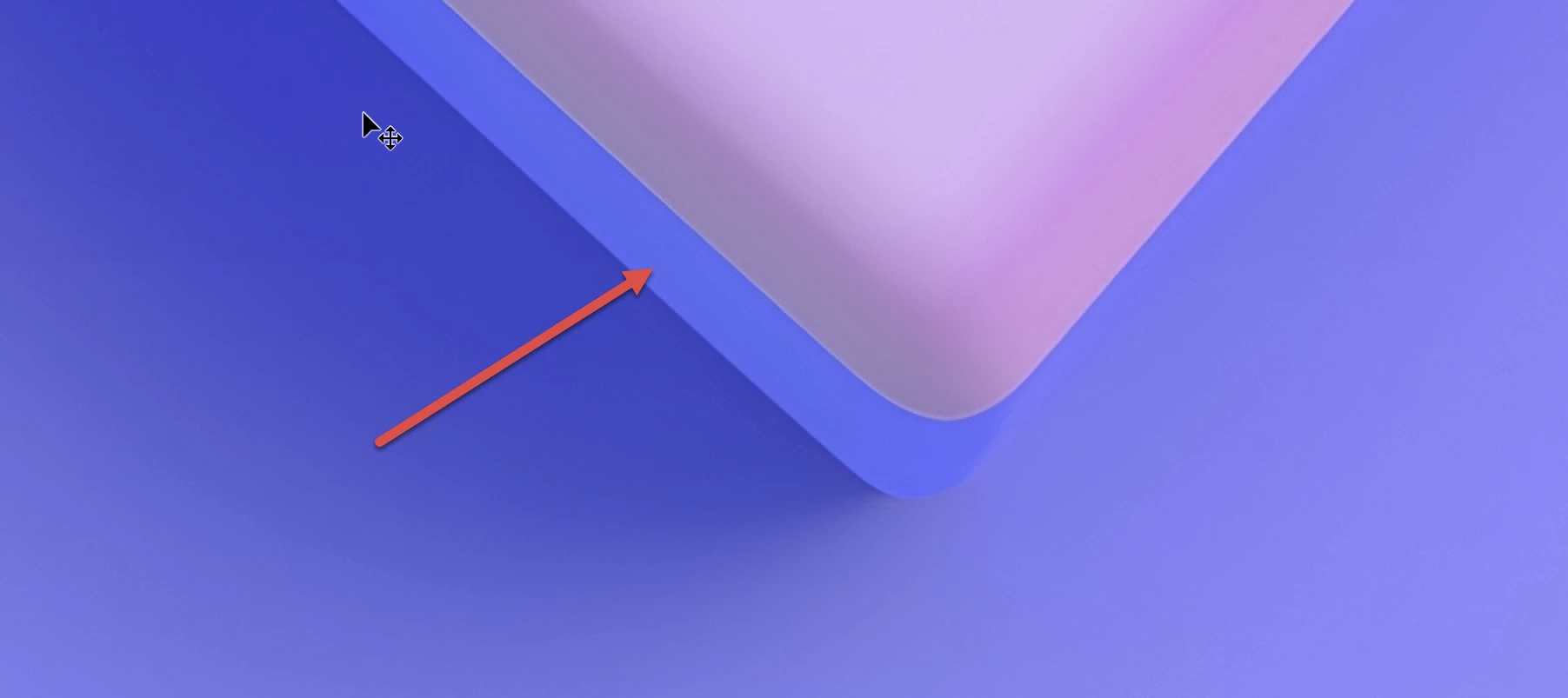
The mask is erroneous too:

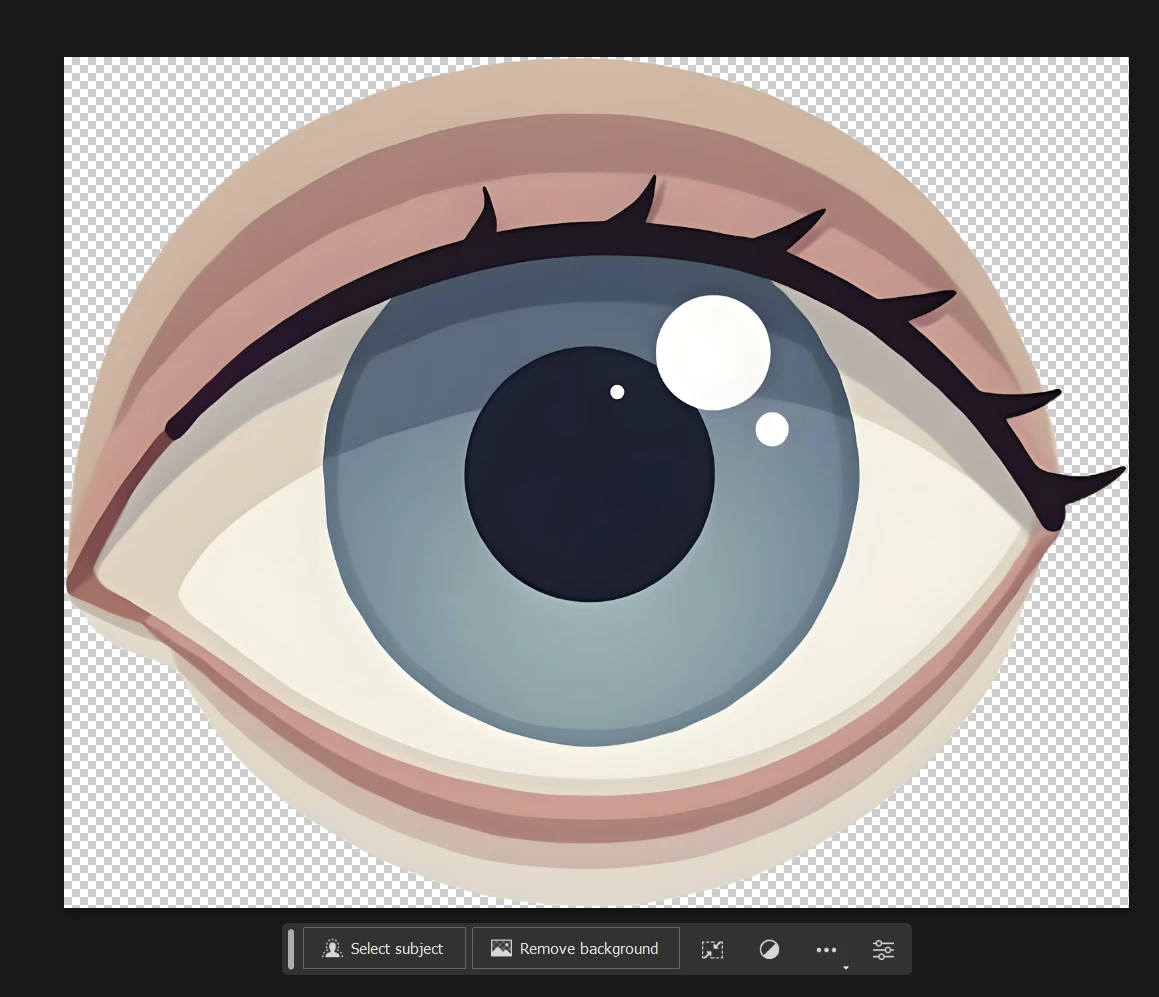
Blue eye, the first:

Bad masking:

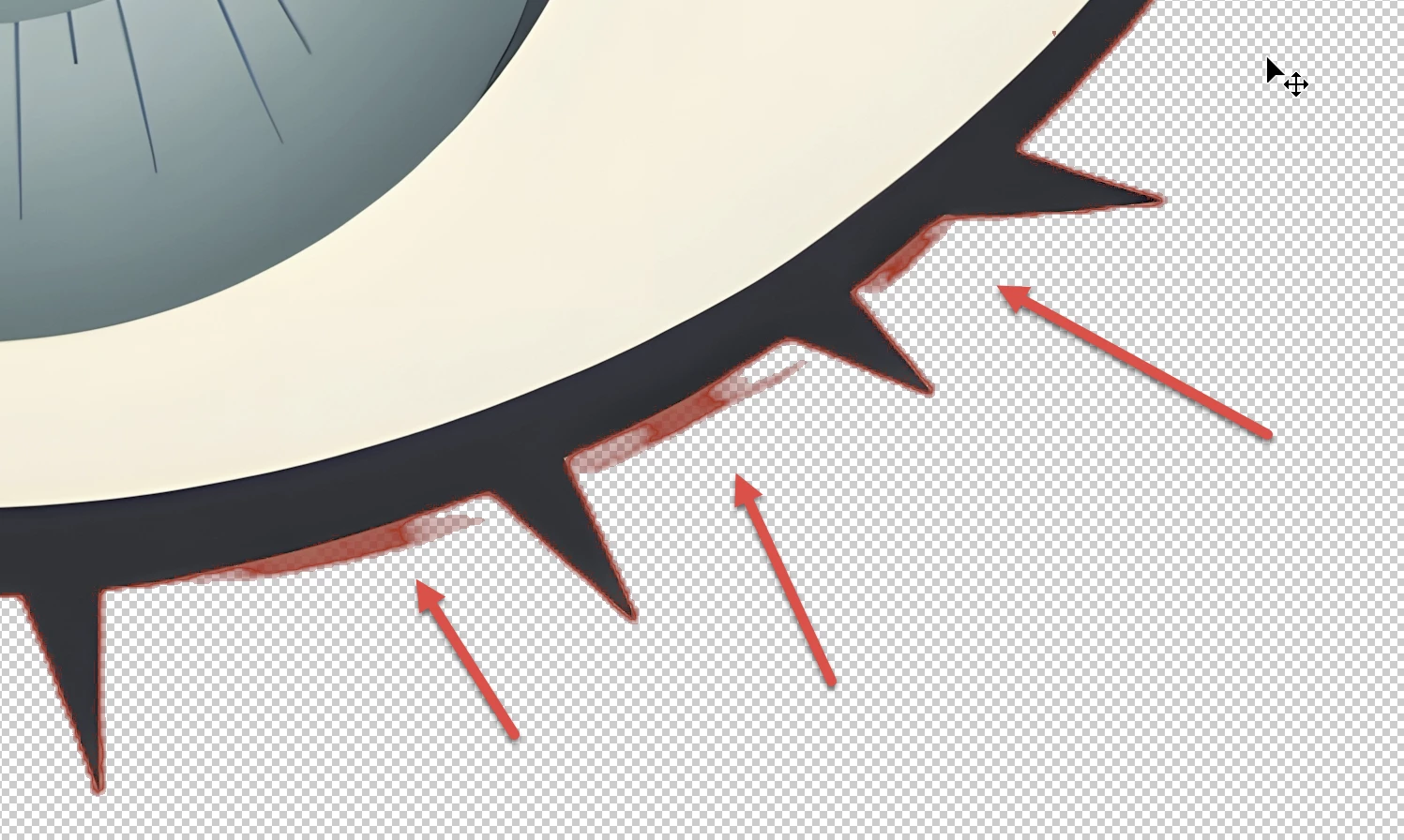
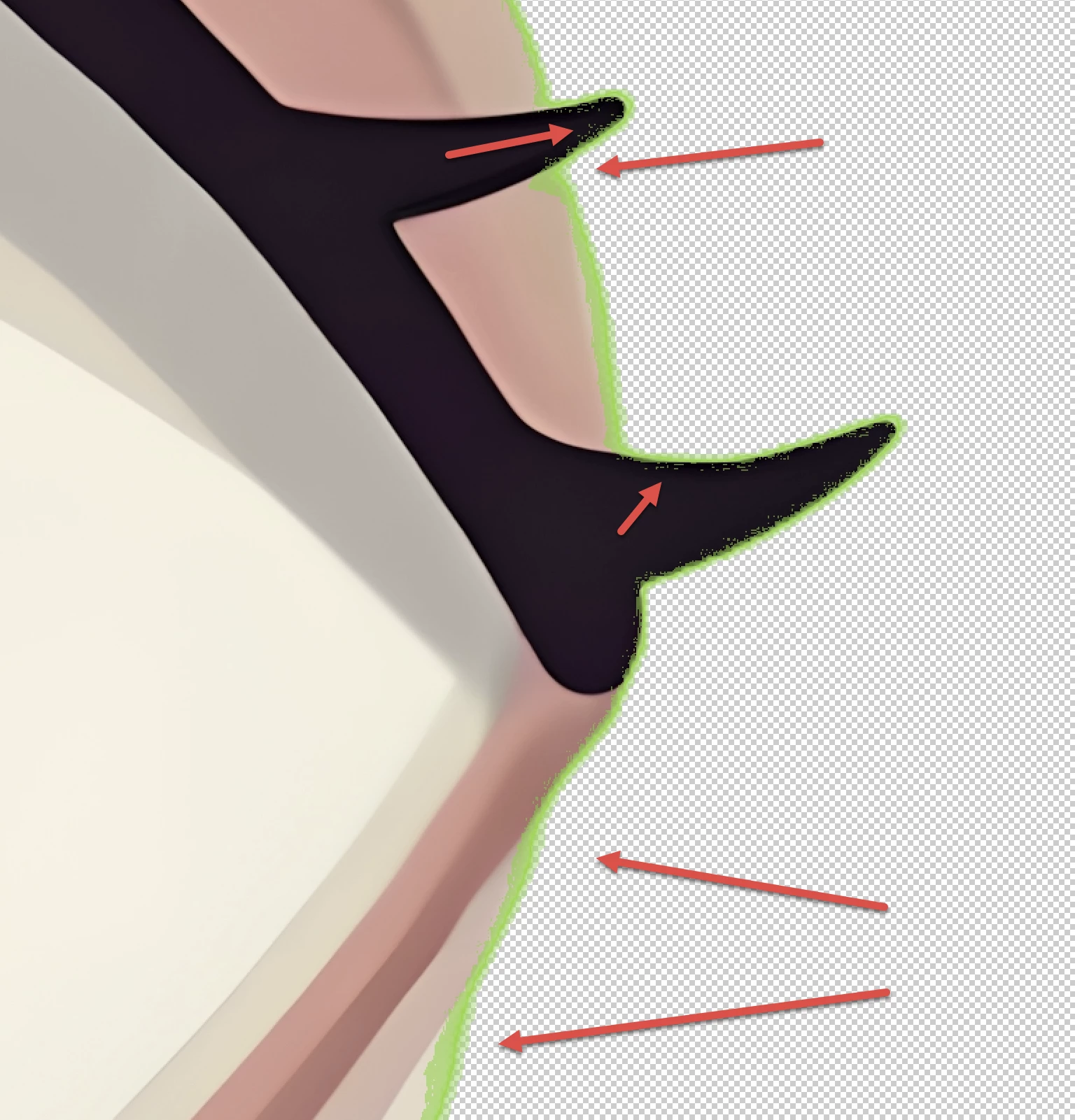
Eye (the last): Rendering errors:

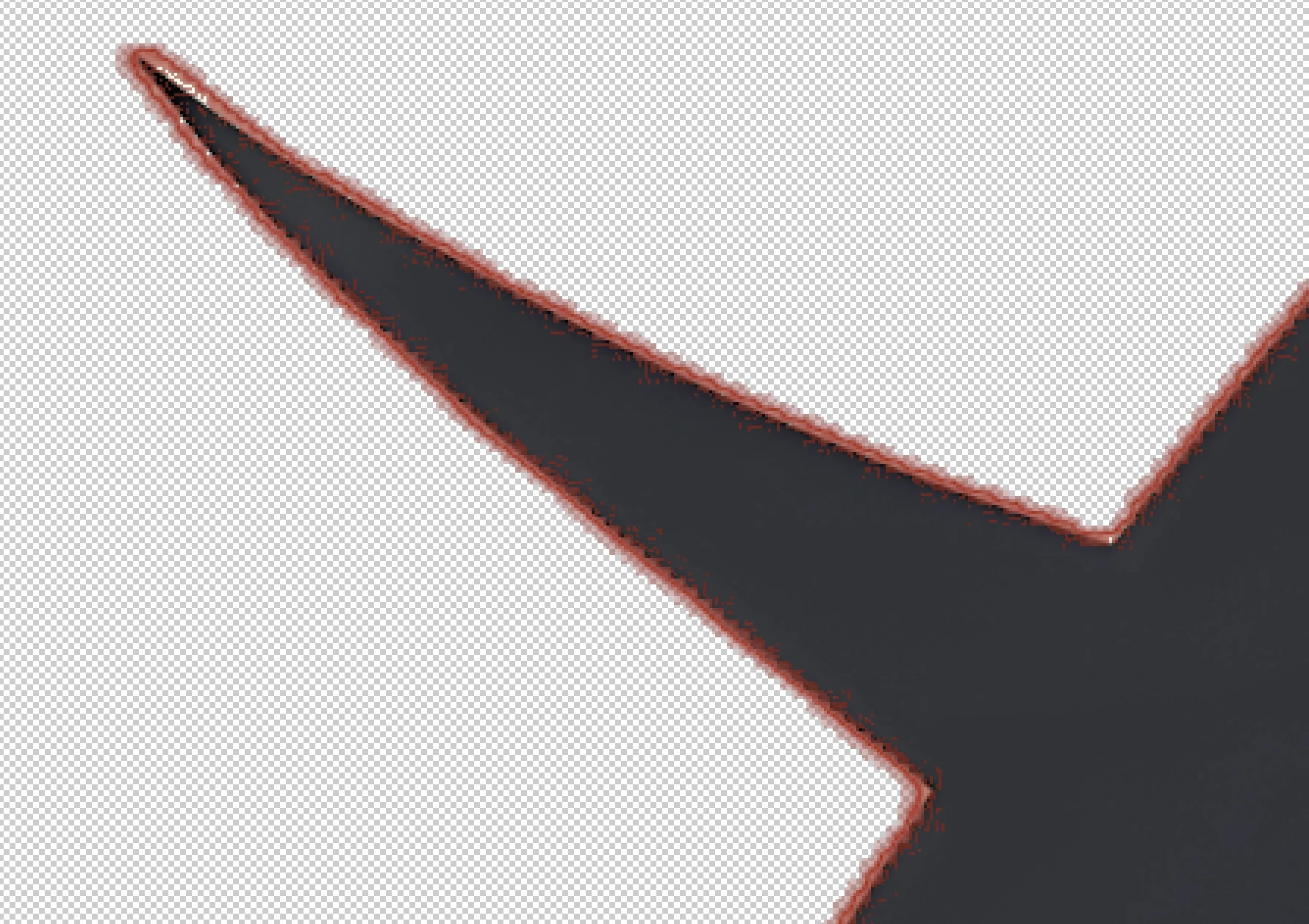
And, you got it by now, huge cutout errors:

You should trim your assets as required (Do: Crop to minimize empty space around the images.):

This:

instead of this:


ABAMBO | Hard- and Software Engineer | Photographer

9 replies

Known Participant
Jan 14, 2025 11:48 AM UTC

Hello.

Thank you to everyone who took the time to respond.

After reviewing your feedback, I realized that my illustration had quite a few errors. I also learned that background removal is not easy. I used Adobe Express for background removal, but should I manually edit it in Photoshop for better results?

Thank you.

Translate
Legend
Jan 14, 2025 12:12 PM UTC

Manual editing is always necessary.

Translate
Abambo
Community Expert
Community Expert
Jan 13, 2025 5:45 PM UTC
quote


So this time, I uploaded some simple illustrations instead. However, even the illustrations that seem simple to me were all rejected due to quality issues.


By @BH_Moon3191

As you are probably lacking the talent to create these simple icons from scratch, use generative AI to design them, then use a vector program to recreate them. They would be clean, usable and, as a vector asset, scalable.

Translate
ABAMBO | Hard- and Software Engineer | Photographer
Abambo
Community Expert
AbamboCommunity ExpertCorrect answer
Community Expert
Jan 13, 2025 5:20 PM UTC

First Checkmark: your transparency mask is not good enough:

In addition, there are rendering errors:


Your asset also exposes lines, where no lines should be:


Second: the shadow is odd:

The mask is erroneous too:

Blue eye, the first:

Bad masking:

Eye (the last): Rendering errors:

And, you got it by now, huge cutout errors:

You should trim your assets as required (Do: Crop to minimize empty space around the images.):

This:

instead of this:


Translate
ABAMBO | Hard- and Software Engineer | Photographer
daniellei4510
Community Expert
Community Expert
Jan 13, 2025 5:01 PM UTC

Try putting your transparencies against a black Solid Color to check for cutout issues.


Translate
Adobe Community Expert | I have miles to go before I sleep, but I'm all done on this end.
Jill_C
Community Expert
Community Expert
Jan 13, 2025 4:33 PM UTC

Here are other drawing errors.

Translate
Jill C., Forum Volunteer
RALPH_L
Community Expert
Community Expert
Jan 13, 2025 3:35 PM UTC

I looked at the first image of a check mark and what I noticed at 200% is the dark blue thin line around the image is jagged.

I would select the the button in Photoshop, reduce the selection by 4 pixels. Smooth the selection and then resave it.

Translate