

Participant
October 8, 2026
Question

Quality issues upload for illustrations

  • October 8, 2026
  • 9 replies
  • 57 views

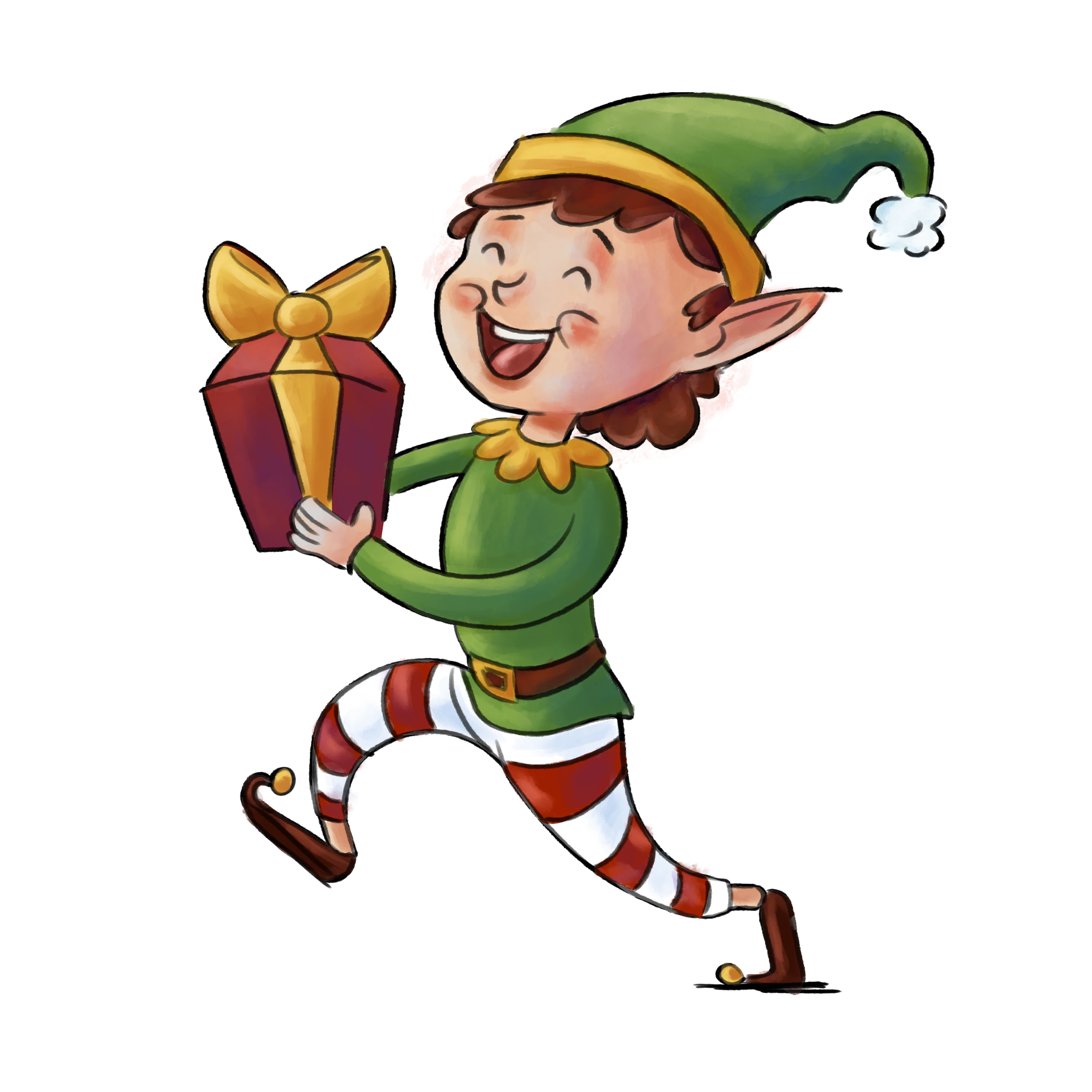
I uploaded this image and adobe rejected it for quality issue , what's the issue ? any illustrators here can give advice on uploading photoshop illustrations ( in general ) ? Thank you in advance 
 

    9 replies

    Participating Frequently
    October 9, 2026

    cuando termines tus trabajos revíselos al 100% zoom así puedes ver detalles 

    daniellei4510
    Community Expert
    Community Expert
    October 9, 2026

    200% is even better. That is probably how the moderators are reviewing assets.

    Adobe Community Expert | I have miles to go before I sleep, but I'm all done on this end.
    Participating Frequently
    October 9, 2026

    jjajajajaj si mientras mas mejor, ellos los revisan al 100%, por que cuando una imagen se ve nítida al 100% a si sale impresa, pero si yo mismo reviso al 200 300 y me pongo los lentes 

    Nancy OShea
    Community Expert
    Community Expert
    October 8, 2026

    This needs some clean-up work. The cut-out is rather sloppy, there are several noticeable smudge marks outside the lines. And some of the lines are not connected properly. 


    Why are you creating characters in Photoshop?  You should be using Illustrator for this kind of work.  Vectors are higher quality than rasters.  You’ll make more sales from vectors than you will with PNG files.


    Read the 7-part section on Vector submission requirements in your Contributor User Guide. It starts here:

    1. https://helpx.adobe.com/stock/contributor/submit-your-content/submit-vectors/vector-submission-overview.html


    Nancy O'Shea— Product User & Community Expert
    Jill_C
    Community Expert
    Community Expert
    October 8, 2026

    Check the outlines - there are stray bits of color outside the lines.

    Jill C., Forum Volunteer
    daniellei4510
    Community Expert
    Community Expert
    October 8, 2026

    Bad cutout throughout. Always review your pngs behind a dark background to assure your cutouts or background removals are clean.


    Adobe Community Expert | I have miles to go before I sleep, but I'm all done on this end.
